
This guide provides a step-by-step walkthrough for moving your domain to Trustname to benefit from more transparent pricing and enhanced security features. By following these simple preparation steps at Spaceship, you can ensure a smooth transition to a more user-friendly management platform.
Key Takeaways
- Preparation Essentials – Unlock your domain, disable privacy settings, and obtain your EPP/Auth code from Spaceship before starting.
- Cost Savings – Use the promo code WELCOME777 to reduce your transfer fee to $7.77, which includes a one year registration extension.
- Enhanced Privacy – Benefit from "Two-Tier Privacy" by choosing pre-defined contacts to keep your personal data off the public Whois database.
- Faster Processing – Speed up the standard five days waiting period by manually approving the transfer request within your Spaceship dashboard.
- Transfer Eligibility – Ensure your domain is at least 60 days old and not in a "Redemption" or "Pending Delete" status to avoid failure.
TABLE OF CONTENTS
- Key Takeaways
- What Perks Should You Expect With Trustname?
- Things To Note Before Transferring Your Domain Out
- Preparing For The Transfer: What To Do
- Transferring Your Domain From Spaceship To Trustname
- How To Hasten Your Domain Transfer From Spaceship
- Setting Up Your New Domain At Trustname
- Can You Get A Free Domain Transfer?
- Troubleshooting Failed Domain Transfers
- Rounding Up
Looking to transfer your domain from Spaceship to Trustname? We know that feeling. Chances are, you're tired of the high renewal fees, suspicious promo sales, horrible and slow email hosting, and rude and unhelpful customer support- the reasons why many of our customers left Spaceship are quite long. We would rather not bore you with them.
To move your domain from Spaceship to Trustname smoothly, you'd need to unlock your domain, obtain the Auth Code (EPP), and disable Spaceship's domain privacy and protection. And what's even better? You can hasten the time by going to your domain list and manually approving the transfer request.
In the rest of this guide, we will show you how to move your domain name from Spaceship to Trustname so you can enjoy the very best pricing on the market.
We also offer all of the domain basics for free, our signature Two-tier Domain Privacy, and a clean interface that helps you easily manage your website essentials. But before we get to those…
What Perks Should You Expect With Trustname?
We know you're pretty convinced why you should move your domain from Spaceship to Trustname, but to have you sold, here are the benefits you are about to enjoy:
- Low Renewal Costs
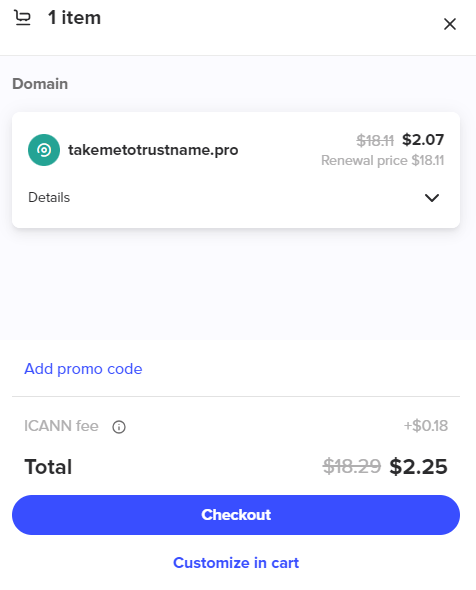
[+] [Callout] Warning Insert title here [+] [Callout] Title/Title with Icon -> A major complaint from Spaceship customers is the clickbait prices of their domains. When buying a domain, you get ridiculously low offers that look like bargains. But once you purchase a domain, the yearly renewal fees increase 9 times over.
- Trustname's Unbeatable Pricing
At Trustname, we pride ourselves on being one of the most affordable domain registrars in the world.

Spaceship's first-year discount only applies to the domain name itself. When it's time to renew, you will pay a higher rate of $18.88 per year. Add in the space email at $4.99 and this price shoots up to $23.87 per year. Over 5 years, you would've spent $119.35.
[+] [Callout] Success Insert title here [+] [Callout] Title/Title with Icon -> On Trustname, you get a total, transparent fee that includes ICANN fees with our .com domain registrations starting at $12.99 per year and renewing at $14.99 per year with all your domain essentials included for free. Over 5 years, you would've saved $46.44 just for switching to us.
- Professional And Friendly Support
Another popular complaint Spaceship customers have is their rude and unhelpful support. From agents not understanding basic domain concepts to outright disregard for customers, when you need help quickly, Spaceship may end up getting on your nerves.
[+] [Notice] Info Insert title here [+] [Notice] Title -> At Trustname, you can reach out to our support agents 24/7 by submitting a ticket or chatting with us live.
Our team is comprised of seasoned domain and web hosting experts (most of whom run their websites) and are available to help in a heartbeat.If anything, we emphasize to our customers to initiate a live chat with us whenever they can so they can get all the help they need quickly.
- Reliable And Fast Business Email
Our customers who were old Spaceship clients complained that it took between 20-40 seconds for emails to be delivered. For others, their emails completely vanished into thin air.
[+] [Callout] Info Insert title here [+] [Callout] Title/Title with Icon -> At Trustname, we have one of the fastest and most reliable email servers. Your emails will deliver within 1-2 seconds so you don't miss out on that important information.
- Legit Promotions
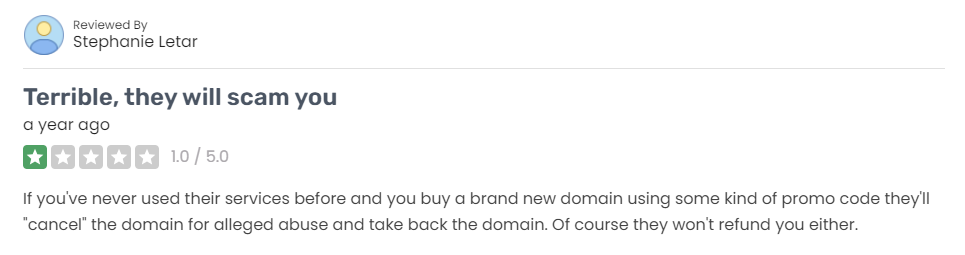
[+] [Notice] Error At Trustname, we are proud of the transparent nature of our promotions. All terms and conditions are properly explained to customers and most importantly, we'll never take your money.Insert title here [+] [Notice] Title -> An embarrassing complaint from some Sapceship customers was the shady nature of their promos. They complained about buying domains using promo codes only for them to get canceled and retrieved for 'alleged abuse'. To make matters worse, Spaceship refused to refund their money or offer any reasonable explanations.
- Clean, Intuitive Interface
Another advantage of switching to Trustname is our intuitive, clutter-free interface. From wherever you are on our website, you can access your domain list by clicking 'Domains' at the top part of the page.
Click on the 'Domain' you want to manage, and all your core settings are right there after your second click. You can see your domain status and important dates, generate your Auth code, tweak your nameservers, set up auto-renew, enable DNSSEC, and manage your transfer settings all on the same page.[+] [Callout] Default Insert title here [+] [Callout] Title/Title with Icon -> On Spaceship, you'd need to access the 'Launchpad', scroll down to find 'product and tools', then click on your domain list, before you can access important settings on your domain. Trustname simplifies managing with just 1-click.
Things To Note Before Transferring Your Domain Out
Before you start the domain transfer process, there are some important considerations you should take note of.
These are:
- Nameservers
Domain nameservers are responsible for pointing web browsers to the IP address of the web servers hosting your website. They tell the internet where to find your website content.
Once you have initiated a domain transfer, you won't be able to make changes to core domain settings like nameservers. If your domain is linked to a website, we advise you to change your nameservers before you initiate the transfer.
If you don't, your domain nameservers will still be set to Spaceship while the transfer is ongoing.
- You'd Need To Migrate Your Website Separately
A Domain name is the address of your website, while web hosting provides space to store all your data and files are stored. The two are essential services to having an online presence, but are very different. Moving your domain name to Trustname won't automatically transfer your website.
If you also want to move your website to Trustname, you'd need to reach out to us about purchasing a web hosting plan, and we'll help you migrate your website conveniently.
- Transfer Pricing And Policy
On Trustname, we charge a base fee for transferring your domain name to us. This comes with an extra year to your domain name's current expiration date.
For example, if your domain's current expiration date is the 25th of September, 2024, after transferring it to Trustname, your domain's new expiry date will be the 25th of September, 2025.
- The Domain Can Only Be Transferred During The Grace Period
Domain names can only be transferred while they are active or in the Grace Period after expiry. If your domain has progressed into the Redemption Period, you'd have to renew it at Spaceship first. And if it has entered the Pending Delete phase, it'll no longer be eligible for transfer chances are you may lose the domain entirely.
Preparing For The Transfer: What To Do
Eager to come to Trustname? Here's your pre-transfer prep checklist:
- Locate Spaceship Transfer Wizard
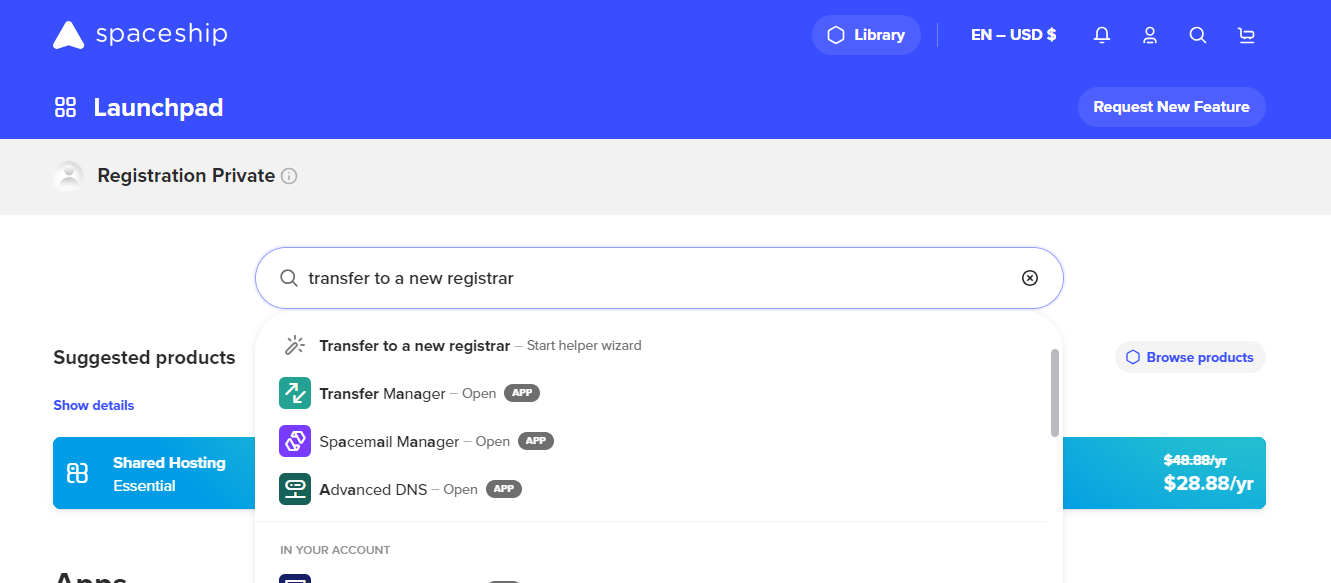
Because of how complicated it can be to locate the transfer wizard, we recommend you type "Transfer To A New Registrar" in the search box. This will bring up a 'Start Helper Wizard' quick link, click on it and it'll take you to the transfer page. - Unlock Domain
The first step to initiating a transfer from Spaceship is to disable the Domain Transfer Lock. This is another security feature provided by registrars to prevent unauthorized transfers.
You'd need to disable it in your Spaceship account before you can transfer your domain. But don't worry, we'll turn it back on automatically once your domain gets to us.
Follow these steps:
[+] [List] Green Ordered - To unlock your domain at Spaceship, click on the 'Domain' name you want to unlock on the transfer page. It will open a column on the right side of the page, scroll down and click on 'Transfer'.
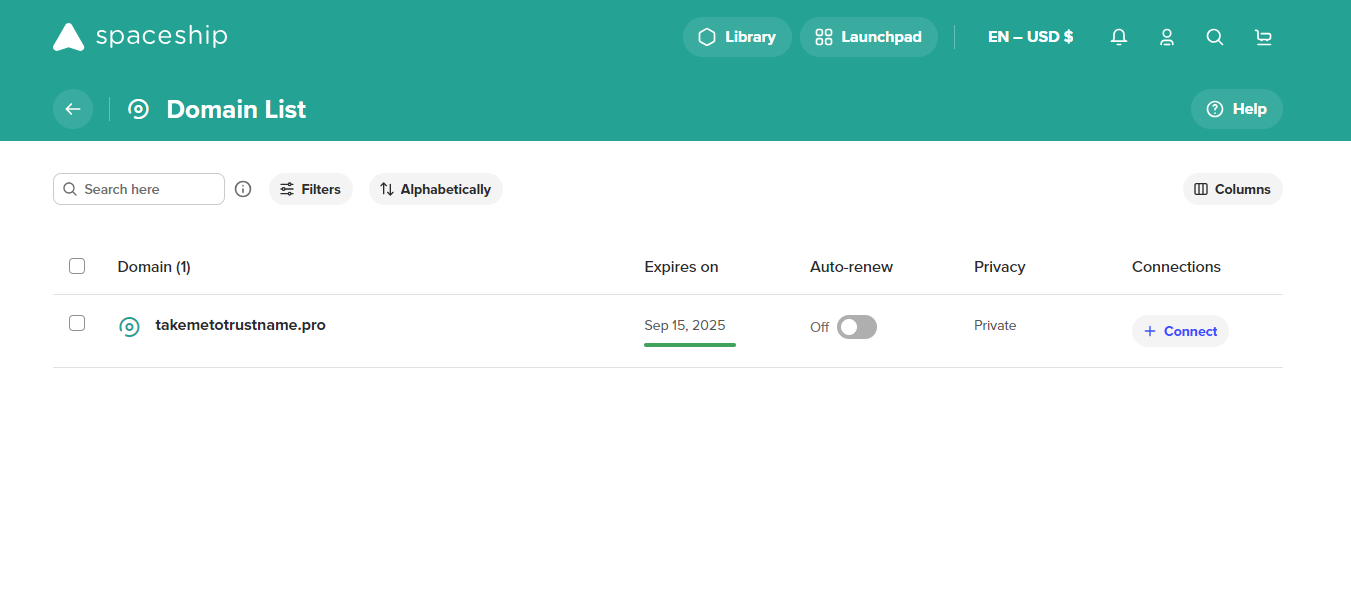
- On this page, click on 'Transfer Domain' under the 'Transfer to a new registrar' option. This will bring up a list of steps to take. Click on 'Unlock Domain'.
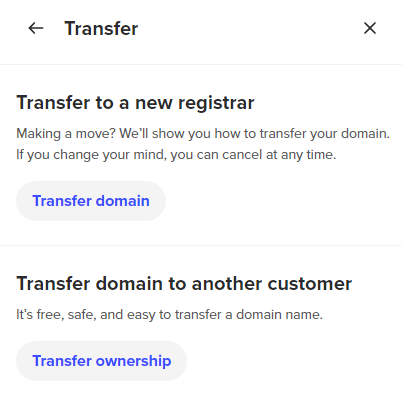
- To unlock your domain at Spaceship, click on the 'Domain' name you want to unlock on the transfer page. It will open a column on the right side of the page, scroll down and click on 'Transfer'.
- Obtain Auth Code
Before any domain transfer from Spaceship, you will need to obtain the Auth Code (EPP code). You will submit this Code to Trustname when you initiate the transfer and Spaceship will use it to verify that the legal owner of the domain (you) is the one transferring it out.
To get the code, follow these steps:
[+] [List] Green Ordered - Click on the 'Domain' name you have unlocked, it will open a column on the right side of the page, scroll down and click on 'Transfer'.
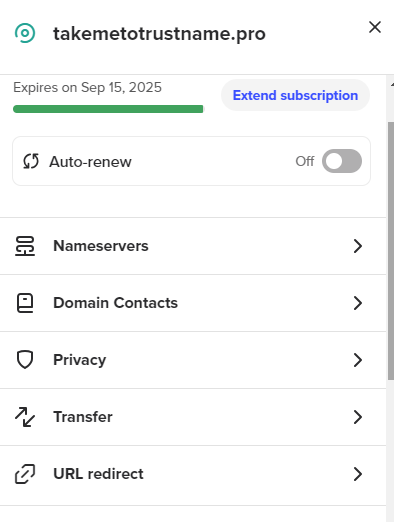
Once it opens the column, click on 'Get Code' under 'Authorization Code'. It will automatically generate the Auth Code.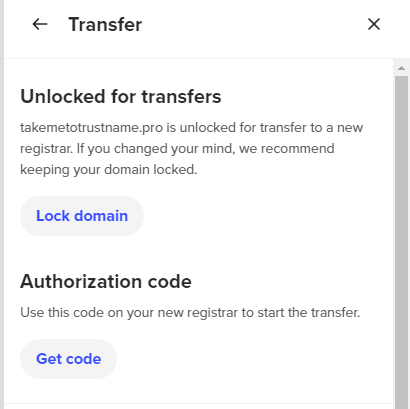
Thats it!
- Click on the 'Domain' name you have unlocked, it will open a column on the right side of the page, scroll down and click on 'Transfer'.
- Disable Domain Privacy
The next thing you want to do is to disable 'Domain Privacy' for your domain on your Spaceship account. Domain privacy is a service that shields your contact details from the public Whois database.
When you move your domain to Trustname, we'll give you this basic domain privacy as well as our full Two-Tier Whois Protection for free. To disable Domain Privacy, click on the 'Domain' you want to transfer on the transfer page.[+] [List] Green Ordered - Scroll through the column on the right side of the page and click on 'Privacy'.
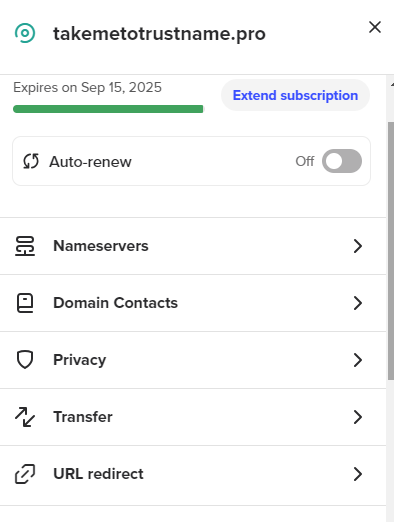
- It will show you two privacy options, 'public' and 'private'. By default, it'll be on 'private'.
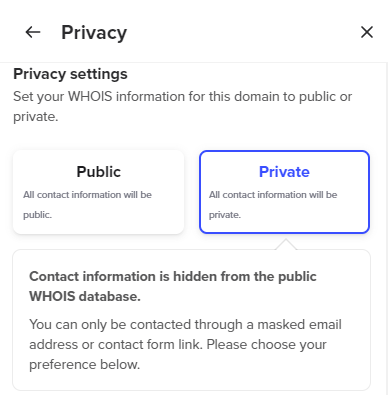
so click on 'Public' to disable privacy remember, this is only temporary and we will automatically shield your domain once we receive it from Spaceship. - Click on 'Confirm' to disable it and apply your changes.
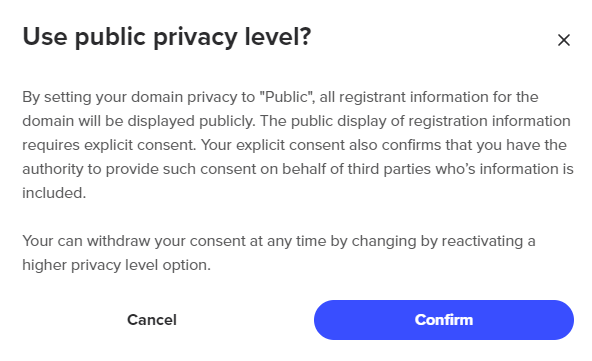 That's it.
- Scroll through the column on the right side of the page and click on 'Privacy'.
- Ensure Domain Contact Email Is Up-To-Date
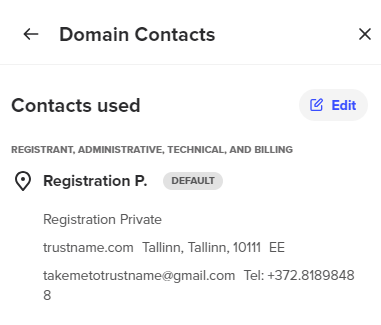
Finally, ensure that your registrant email address is up-to-date and accurate.
Typically, your transfer should go smoothly, but in case you encounter any issues, Spaceship will contact you via this email address on actions you should take, so keep an eye out for emails.
To check your associated domain contacts:
[+] [List] Green Ordered - On the transfer page, click on the 'Domain' name you're about to transfer, scroll through the column on the right, and click 'Domain contacts'. Confirm that everything is in order.
- If you need to change your contact details (email), click on 'Edit' and make the necessary changes. However, note that this will re-enable the ICANN 60 days lock and you'd have to wait for 60 days to transfer it out.
Now, you're ready to initiate your domain's transfer to Trustname.
- On the transfer page, click on the 'Domain' name you're about to transfer, scroll through the column on the right, and click 'Domain contacts'. Confirm that everything is in order.
Transferring Your Domain From Spaceship To Trustname
We can't wait to have you here! To start moving your domain, follow these steps:
- Head To Our Domain Transfer Page
At Trustname, we ensure that transferring your domains to us is super easy and fun.
To start the process, follow these steps:
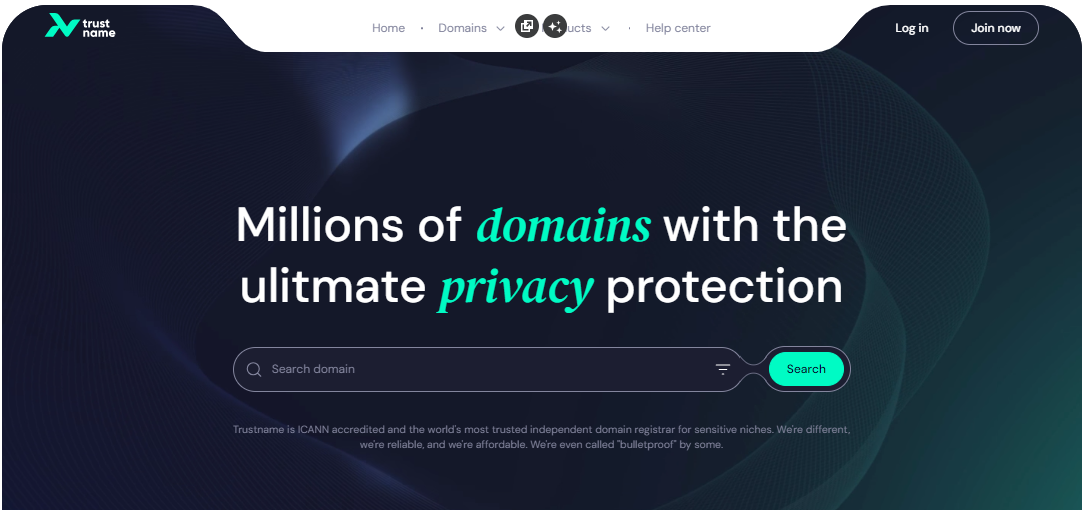
[+] [List] Green Ordered - Go to the Trustname.com website and click 'Log In' at the top right corner to access your Trustname account.
- Fill in your account username and password to gain access to your customer portal.
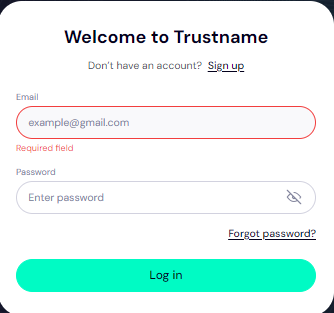
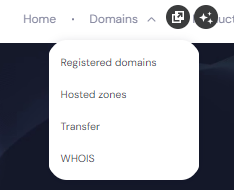
Click 'Log in'. - To access your domain transfer settings, under the 'Domains' dropdown in the header, click on 'Transfer'.
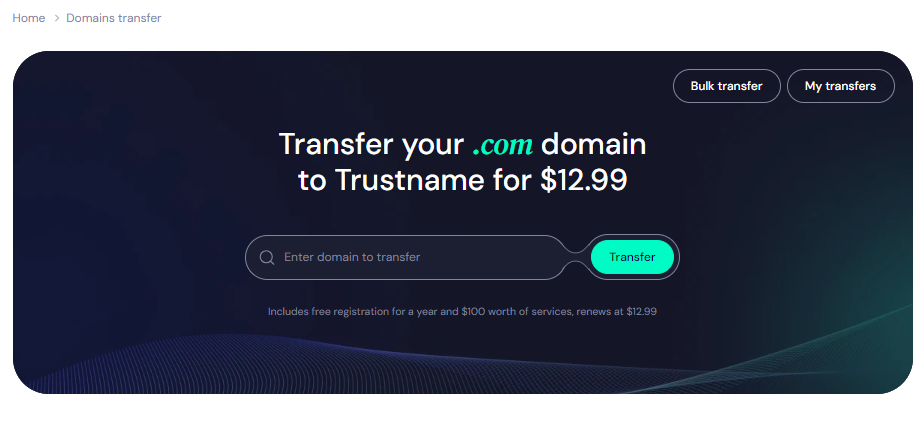
- On Trustname's domain transfer portal, type in your Spaceship domain including the TLD into the required field and click on 'Transfer'.
- Go to the Trustname.com website and click 'Log In' at the top right corner to access your Trustname account.
- Submit The Auth Code (EPP)
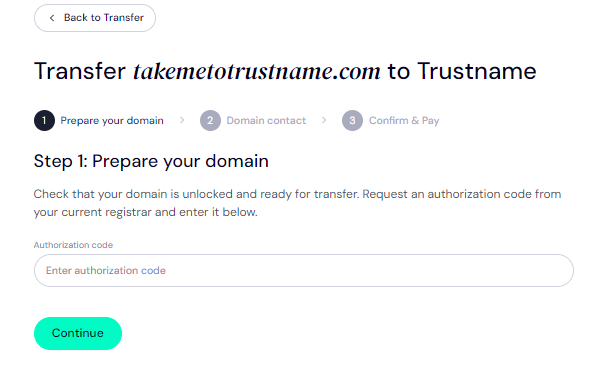
Next, enter the Auth Code (EPP code) generated by Spaceship into the required field and click on 'Continue':
- Enter Domain Contact
On the next page, you'll be required to fill in your domain contact details. You can choose to use your details by clicking on the 'Choose Contact' dropdown and choosing 'Add New Contact':
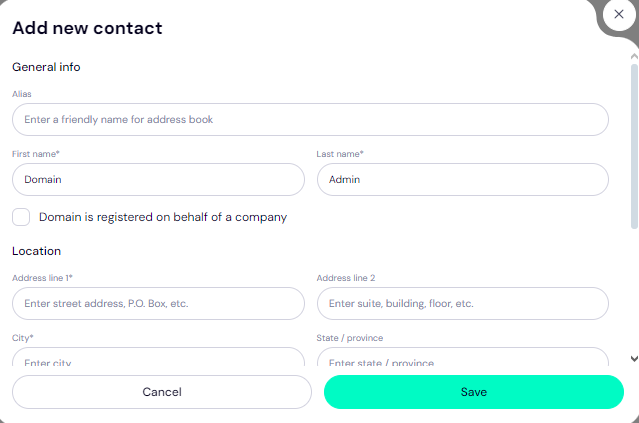
Alternatively (and we recommend this), you can enjoy the highest possible privacy by choosing 'Use a pre-defined contact'. What happens when you do this?
We will register your domain on your behalf in the name of Perfect Privacy LLC. our partner proxy company, while you retain full ownership of the domain as usual.
This ensures that when anyone runs a Whois lookup on your domain name, your contact details will remain private even without domain privacy protection.
This is the first layer of our Two-Tier Privacy Protection and is a core reason why Trustname stands out from most other registrars on the market.
This will be your domain contact info if you go this route:
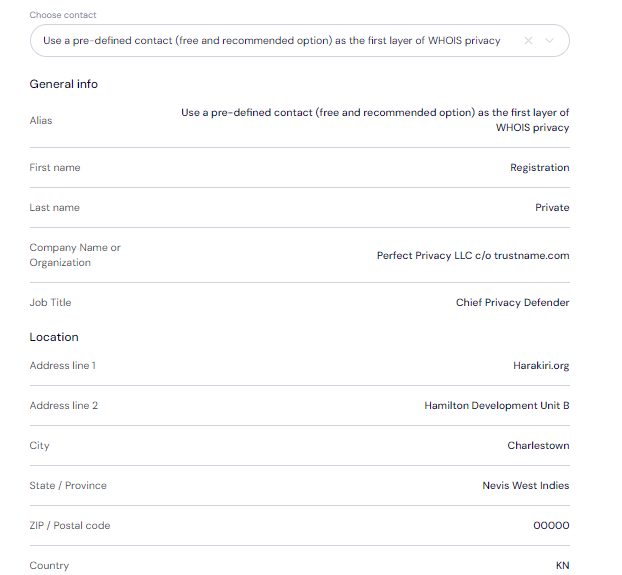
And the best part? You can always change your domain contact to your details at any time, whenever you want.
On the second layer, we still give you the generic Domain Privacy offered by most registrars for free, shielding your domain contact info (yours or PP LLC.'s) from the Whois database. This service is offered by our second proxy partner, Whois Privacy Protection Services.
After filling in your domain contact details, click on 'Continue'.
- Pay For An Extended Registration
On the next page, you pay for your domain transfer and get 1 extra year on your domain's expiry date.
To initiate your payment:
[+] [List] Green Ordered - Enter your billing address. You can also select 'Same as my contact address' to hasten the process.
- Next, choose your payment method. You can use a bank card or existing funds in your Trustname wallet to make a payment.
If you don't have a bank card set up yet, click on 'Add New Card' and fill in your card details to have it set up.
- Enter your billing address. You can also select 'Same as my contact address' to hasten the process.
Trustname's Domain Transfer Promo Code - WELCOME777
- Trustname's standard domain transfer fee is fixed at $14.99 per year, with no additional charges for taxes or ICANN fees.
- By applying the promo code WELCOME777, you receive a 50% discount, reducing the first-year transfer cost to $7.77.
- The discounted price includes a +1-year subscription, which is added to your domain's current expiry date.
- After the first year, the domain will renew at the standard rate of $14.99 for .com, .net, and .org TLDs, making it one of the most affordable options over a 5-year term compared to Spaceship and other competitors.
- To apply the discount, enter WELCOME777 in the "Add a promo code" section during checkout.
To enjoy the promo, type in WELCOME777 in the ‘Add a promo code’ section
Select The Registration Duration
Next, select the number of years you want your domain to be subscribed for. You can choose a subscription period between 1-10 years.
Ideally, enable auto-renewal so you never have to monitor your domain expiry dates manually.
Make Your Payment
Click 'Pay' and follow the on-screen prompts. That's it! Your domain name should be on its way.
How To Hasten Your Domain Transfer From Spaceship
Transferring your domain from Spaceship to Trustname will take 5 days if you allow it to run automatically. However, the registrar has a way to make the process faster.
All you need do is to check your domain list and manually approve the transfer. In a few hours, your domain will be with us.
Setting Up Your New Domain At Trustname
Once your domain name is at Trustname, there are a few extra steps you can take to secure your domain name. Let's see them:
- Enable Our Signature Two-Tier Privacy
By default, we will enable the second layer of our Two-Tier privacy on your domain name once you transfer it to us.
When transferring your domain name, if you chose 'Use a pre-defined contact' for the domain contact details, you are now enjoying our Two-Tier Domain Privacy.
Head to Domains >>>Registered Domains >>>Domain Contacts to review your domain contact details at any time.
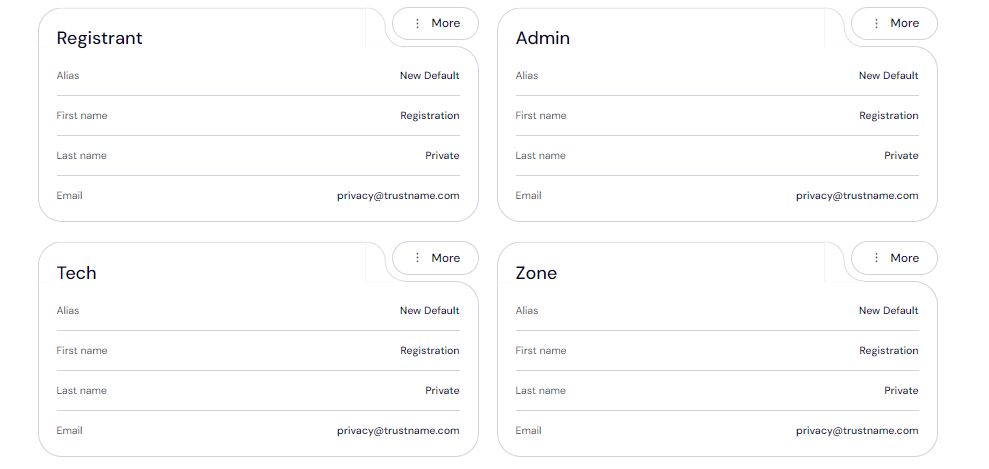
Read Why Trustname registers domains in the name of Perfect Privacy LLC. to learn more about our Two-Tier Whois Privacy.
- Check That Your Domain Is Locked
We automatically lock your domain once you transfer it to us. To view your Domain Lock settings, click on 'Domains >>>Registered domains >>>Select domain' and then scroll down to the Additional settings field.
- Verify The DNS Settings
You can also make changes to your domain nameservers and view the DNS records associated with your domain on the same page. You can just head to the Domain Nameservers section to review them.
Check under General info, look for Hosted zone, and click 'View' to see your DNS records.
From here, you can add and edit your existing DNS records, tweak your nameservers, and enable DNSSEC: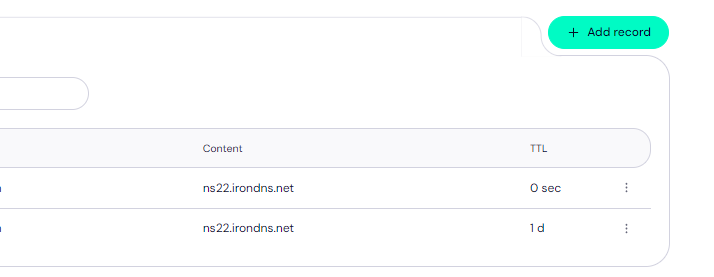
- Set Up 2FA
We allow you to add an extra layer of security to your account by enabling two-factor authentication (2FA). With 2FA enabled, whenever anyone tries to access your account, they'd need your credentials as well as a code generated by an authenticator app on your device.
To set up 2FA on your Trustname account:
[+] [List] Green Ordered - Under 'My Profile' click on 'Account settings' to manage your account's security settings.
- Once there, scroll down to 'Two-factor authentication (2FA)' and toggle the button on.Scan the QR code generated or add a secret key generated on our portal to the authenticator app and then enter the code generated by the app on our platform.
- Download the Google Authenticator app from your app store.
- Once the app is set up, it will generate a time-based six-digit verification code. Enter this code into your Trustname portal to complete the authentication setup process. Click on 'Enable'.
[+] [Notice] Info Insert title here [+] [Notice] Title -> Save the backup codes provided by Google Authenticator during setup. These will help you regain access if you lose your device.
Read how to set up two-factor authentication (2FA) on Trustname for more details.
Can You Get A Free Domain Transfer?
Instead of 'free' transfers, we will give you a free 1-year domain subscription added to your domain's expiry date. Most other registrars charge for this registration as well as the transfer.
When you use our domain transfer coupon code WELCOME777, we charge $7.77 for the transfer. Also, on every web hosting package you buy from Trustname, you get a free domain added in.
Troubleshooting Failed Domain Transfers
Typically, your domain transfer will run smoothly but if you run into any issues, these are the common reasons why it failed and how to troubleshoot them:
- Wrong EPP Code
We won't be able to transfer the domain if you input the wrong Auth or EPP code. We recommend copying it directly from Spaceship and pasting it into our required field instead of trying to manually write it down.
- ICANN Lock
The Internet Corporation for Assigned Names and Numbers (ICANN), the regulatory body over domain names, enforces a 60 days registrar lock on domains that were recently transferred or modified.
[+] [Callout] Info Insert title here [+] [Callout] Title/Title with Icon -> You won't be able to transfer a domain name within 60 days of the last registrar transfer, registrant change, or change to the domain's contact details. Confirm that your domain is eligible and out of the 60 days lock before initiating the transfer.
- Transfer Lock
Spaceship won't release the domain name if the domain lock is still turned on. Check your domain settings to ensure the Domain Lock is disabled as shown earlier.
Rounding Up
Throughout this piece, we have proven that Trustname is a better alternative to Spaceship. We offer more affordable rates, friendly and professional support, and all the essential features to protect your domain for free.
To transfer your domain from Spaceship to Trustname, you'd need to unlock your domain, obtain the Auth code, disable Domain Privacy, and review your domain contact details.
Then, you head to Trustname's transfer portal, type in your domain name, submit the Auth code, specify your domain contact (ideally, use our pre-defined contact), and make a payment.
For our transfers, we charge a discounted fee and add 1 year to your domain's expiry date to ensure you never lose it. We're waiting for you!