
Moving your domain from DirectNIC to Trustname is a straightforward process designed to provide you with better privacy, more transparent pricing, and reliable human support. This guide outlines how to prepare your domain for transfer and take advantage of Trustname's user-friendly management tools.
Key Takeaways
- Transparent Pricing – Trustname offers fixed renewal rates and a discounted transfer fee of $7.77 using the promo code WELCOME777.
- Enhanced Privacy – You gain access to a unique "Two-Tier Domain Privacy" system that allows for anonymous registration and professional proxy protection.
- Preparation Steps – Before starting, you must ensure your domain is over 60 days old, disable the "Domain Lock" at DirectNIC, and retrieve your EPP/Auth code.
- All Inclusive Features – Every transfer includes essential services like SSL certificates, Whois privacy, and Premium DNS at no additional cost.
- Reliable Support – Customers benefit from 24/7 access to a dedicated team of experienced human agents rather than automated systems or unresponsive tickets.
Want to transfer your domain from DirectNIC to Trustname? Customers can't seem to agree on their user interface, and what's worse? Their support is nigh non-existent.
Transfer your domain to Trustname and enjoy the most affordable prices, premium support, all the domain essentials out of the box, a clean user interface, and the very best domain privacy on the planet.
Let's show you how...
What Perks Should You Expect From Trustname?
1. Affordable Pricing
Like many registrars today, DirectNIC lists clickbait prices that make you believe you are getting a bargain, but when it's time to renew after the first year, you'll pay it back several times over.
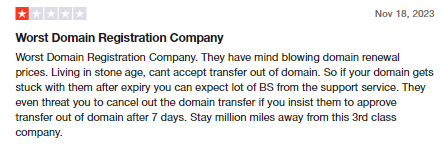
At Trustname, we won't give you sub-$5 fees only to charge $30-50 just for one domain on renewals. We charge a fixed $12.99 for the first year and $14.99 for subsequent renewals - this includes ICANN fees and all the domain essentials (SSL certificate, Whois privacy, Premium DNS, and email; all worth $100) out of the box.
2. Premium Support
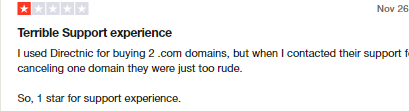
If there were only one complaint from DirectNIC's customers, it would be their incredibly poor support. From tickets and emails getting ignored to support agents having no clue on how to resolve basic inquiries and rude service reps, DirectNIC is not the place if you want on demand help.
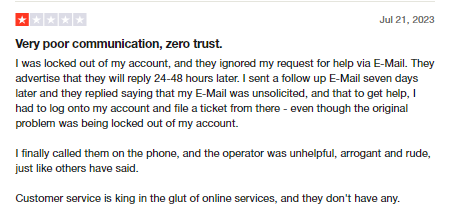

At Trustname, we pride ourselves on our ever growing team of human agents with decades of real-life experience (many of whom are webmasters themselves) to give you all the help you need 24/7/365.
3. Stay In The Loop On Everything.
No one likes to be caught unawares, especially when talking about your domain names and website. DirectNIC may spring up updates that affect the performance of your web assets without you knowing.
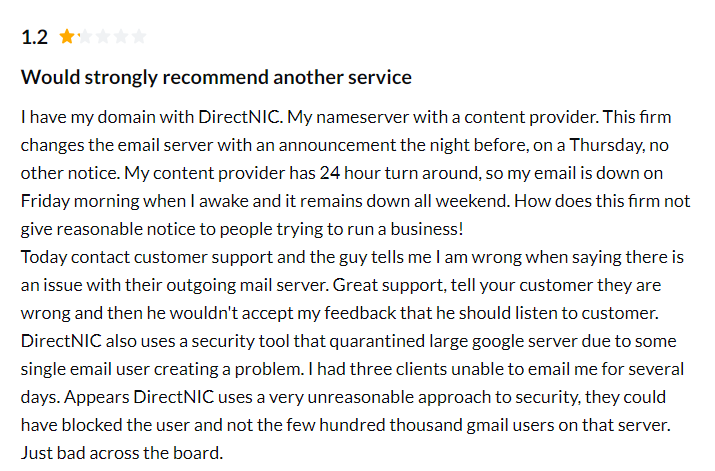
Not so with Trustname. Here, a core part of our brand message is keeping you in the loop of everything that pertains to your domain name. From scheduled updates to abuse reports made on your domain, to give you enough time to prepare and make necessary changes we side with you when it matters.
4. Clean, Intuitive Interface
Not everyone appreciates the user interface of DirectNIC, and many customers complain about the super complicated layout that may only appeal to weeb devs and designers. Managing your domains should be as easy as it gets.

At Trustname, we value form and function. Not only should your domain names work well, but they should be easy to manage, and you should enjoy doing that. Our platform features a beautiful, user-focused dashboard that simplifies all your domain management with an aesthetic theme and intuitive buttons.
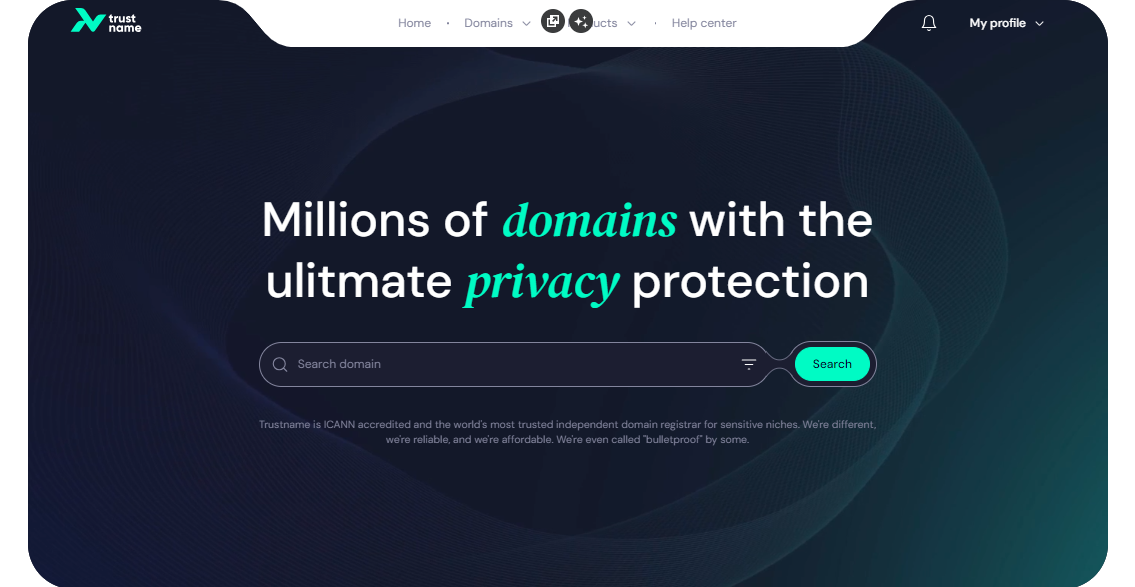
You have access to each of your domains management settings in just two clicks.
5. The Best Domain Privacy On The Planet
Registrars like DirectNIC give you basic Whois privacy that replaces your domain contact information in the Whois database with proxy details or 'Redacted for privacy' (for EU customers).
At Trustname, we offer a one of a kind Two-Tier Domain Privacy that allows you to register domains anonymously and then hide your domain contact on a second level.
You'll never have to link your personal information with your domain in the first place if you don't want to. Also, our partner proxy company, Perfect Privacy LLC, will be the first point of contact for any domain abuse reports or disputes, which we will then forward to you.
Read more on Why Trustname registers domains in the name of Perfect Privacy LLC. to learn more about our Two-Tier Privacy.
Before Initiating Your Transfer
- Review Your Domain Nameservers
Review the nameservers set on your domain in your DirectNIC account before transferring it. If your domain is pointing to DirectNIC's nameservers, they will stop resolving queries once your domain is moved, and your website will experience downtime.
If they are set to a third-party provider (i.e., another web host), you don't need to worry.
- Transferring Your Domain Doesn't Take Your Website Along
Your domain name and website are two different services. If you also want to move your website from DirectNIC to Trustname or another web hosting provider, you would need to purchase a web hosting plan from Trustname (or the new host) and reach out to us, and we'll help you migrate your website conveniently.
- Transfer Pricing And Policy
Trustname charges a base fee of $7.77 (with our promo code) to transfer your domain name to us, but this adds an extra year to your domain name's current expiration date.
So instead of the $12.99 fee, we'll shave off $5.22 to make it ever more affordable for you!
- Transferring Expired Domains
You can only transfer a domain when it is active or during the grace period after it expires. If you didn't renew your domain during the Grace Period and it's now in the Redemption Period, you are going to have to renew it with DirectNIC first for an extra fee and wait for the ICANN 60 days lock to elapse.
You should transfer domains at least two weeks before they expire.
Prepare Your Domain At DirectNIC For The Transfer
- Confirm The Domain's Transfer Eligibility
To adhere to ICANN regulations, you won’t be able to transfer any domain name until 60 days have passed since it was registered, since the last registrar transfer, registrant change, or change to the domain's contact details.
Confirm that your domain is at least 60 days old and hasn't had any registrant or registrar changes made in the last 60 days before proceeding with the transfer.
- Unlock The Domain At DirectNIC
The Domain Lock is a basic feature provided by most registrars, including DirectNIC, that prevents unauthorized transfers of your domain. To transfer it out, you would need to disable the Domain Lock.
Don't worry, once your domain is with us at Trustname, we will automatically lock your domain.To disable the Domain Lock at directNIC, login to your account with your username and password.
In the navigation header above, click on 'My Services' and then click on 'Domains' in the drop-down menu to see your domain list. Next, click on the 'Domain' you want to transfer out and click on 'Details' to see the domain settings.
Scroll down to the bottom left of the Details page to see the Domain lock button. Turn the Domain Lock off.
- Obtain The Auth (EPP) Code
Before transferring your domain, you would also need to obtain the Auth Code that helps Trustname validate your request with directNIC. Similar to where you found your domain lock settings, login to your account with your username and password.
In the navigation header above, click on 'My Services' and then click on 'Domains' in the drop-down menu to see your domain list. Next, click on the 'Domain' you want to transfer out and click on 'Details' to see the domain settings.
Next to the Auth code field, click 'View' to see the Auth code for your domain. Kindly copy the Auth code and save it safely when transferring your domain, you will need to enter it into the Trustname portal.
Now you are ready to send your domain to Trustname. Head to our Domain Transfer page.
Initiate The Transfer At Trustname
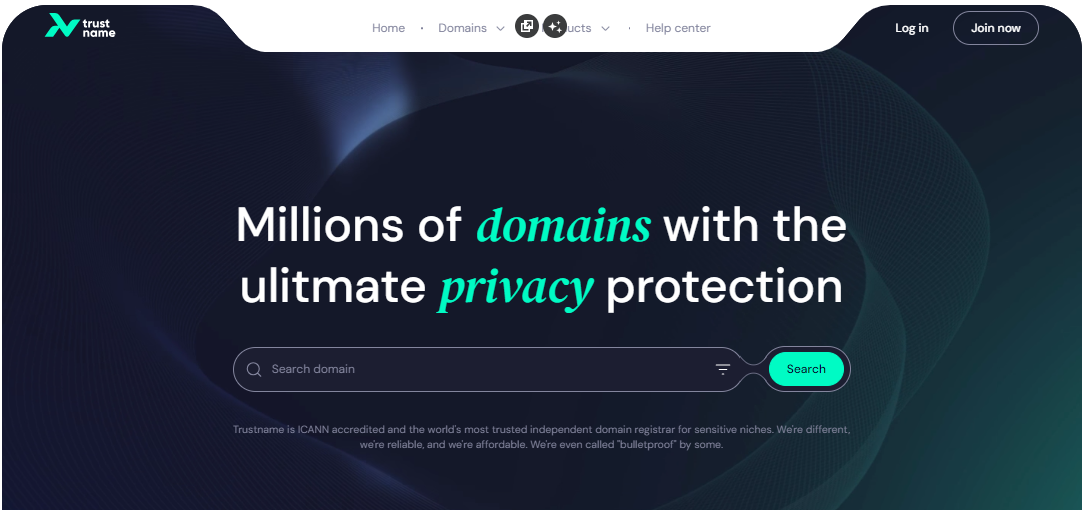
- Head to the Trustname.com website and click 'Log In' at the top right corner to access your Trustname account.
- Fill in your account username and password to gain access to your customer portal.
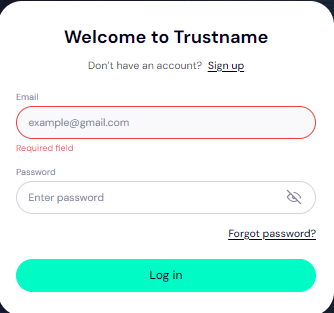
Click 'Log in'. - Under the 'Domains' dropdown in the header, click on 'Transfer'.
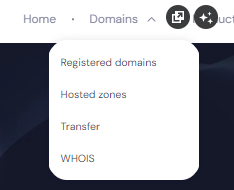
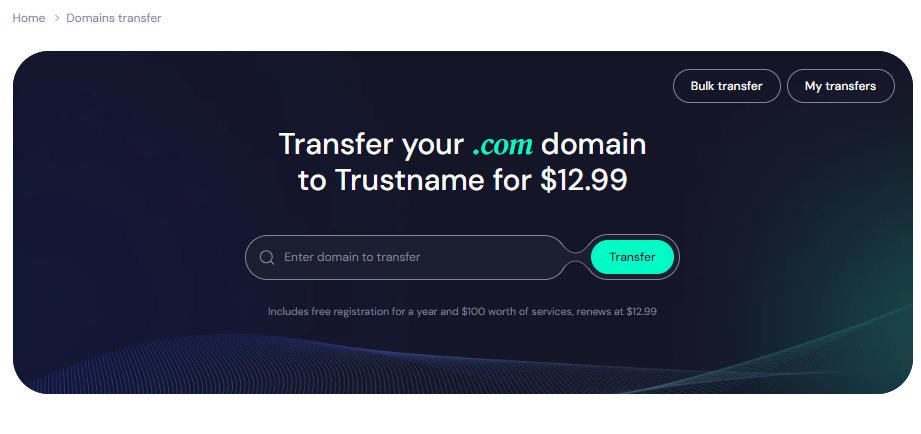
- Type in your domain, including the domain extension and click on 'Transfer'.
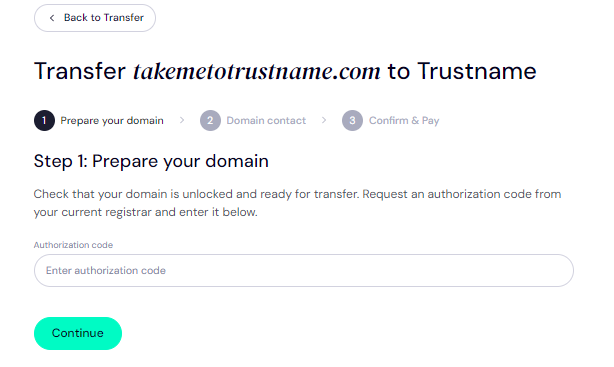
- Enter the Auth Code (EPP code) you got from the directNIC portal for your domain and click on 'Continue'.
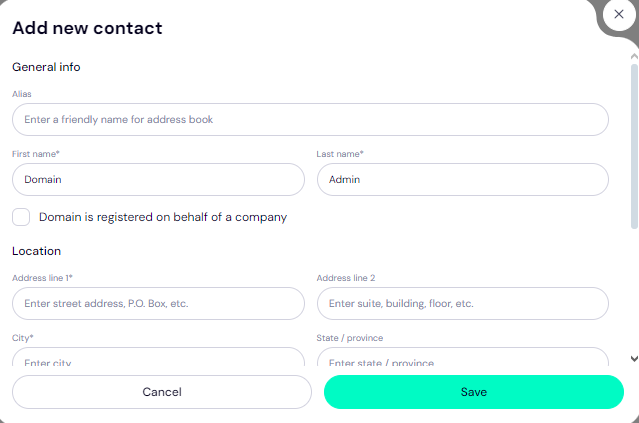
- Fill in your domain contact details. You can choose to use your own details by clicking on the 'Choose Contact' dropdown and selecting 'Add new contact'.
Or you can click 'Use a pre-defined contact' to enable Trustname's Two-Tier Privacy Protection.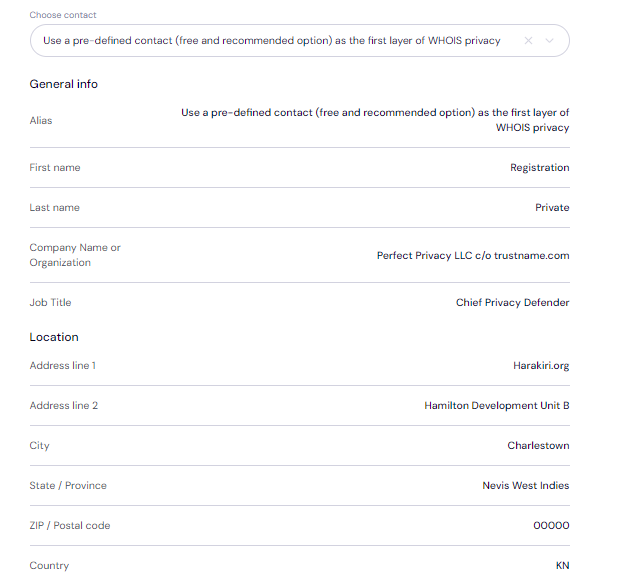
[+] [Notice] Info Insert title here [+] [Notice] Title -> You retain full control of your domain even if you choose 'Use a pre-defined contact'. we only offer this service to give you the most privacy and minimise your digital footprint.
Click 'Continue'. - Pay for your domain transfer and get 1 extra year on your domain's current expiry date.
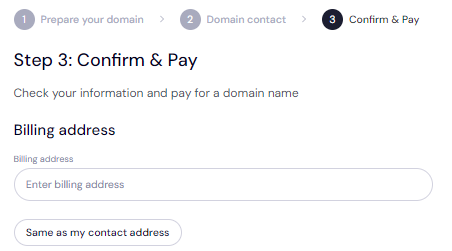
Enter your billing address or select 'Same as my contact address' so you don't need to fill it in manually.
- Choose your payment method. You can use a bank card or existing funds in your Trustname wallet to make a payment.
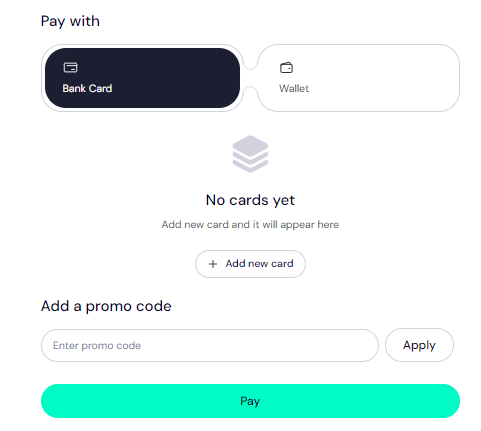
Trustname also accepts cryptocurrencies for payment!
Trustname’s domain transfer promo code - WELCOME777
[+] [List] Green Ordered - By using the promo code WELCOME777, your domain transfer will cost $7.77, and a free 1-year registration will be added to your domain's current expiry date.
- To apply the offer, enter WELCOME777 in the "Add Promo Code" section during checkout.

- Select your domain registration period (between 1-10 years at a time).
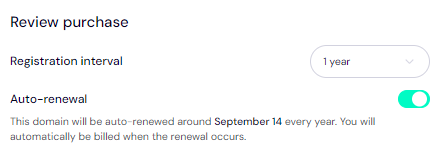
Leave the auto-renewal button ON so we renew your domain name long before it expires for you.
- Click on the 'Pay' button and follow the on-screen prompts. That's it!
Safeguard Your Domain At Trustname
Once your domain is with us, turn on two-factor authentication (2FA), review your domain lock, review our Two-Tier privacy to see your domain Whois info, and check your nameservers.
Troubleshoot A Failed Domain Transfer
Once you have taken these steps, your domain transfer from DirectNIC to Trustname should go smoothly. However, if you are experiencing any issues, you may need to re-check the Auth Code, ensure your domain is eligible and
check that your domain is unlocked. You may also need to disable Domain Privacy if it's enabled.
Read Troubleshooting Failed Domain Transfers to Trustname for more help.