
This guide explains how to transfer your domain from iPage Domains to Trustname, covering eligibility requirements, preparation steps, and the complete transfer process. It also highlights the benefits of switching to Trustname and how to safeguard your domain after the transfer.
Key Takeaways
- Eligibility – Domain must be active and outside the 60 days ICANN lock.
- Preparation – Disable locks and Whois privacy, and obtain the auth code.
- Value – Transparent pricing, free security features, and Two-Tier privacy.
- Process – Simple step by step transfer via Trustname portal.
- Security – Enable domain lock, review DNS, and activate 2FA after transfer.
TABLE OF CONTENTS
- Key Takeaways
- What Perks Should You Expect With Trustname?
- Transparent pricing and renewal fees
- Before Initiating Your Transfer Here's What You Should Know
- Prepare Your Domain At iPage Domains For The Transfer
- Safeguard your Domain using Trustname Security Features
Ready to move your domain from iPage to Trustname? It’s easy to see why many customers have already made the switch. Sudden renewal fee hikes, unexpected charges, and paid domain essentials are some of the main reasons iPage customers choose Trustname instead.
Transfer your domain from iPage to Trustname, you must obtain an authorization (EPP) code, disable Whois privacy and domain locks, review your nameservers in your iPage account, and initiate the transfer from Trustname.
In this guide, we'll walk you through the exact steps required to transfer your domain from iPage. But before we begin, let's look at what you gain by switching.
What Perks Should You Expect With Trustname?
Transparent Pricing And Renewal Fees
Many customers report unexpected renewal increases after introductory pricing periods.
Since Bluehost acquired iPage, many customers have complained about sudden increases in renewal and transfer fees. This behavior is commonly associated with EIG (Endurance International Group, now Newfold Digital) companies, which often attract customers with low initial prices and later apply significantly higher renewal charges.
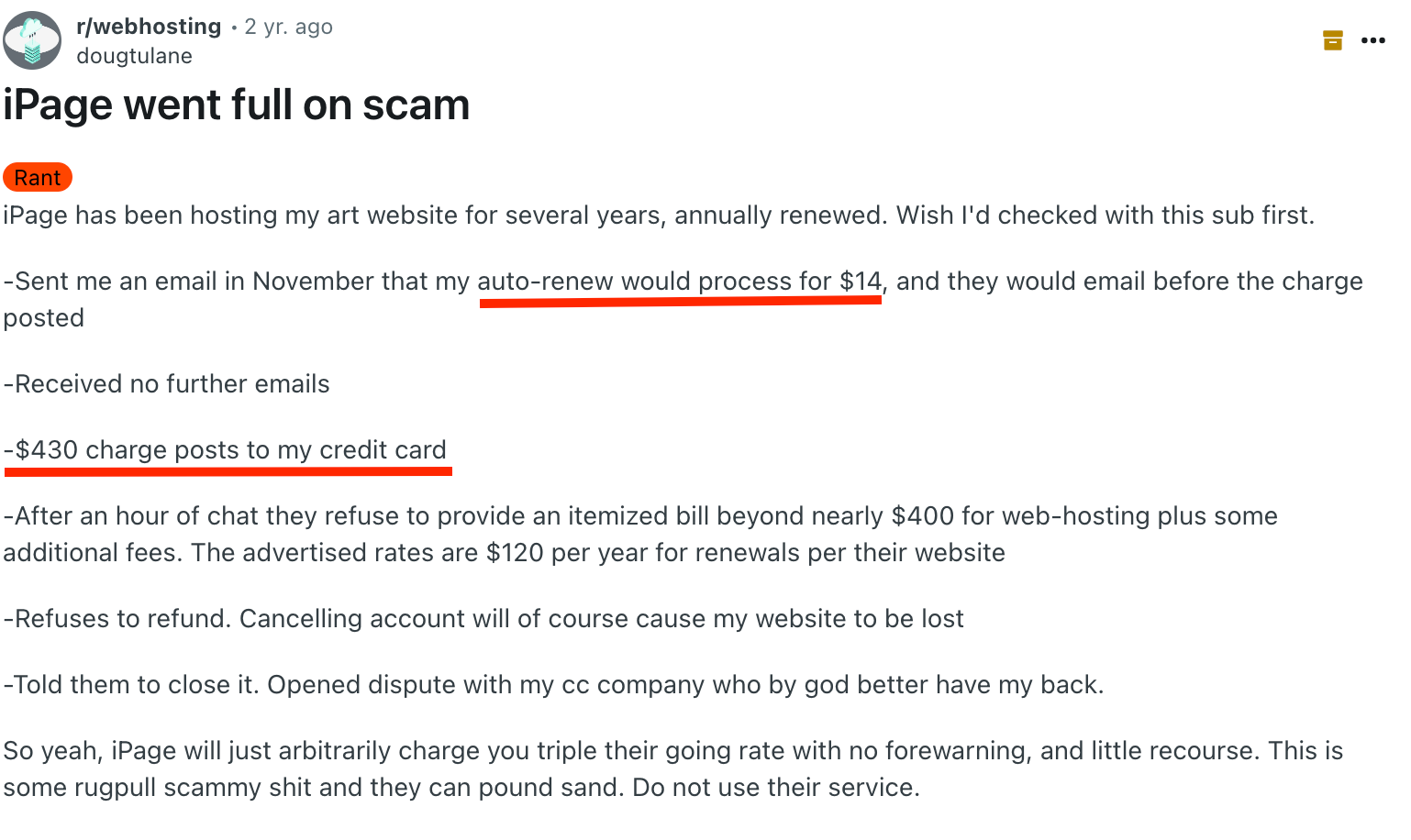
At Trustname, we understand how frustrating hidden fees can be especially when charges are applied without clear consent. That’s why our pricing is fully transparent from the start. We charge a base fee of $12.99 for most domains and $14.99 for renewals, with no surprise add ons.
High Class A Level Security Features
Lack of strong security features can put your domain at risk of hijacking or unauthorized access.
iPage advertises free SSL certificates and DDoS protection on its homepage, but customers often discover after payment that these features are not fully included.
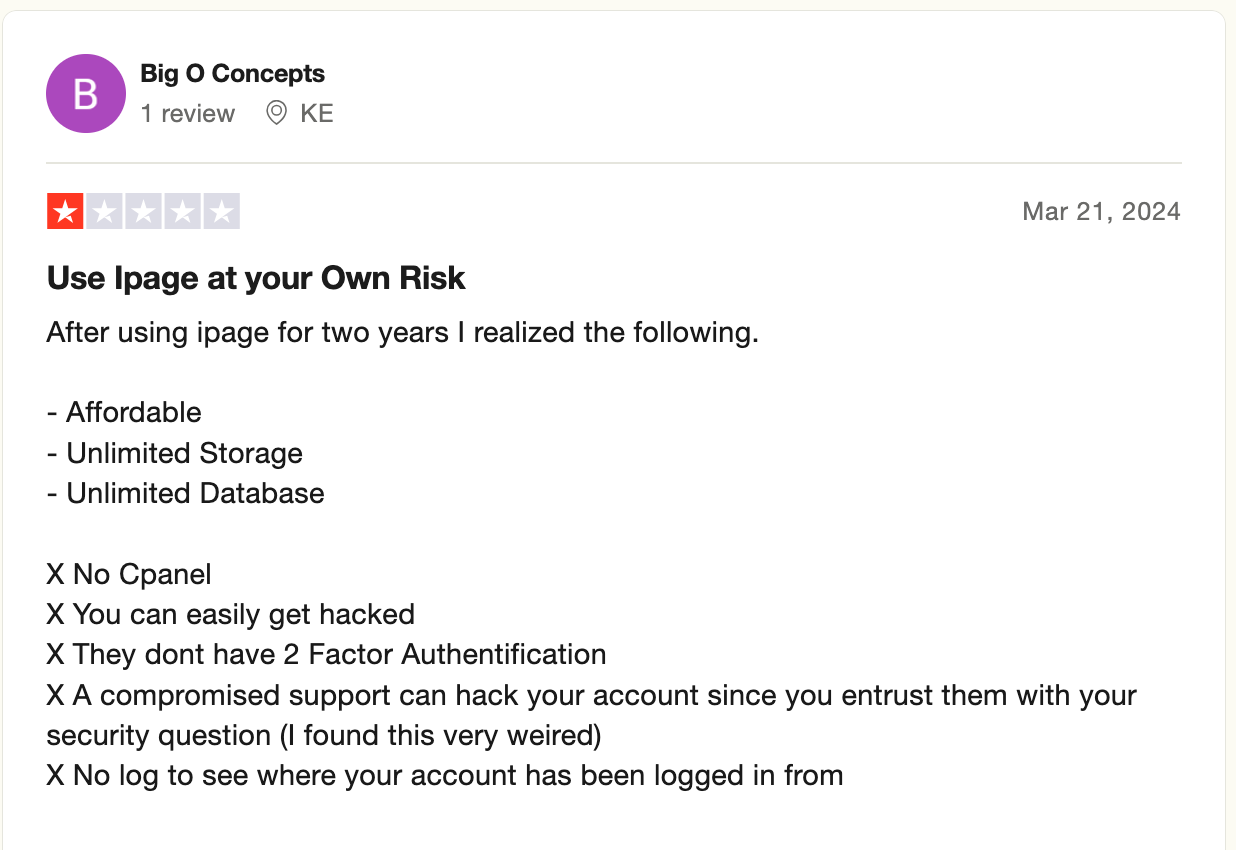
As an online business owner, partnering with a registrar that offers strong security is essential. You need protection that prevents domain theft and unauthorized account access.
At Trustname, we provide a robust security system designed to protect both your domain portfolio and your account. This includes a registrar domain lock, two-factor authentication (2FA), SSL certificates, DNSSEC, and DDoS protection. Best of all, these features are included at no additional cost once you complete your payment.
Stay Private Forever
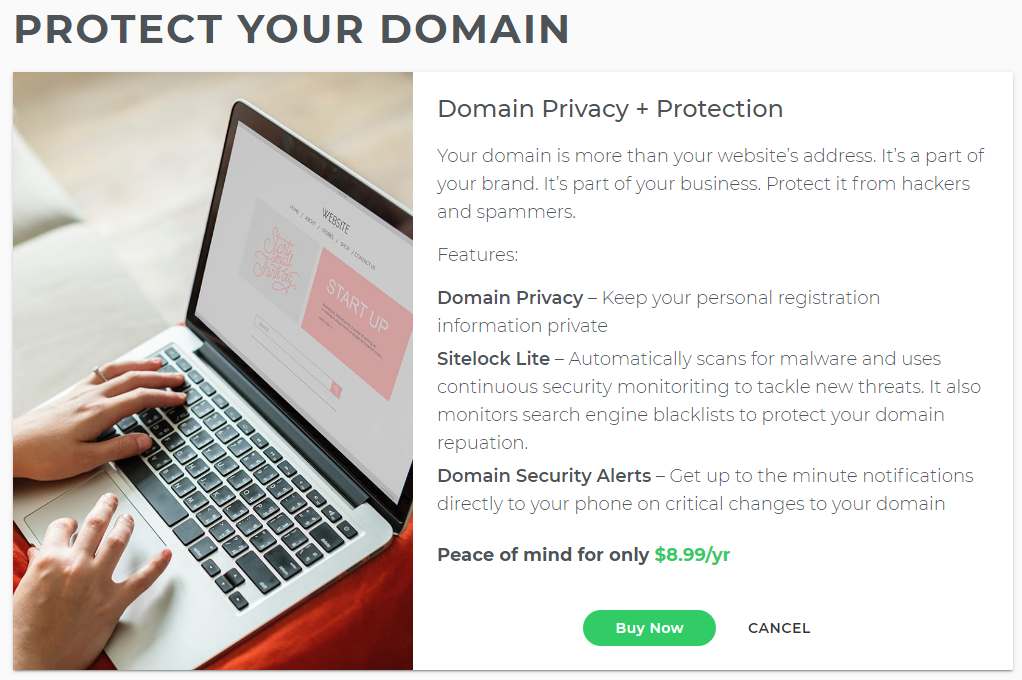
Basic Whois privacy typically only masks public records, not ownership details.
Registrars like iPage offer basic Whois domain privacy to hide personal information from public view, but this service costs $8.99 per year.
When you transfer your domain to Trustname, you receive our proprietary Two-Tier Domain Privacy at no cost. This allows you to register domains without using your personal information. In cases of abuse reports, you are not the first point of contact because your personal data is not directly linked to the domain.
Read Why Trustname registers domains in the name of Private Privacy LLC to learn how our Two-Tier Privacy works.
A Knowledgeable And Reliable Support
Reliable support is critical when managing domains and resolving time sensitive issues.
Many iPage customers report slow response times and limited technical expertise from support teams.
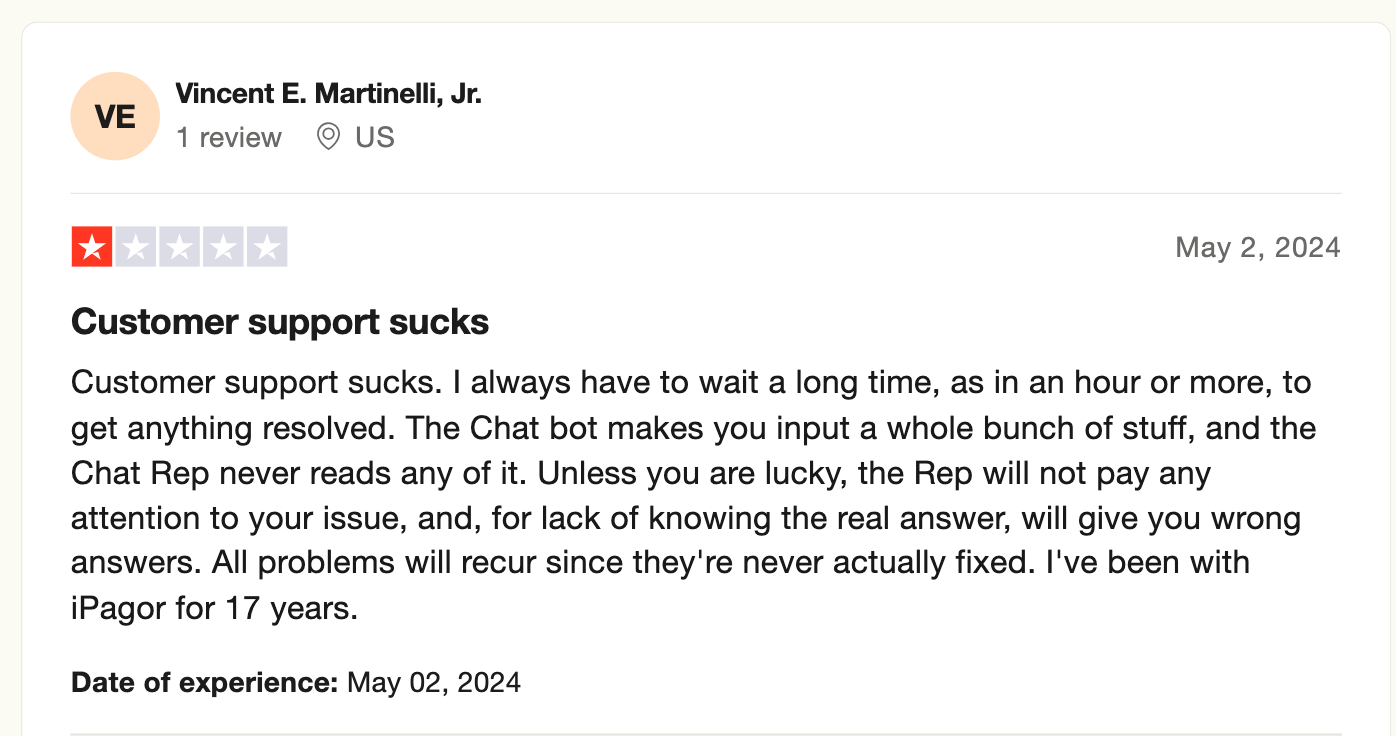
At Trustname, our support team is available 24/7/365. We serve both technical and non technical users by employing experts with hands on experience in domain and hosting management. We also maintain an extensive knowledge base filled with guides and tutorials to help you resolve issues faster.
For quicker assistance, contact us via live chat or submit a request through our online ticketing system.
Before Initiating Your Transfer Here's What You Should Know
A Note On Domain Nameservers
You cannot modify DNS or nameserver settings while a transfer is in progress.
By default, your domain nameservers are set to iPage's servers unless you have manually pointed them to a third party provider.
If your domain is currently using iPage's nameservers, you should update them to point to Trustname or another hosting provider before initiating the transfer. This ensures your website remains accessible during and after the transfer.
Domain Transfer And Website Transfer Are Separate Services
Domain transfers do not automatically move website files.
Transferring your domain to Trustname does not move your website. If you want to migrate your website from iPage, you must purchase a separate hosting plan and contact our support team for migration assistance.
Trustname's Transfer Fees And Policies
Domain transfers include a free one year extension.
We charge a standard transfer fee of $7.77 (after applying our promo code). This fee covers ICANN fees, taxes, and all domain management add ons. We also add one extra year to your domain's current expiration date.
Domain Eligibility
Domains under ICANN lock cannot be transferred.
You can only transfer domains that are active or in the grace period after expiration. If your domain has passed these stages, you must renew it with your current registrar and wait for the 60 days ICANN lock to expire.
We recommend initiating your transfer at least two weeks before your domain's expiration date.
Prepare Your Domain At iPage Domains For The Transfer
Confirm If You're Eligible For A Transfer.
ICANN requires registrars to enforce a 60 days lock after domain transfers, ownership changes, or registrant detail updates. If any of these actions occurred recently, your domain cannot be transferred until the lock period ends.
Confirm with iPage that your domain is not under ICANN lock before proceeding.
Remove All Domain Locks
To unlock your domain, navigate to the iPage control panel and click 'Domain Central'. Choose the domain's you want to transfer and click 'Security'. Then, hit the 'Unlock Domain' button under 'Domain Locking'.
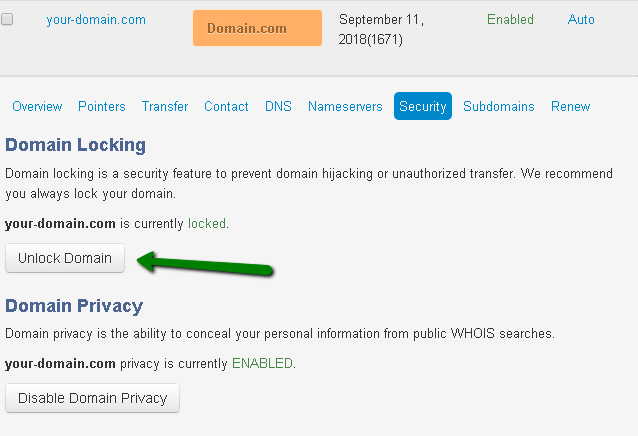
The domain lock feature is available on Trustname and you can activate it once the transfer is completed.
Disable Whois Privacy Protection
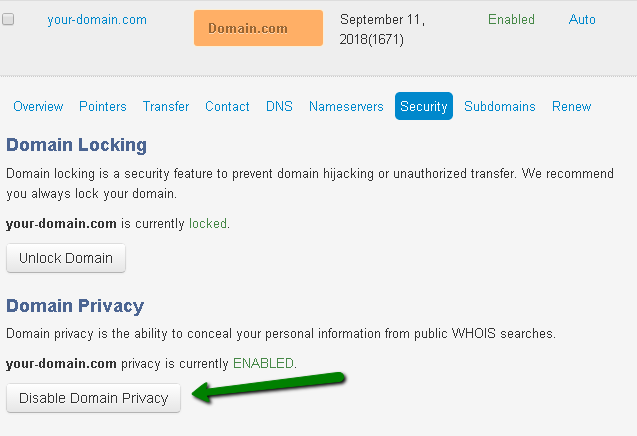
If you've purchased and enabled the Whois privacy on your account, you'll also need to turn it off before the transfer. You can set this up on your Trustname account after the transfer.
To turn off domain privacy on your iPage account, navigate to 'Domain Privacy' listed under 'Security'.
Click the 'Disable Domain Privacy' option to remove it.
Obtain Auth Code
To validate the transfer, you must obtain an authorization (EPP) code from iPage. Log in to your iPage control panel, navigate to Domain Central, select the domain, and click 'Transfer'. Choose Send Auth info Code, and the code will be emailed to the address associated with your domain.
Initiate The Transfer At Trustname
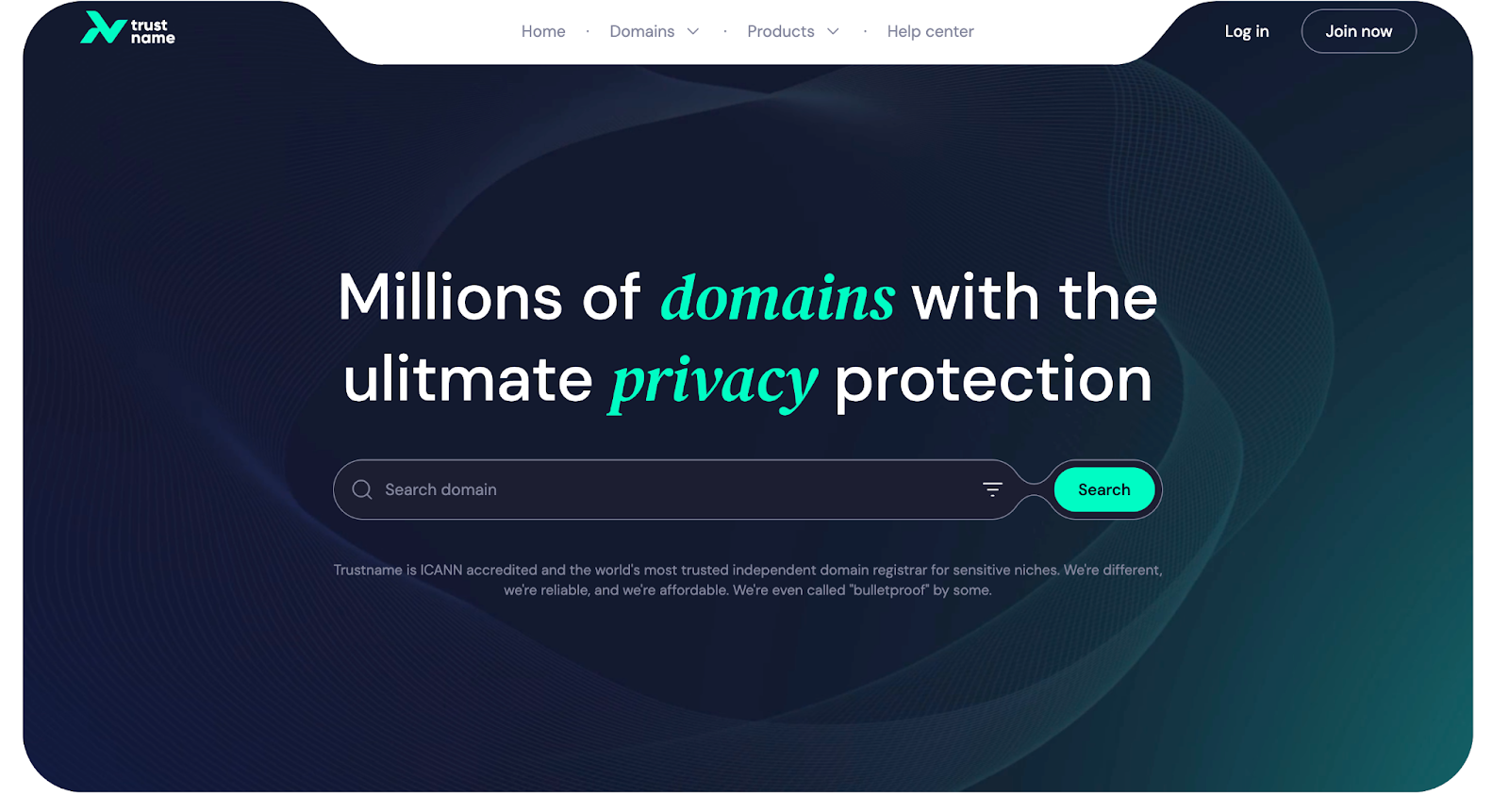
- Head over to the Trustname.com website and click 'Login' on the top right corner of the page.
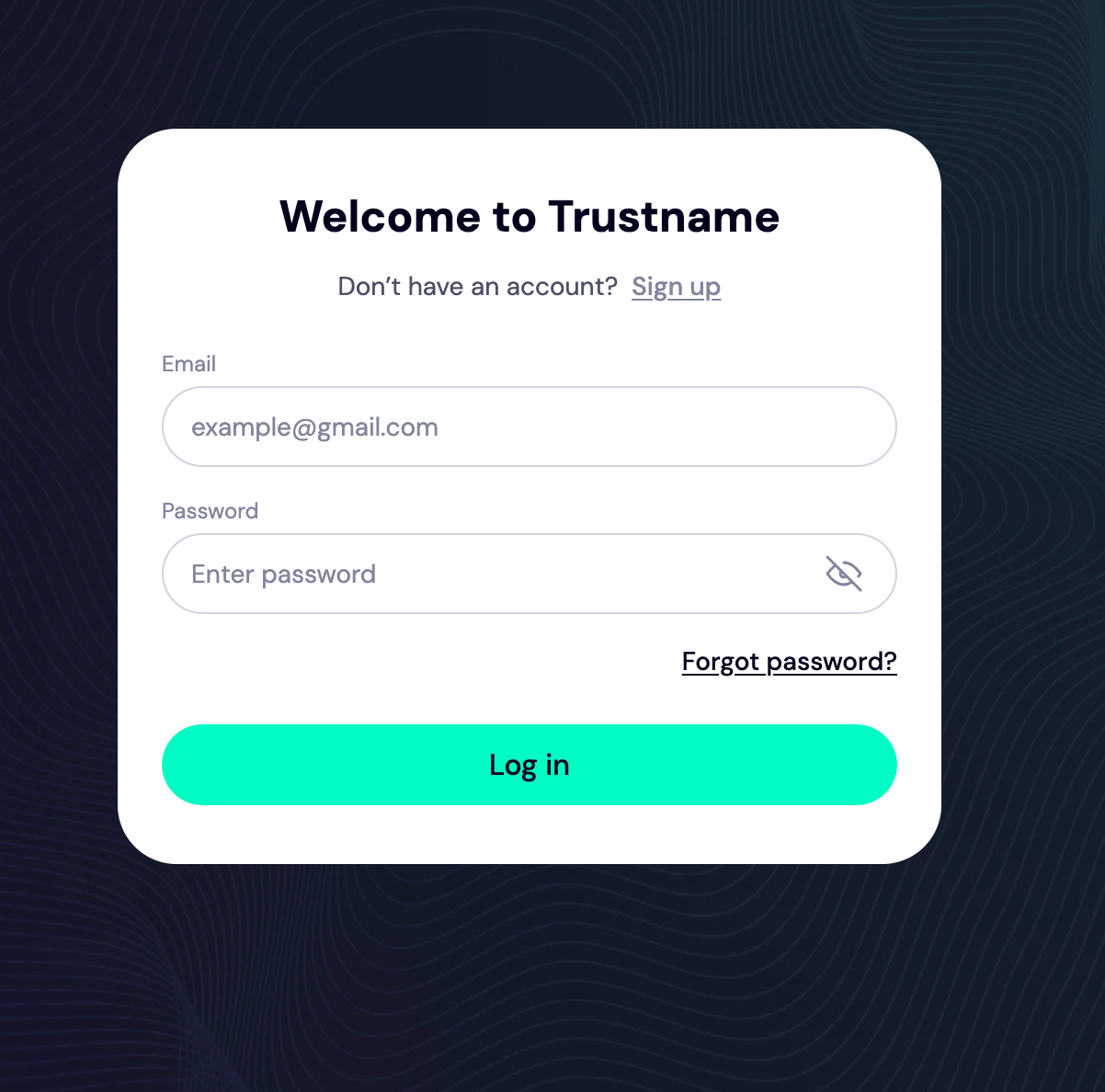
- On the log in page, enter your account credentials and click 'Login' to access your account.
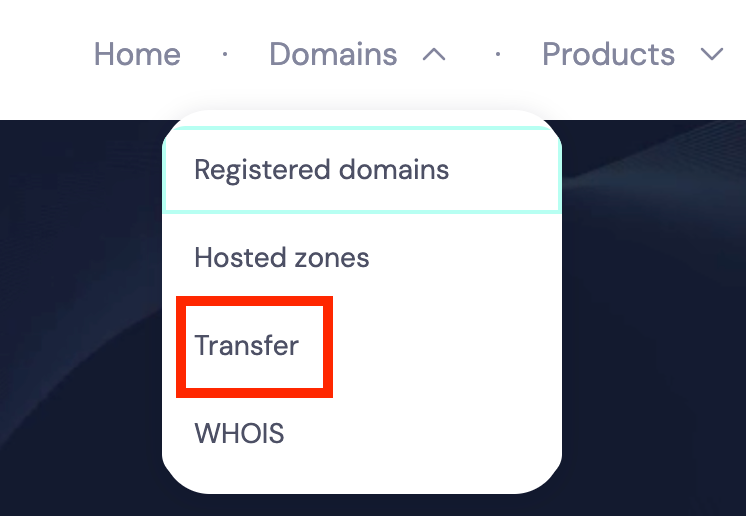
- Once logged in, click 'Domains' on the navigation bar and then 'Transfer'.
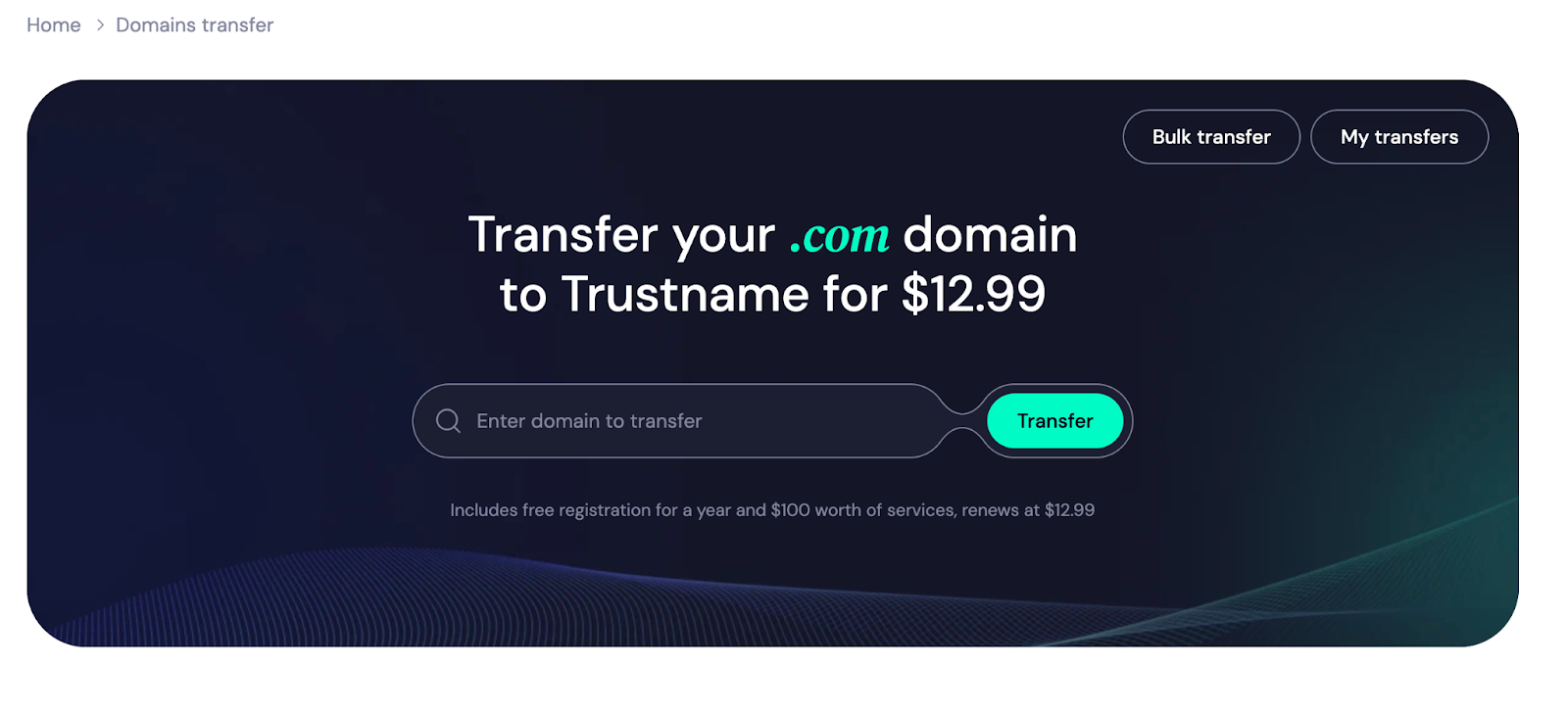
- Type your iPage domain into the search box on the transfer portal and click 'Transfer'.
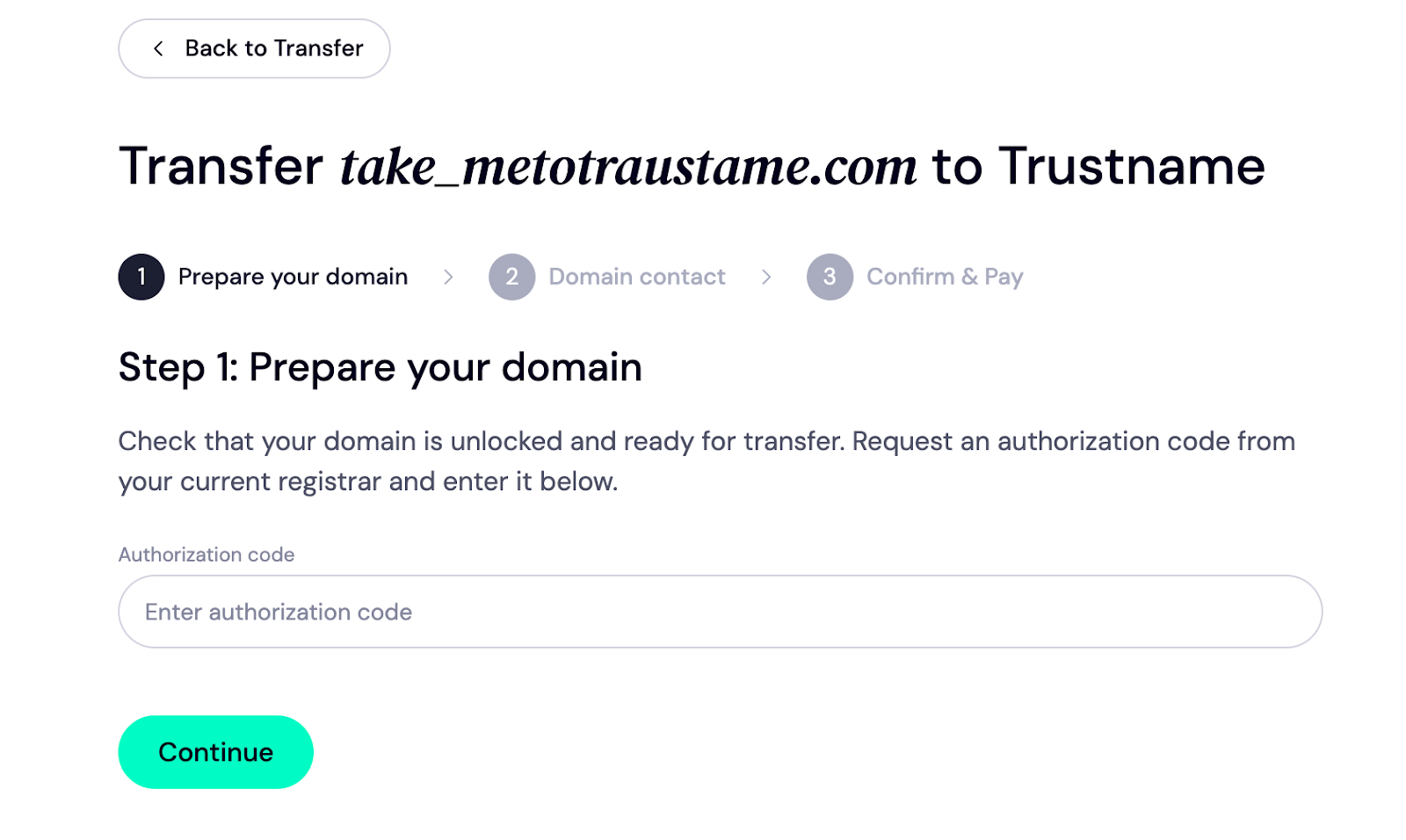
- Enter the auth code into the box below and click 'Continue'.
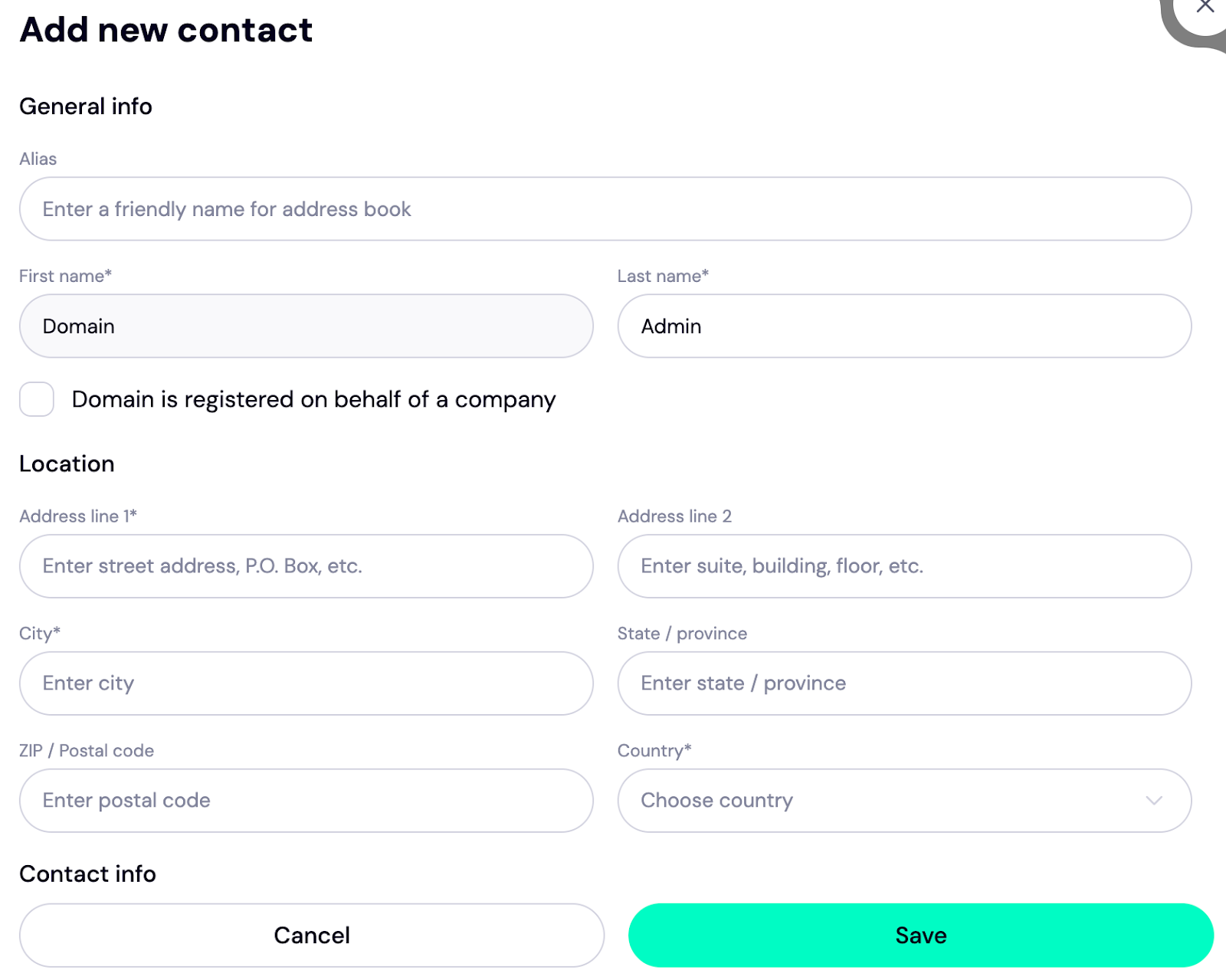
- Next, fill in the contact details. You can input your details or click 'Choose a pre-defined contact' to enable Trustname's Two Tier privacy protection.
To use your details, click 'Choose Contact' and select 'Add new contact' from the dropdown.
If you'd rather use our Two-Tier privacy protection, click 'Use a pre-defined contact' and your contact details appear like this.
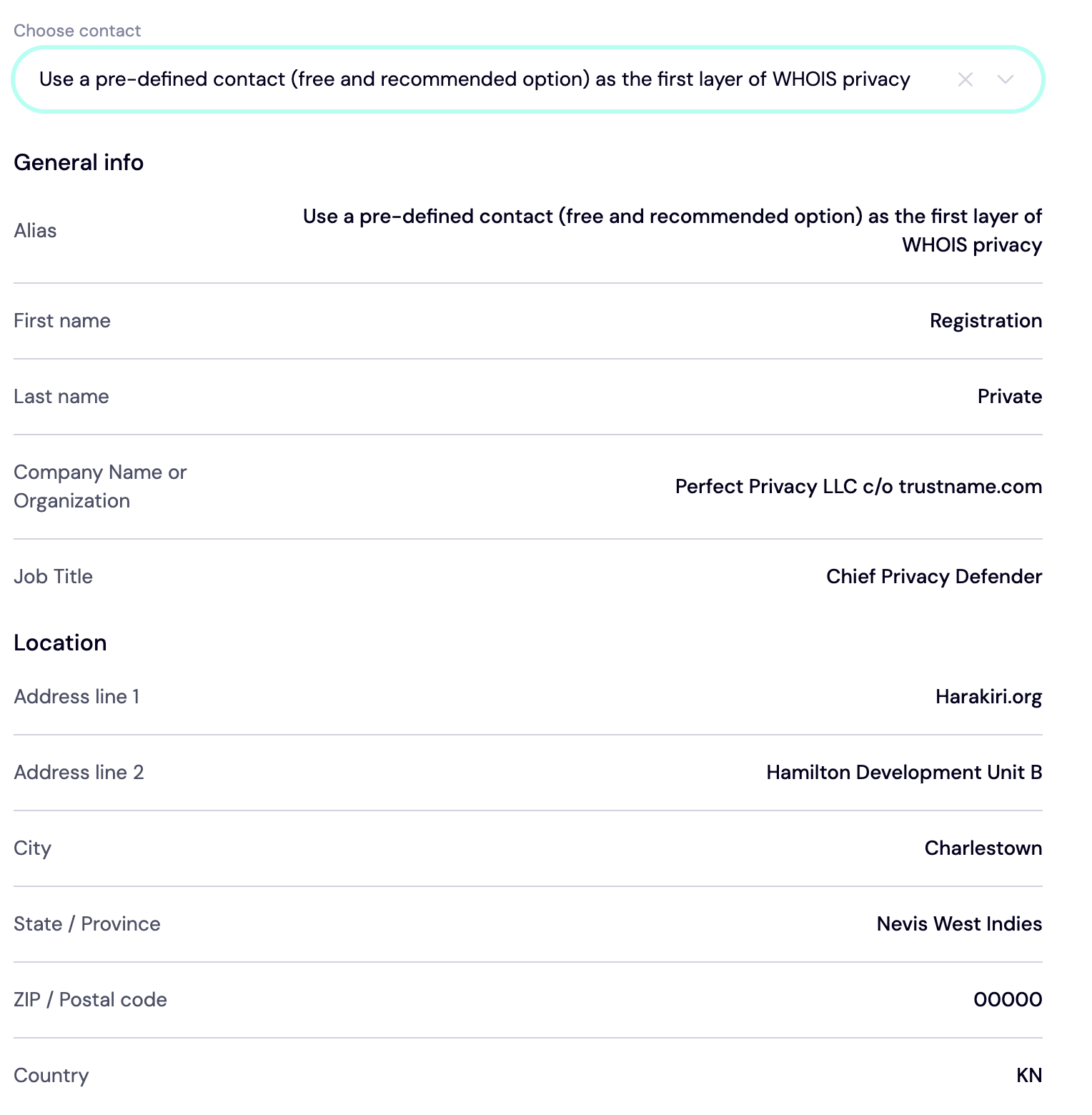
[+] [Notice] Info Insert title here [+] [Notice] Title -> Even when using a pre-defined contact, you retain full ownership and control of your domain. You can update contact details at any time from your customer portal.
Click Continue to proceed.
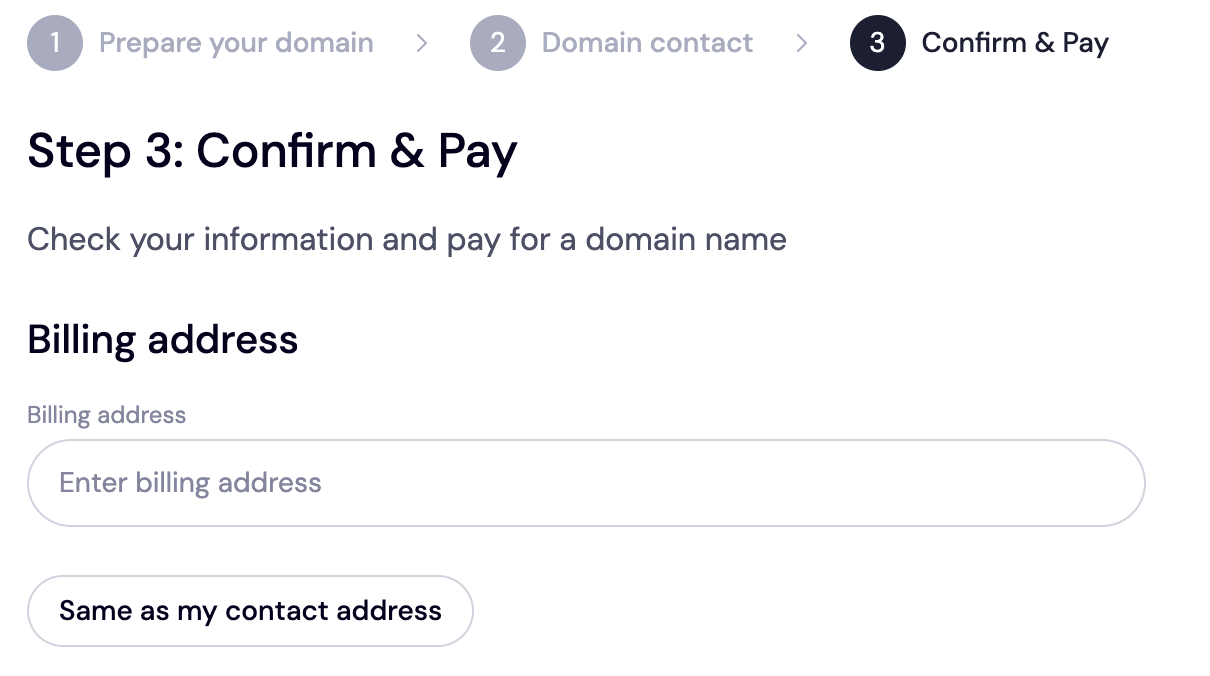
- You'll be directed to pay for your domain. Once you do this, we'll add an extra year to your domain's expiry date. First, enter your billing address. If it's the same as your contact address, just hit the 'Same as my contact address' to fast track the process.
- Choose your payment method. You can either add your bank card for payment or use the existing funds in your Trustname wallet. If your bank card isn't set up, click 'Add a new card' to add one.
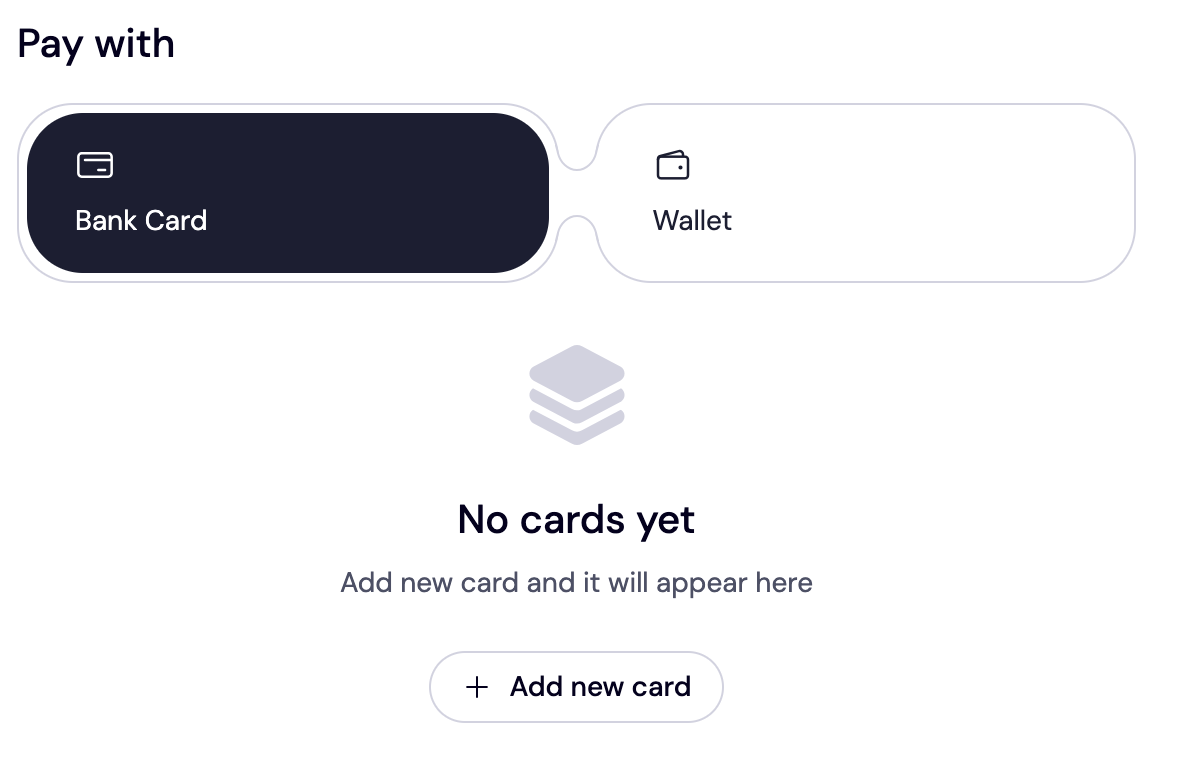
[+] [Notice] Info Insert title here [+] [Notice] Title -> Cryptocurrency payments are also supported.
Trustname's Domain Transfer Promo Code - WELCOME777
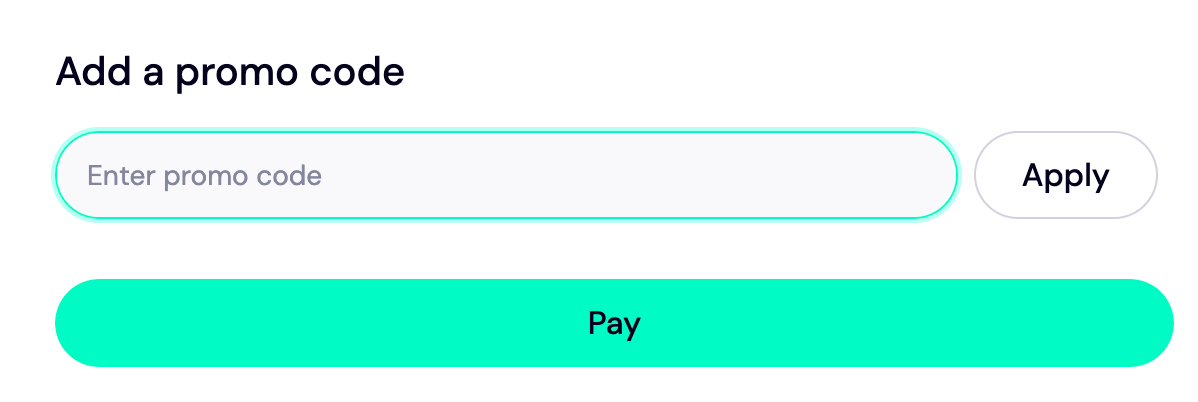
- Enter WELCOME777 in the "Add a promo code" field to apply the discount, reduce the transfer fee to $7.77, and add one free year to your domain's expiration date.
- Click Pay and follow the on screen prompts to complete the payment.
- Your domain transfer will typically be completed within 5–7 working days.
To enjoy this discount, type in WELCME777 into the 'Add a promo code' section.
Safeguard Your Domain Using Trustname Security Features
Once your domain is transferred successfully, turn on domain lock, review your domain nameservers, enable two-factor authentication, and check out the Whois info if you used our Two-tier privacy X protection.
Troubleshoot A Failed Domain Transfer
If you couldn’t transfer your domain after following these steps.
Then you may need to verify:
- If your domain isn't under a transfer lock.
- The auth code you pasted into the Trustname transfer portal is correct.
- Your domain is not expired and is eligible for transfer.
- The Whois privacy protection is disabled.
If you didn't get an auth code from iPage, check the spam folder on your email.
Read more: How to troubleshoot failed domain transfer on Trustname.