
Moving your domain from Dynadot to Trustname allows you to enjoy enhanced privacy, flexible payment options like cryptocurrency, and inclusive security features. This guide simplifies the migration process to ensure a smooth transition with no downtime for your website.
Key Takeaways
- Preparation Essentials – Confirm your domain is over 60 days old and active; then, disable the Domain Lock and Domain Privacy in Dynadot.
- Auth Code – Secure the Authorization (EPP) Code from your Dynadot settings, which acts as the digital key for the transfer.
- Privacy Perks – Choose Trustname's Two-Tier Privacy during setup to mask your data across multiple jurisdictions.
- Cost Savings – Use promo code WELCOME777 to pay just $7.77, which includes a free oneyear registration extension.
- Security Check – After the transfer, enable Two-Factor Authentication (2FA) to keep your assets bulletproof.
TABLE OF CONTENTS
- Key Takeaway
- What Perks Should You Expect With Trustname?
- Here’s What You Should Know Before Transferring Your Domain Out
- Preparatory Steps to Transfer Your Domain From Dynadot to Trustname
- Transferring Your Domain From Dynadot To Trustname
- Safeguarding Your Domain At Trustname
- Rounding Up
Trustname is the best alternative to Dynadot if you are looking for a domain registrar that gives you all the domain essentials out of the box, unrivaled domain privacy, excellent support, transparent pricing, and doesn't take unwarranted action against domains from abuse reports.
Want to transfer your domain from Dynadot to Trustname? We can't wait to have you!
To ensure your domain is transferred smoothly, you'd need to ensure your domain is eligible (out of the 60 days lock), disable Dynadot's Domain Lock, turn off Domain Privacy, and obtain the Auth (EPP) code that Trustname will use to prove you initiated the transfer.
In this guide, we'll show you how to move your domain from Dynadot to Trustname so you get the very best bang for your buck and enjoy the protection of a truly bulletproof domain registrar, especially if you run a grey area business. But first…
What Perks Should You Expect With Trustname?
At Trustname, we are big fans of elevator pitches, and we want to have you sold. Why Trustname? And what perks can you expect after you migrate your domain?
- Unlimited Payment Options
On Dynadot, a common complaint from customers of Dynadot is how non US residents struggle to make payments. Local cards are often rejected, and webmasters usually need to find third party dollar card providers to complete their payments and register their domains.
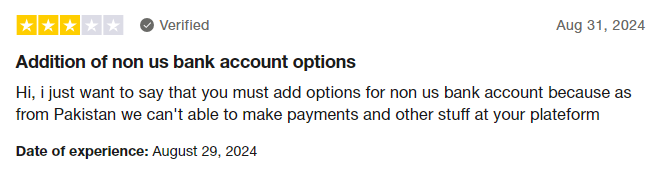
At Trustname, we accept payment via credit card, PayPal, and most importantly, cryptocurrencies! The world is getting decentralized and permissionless, and Trustname is spearheading this movement among registrars. We accept payment in BTC, altcoins, and a host of popular stablecoins!
- Domain Essentials Out Of The Box
Another big perk you get from Trustname? Value! We believe that privacy is a basic human right, and that's why Trustname gives you all the essentials to guard your domain out of the box and other complementary products, free of charge!
Dyandot does offer decent features for free privacy and email but SSL certificates, an absolute domain essential, are still priced quite highly. Dynadot's SSL certificates start at $16.99 per year per domain.

On Trustname?
For each domain you transfer to us, you get your SSL certificate free for the whole of the first year!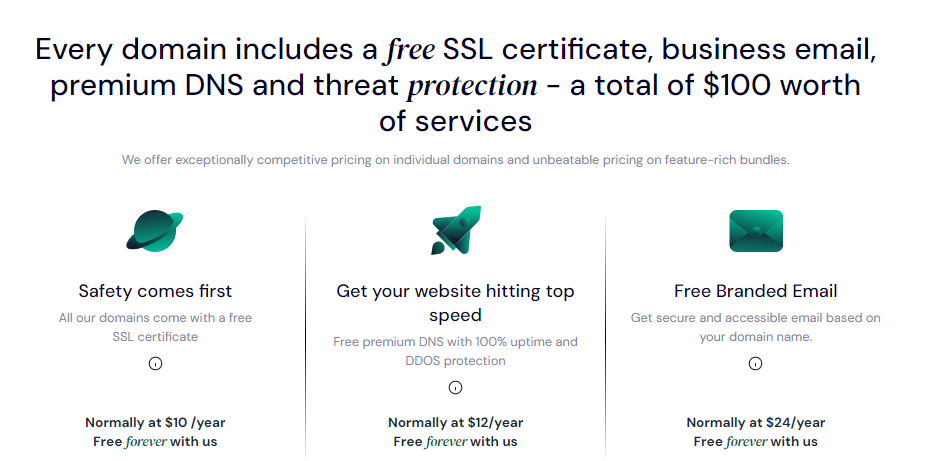
Trustname gives you an SSL, access to our Premium DNS, a free branded email that incorporates your domain name, and our Two-Tier Domain Privacy for free all valued at $100.
- Unbeatable Pricing
While Dynadot does offer some free features, its priced SSL certificates add up quickly.
With an SSL certificate, you are paying $28.98 per year for your domain. Over 5 years, you would have paid $144.9. On Trustname, over the same period, you would only pay $72.95 and saved $72!
- Excellent Support
Dynadot used to have a robust support system in place, but customers have been complaining about how poor their support has become. It's a cliche as registrars grow, they generally tend to have more customers per support rep, and the agents can't keep up.
Or in Dynadot's case, most registrars and online brands, for that matter, are replacing human agents with AI chatbots that just leave customers feeling like another metric. Should the world get it right?
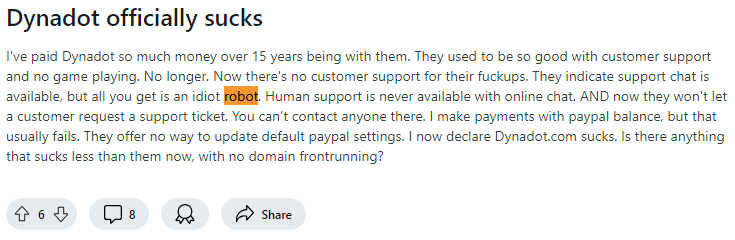
Well, at Trustname, we certainly don't and understand that your domain is your prized asset. We boast of an ever-growing team of human support ready to help you troubleshoot any domain related issues via live chat (we prefer our customers chat with us in real time) or through a swift response ticketing system.
Our agents are trained domain, web hosting, and email experts (many of whom are webmasters themselves) who have first hand experience with these issues, and will give you the very best support you can dream of.
- Bulletproof Abuse Report Policy
Trustname's stance is clear we only facilitate domain registrations we have no say over whether a website's content is legal or illegal. That is the judiciary's job.
If you run a grey area business or one that's abuse prone, Trustname is the best haven for your domain name. Except in cases of gross illegal content like child pornography, arms dealing, or sales of opioids, Trustname retains a neutral stance, no matter the number of abuse reports we get.
Whenever we receive an abuse report, we let the domain owner know first and advise the complainant to reach out to you, too.
We put our customers first, and if we do find out that a domain has been engaged in illegal content, we still allow the registrant to transfer their domain name out.
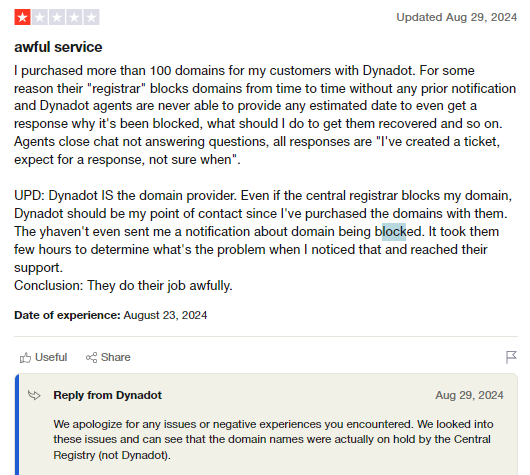
Dynadot, on the other hand, seems to bow to pressure easily and restricts domains rather quickly. And worse? The domain owner is usually left in the dark.
- Unrivaled Domain Privacy
Wondering what Trustname's Two-Tier privacy is about? When you're registering a domain on Trustname, you can choose to use your own details or specify Perfect Privacy LLC. As the registrant you still retain full control of your domain and can change the domain contacts to yours at any time.
This is the first layer or first tier of our Two-Tier privacy.
On the second tier, we mask your domain's contact information from the Whois database (your own details or PP LLCs if you chose this option) with proxy details from another of our partner companies.
The perks? Your contact info is never linked with your domain in the first place, ensuring the most privacy. PP LLC is the first point of contact for any legal issues with your domain. We will require three simultaneous court orders from the U.S., St. Kitts and Nevis, and Estonia (where these companies and Trustname are headquartered) to compel us to take action against a domain.
Here's What You Should Know Before Transferring Your Domain Out
Before initiating your domain transfer,
Here are some domain essentials you should know:
- Domain Nameservers
In your domain settings, you can configure your domain nameservers (and if you don't, they are assigned automatically to Dynadot's servers). Your nameservers are responsible for directing web browsers to the IP address of the web servers where your website is hosted.
While your domain transfer is still ongoing, you won't be able to edit your domain nameservers or any other DNS settings. If your domain is linked to a website hosted by Dynadot, it's a good practice to point your nameservers to your new web host (Trustname or any other host you’re using) before you initiate the transfer.
This ensures that your website continues to load properly even while the transfer is ongoing, ensuring no downtime.
- Domain Transfers vs Website Migration
Next, it's important to state that domain names and web hosting are two different services. Moving your domain name to Trustname won't automatically transfer your website.
If you want to also move your website to Trustname or another web hosting provider, you would need to purchase a web hosting plan and ideally reach out to us, and we'll help you migrate your website conveniently.
We will guide you through creating backups of your website and exporting them, downloading database files, and moving them.
- Transfer Pricing And Policy
Trustname charges a base fee of $7.77 (with our promo code) to transfer your domain name to us, but this adds an extra year to your domain name's current expiration date.
Given that regular 1 year registrations cost $14.99, our transfer fee is actually a front to give you an extremely affordable domain subscription.
- Domain Expiration Timeline
On most registrars, including Dynadot, you can only transfer a domain when it is active or during the grace period after it expires. If you didn't renew your domain during the Grace Period and it's now in the Redemption Period, you are going to have to renew it first for an extra fee.
Preparatory Steps To Transfer Your Domain From Dynadot To Trustname
Before you send your domain on its way to us, there are some to dos you'll have to put in place to ensure the domain transfer goes smoothly.
Check The Domain Validity
The Internet Corporation for Assigned Names and Numbers (ICANN), the regulatory body overseeing domain names, enforces a 60 days registrar lock on domains that have been recently transferred or modified.
You won't be able to transfer a domain name until 60 days have passed since the last registrar transfer, registrant change, or change to the domain's contact details. Confirm that your domain is eligible and out of the 60 days lock before proceeding with the transfer.
To confirm your domain's transfer validity, log in to your Dynadot account and click on 'My Domains' to see your domain list.

From here, you'll be able to see the last registration/renewal date. And to see the last time the Whois contact details were changed, click on the three dot (...) menu and select 'Whois'
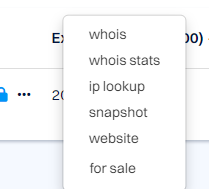
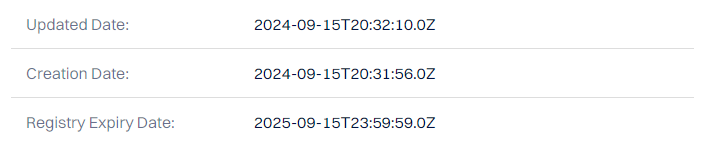
You'll be able to see the domain transfer status.

As well as the last Whois contact update date.
Disable The Domain Lock
Once you have confirmed that your domain is eligible for transfer, the next step is to disable the domain lock. The Domain Lock is a basic feature offered by most registrars that prevents unauthorized transfers of domain names.
To disable the domain lock,
Head to Manage Domains and click on the padlock icon next to the domain you want to unlock.
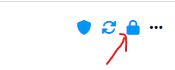
Verify your security pin and click 'Unlock Account' to confirm the unlock request.
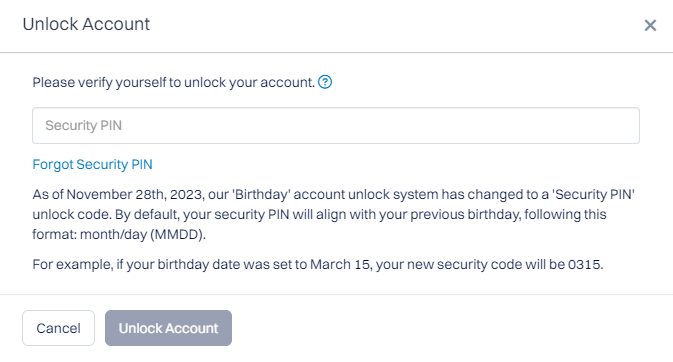
The padlock sign should change to an unlocked image now.
Obtain The Auth Code
Unlocking your domain on Dynadot is necessary to obtain the Auth or EPP code necessary to initiate the transfer.
To view your Auth code for your Dynadot domain, click on your domain name in the list and scroll down to the bottom under 'Settings' to see the 'Authorization code' row.

Click on the 'Copy' icon next to the code to use it for later.
Disable Domain Privacy
Next, you'd need to disable domain privacy for your Dynadot domain. As usual, go back to your 'Manage Domains' page, but this time,
Click on the 'Shield' icon next to your domain name.
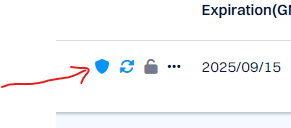
Under the dropdown, click on 'Off' to turn off domain privacy completely. Don't worry, we'll automatically turn on your domain privacy once your domain gets to us.
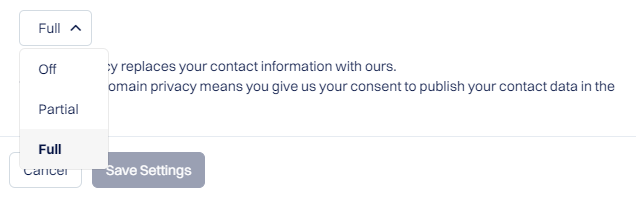
Click on 'Save settings' to apply your changes.
Confirm Domain Contact Accuracy
And the final check, confirm that your domain contact details are up to date and that you have your notifications turned on for your domain email address.
When moving your domain to us, if you choose to use your own contact details, Trustname will send you an email to confirm the transfer request.
To confirm your domain contact details, head to Manage Domains and click on the three dot menu (...) and select 'Whois' to see all the domain's contact information.
For registrants based in the EU, your email address will be redacted to comply with GDPR. You can reach out to Dynadot's support to find out the exact email address you used for your domain name.
With Dynadot, you may not need to disable domain privacy. Any email Trustname sends to you will be forwarded to your domain's associated email.
Now, you're all set to initiate your transfer at Trustname!
Transferring Your Domain From Dynadot To Trustname
We are so excited to have you our feet are tapping. To send your Dynadot domain on its way to Trustname,
Follow these steps:
Head To Our Domain Transfer Page
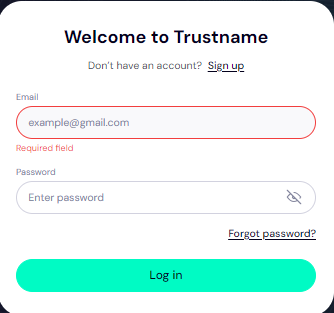
- Head to the Trustname.com website and click 'Log In' at the top right corner to access your Trustname account
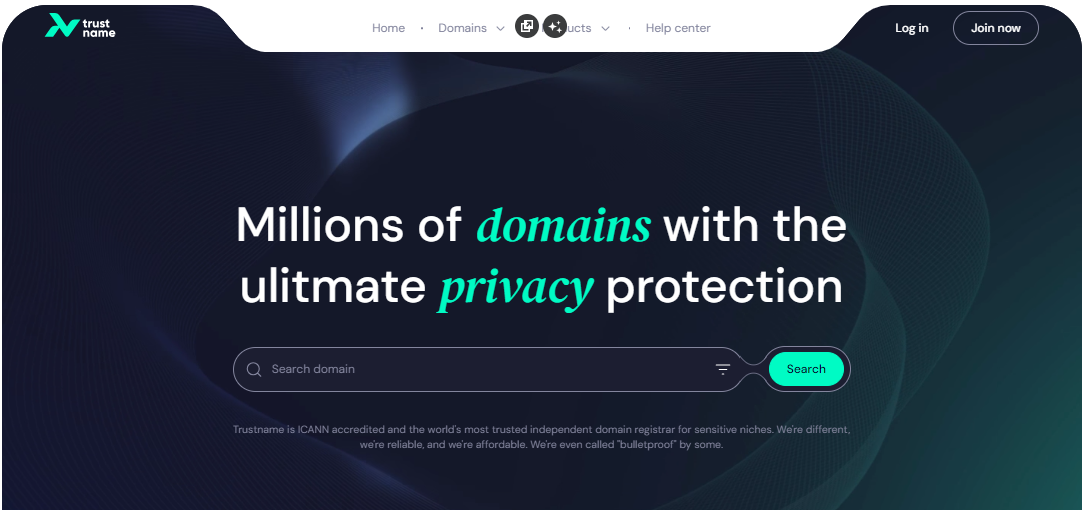
- Fill in your account username and password to gain access to your customer portal
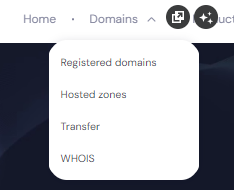
- To access your domain transfer settings, under the 'Domains' dropdown in the header,
Click on 'Transfer'
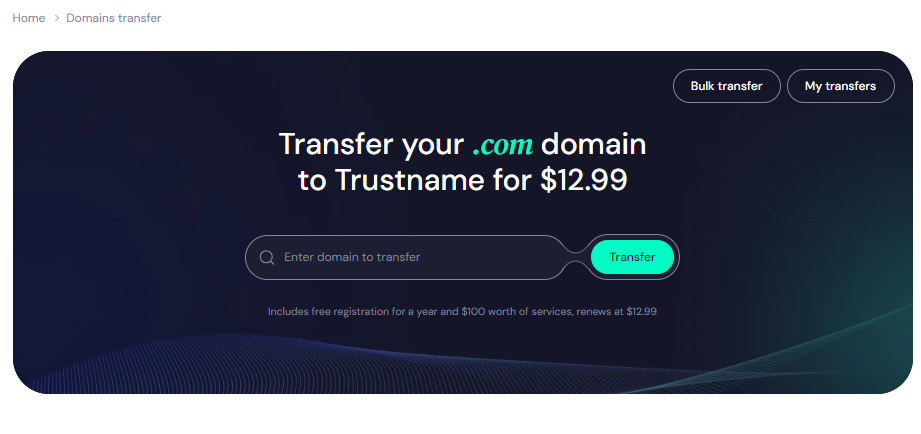
- In the Trustname domain transfer portal, type in your Dynadot domain, including the domain extension and click on the 'Transfer' button
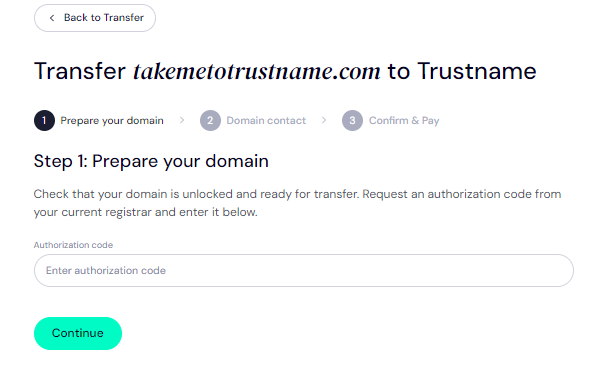
Give Us The Auth Code (EPP)
Next, enter the Auth Code (EPP code) you copied from Dynadot and click on 'Continue'
Enter Domain Contact
On the next page, specify your domain contact details.
You can choose to use your own details by clicking on the 'Choose contact' dropdown and selecting 'Add new contact'
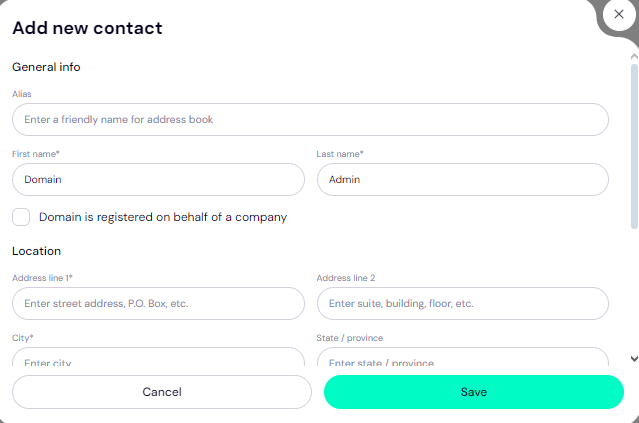
Or you can enjoy the highest possible privacy by choosing Use a pre defined contact to enable Trustname's Two-Tier Privacy Protection. With the second option,
Your domain contact info will be.
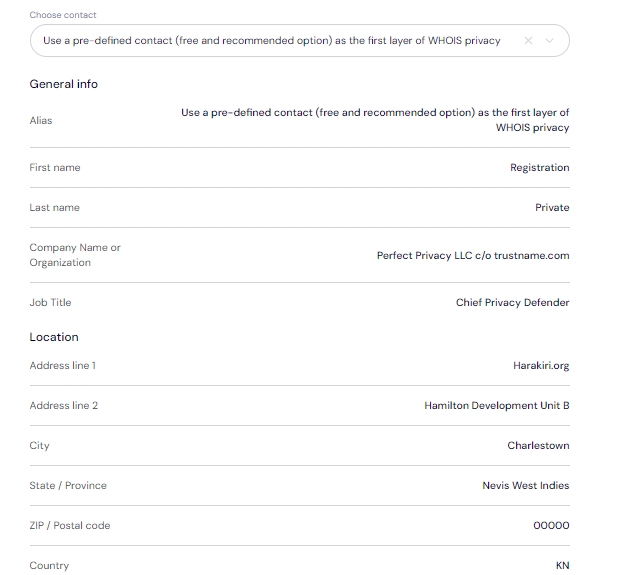
You can always change your domain contact to your own details at any time, whenever you want.
You retain full control of your domain even if you choose 'Use a pre-defined contact' we only offer this service to give you the most privacy and minimise your digital footprint.
After filling in your domain contact details, click on 'Continue'.
Pay For An Extended Registration
On the next page, pay for your domain transfer and get 1 extra year on your domain's current expiry date.
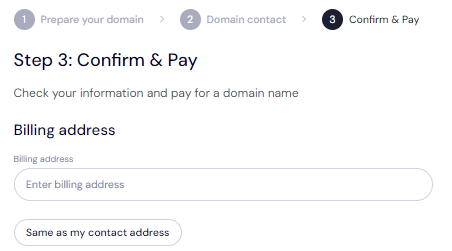
- Enter your billing address.
You can also select 'Same as my contact address', so you don't need to fill it in manually again.
- Choose your payment method.
You can use a bank card or existing funds in your Trustname wallet to make a payment.
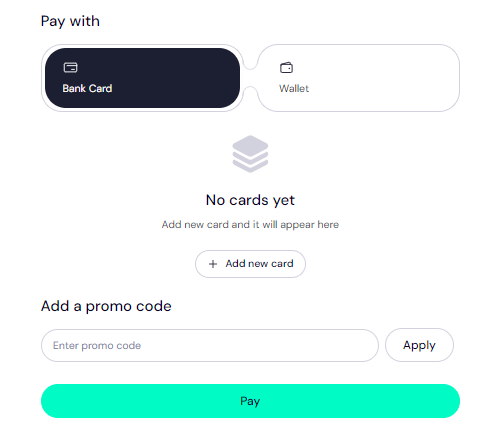
If you don't have a bank card set up yet, click on 'Add new card' and fill in your card details to have it set up.
Trustname also accepts cryptocurrencies for payment.
Trustname's Domain Transfer Promo Code - WELCOME777
- Trustname's standard domain transfer fee is $14.99 per year, with $0 added for taxes and ICANN fees included.
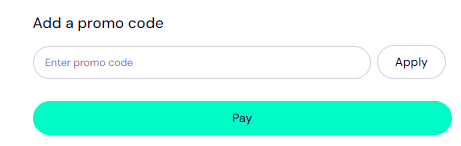
- When you use the promo code WELCOME777, you receive a 50% discount and pay only $7.77 for your domain transfer. This includes a free 1-year registration added to your domain's current expiry date.
- After the first year, your domain will renew at the standard rate of $14.99 per year for .com, .net, and .org TLDs one of the most affordable options over a 5-year term compared to Dynadot and other competitors.
- To apply the discount, enter WELCOME777 in the 'Add a promo code' field during checkout.
Specify The Registration Duration
Select the number of years you want your domain registration to last. You can choose a subscription period between 1 and 10 years at a time.
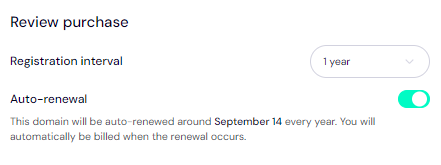
We also advise that you leave the auto renewal button so we can renew your domain name long before it expires for you.
Make Your Payment
Click on the 'Pay' button and follow the on screen prompts. That's it! Your domain name should be on its way from Dynadot to Trustname.
Safeguarding Your Domain At Trustname
Once your domain name is at Trustname,
You can take these extra steps to secure your account and domain's
- Enable Our Signature Two-Tier Privacy
Our Two-Tier privacy second tier is active on your domain name once you transfer it to us shielding your domain name's contact details from the public.
When transferring your domain name, if you chose 'Use a pre-defined contact' for the domain contact details, you are now enjoying our Two-Tier Domain Privacy.
You can head to Domains >>> Registered Domains >>> Domain Contacts to review your domain contact details at any time and enable the full Two-Tier package at any time.
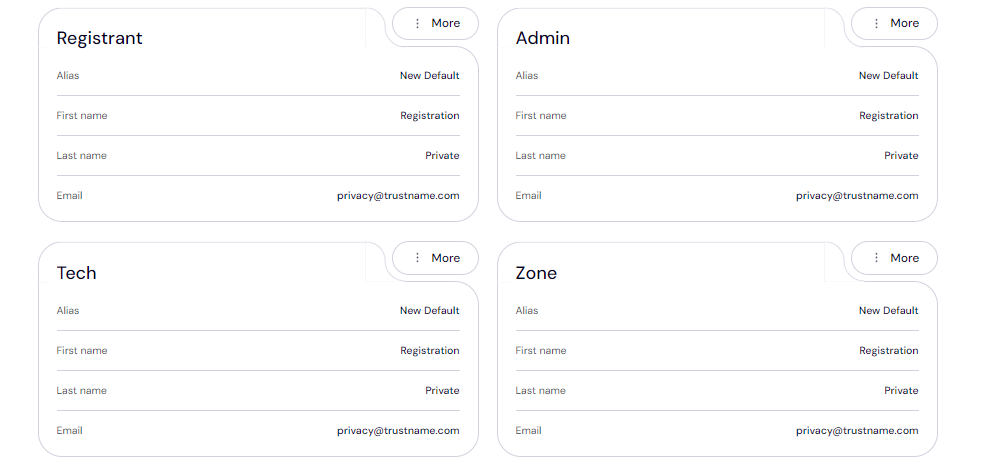
Read Why Trustname registers domains in the name of Perfect Privacy LLC. to learn more about our Two-Tier Whois Privacy.
- Review The Domain Lock
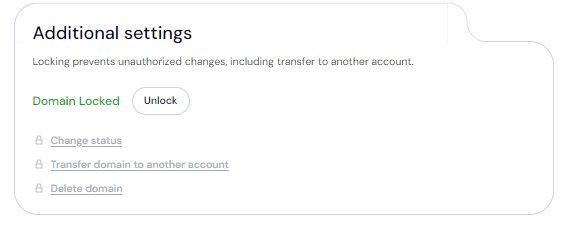
Your domain transfer lock is automatically enabled once you transfer it to us. To view your Domain Lock settings, click on Domains >>> Registered domains >>> Select domain and then scroll down to the Additional settings field.
- Verify The DNS Settings
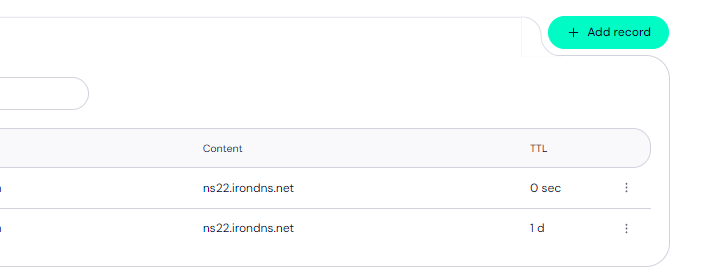
You can also review your domain nameservers and DNS records.
To review your domain nameservers, head to the Domain Nameservers section.

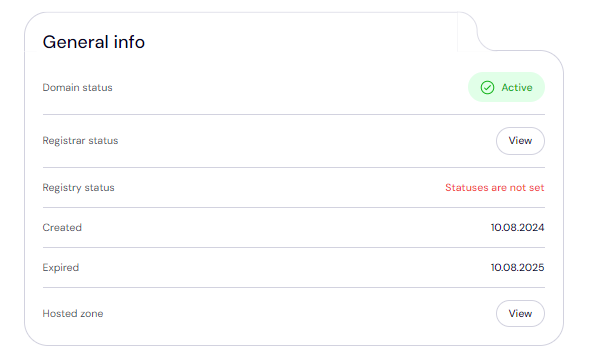
And to check your DNS records, under General info, look for Hosted zone and click 'View'.
From here, you can add and edit your existing DNS records, tweak your nameservers and enable DNSSEC.
Set up 2FA
With Two-factor authentication (2FA) enabled, whenever anyone tries to access your account, they'd need your credentials as well as a code generated by an authenticator app on your device.
- Go to 'My Profile', click 'Account Settings', then scroll down to Two-Factor Authentication (2FA) and toggle the switch 'ON'.
- Scan the QR code displayed on the screen using your authenticator app, or manually add the secret key generated in the Trustname portal.
- Download the 'Google Authenticator' app from your device's app store if you don't already have one installed.
Open the authenticator app and enter the six digit verification code it generates into the Trustname portal to confirm the setup.
Click 'Enable' to complete the process.
Save the backup codes provided by Google Authenticator during setup. These will help you regain access if you lose your device.
Read how to set up Two-factor authentication (2FA) on Trustname for more details.
- Failed Domain Transfers?
If you run into any issues while transferring your domain, these are the common reasons why domain transfers fail and how to troubleshoot them.
- Wrong EPP Code
If you input an incorrect Auth or EPP code, we won't be able to transfer the domain. We recommend copying it directly from Dynadot and pasting it into our required field instead of manually typing it out.
- Not Confirming Domain Eligibility
You won’t be able to transfer a domain name within 60 days of the last registrar transfer, registrant change, or change to the domain's contact details. Confirm that your domain is eligible and out of the 60 days lock before proceeding with the transfer.
- Transfer Lock
If the Domain Lock is still turned on, Dyandot won't release the domain name. Check your domain settings to ensure the Domain Lock is disabled, as shown earlier.
- Check Your Emails For Approval Requests
If you used your own details while registering your domain, you would need to verify them as your domain is transferred. Look out for emails from us!
Rounding Up
If you are looking to move from Dynadot to Trustname, you couldn't be making a better decision. We offer more value with all the domain essentials for free, easy payment across all regions (crypto accepted), superior human support, and the very best domain privacy on the planet.
To transfer your domain from Dynadot to Trustname, you'd need to confirm your domain eligibility, unlock your domain, obtain the Auth code, disable Domain Privacy, and review your domain contact details in that order.
Then, you head to Trustname's transfer portal, type in your domain name, submit the Auth code, specify your domain contact (ideally, use our pre defined contact), and make a payment.
For our transfers, we charge a discounted fee and add 1 year to your domain's current expiry date to ensure you never lose it. We're waiting for you!