
If you're looking to escape the security concerns and rigid policies of the Internet.bs, transferring your domain to Trustname is a seamless way to gain better protection. This guide provides a clear roadmap to help you move your domain while securing exclusive privacy features and expert support.
Key Takeaways
- Enhanced Security – Benefit from proprietary protection, including free SSL, Premium DNS, and DNSSEC to keep your domain safe from external threats.
- Freedom Of Content – Experience a bulletproof registrar that remains neutral and supports "grey-area" niches like streaming, activists, and alternative press without arbitrary takedowns.
- Ultimate Anonymity – Utilize Two-Tier Privacy and cryptocurrency payment options to ensure your personal identity is never linked to your public domain records.
- Significant Savings – Take advantage of the $7.77 transfer fee using promo code WELCOME777, which adds a full year to your domain's current expiration date.
- Expert Assistance – Access human-led support from seasoned industry veterans who provide real-time help via live chat instead of automated ticket tiers.
TABLE OF CONTENTS
- Key Takeaways
- What Perks To Expect From Trustname
- Before Initiating Your Transfer
- Prepare Your Domain At The Internet.bs For The Transfer
- Initiate The Transfer At Trustname
- Safeguard Your Domain At Trustname
- Troubleshoot A Failed Domain Transfer
Want to transfer your domain from Internet.bs (or Internetbs.net) to Trustname? We can't wait to have you here! Common complaints from Internet.bs include their poor security, how quickly they take down domains due to abuse reports, and poor support.
Transfer your domain to Trustname and enjoy superior security, unrivaled domain privacy, top-tier support, our anti-phishing policies, and a truly bulletproof domain registrar that sides with you when it matters.
What Perks To Expect From Trustname
- Superior Security
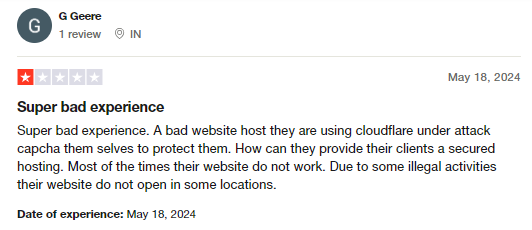
Customers complain about the Internet.bs themselves are being protected by third-party providers, e.g., Cloudflare. No one will feel comfortable knowing that their provider depends on another company to keep them secure.
Trustname boasts of a ton of proprietary security measures (the core being our signature Two-Tier domain privacy) to protect your account and your domains so you never lose them.
On your domains, you get a free SSL, Premium DNS, and DNSSEC. We are also big advocates of anonymity, supporting crypto payments and anonymous registration to minimise your digital footprint.
- A Truly Bullet-Proof Registrar
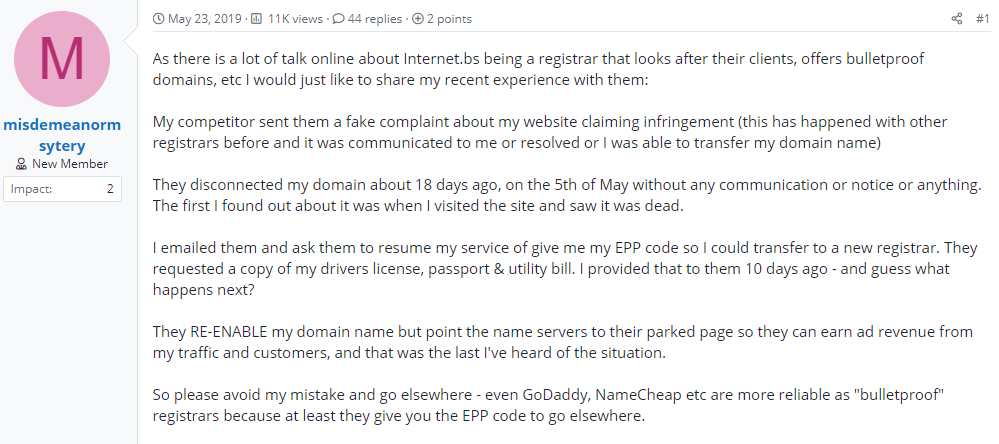
Do you run a 'grey-area' business or a brand in a sensitive niche? You should run over to Trustname if you want a truly bullet-proof registrar. Internet.bs customers complain about having their domains shut down due to abuse reports from scammers and competitors.
While we don't support explicitly illegal content promoting child abuse, arms dealing, or illegal drug trade, we remain neutral to every other case. Run a video streaming service, online pharmacy, activist, or press website? Trustname is the truly bulletproof registrar for you.
We'll never take action against your domain simply because someone reported it. If anything, except for extreme cases, we stand on the fact that moderating content doesn't fall under our jurisdiction.
- Unrivaled Domain Privacy
Registrars like Internet.bs give you basic Whois privacy that replaces your domain contact information in the Whois database with proxy details or 'Redacted for privacy' (for EU customers).
At Trustname, we offer a one of a kind Two-Tier Domain Privacy that allows you to register domains anonymously and then hide your domain contact on a second level.
You'll never have to link your personal information with your domain in the first place if you don't want to. What's more? Our partner proxy company will take all the fire for you if we receive a domain abuse report.
Read more on Why Trustname registers domains in the name of Perfect Privacy LLC. to learn more about our Two-Tier Privacy.
- Top-Tier Empathic Support
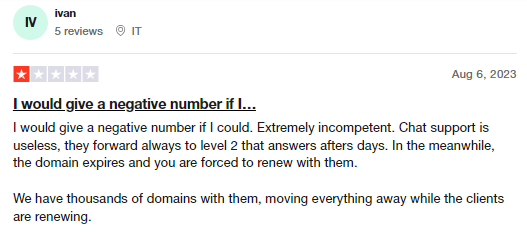
Customers of Internet.bs are fed up with being referred or forwarded to 'Level 2' support whenever they have a more niche request.
At Trustname, enjoy premium support from human agents with decades of domain management experience between them. We encourage our customers to contact us via live chat whenever they can, to get all the help they need quickly.
And if you are more of a DIY person? Our vast search engine equipped knowledge base has all the answers you need.
- Our Stance Against Phishing And Spam
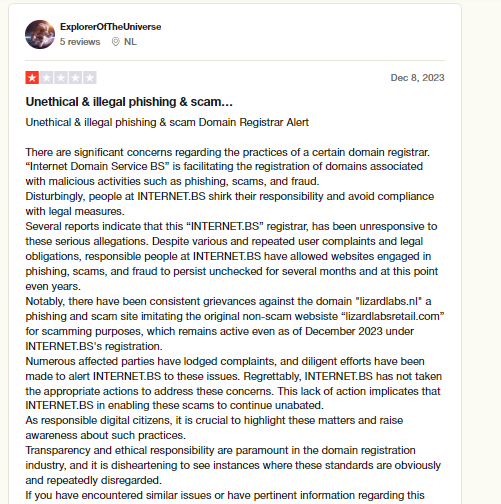
Many customers of Internet.bs also complain about how the registrar ignores complaints about phishing and spam. While Trustname tries to maintain a neutral stance in domain abuse cases, we have a clear-cut stance against phishing and spam.
On Trustname, we investigate every abuse report we receive thoroughly to protect our customers and the Internet as a whole.
Read our Spam Reporting Process and Phishing Reporting Process for more details.
Before Initiating Your Transfer
- Review Your Domain Nameservers
Review the nameservers set on your domain in your Internet.bs account before transferring it. If your domain is pointing to the Internet.bs nameservers will stop resolving queries once your domain is moved, and your website will experience downtime.
If they are set to a third-party provider (i.e., another web host), you don't need to worry.
- Transferring Your Domain Doesn't Take Your Website Along
Your domain name and website are two different services. If you also want to move your website to Trustname or another web hosting provider, you would need to purchase a web hosting plan from Trustname (or the new host) and reach out to us, and we'll help you migrate your website conveniently.
- Transfer Pricing And Policy
Trustname charges a base fee of $7.77 (with our promo code) to transfer your domain name to us, but this adds an extra year to your domain name's current expiration date.
- Transferring Expired Domains
You can only transfer a domain when it is active or during the grace period after it expires. If you didn't renew your domain during the Grace Period and it's now in the Redemption Period, you are going to have to renew it first for an extra fee and wait for the ICANN 60 days lock to elapse.
You should transfer domains at least two weeks before they expire.
Prepare Your Domain At The Internet.bs For The Transfer
- Confirm The Domain's Transfer Eligibility
You won't be able to transfer a domain name until 60 days have passed since it was registered, since the last registrar transfer, registrant change, or change to the domain's contact details.
Confirm that your domain is at least 60 days old and hasn't had any registrant or registrar changes made in the last 60 days before proceeding with the transfer.
- Unlock The Domain At Internet.bs
The Domain Lock is a basic feature provided by most registrars, including Internet.bs that prevents unauthorized transfers of your domain. To transfer it out, you would need to disable the Domain Lock.
Don't worry, once your domain is with us at Trustname, we will automatically lock your domain. To disable the Domain Lock on the Internet.bs, login to your account with your username and password.
Next, head to your domain list click on the 'Domain Name' you want to transfer to Trustname. Now, click on 'Expert' and then select the "Locking/Unlocking" settings. Proceed to unlock the domain.
- Obtain The Auth (EPP) Code
Before transferring your domain, you would need to obtain the Auth Code that helps Trustname validate your request with Internet.bs.
To do this, login to your Internet.bs account. Next click on your domain from the domain list. Click on 'Expert' and select the EPP/Auth info option.
Internet.bs will generate an Auth/EPP code for your domain in their portal. Kindly copy the Auth code and save it safely. When transferring your domain, you will need to enter it into the Trustname portal.
Now you are ready to send your domain to Trustname. Head to our Domain Transfer page.
Initiate The Transfer At Trustname
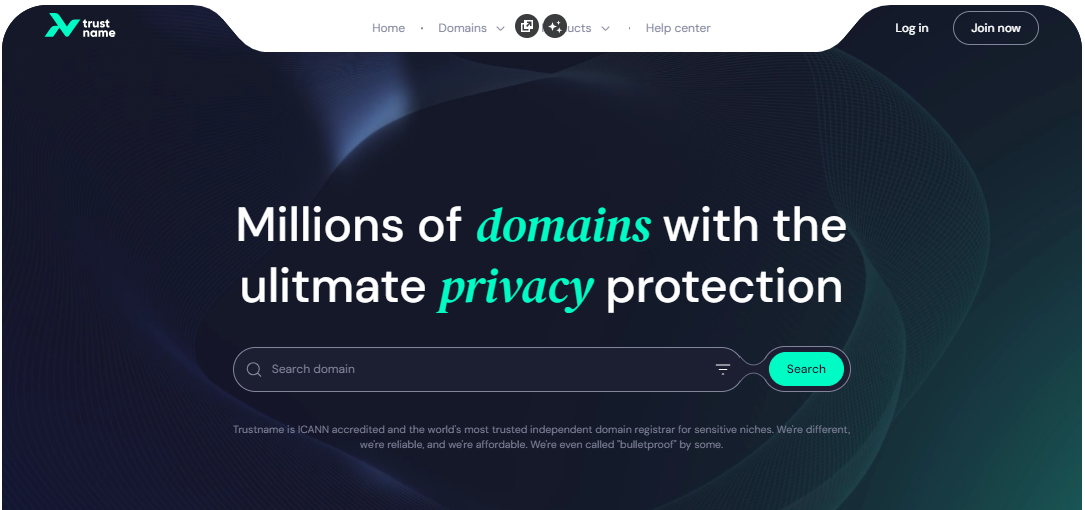
- Head to the Trustname.com website and click 'Log In' at the top right corner to access your Trustname account.
- Fill in your account username and password to gain access to your customer portal.
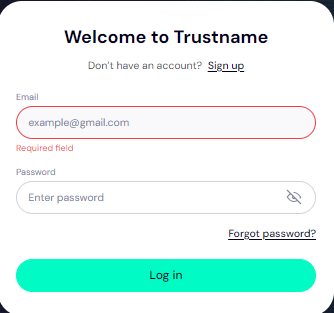
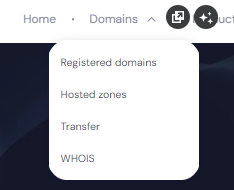
Click 'Log in'. - Under the 'Domains' dropdown in the header, click on 'Transfer'.
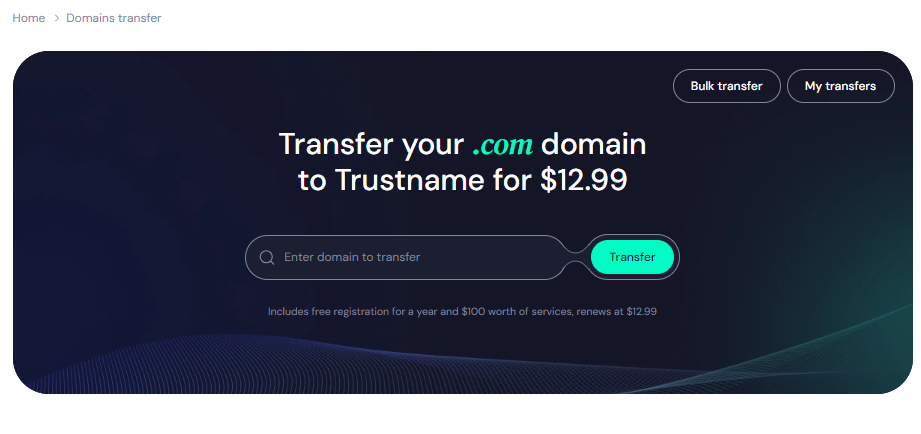
- Type in your domain including the domain extension and click on 'Transfer'.
- Enter the Auth Code (EPP code) you generated at Internet.bs for your domain and click on 'Continue'.
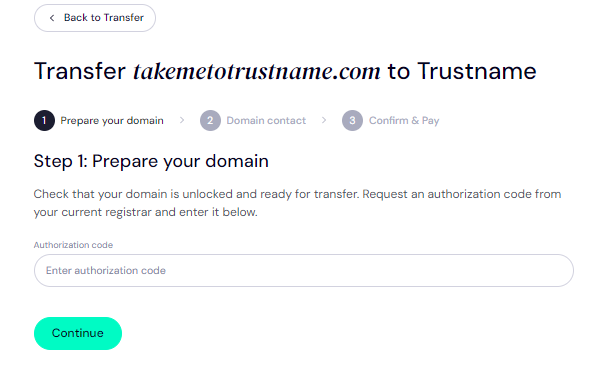
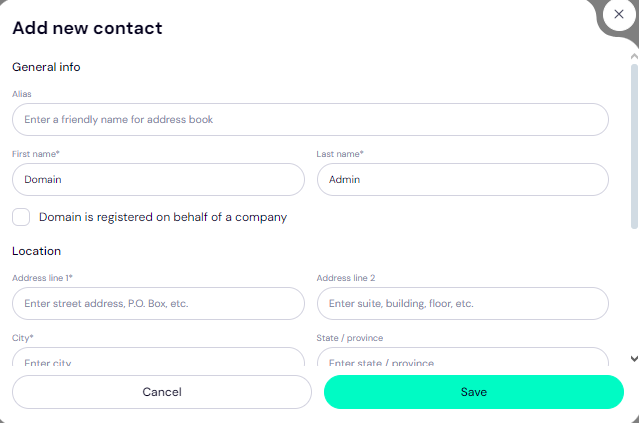
- Fill in your domain contact details. You can choose to use your own details by clicking on the 'Choose Contact' dropdown and selecting 'Add New Contact'.
Or you can click 'Use a pre-defined contact' to enable Trustname's Two-Tier Privacy Protection.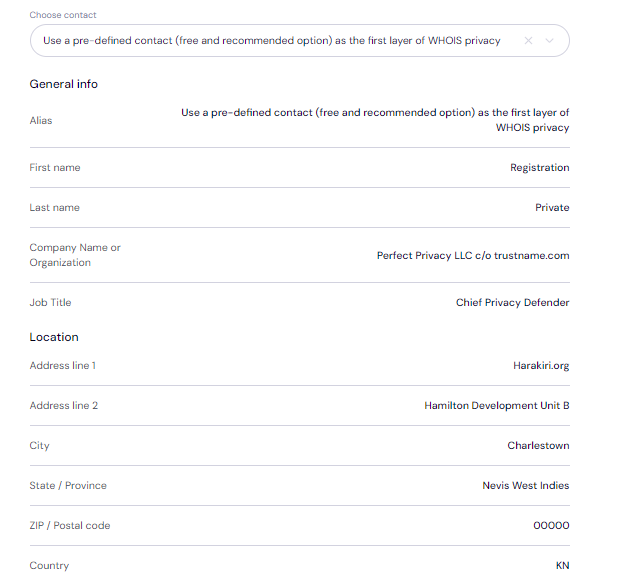
[+] [Notice] Info Insert title here [+] [Notice] Title -> You retain full control of your domain even if you choose 'Use a pre-defined contact' we only offer this service to give you the most privacy and minimise your digital footprint.
Click 'Continue'.
- Pay for your domain transfer and get 1 extra year on your domain's current expiry date.
Enter your billing address or select 'Same As My Contact Address' so you don't need to fill it in manually.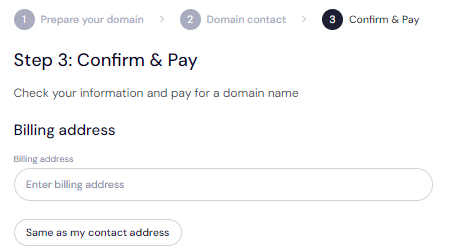
- Choose your payment method. You can use a bank card or existing funds in your Trustname wallet to make a payment.
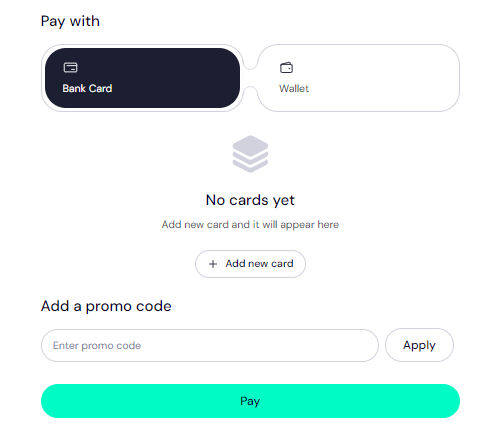
If you don't have a bank card set up yet, click on 'Add New Card' and fill in your card details to have it set up.
Trustname also accepts cryptocurrencies for payment!
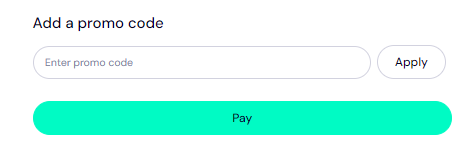
Trustname's Domain Transfer Promo Code - WELCOME777
[+] [List] Green Ordered - By using the promo code WELCOME777, your domain transfer will cost $7.77, and a free 1-year registration will be added to your domain's current expiry date.
- To apply the offer, enter WELCOME777 in the "Add a Promo Code" section during checkout.
- Select your domain registration period (between 1-10 years at a time).
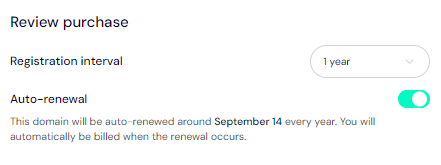
Leave the auto-renewal button ON so we renew your domain name long before it expires for you. - Click on the 'Pay' button and follow the on-screen prompts. That's it!
Safeguard Your Domain At Trustname
Once your domain is with us, turn on two-factor authentication (2FA), review your domain lock, review our Two-Tier privacy to see your domain Whois info, and check your nameservers.
Troubleshoot A Failed Domain Transfer
Once you have taken these steps, your domain transfer from Internet.bs to Trustname should go smoothly. However, if you are experiencing any issues, you may need to re check the Auth Code, ensure your domain is eligible and check that your domain is unlocked. You may also need to disable Domain Privacy if it's enabled.
Read Troubleshooting Failed Domain Transfers to Trustname for more help.