
Moving your domain from Melbourne IT to Trustname is a straightforward process that helps you save money, improve privacy, and enjoy world-class service. Trustname provides transparent pricing, strong security, and dedicated customer support at no extra cost.
Key Takeaways
- Fair Pricing– Low-cost domains with no hidden charges or upselling.
- Strong Privacy – Two-tier protection keeps your data fully private.
- Free Security – Complimentary SSL, email, and DNS protection included.
- Reliable Support – Expert help available via live chat and ticket system.
- Easy Transfer – Simple steps with a discounted $7.77 transfer fee and added renewal year.
Are you looking for a domain registrar that won't close your domain without warning, offers truly world-class support, and won't add more products to your checkout than the ones you sign up for? Look no further, sign up to Trustname.
Trustname is the number one bulletproof registrar you can rely on. We offer our customers the most comprehensive and affordable package that comes with our signature two-tier privacy protection, Premium DNS security, and SSL certificates. You only need to pay for your domain once, and you're good to go! No dodgy add-ons or tricks.
All you need to transfer to Trustname from Melbourne IT is to ensure your domain is unlocked and active (i.e., not expired), get your domain auth code/EPP code, and ensure you have a valid domain contact email address.
In the rest of this article, we'll be guiding you step-by-step on how to start and finish your domain transfer successfully. Before we do that, let us show you what we bring to the table that Melbourne IT just can't compete with.
Perks Of Using Trustname.
As a customer, your priority, rightly, is to look for the best possible domain registrar that caters to your needs without breaking the bank. Melbourne IT offers domain services and products at a steep price, adding up to hundreds of dollars per year.
Here are some reasons why Trustname is a better fit for you:
- Unbeatable, Transparent Pricing
What immediately becomes obvious on the Melbourne IT platform is its outrageously priced domains.

They position themselves as catering mainly to corporations and big businesses, making their domain prices out of reach for many individuals and small businesses. The image below shows the prices of regular TLDs on Melbourne IT over 5 years.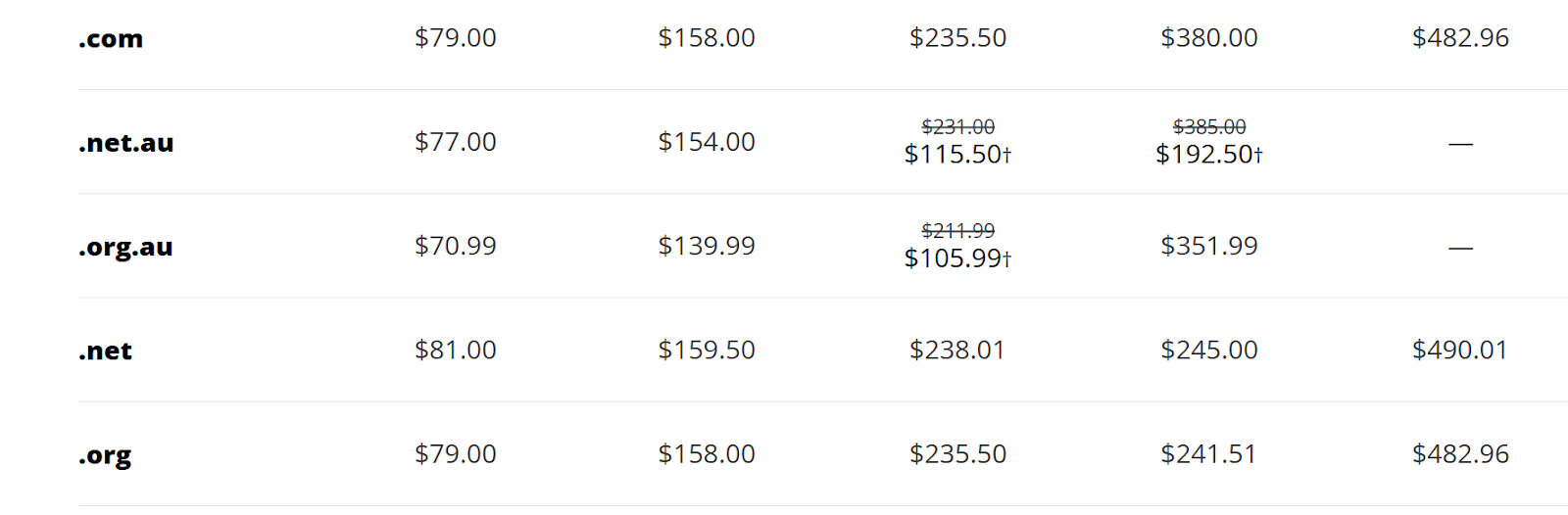
What's more incredible about these prices is that it doesn't come with other basic services that you may need. For email services, Melbourne IT uses a Microsoft 365 business plan, which costs users between $168.98 and $421.20 per year.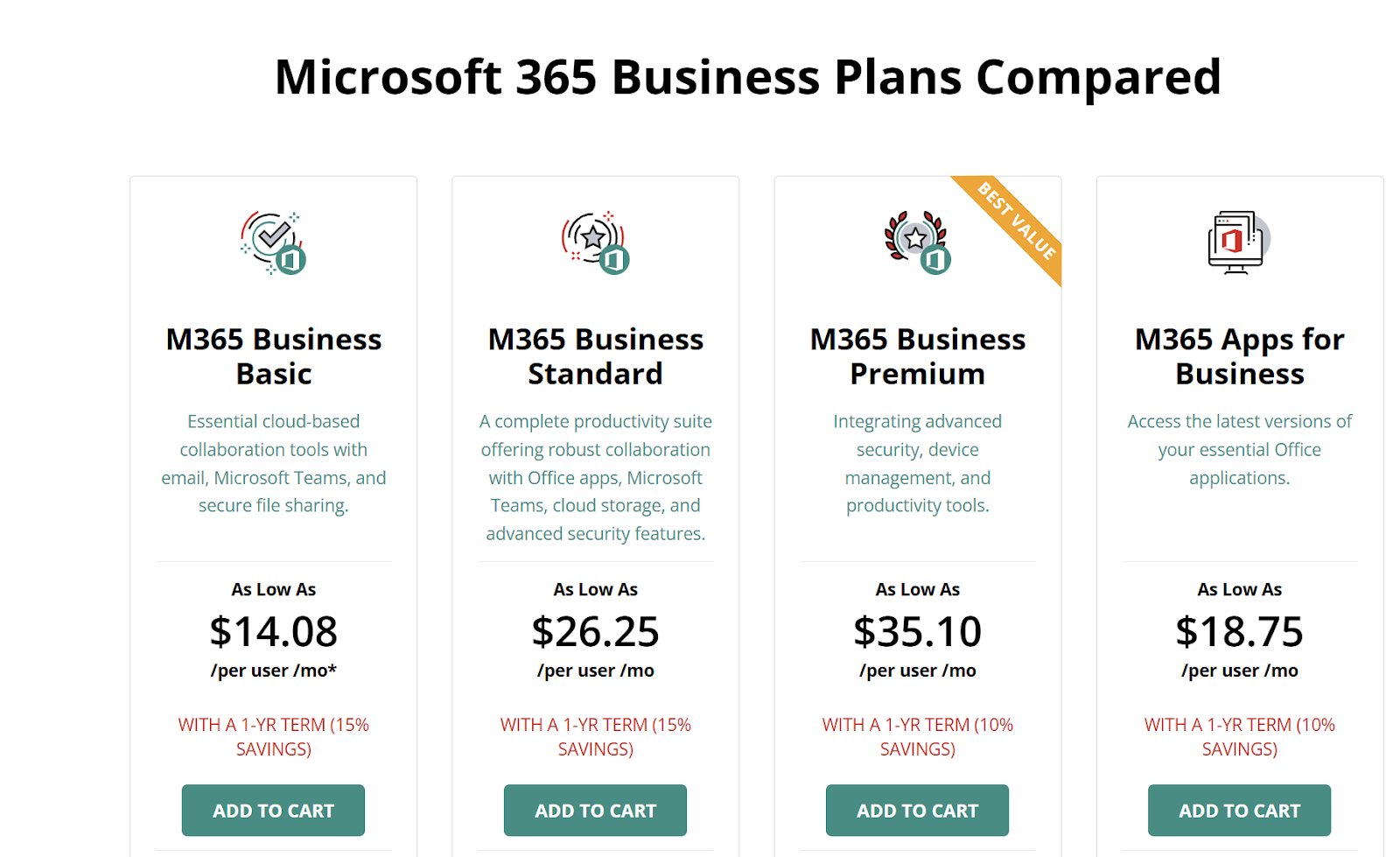
In addition, they offer a MailGuard service to protect users email (shouldn't they just do that automatically?) for another $65.4 per year. Are the costs already making you dizzy so far? There's more.
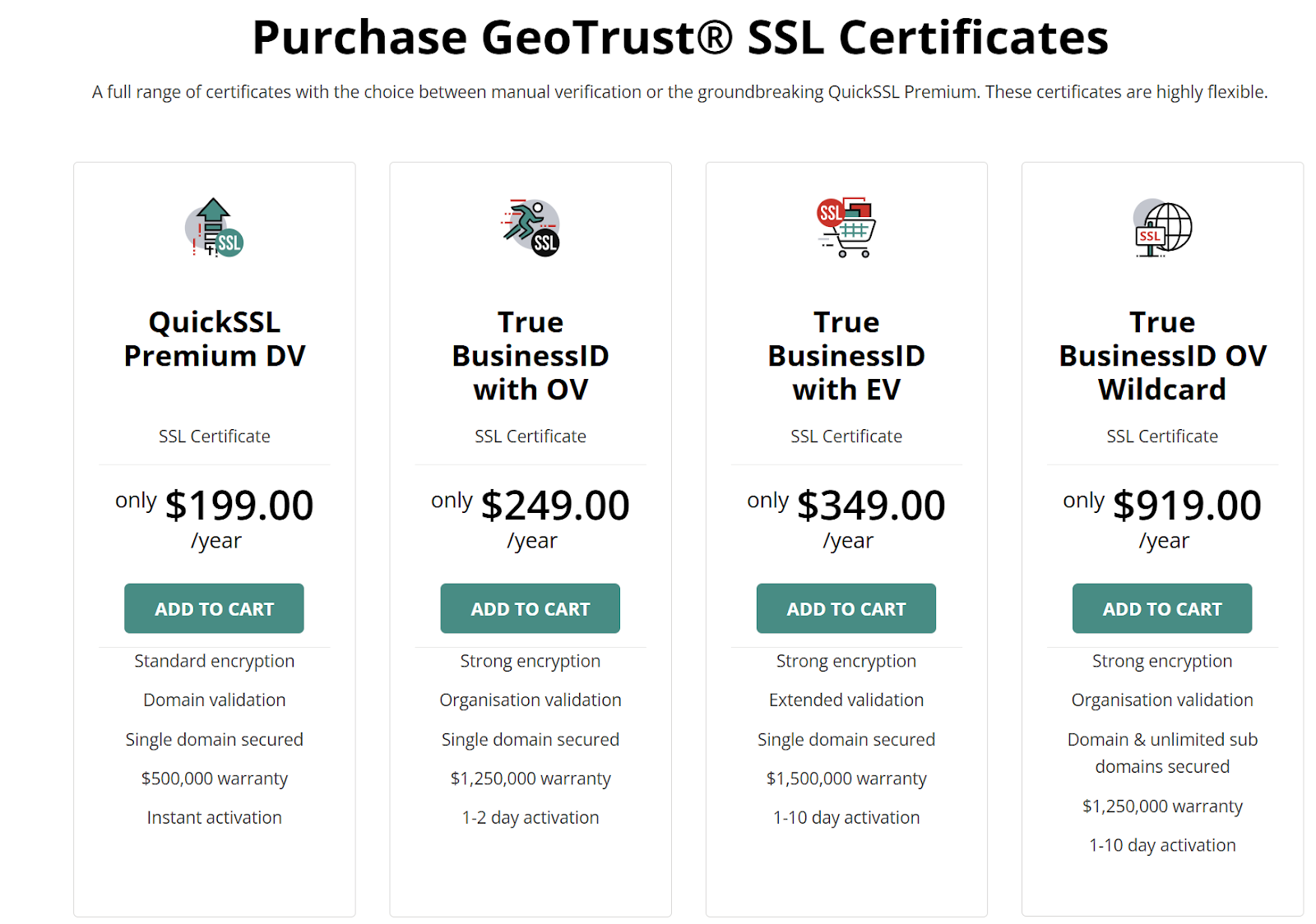
To get an SSL certificate to secure and authenticate your website, you spend between $99 to $919 yearly, depending on the number of domains you want to secure and the business you need it for.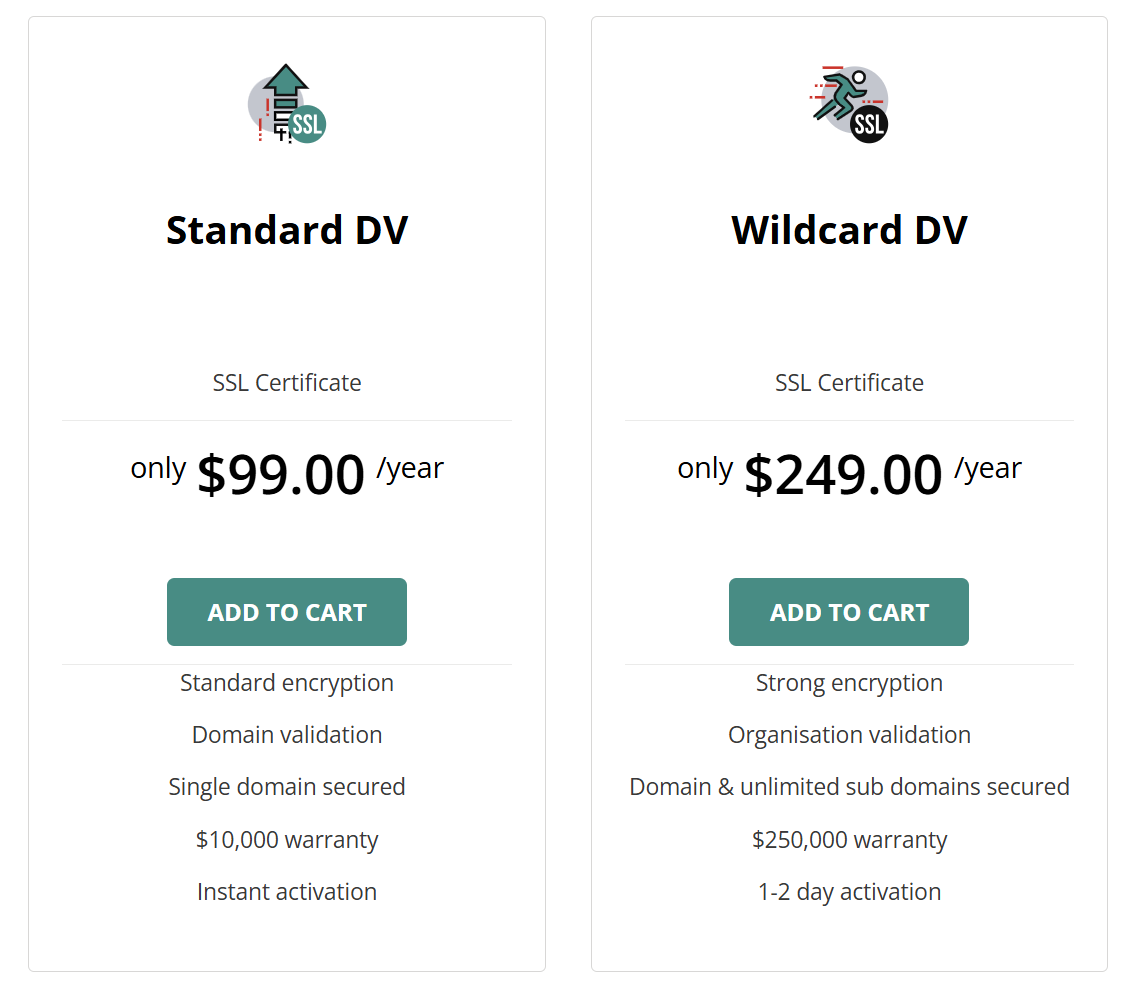
How about domain privacy? You guessed right, another thing to pay for. Apart from basic Whois privacy protection, Melbourne IT offers users private registration for $30 a year.
I mean, look at all the running costs for up to five years! How does Trustname significantly reduce your costs without compromising on, and even improving, products and services? First, our .com domain prices cost $12.99 per year ONLY and renew at $14.99.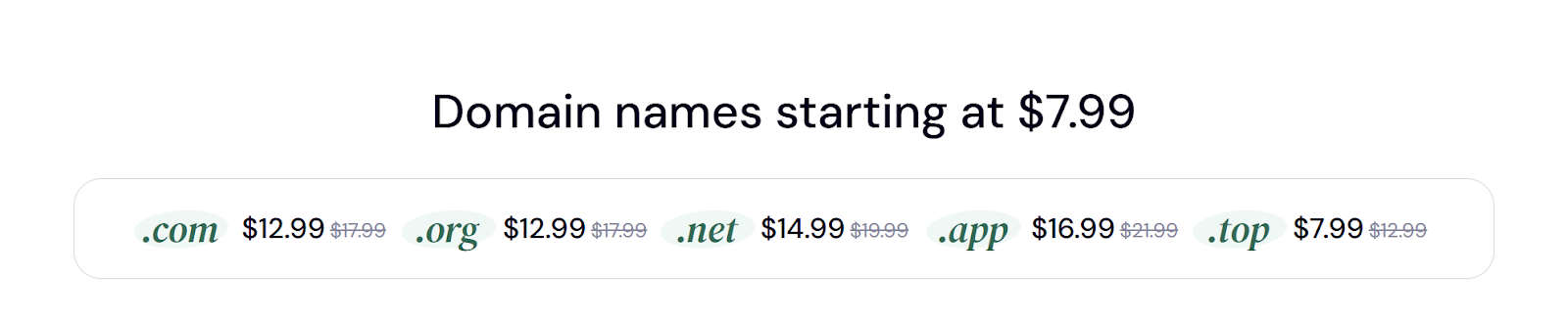
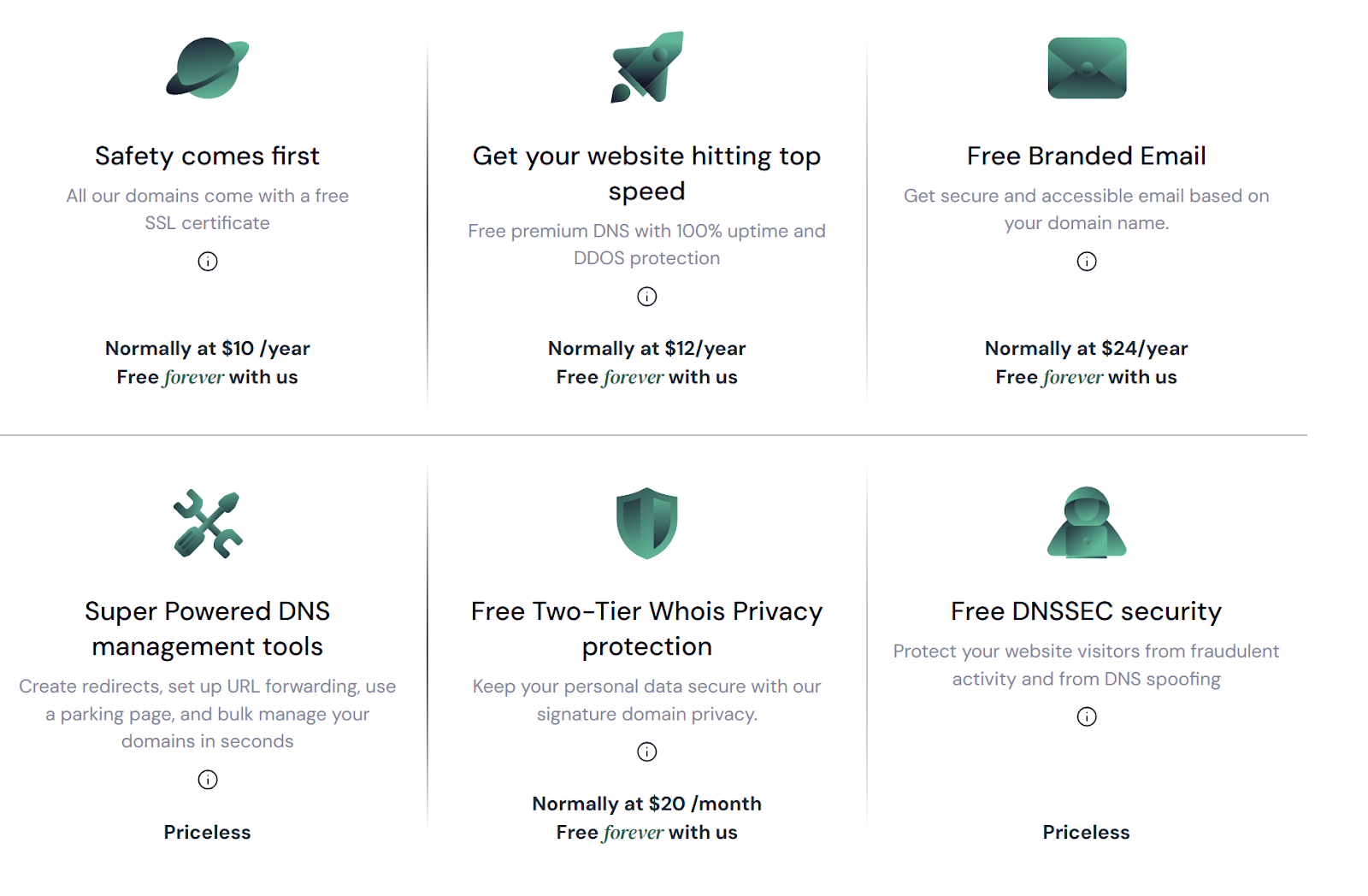
After getting your domain, it comes with a complimentary email address completely FREE. SSL certificates are also free for the first year on all domain names!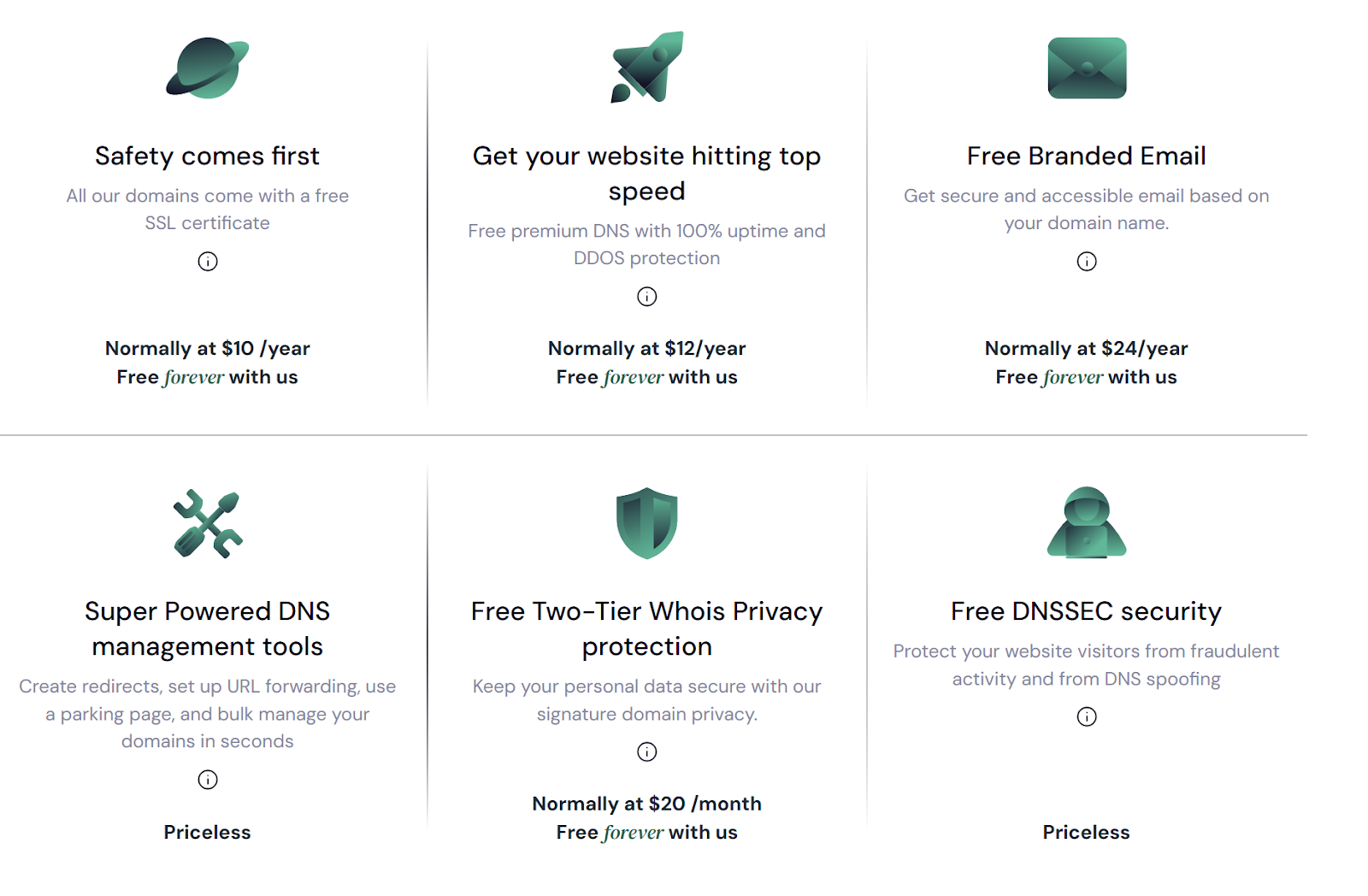
Like what you see? That's not all. Trustname also offers you premium DNS protection for your website, again, at NO EXTRA COST! You get to enjoy all the added features that help you kickstart your business, literally for the price of one domain.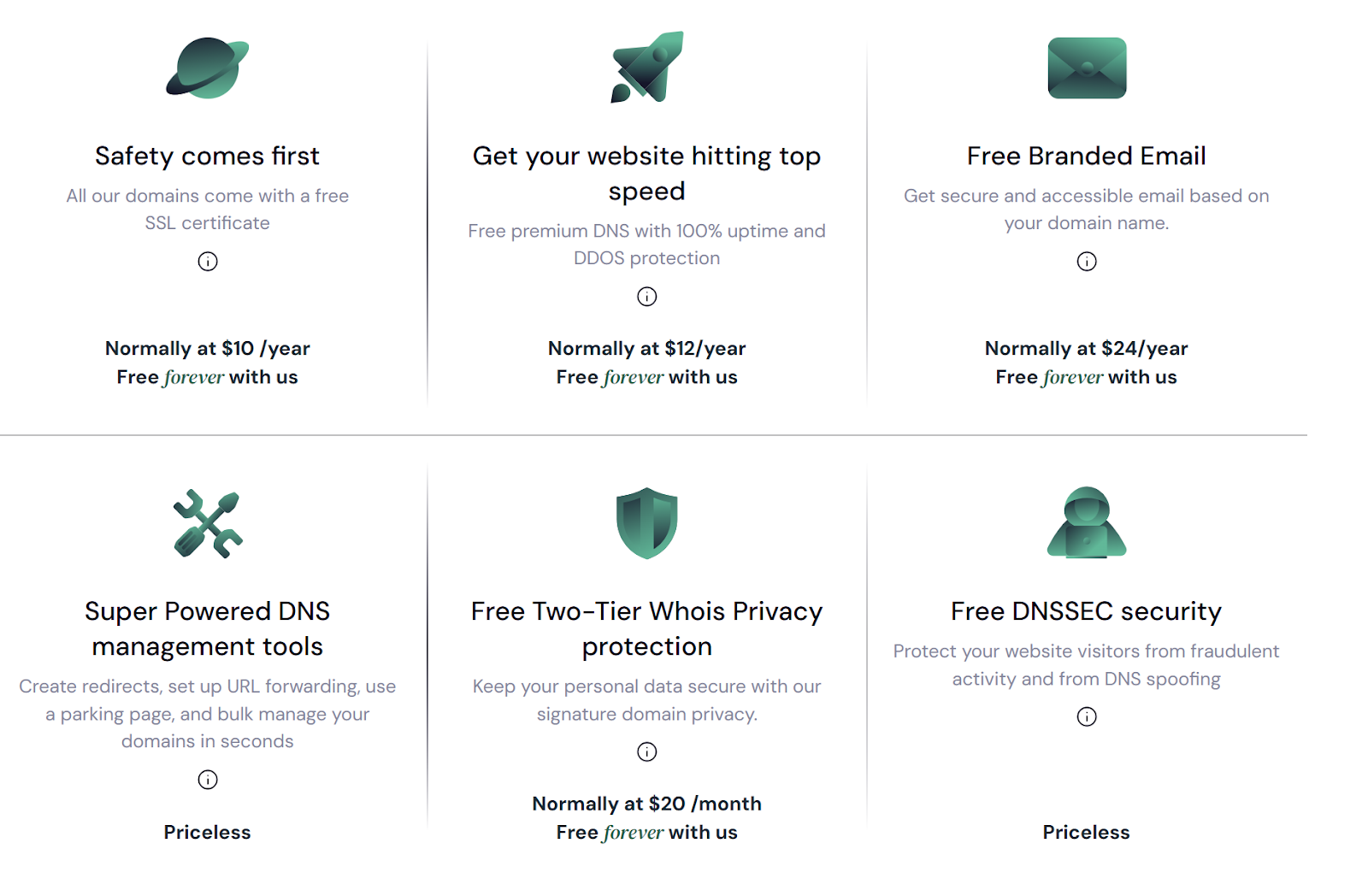
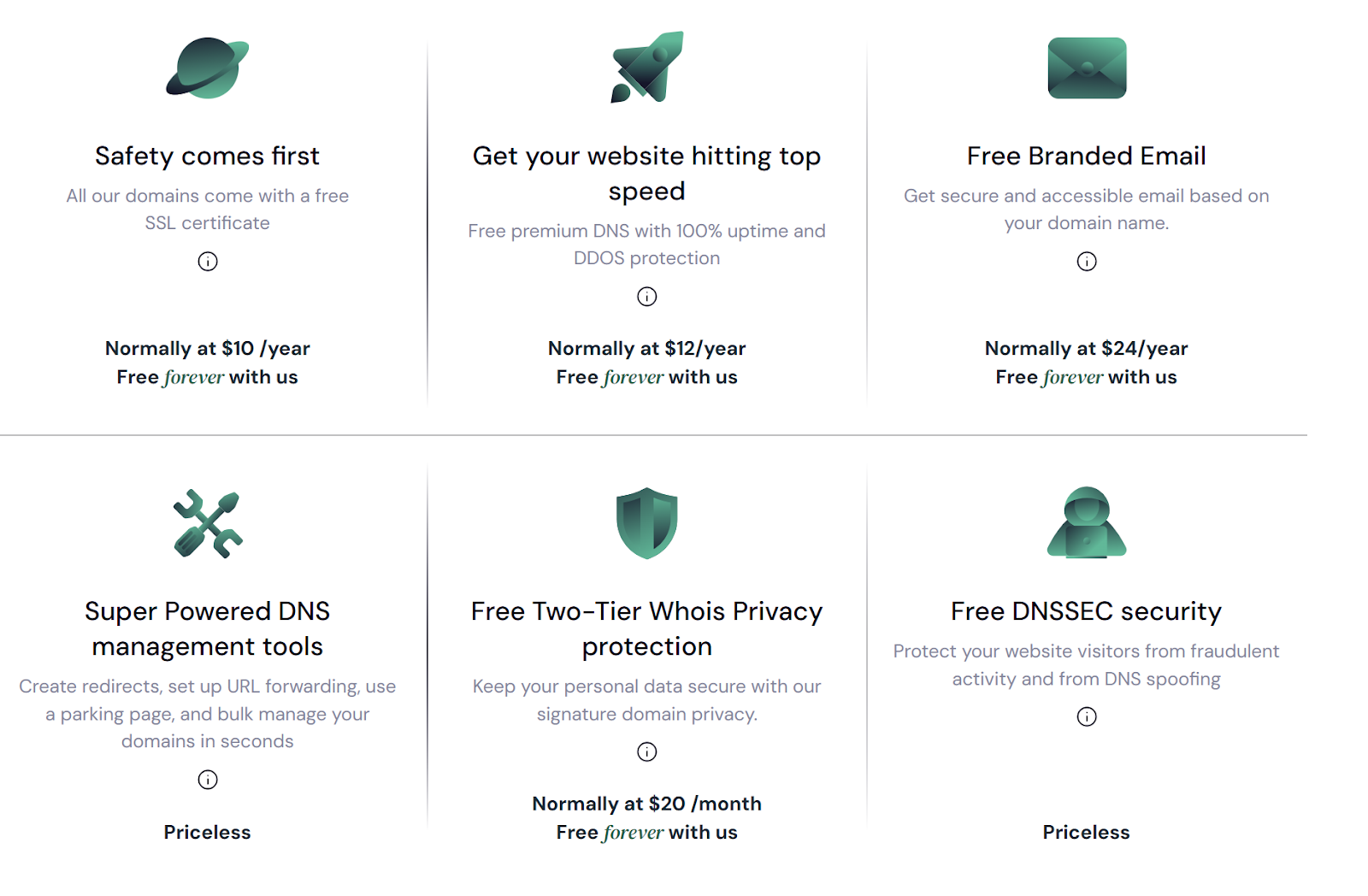
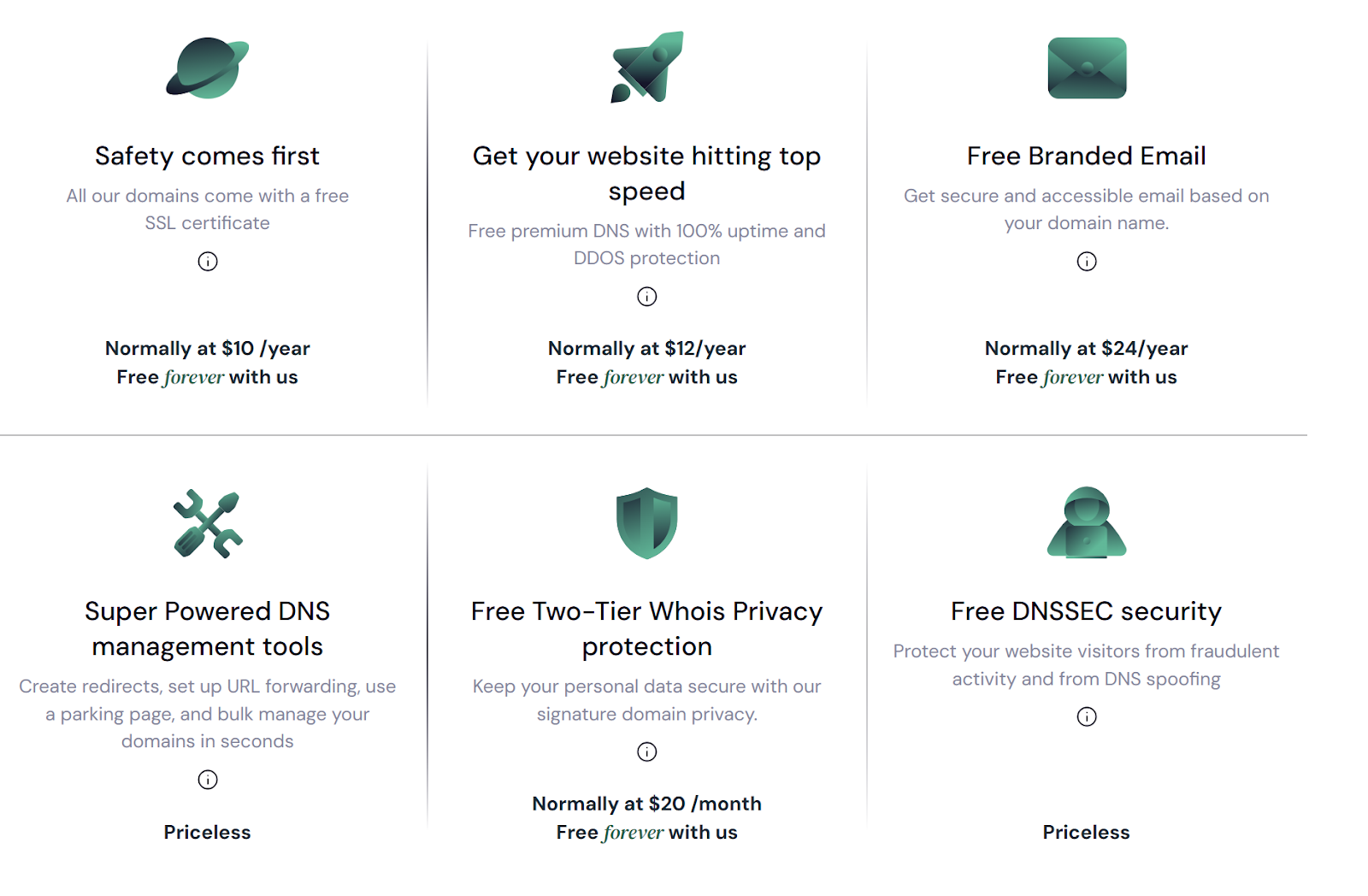
Like Melbourne IT, we take extra steps to protect our customers privacy beyond basic Whois protection. Unlike them, though, Trustname, you're right again, doesn't charge for this service. Now, what do all these mean for you financially?
You save over $400 per year and $2,000 over five years at the very least when you move from Melbourne IT to Trustname! That money could easily be invested in other productive aspects of your business.
- Bulletproof Two-tier Privacy
Speaking of privacy, Trustname's Two-Tier Privacy Protection system stands head and shoulders above the competition and leaves other registrars, including Melbourne IT, in the dust. Are we just bragging? See how it works and judge for yourself.
[+] [List] Green Ordered - Tier: Third-Party Registration
When registering or transferring your domain, you can choose to have Perfect Privacy LLC, one of our proxy companies, listed as the registrant.
Note that you maintain full control of your domain and can update the contact information at any time. This tier is the initial separation between you and your domain's public records.
- Tier: Whois Shielding
We further protect your privacy by shielding the initial domain's contact details from the Whois database. Whether you've used your personal information or opted for Perfect Privacy LLC, we use proxy details from a trusted partner to populate the Whois records.
This dual-layer system ensures that your personal information is never directly associated with your domain. Plus, our privacy protection isn't just about hiding information. Perfect Privacy LLC acts as a buffer, becoming the first point of contact for any legal matters related to your domain.
In the event of legal action, it would require simultaneous court orders from three countries - the U.S., St. Kitts and Nevis, and Estonia before any action could be taken against your domain. All for a total of $0 per year, for life!
- Tier: Third-Party Registration
- Thorough Domain Vetting
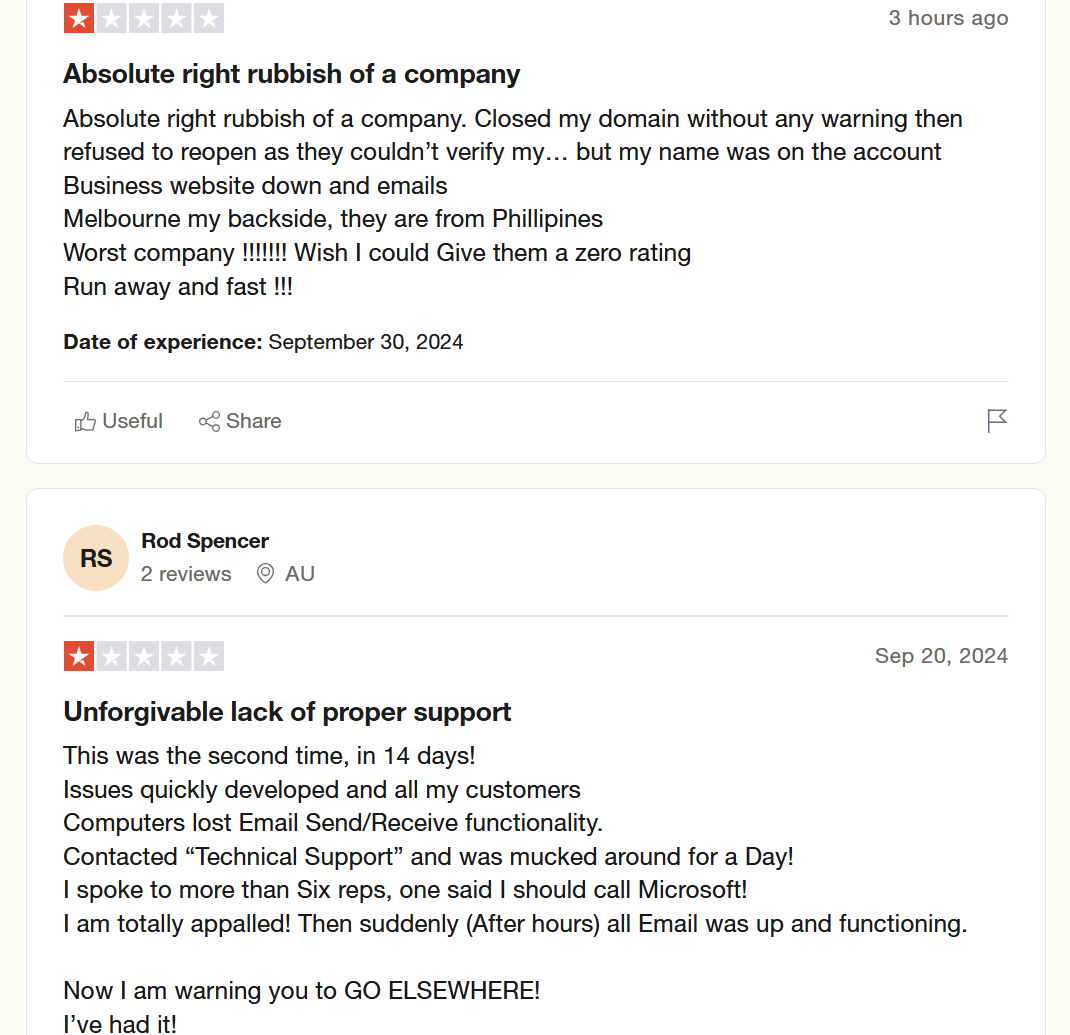
Sometimes registrars like Melbourne IT close domains for no apparent reason. They could've detected some suspicious activity, but in such cases, these registrars often fail to investigate properly or notify the owner. They jump straight to shutting you down.
At Trustname, we understand that certain businesses operate in legally complex or sensitive areas, which may make their domains potential targets for various threats, including attempts to disrupt website operations, domain hijacking, or data breaches that lead to reputational damage through fraud.
Our stance on domain registration is that we provide domain registration services without passing judgment on website content.
For businesses operating in grey areas or those that may be subject to frequent abuse reports, we maintain a neutral position regardless of the number of complaints received, with exceptions only for extreme illegal activities such as child exploitation, weapons trafficking, or illicit drug sales.Our abuse report handling process is designed to prioritize our customers interests:
[+] [List] Green Ordered - Upon receiving a complaint, we first notify the domain owner.
- We encourage complainants to communicate directly with the domain owner.
- Even in cases where illegal activity is confirmed, we offer the registrant the opportunity to transfer their domain before any further actions are taken.
While we strive to protect our clients interests, we also comply with all applicable laws and regulations. We encourage all domain owners to ensure their activities are legal in their respective jurisdictions. - Expert, Hands-on Support
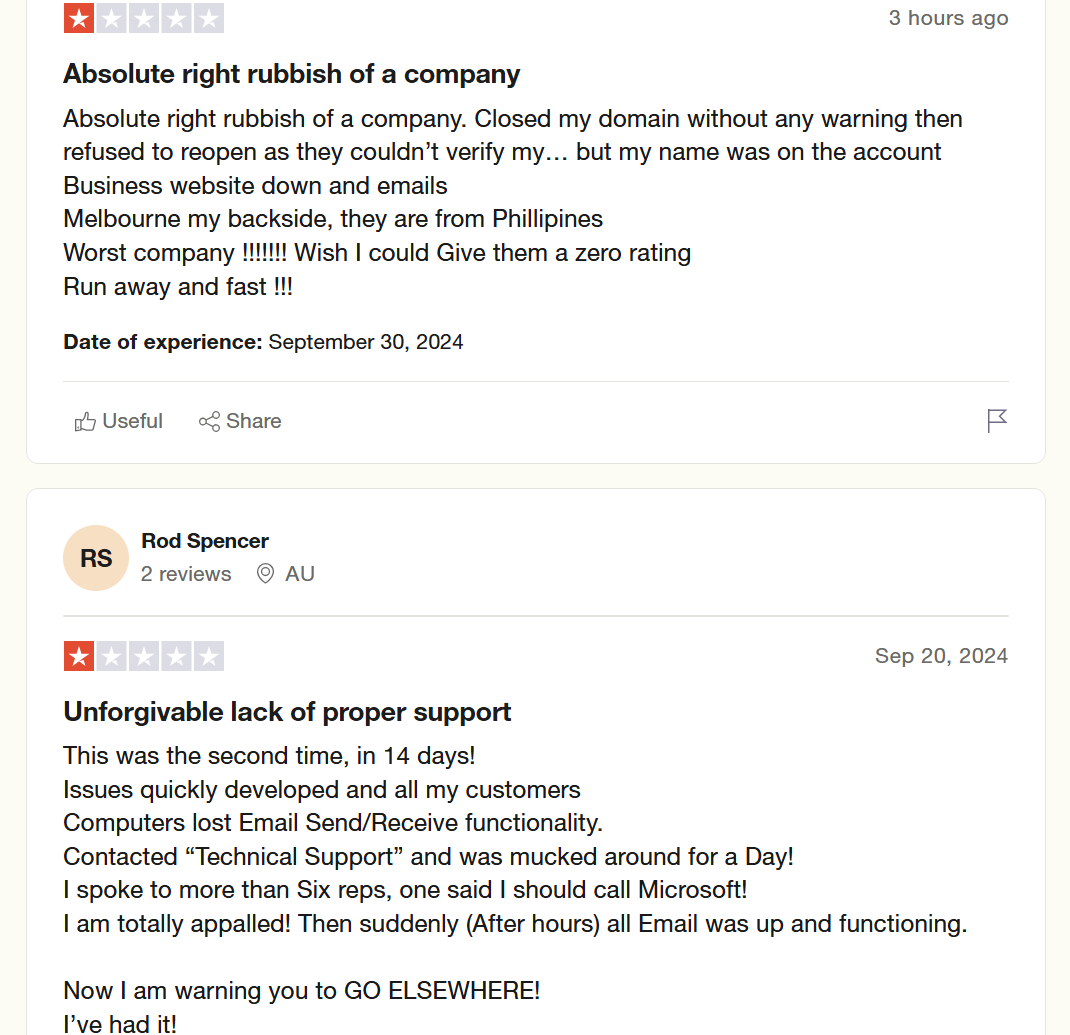
There would be no domain registrars without customers. So, it only makes sense that investing in knowledgeable and responsive customer support personnel and tools should be the priority of any registrar. Unfortunately, this isn't the case with Melbourne IT.
At Trustname, it is our goal to ensure you feel valued and well-served at every interaction. Our customer support team is filled with experienced webmasters with practical expertise in domain management, web hosting, and email services.
Their first hand knowledge allows them to offer informed, practical solutions to your domain-related issues.
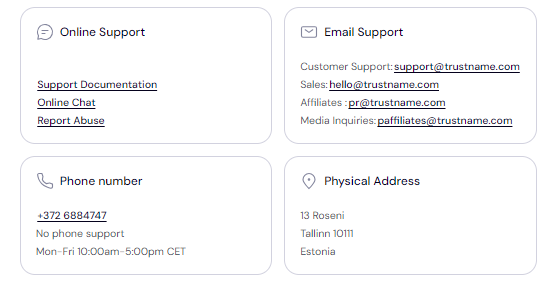
We understand the importance of timely assistance, which is why we offer real-time support through live chat. If you prefer written communication, we also have a responsive ticketing system.
You're not limited to a single support channel. Trustname also maintains a knowledge base regularly updated with detailed guides if you want a DIY approach.
Domain Pretransfer To-Do List
Before initiating a domain transfer, it helps to understand many important factors that can impact the process. This section will help you achieve a smooth transition.
- Nameservers And Their Role
Nameservers direct internet traffic to your website. They act as a bridge between your domain name and the IP address of the server hosting your website. You can set up custom nameservers or use the default ones Melbourne IT provides.
During the transfer process, you won't be able to modify nameservers or other DNS settings. If your website is currently hosted with Melbourne IT, update your nameservers to point to Trustname before initiating the transfer.
- Domain Transfer vs. Website Migration
Many domain owners mistakenly believe that transferring a domain automatically moves their website content. Domain registration and web hosting are two distinct services. To move your website to a new host like Trustname, you'll need to purchase a separate hosting plan.
Trustname offers reliable migration services to help you transfer your website files, databases, and email accounts without a hitch.
- Transfer Costs And Value Considerations
When transferring your domain, consider the associated costs and potential benefits. Trustname charges a discounted fee of $7.77 (with a promo code) for domain transfers. This fee typically includes a one-year extension to your domain's expiration date.
The transfer fee is a significant savings compared to standard registration costs, like $14.99 for a one-year registration.
- Domain Expiration And Transfer Eligibility
The timing of your domain transfer can affect your eligibility and incur additional costs. Most registrars, including Melbourne IT, only allow transfers for active domains. Transfers are usually permitted during the Grace Period immediately following expiration.
If your domain has entered the Redemption Period, you'll need to renew it, often at an additional fee, before initiating a transfer.
Initiating Transfer From Melbourne IT
To prepare your domain name for transfer from Melbourne IT, follow these steps:
- Access Your Account
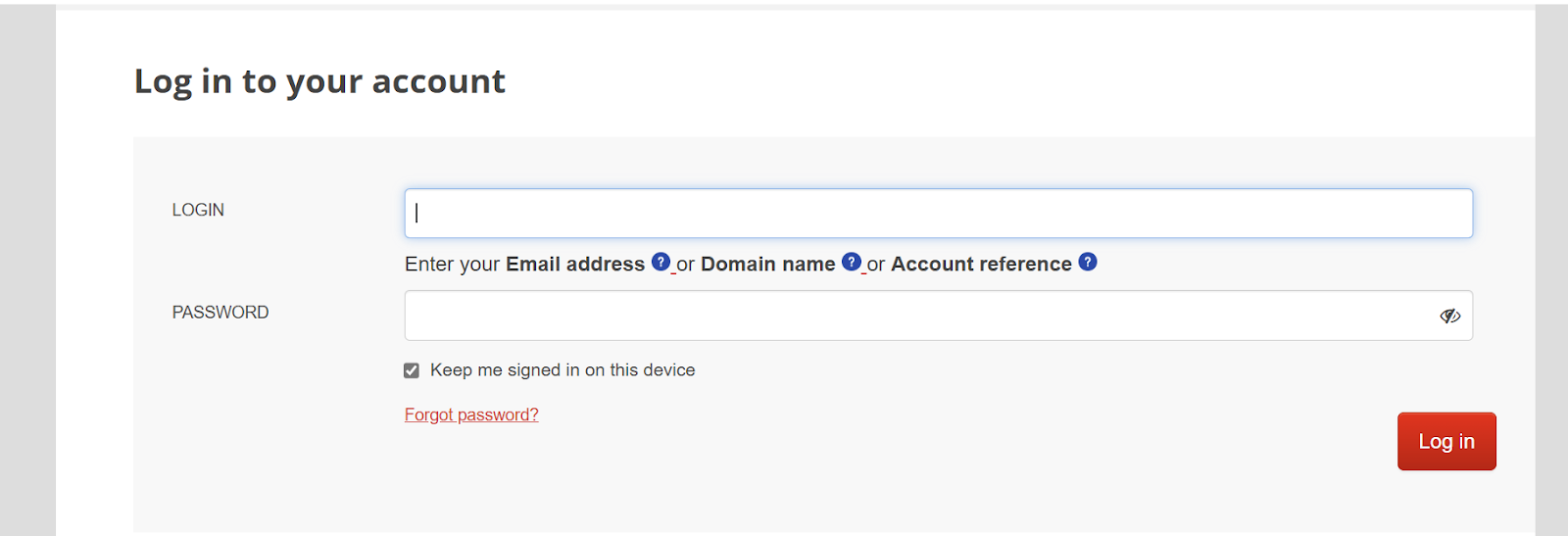
Log in to your Melbourne IT account using your credentials. This will grant you access to your domain management interface.
- Unlock Your Domain
Once logged in, navigate to the "Manage Domain Names" section and select it.
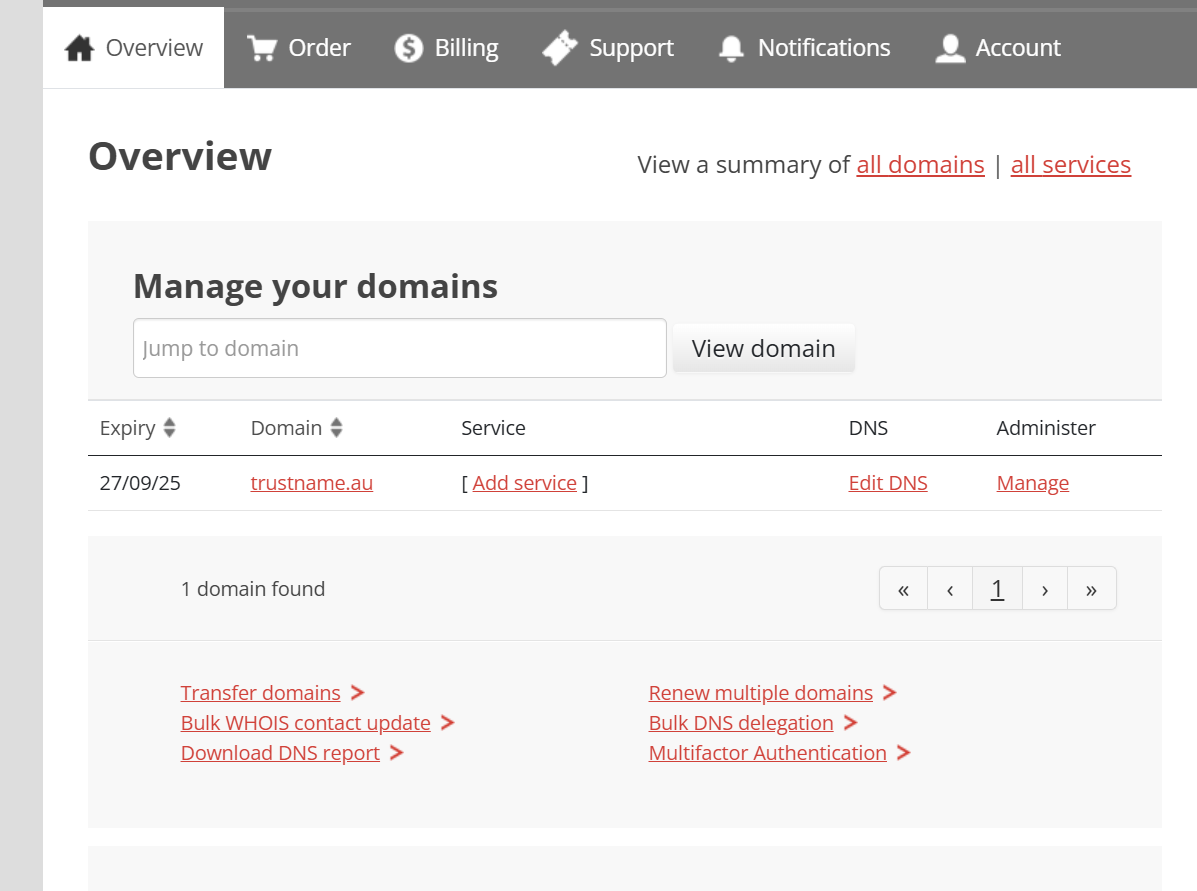
Find your specific domain in the list and click on it. A new domain console interface will open.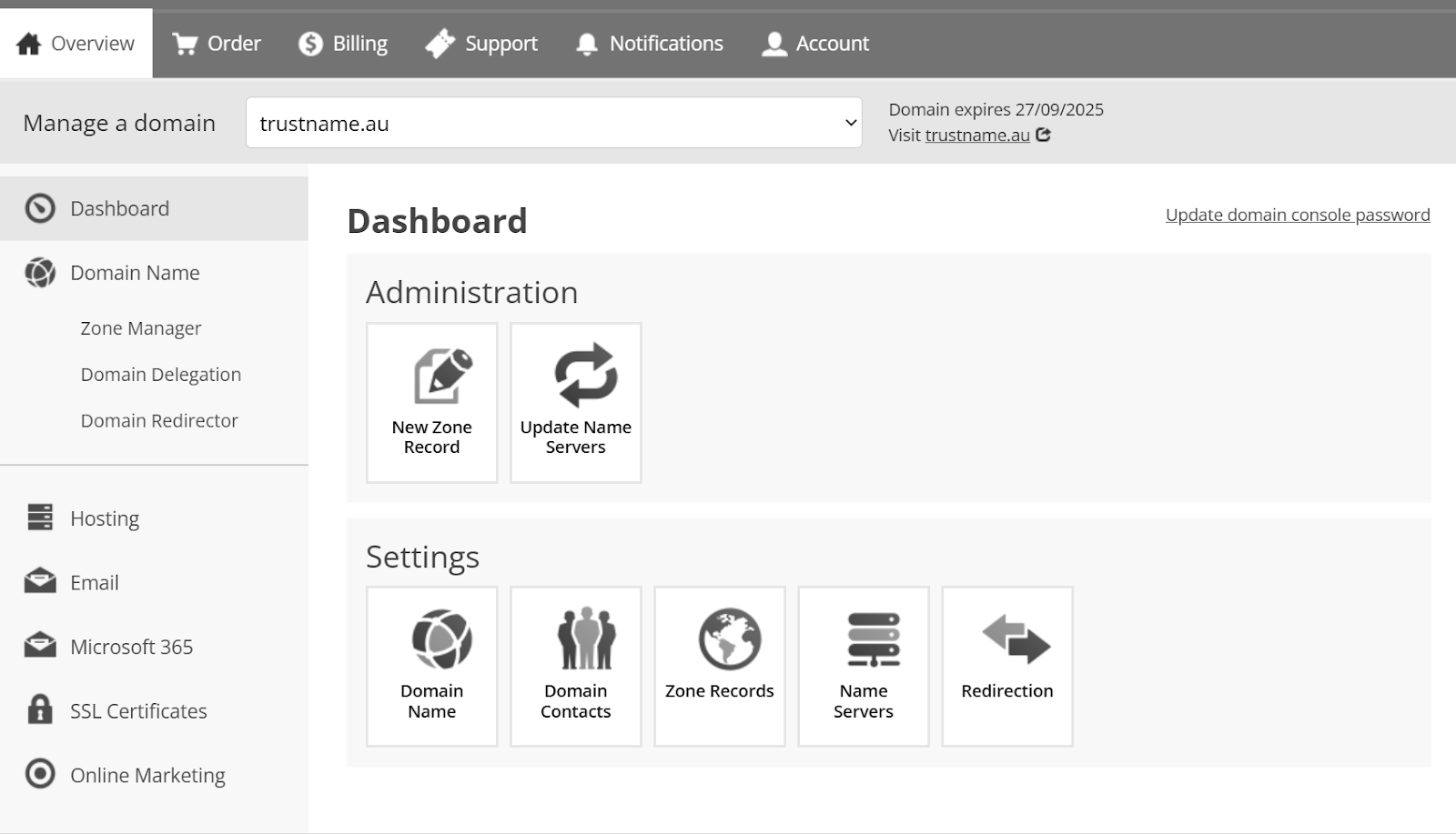
Next, click on 'Domain Name' on the left side of the dashboard.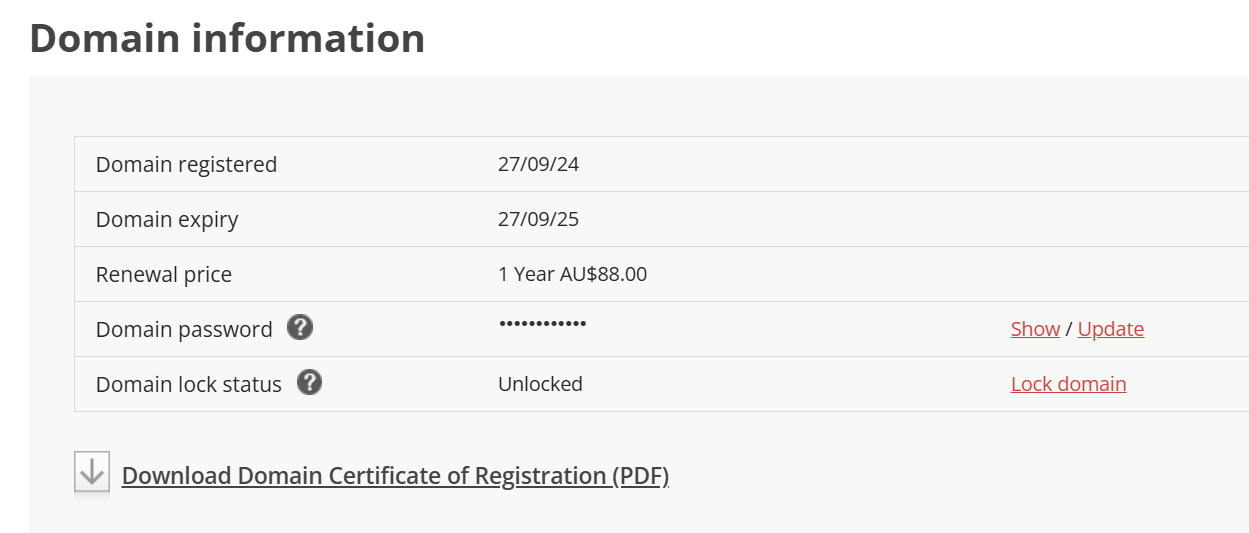
You'll see "Domain lock status" and you can click the 'Unlock Domain' button highlighted in red on the right - Remove Domain Privacy Protection
If you paid for Domain Privacy Protection, return to the domain console area and again select "Manage Domain Name", choose the domain you're preparing for transfer by clicking on it.
Look for the "Disable Private Registration" option in the Overview section. Select this to deactivate the Domain Privacy/ID Protect feature.
- Review And Update Contact Details
On the "Manage a Domain Name" dashboard, choose "Domain Contacts" under "Settings".
Scroll down to "Domain contacts" and you'll find the current contact information. If any details need updating, click on the 'Update/Remove' link and make the changes.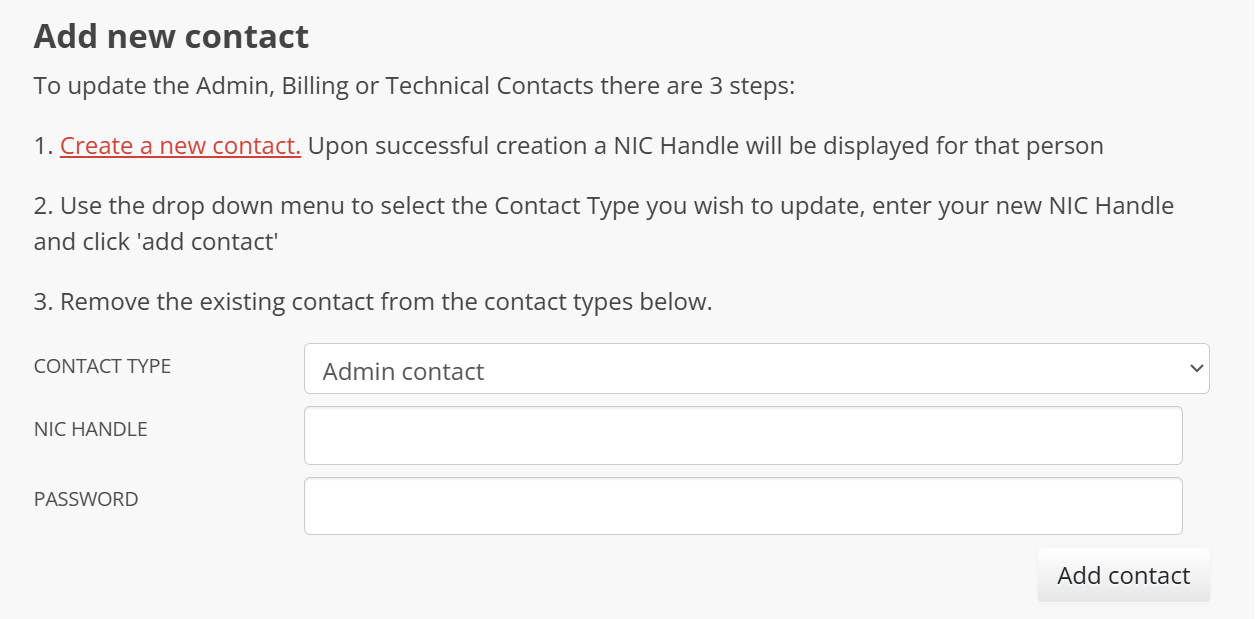
- Retrieve The EPP/Authorization Code
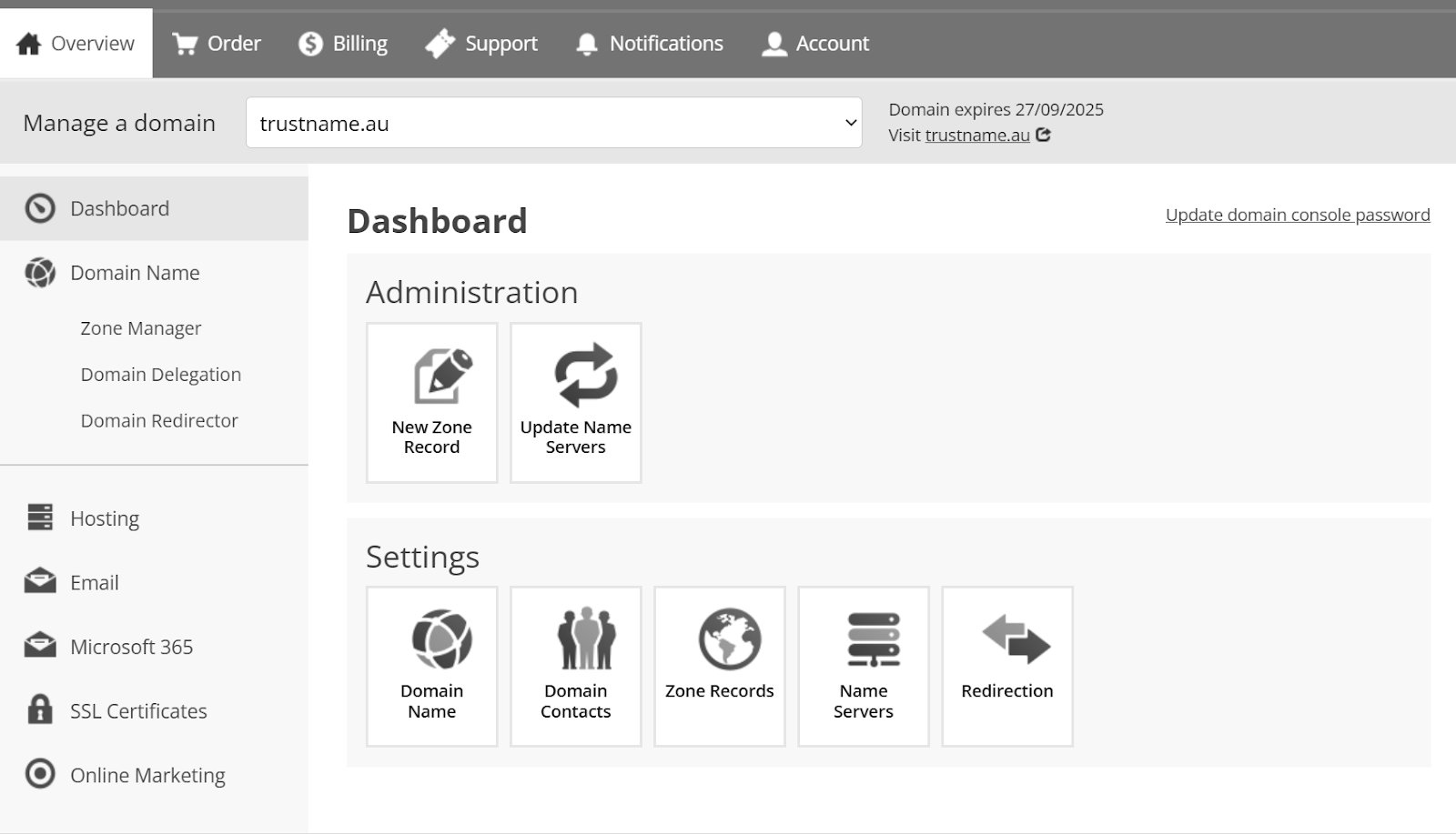
To obtain the EPP code for your domain transfer, go to the Domain Names section. Click on 'View/Manage Domain Names', then select your domain from the list.
In the "Domain Details" area, look for and click on the 'Retrieve Domain Name (auth info) Password' option. This will provide you with the authorization code required by your new registrar to initiate the transfer.
Transferring From Melbourne IT To Trustname
Welcome to Trustname! We're thrilled you're joining us. Follow these steps to transfer your domain from Melbourne IT to Trustname smoothly.
- Access Your Trustname Account
Navigate to Trustname.com in your web browser. Locate and click the 'Login' button in the homepage's top-right corner to begin accessing your account.
- Provide Your Login Information
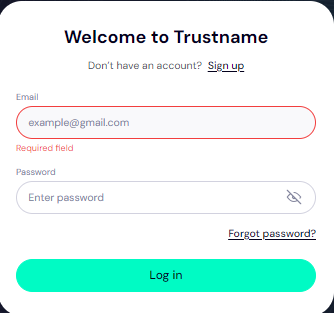
On the login page, enter your unique username and associated password into the designated fields. Once you've input your credentials, click the 'Login' button to enter your personal customer portal.
- Navigate To Domain Transfer Settings
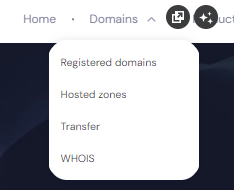
After successfully logging in, find the "Domains" dropdown menu in the header of your customer portal. Click on this menu and select the 'Transfer' option from the list. This action will direct you to the domain transfer portal.
- Initiate Your Domain Transfer
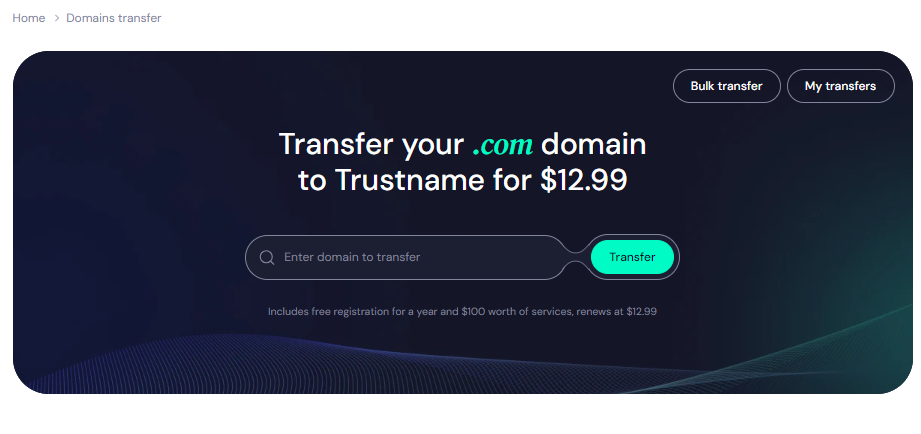
Within the Trustname domain transfer portal, you'll see a field where you can enter your domain name. Type in your full domain name, including the extension (e.g., .com, .org), then click the 'Transfer' button to proceed.
- Enter Your Authorization Code
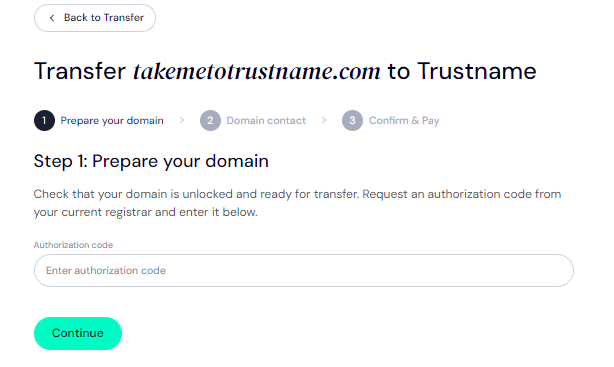
In the next screen, you'll be prompted to enter the Authorization Code (also known as EPP code) that you received from Melbourne IT. Input this code carefully and click 'Continue' to proceed with the transfer process.
- Specify Domain Contact Details
You now have two options for your domain contact information:
[+] [List] Green Unordered - Create a new contact by selecting "Add New Contact" from the Choose Contact dropdown menu. This allows you to use your personal contact details.
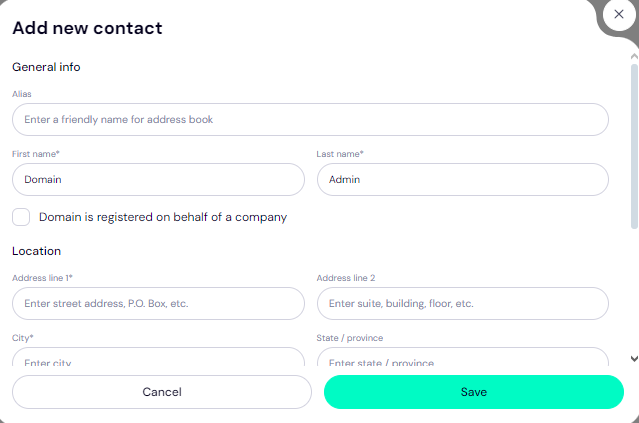
- Opt for Trustname's Two-Tier Privacy Protection for a more secure privacy option. This choice uses predefined contact information verified by Trustname.
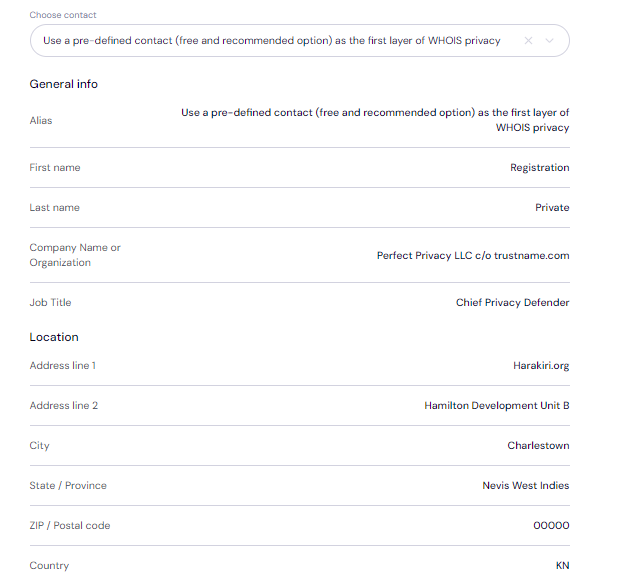
[+] [Notice] Info Insert title here [+] [Notice] Title -> Selecting the pre-defined contact option ensures your personal information remains private while maintaining full control over your domain.
After deciding on your preferred contact method and entering the necessary details, click 'Continue' to proceed.
- Create a new contact by selecting "Add New Contact" from the Choose Contact dropdown menu. This allows you to use your personal contact details.
- Complete Payment For Domain Transfer
The final step involves paying for your domain transfer. Remember, this process adds an extra year to your domain's current expiration date.
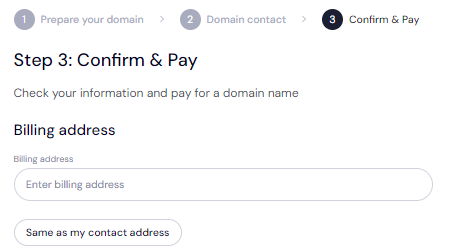
[+] [List] Green Unordered - Provide Billing Information
Enter your billing address manually, or if it matches your contact address, simply select "Same as My Contact Address" to automatically populate the fields.
- Select Your Payment Method
Choose your preferred payment option from the available methods, which include bank cards, existing Trustname wallet funds, and cryptocurrency. If you need to use a new card, click 'Add New Card' and enter the required details.
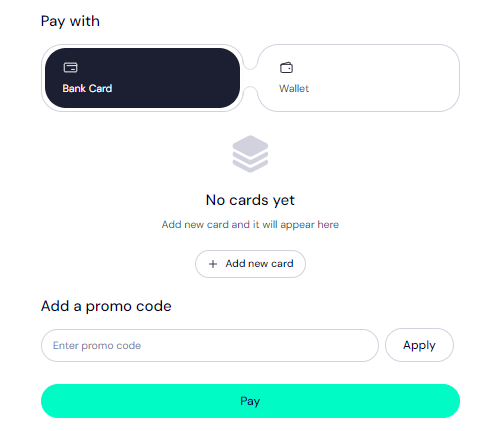
- Apply Promo Code
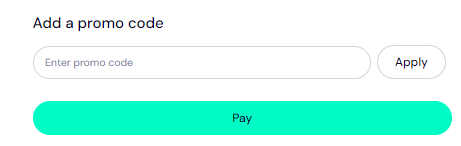
To take advantage of Trustname's special offer, enter the promo code WELCOME777 in the "Add a Promo Code" section. This code reduces the standard $14.99 transfer fee by 50%, bringing your cost down to just $7.77.
This discounted price still includes all taxes, ICANN fees, and the additional year extension to your domain's expiration date.
- Choose Registration Duration
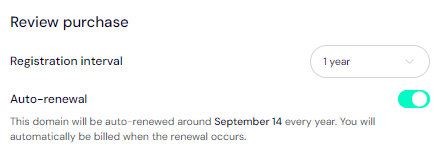
Specify how many years you want to register your domain for, with options ranging from 1 to 10 years. We strongly recommend enabling the auto-renewal feature to prevent any unexpected domain expirations in the future.
- Finalize Your Transfer
Click the 'Pay' button and follow the subsequent prompts to complete your transfer payment. Once this step is finished, your domain will begin its journey from Melbourne IT to its new home at Trustname!
- Provide Billing Information
How To Secure Your Domain At Trustname
After successfully transferring your domain to Trustname, you should take these additional steps to improve the security of both your account and domain(s):
- Activate Trustname's Signature Two-Tier Privacy
Trustname automatically enables the second tier of our Two-Tier Privacy system upon domain transfer, concealing your domain's contact information from public view. If you selected the "Use a pre-defined contact" option during the transfer process, you're already benefiting from our Two-Tier Domain Privacy.
To review or modify your domain contact details:
Navigate to Domains >>>Registered Domains >>>Domain Contacts.
You can upgrade to the complete Two-Tier Privacy package at any time.
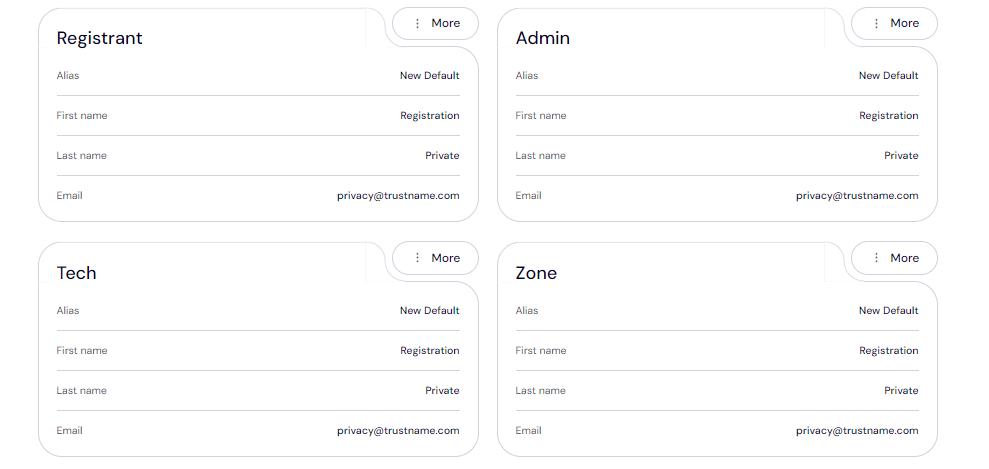
Please read this for more information about our use of Perfect Privacy LLC for improved Whois protection. - Verify Domain Lock Status
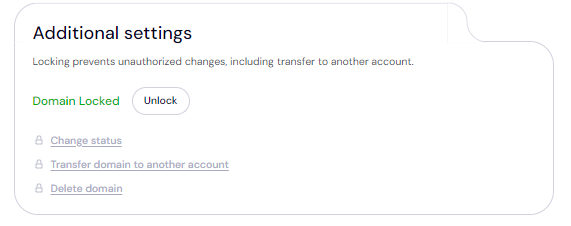
As a security measure, your domain is automatically locked after transfer to prevent unauthorized transfers. To confirm your domain lock settings:
Go to Domains >>>Registered Domains >>>Select your domain >>>Scroll down to the Additional Settings field
- Confirm DNS Settings
Review and verify your DNS settings following the domain transfer. To do this:
[+] [List] Green Unordered - Check your domain nameservers in the "Domain Nameservers" section.

- To examine your DNS records, click on 'Hosted Zone' under the General Info tab and select View.
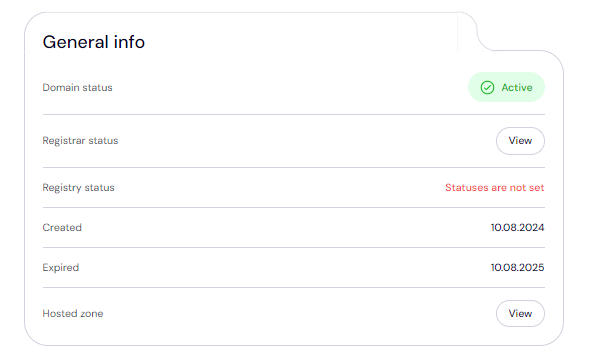
From this interface, you can update DNS records, adjust nameservers, and activate DNSSEC for additional security.
- Check your domain nameservers in the "Domain Nameservers" section.
- Implement Two-Factor Authentication (2FA)
Enabling 2FA adds an extra layer of security to your account. With 2FA active, anyone attempting to access your account must provide both your login credentials and a code generated by an authenticator app.
To set up 2FA on your Trustname account:
[+] [List] Green Ordered - Navigate to My Profile >>>Account Settings >>>Scroll down to the Two-Factor Authentication (2FA) section and toggle it on
- Use an authenticator app (such as Google Authenticator) to scan the QR code or manually enter the secret key provided in the portal
- Input the six-digit code generated by your authenticator app into the Trustname portal and click 'Enable'.
[+] [Callout] Info Insert title here [+] [Callout] Title/Title with Icon -> Make sure to save the backup codes provided during the setup process. These codes will allow you to regain access to your account if you lose your device or cannot access your authenticator app.
For a more detailed walkthrough of the 2FA setup process, please refer to our guide on setting up two-factor authentication on Trustname.
Troubleshooting Failed Domain Transfers
While domain transfers are typically straightforward, occasional issues may come up. If your transfer isn't successful, here are some common problems and how to address them
- Incorrect EPP Code
If the Auth or EPP code is incorrect, the transfer will fail. To prevent this, copy the code directly from Melbourne IT and paste it into the required field on Trustname, instead of manually typing it. This minimizes the risk of errors.
- ICANN Lock
Domains are subject to a 60 days ICANN transfer lock following any transfer, registrant change, or updates to contact information. Ensure your domain is not within these 60 days before proceeding with the transfer.
- Transfer Lock
If the domain is still locked in Melbourne IT, it cannot be transferred. Double-check the domain settings to ensure the Transfer Lock has been disabled before initiating the transfer.
- Double-Check Registrant Email
Melbourne IT sends the authorization code to the email address associated with the domain's registrant, not the account holder's email. A common mistake is checking the wrong email inbox. Make sure you're monitoring the correct email address for the Auth Code.
Final Thoughts
Switching to Trustname from Melbourne IT offers built-in Two-Tier Privacy Protection with a speciality in protecting domains in sensitive niches. We offer transparent, cheaper pricing and global payment options, including cryptocurrency, helping you save a minimum of $400 a year.
The transfer process is simple: unlock your domain at Melbourne IT, disable domain privacy, update contact email if needed, get the Auth code, and initiate the transfer with us. We offer discounted rates on domain transfers and add an extra year to your domain's expiry.
Join the many satisfied customers who've made the switch to bulletproof domain management with Trustname!