
This article explains how to transfer a domain from Key Systems (domaindiscount24) to Trustname, highlighting the limitations of the current registrar and the advantages of switching. It also provides a clear, step-by-step guide to ensure a smooth and secure domain transfer.
Key Takeaways
- Why Switch – Trustname offers better pricing, privacy, and reliability than Key Systems.
- Easy Payments – Multiple payment options, including cards, PayPal, and cryptocurrency.
- Cost Savings – Free email, free SSL (first year), and no hidden upsells.
- Strong Privacy – Unique Two-tier Whois privacy for maximum data protection.
- Simple Transfer – Clear eligibility rules and guided steps for a hassle-free move.
Are you looking to transfer your domain name from Key Systems GmbH, and its domain registry website, domaindiscount24? You have come to the right place. Some of the many issues users of Key System's subsidiary domaindiscount24 have with the platform are limited payment options, upselling on basic domain packages, and easy target for domain hijackers and spammers.
The best alternative to the unreliable service of Key Systems is Trustname. Trustname offers the most unbeatable privacy protection in the market, the most affordable domain pricing, constantly reliable uptime, and industry facing, knowledgeable support staff.
To transfer your domain out from domaindiscount24, you'll need to disable the transfer lock of your domain, deactivate Whois privacy, request an authcode (a transfer password) to initiate the transfer with the receiving registrar (Trustname), per ICANN policy your domain should also be more than 60 days old and shouldn't have been transferred between other registrars within set 60 days. Lastly, you'll then initiate the transfer with Trustname.
Right then. Let's get to it.
Perks Of Transferring To Trustname
Before we get into the nitty-gritty of the transfer process.
Let's talk more about why Trustname is better for you than Key Systems.
Multiple Payment Methods
Thanks to digitally enabled global connections, we live in a time where payments have been made easier across many channels. As a domain registrar with users worldwide, making a purchase should be the last bottleneck users face. But, it would seem Key Systems hasn't gotten that memo.
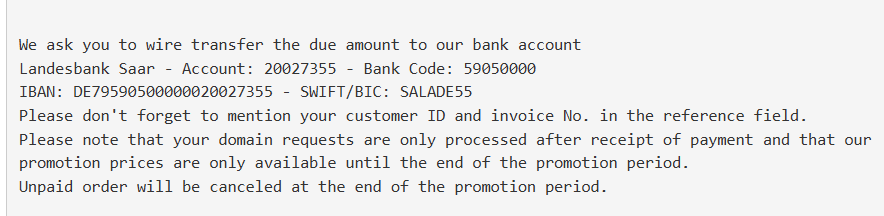
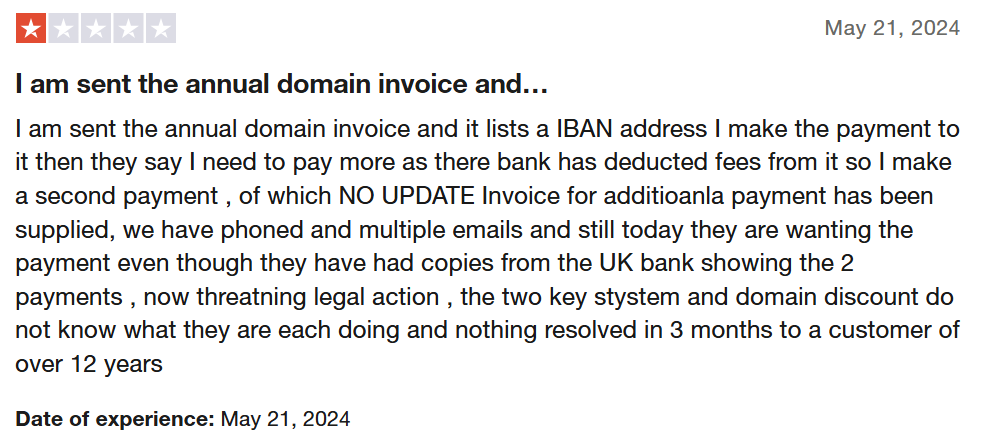
Key Systems/domaindiscount24 does not make it as easy as entering your card details, and then being done with it. You have to make a wire transfer to their bank account. That can be unexpected and pretty frustrating, especially knowing the process takes longer than your usual card payment.
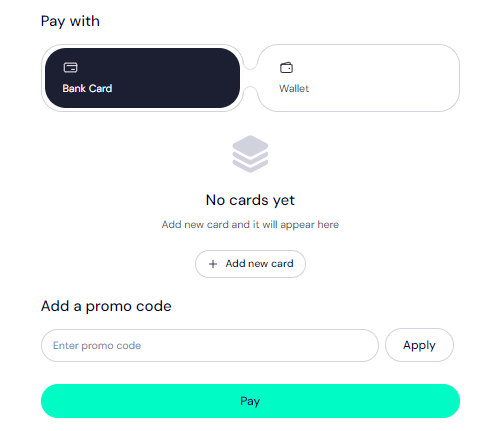
Thankfully, Trustname offers a seamless and efficient payment experience. Whether you're purchasing or renewing a domain from your PC or mobile.
We provide a wide range of payment options to suit your preferences, including:
- Credit cards
- PayPal
- Trustname wallet
- Bank transfers
Most importantly, we're embracing the decentralised future by accepting Cryptocurrencies. If you prefer BTC, altcoins, or popular stablecoins, Trustname is at the forefront of the movement, making transactions more flexible and innovative today.
The Most Affordable Pricing Anywhere: NO Upsells
While domain names are relatively competitive on domaindiscount24, they cannot match the value Trustname delivers for the same price at no extra cost. What do we mean?
You can get a .com domain at Key Systems at this price.
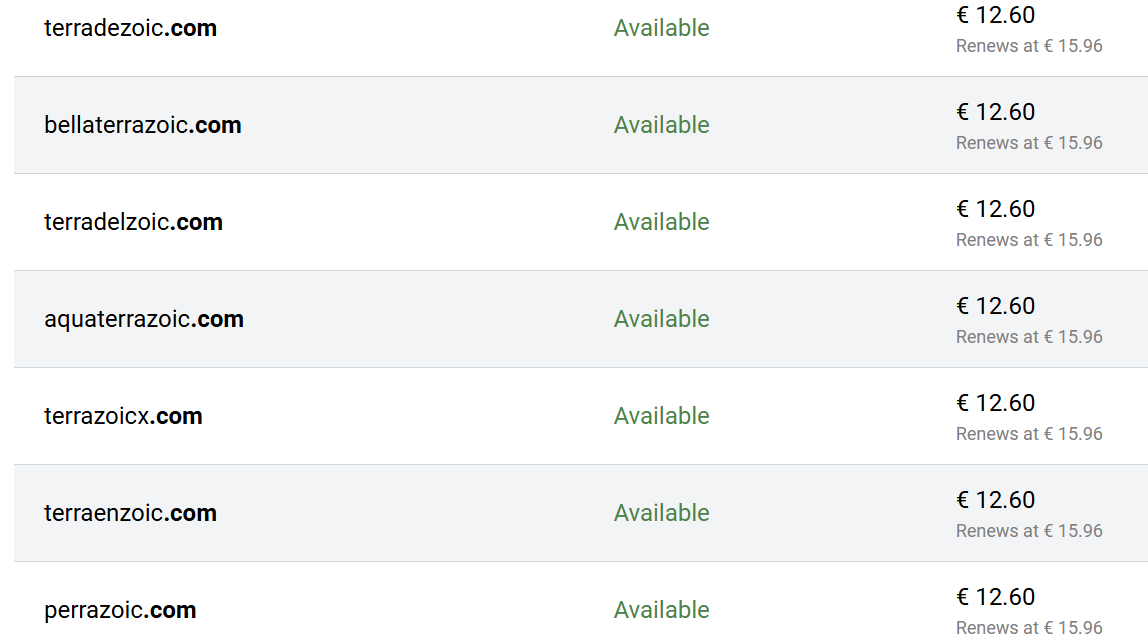
However, you'll have to make extra purchases to protect your domain and use some services.
For example:
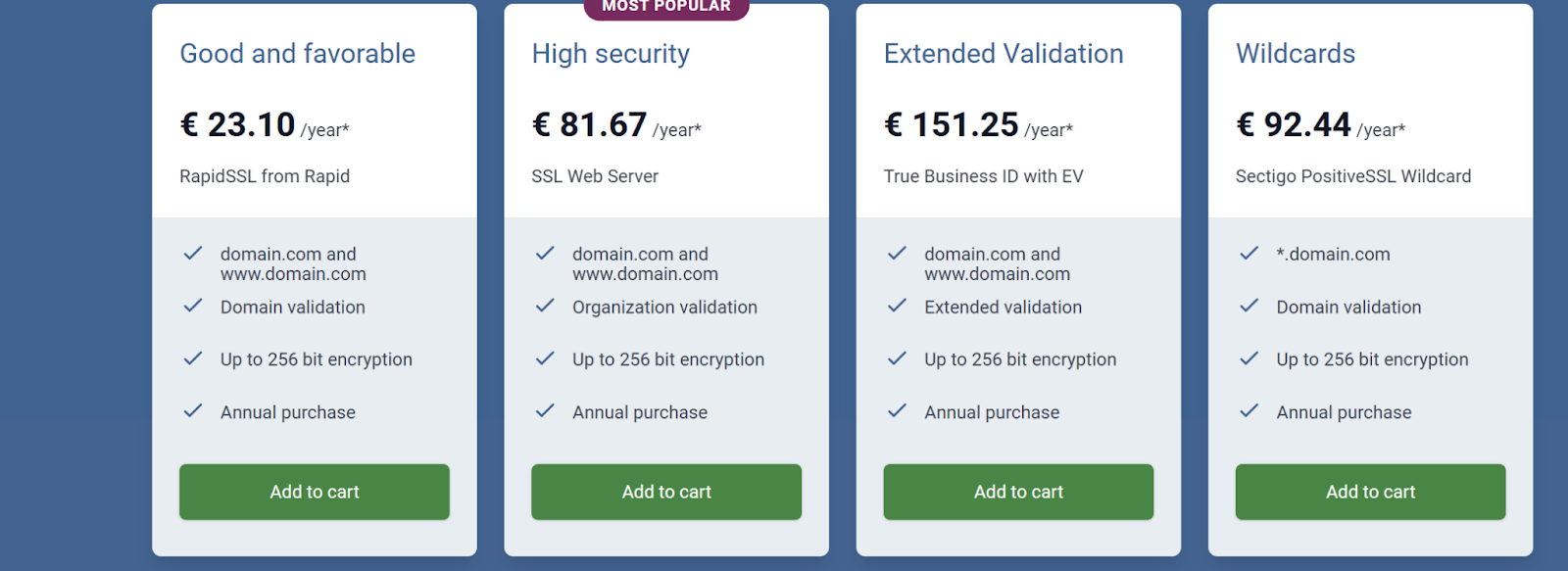
For your domain to have an SSL certificate, you spend €23.10 to €92.44 yearly. This also depends on other factors like the type of provider and the number of domains you want to protect.
The costs could be up to €1,806.73 per year! domaindiscount24 also makes it confusing for users to choose a comprehensive package. Several pricing structures are offering the same services.
However, they have an all in one package ranging from €6.30 to €18.49 monthly, which includes "the possibility to activate free SSL certificates", which doesn't include every bundle, plus email functionality.
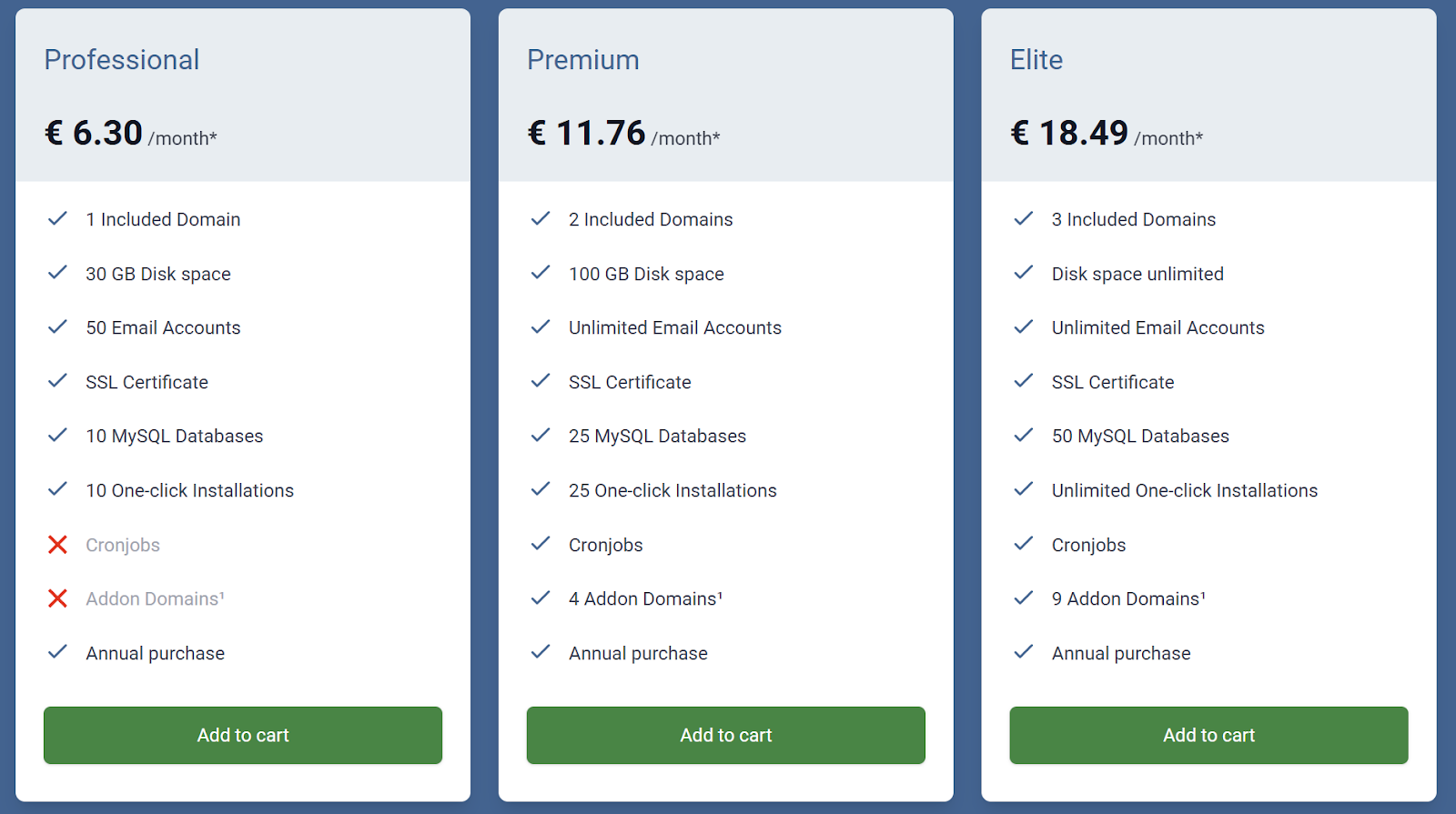
At the very least, you spend a total €111.3 (roughly the equivalent of $123.94) a year on your domain, email and SSL certificate.
By contrast, Trustname offers a basic .com domain fee of $12.99, which renews at $14.99 and get this free SSL certificate in the first year, and free email forever!
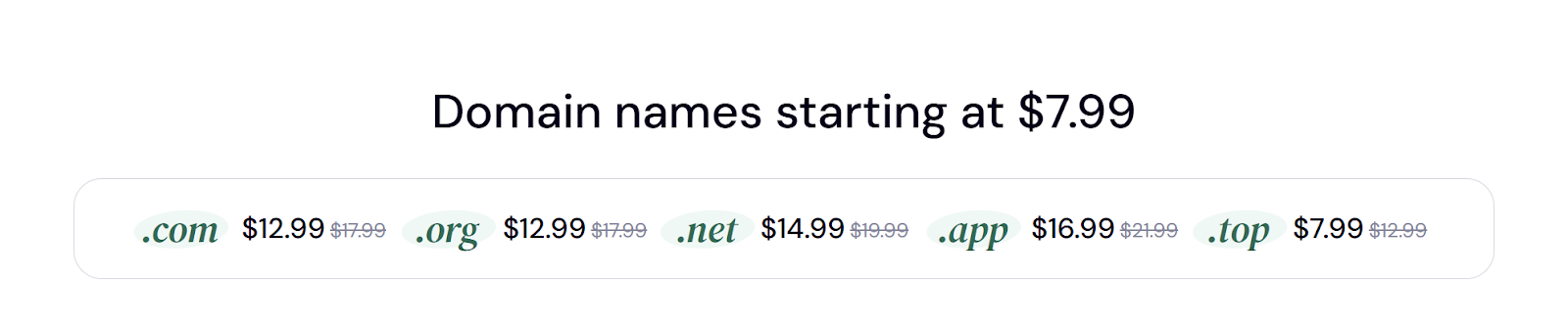
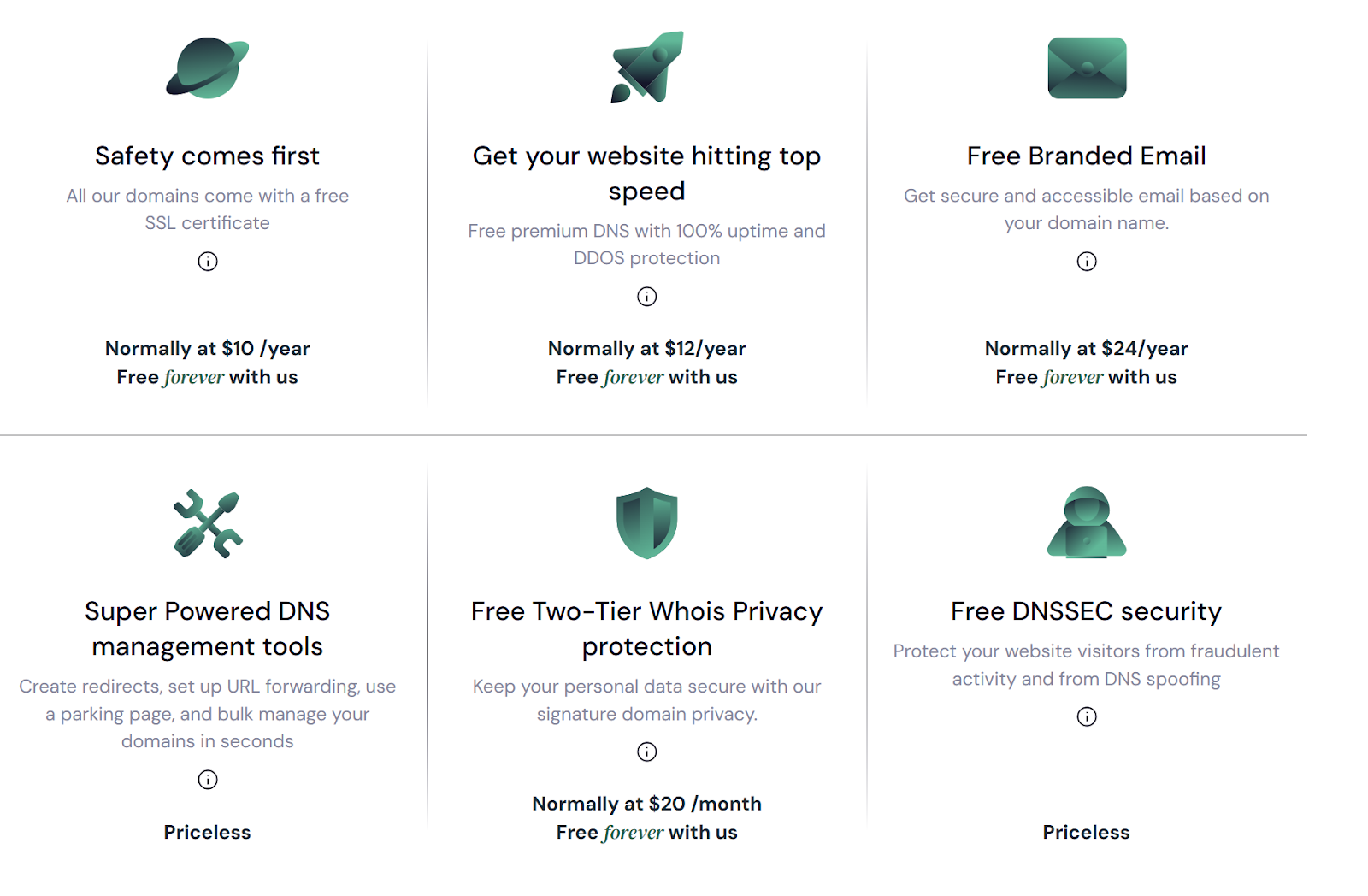
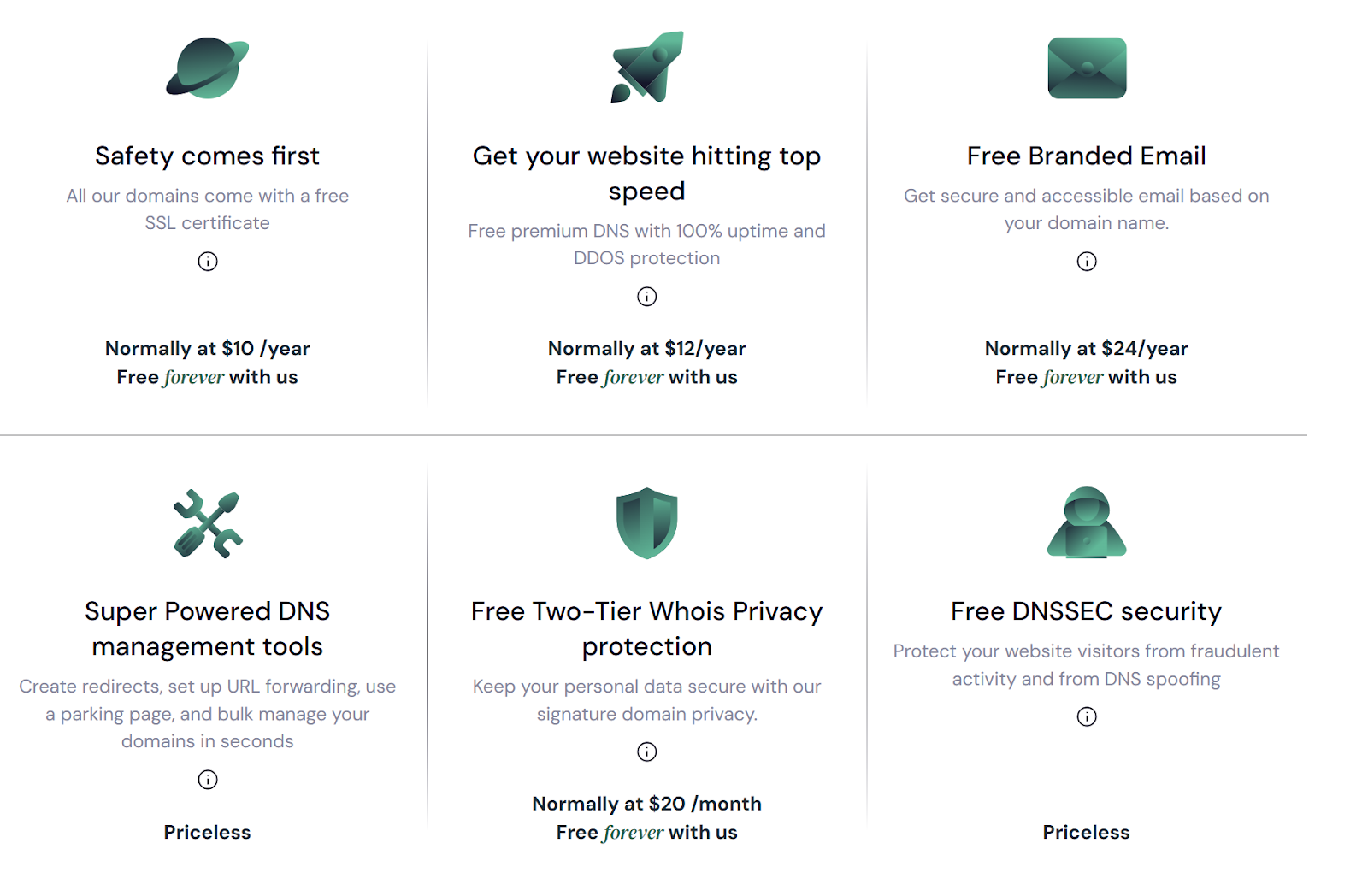
Trustname goes the extra mile by offering additional perks at no cost, including Premium DNS and our exclusive Two-tier Domain Privacy, which surpasses the basic Whois privacy offered by Key Systems and other registrars. By choosing Trustname, you can save over $100 every year, adding up to $500 in savings over five years!
Speaking of protection…
Unbeatable Privacy Like No Other
Key Systems and other domain registrars give users basic Whois privacy protection, which anyone can look up to contact you or worse, use to commit financial crimes and blackmail.
Trustname gives you the best alternative: A two-tier privacy system. Now what's all that?
Here's how it works:
- When registering or transferring a domain with Trustname, you can either use your own contact details or opt for Perfect Privacy LLC (our proxy company) as the registrant. Don't worry you maintain full control and can update the domain contacts to your own information whenever you choose.
This is just the first layer of protection.
- In the second tier, we take it further by masking your domain's contact information from the Whois database with other proxy details provided by another of our trusted partners Whois Privacy Protection Services. This applies whether you use your own info or Perfect Privacy LLC's. The result? Your personal information is never directly linked to your domain, ensuring the highest level of privacy.
Perfect Privacy LLC acts as the first point of contact for any legal matters involving your domain. Plus, for any action to be taken against your domain, three simultaneous court orders would be required from the U.S., St. Kitts and Nevis, and Estonia, where these companies and Trustname are headquartered.
You can rest assured there will be no spammers or fraudsters in your business.
Abuse Proof Policy: No Suspensions Based On Suspicions
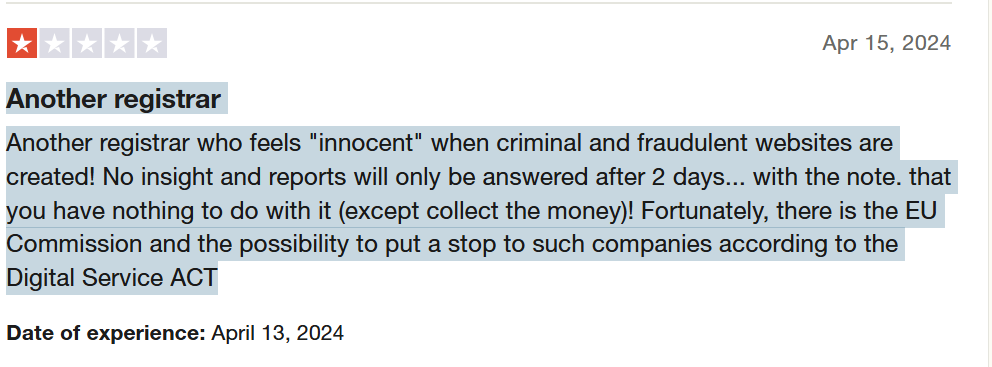
At Trustname, we understand our job clearly. We help users register their domains and leave legal judgments to the courts. We don't police the content of your website that's the judiciary's job.
If your business operates in a Grey Area or is vulnerable to frequent abuse reports, Trustname provides the ultimate haven for your domain. Unlike Key Systems, which restricts domains without proper communication, Trustname stands firm in protecting your rights. We value your business and believe you deserve a fair process.
However, we take illegality very seriously. In cases involving child pornography, arms trafficking, or opioid sales, you can count on us to do the needful at all times. When we do get an abuse report, we notify the domain owner first and encourage direct communication with the complainant.
Trustname prioritises transparency and always keeps domain owners in the loop. Even in cases where illegal content is confirmed, we still give you the chance to transfer your domain before taking any action.
Before Transferring Your Domain Out of Key Systems
Before you move your domain out of Key Systems, there are a few things you should know:
- Review Your Domain Nameservers
In your domaindiscount24 dashboard, your domain’s nameservers are either automatically assigned to domaindiscount24 servers or updated if you’ve pointed them to another web host. But by default, when you register with them, they are automatically assigned.
Nameservers direct web browsers to the IP address where your website is hosted. During the domain transfer process, you won’t be able to modify your nameservers or any other DNS settings.
If your website is hosted by domaindiscount24, it’s advisable to update your nameservers to Trustname (if you want to switch hosts too) before initiating the transfer.
- Domain Transfer Isn't the Same as Web Hosting Transfer
Transferring your domain name to Trustname doesn’t automatically migrate your website.
If you want to move your website along with your domain, you must purchase a hosting plan from Trustname. Our team is ready to assist you with the entire migration process, including creating backups, exporting files, and transferring your database for a smooth transition.
- Transfer Pricing and Policy
Trustname makes domain transfers affordable with a discounted fee of $7.77 when using our promo code, which also extends your domain’s expiration date by an extra year.
Considering our regular 1-year registration costs $14.99, this transfer fee offers incredible value for an extended subscription!
- Transferring Expired Domains
Most registrars, including domaindiscount24, only allow domain transfers when the domain is still active or within the grace period after expiration. If your domain has entered the Redemption Period, you’ll need to renew it (with an additional fee) and wait out the 60-day ICANN lock before initiating the transfer.
To avoid complications, we recommend starting the transfer process before your domain expires, or at least two weeks before the grace period ends, ensuring an additional year is automatically added to your domain’s validity when the transfer completes.
Preparing To Transfer Out Of Key Systems
Once you've done the preliminary checks, you're ready to start your domain transfer.
Follow these steps to transfer your domain to Trustname.
- Confirm Domain Eligibility
Ensure your domain name is eligible for transfer by verifying the following:
[+] [List] Green Unordered - The domain has been registered for at least 60 days and has remained with domaindiscount24 or Key Systems for the same period.
- The domain is not listed under the 'Client update prohibited' status.
- Verify and Update Contact Information
Before initiating the transfer, the Registrant and Administrative contact details must be up to date, as these contacts will receive the transfer request and provide approval.
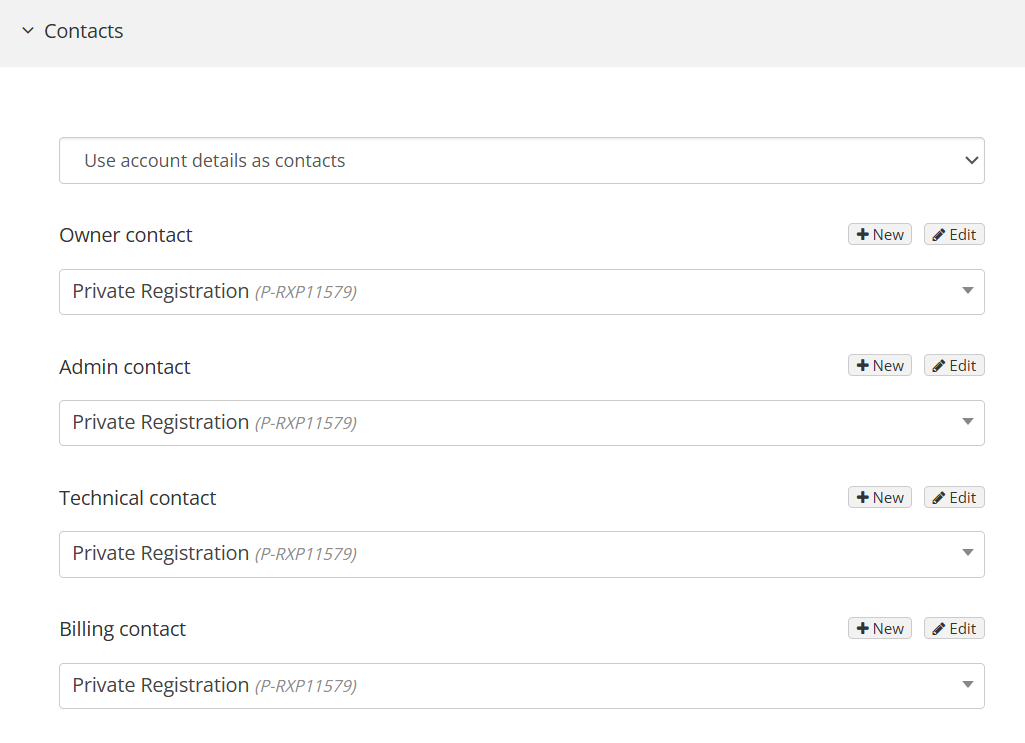
To update your contact information on domaindiscount24 or Key Systems:
[+] [List] Green Ordered - Log in to your DomainDiscount24.com account. From the dashboard, click on the ‘My domains’ widget and then click on the 'Show' tab.

- A page with all your domain names will open. Click on the right-hand side of the domain you want to transfer. From the drop-down, you can ‘De-activate Whois Privacy’ and then click ‘Details’ to open the dashboard.
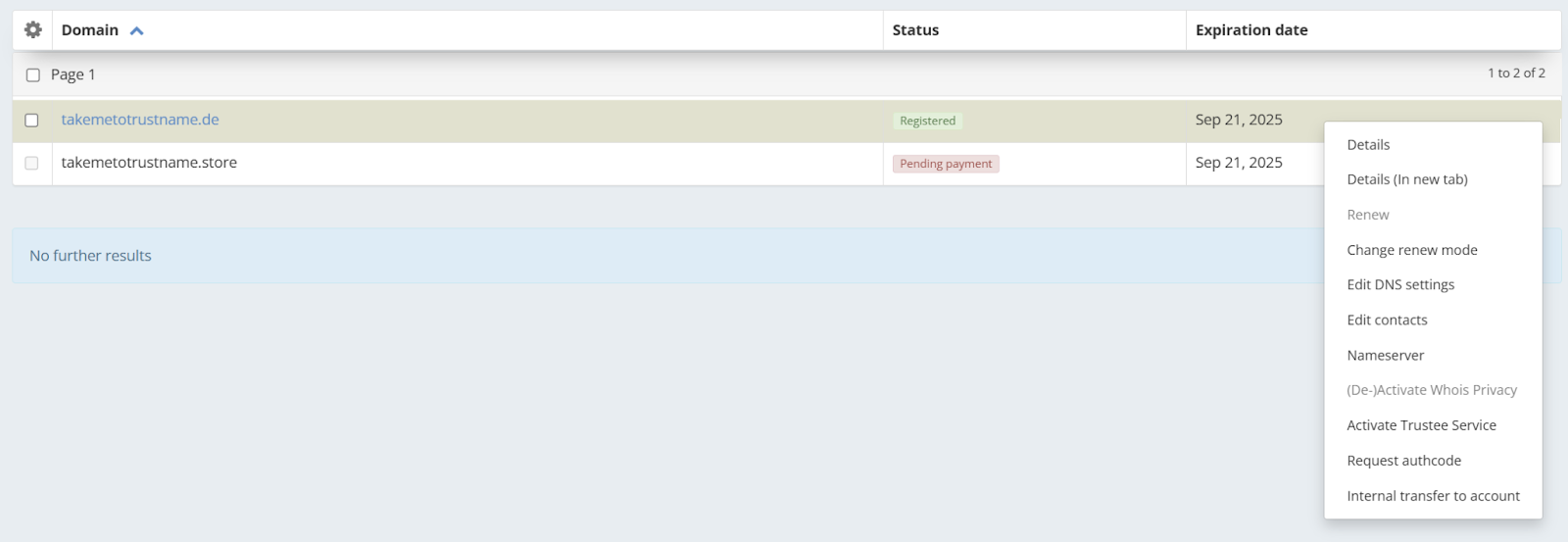
- On the dashboard, select the ‘Whois/Nameserver’ option and update the contact details and Nameservers (if you wish to transfer hosts)
Once you're done, click 'Save Changes'.
- Log in to your DomainDiscount24.com account. From the dashboard, click on the ‘My domains’ widget and then click on the 'Show' tab.
- Obtain the Authorisation Code
[+] [List] Green Unordered - From the dashboard, select the ‘Advanced’ option and scroll down to 'Transfer'. Choose 'External transfer' on your left.
- Click on ‘Request auth code’, and the authcode will be sent to your domain registered email account. You can provide that to Trustname to initiate the transfer.
This step only works to transfer domains like .com, .net, .org, .info, .biz, .us, .name, .cn, .tw, .cc, or .in. For transferring .uk domains, contact domaindiscount24 or Key Systems and ask them to retag the domain to ISP tag Trustname.
Transferring Domain From Key Systems to Trustname
Finally, you’re ready to get settled in with us! Follow these steps to move your domain over:
- Visit Our Domain Transfer Page
Go to Trustname.com and click the ‘Log In’ button in the top right corner to access your Trustname account.
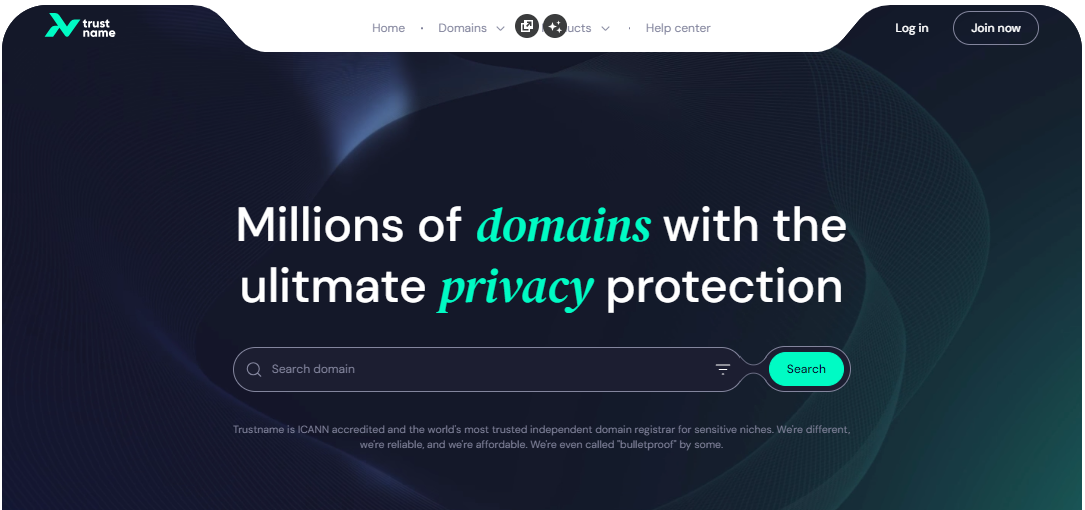
- Log In
Enter your username and password to access your customer portal, then click ‘Log In.’
- Access Domain Transfer Settings
Once logged in, navigate to the 'Domains' dropdown in the header, and select ‘Transfer.
- Initiate the Transfer
In Trustname’s domain transfer portal, type in your Key Systems domain, including the TLD (e.g., .com, .net), and click ‘Transfer.
- Enter the Authorisation Code (EPP)
Next, input the Auth Code (also called EPP code) from Key Systems into the required field and click ‘Continue.
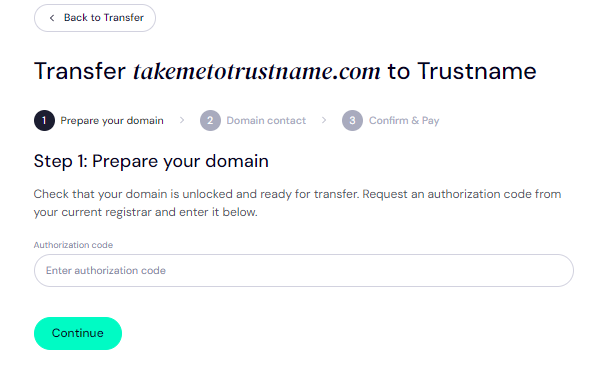
- Specify Domain Contact Information
You'll be prompted to provide your domain contact details. You have two options:[+] [List] Green Ordered - Use Your Own Contact Details: Select 'Add new contact' from the dropdown to enter your personal information.
- Maximise Privacy with a Pre-Defined Contact (recommended): Choose ‘Use a pre-defined contact’ for ultimate privacy. Trustname will register your domain under Perfect Privacy LLC., a proxy partner, while you retain full control of the domain. This ensures that even without additional Domain Privacy enabled, your contact details are never visible in a Whois lookup.
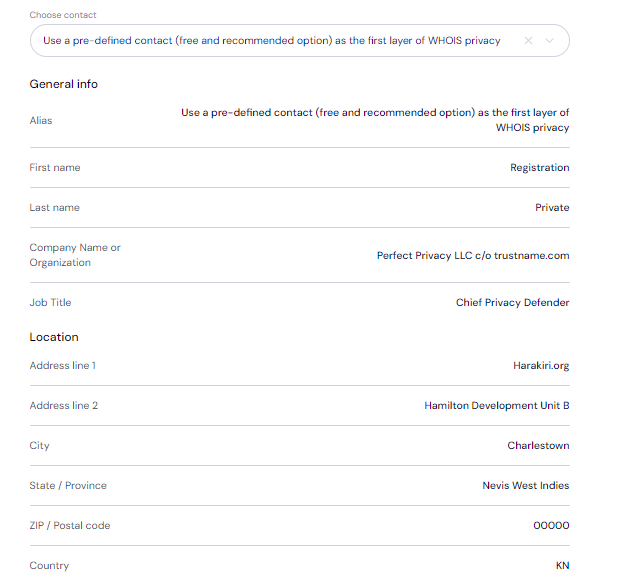
Once you've completed entering your domain contact info, click 'Continue' to proceed. You're on your way to enjoying unparalleled privacy and security with Trustname!
Pay for an Extended Registration
On the payment page, you'll finalise your domain transfer and get an extra year added to your domain’s current expiry date.
- Enter Billing Information
Start by entering your billing address. If it's the same as your contact address, you can simply select ‘Same as my contact address’ to speed things up.
- Choose a Payment Method
Next, select your payment method. You can use a bank card or existing funds in your Trustname wallet.
If you haven't set up a bank card yet, click 'Add new card' and enter your details.
Promo Code - WELCOME777
Trustname's domain transfer fee is a fixed $14.99 per year, with no additional taxes or ICANN fees. But with our Promo code WELCOME777, you get a 50% discount, bringing the first-year transfer cost down to just $7.77! This includes an extra year added to your domain's current expiration date.
After the first year, the domain renews at the standard $14.99 price for .com, .net, and .org TLDs, which remains one of the most affordable rates compared to Key Systems and other competitors. To activate the promo, enter WELCOME777 in the 'Add a promo code' field.
Select Registration Duration
Next, choose how long you want your domain subscription to last. You can pick between 1 to 10 years.
To make life easier, we recommend enabling auto-renewal so you never have to worry about keeping track of your domain’s expiry dates.
Complete the Payment
Finally, click ‘Pay’ and follow the instructions to complete your purchase. That's it! Your domain will soon be transferred over to Trustname.
Setting Up Your New Domain at Trustname
You're almost good to go! Once your domain has successfully transferred to Trustname, there are a few additional steps to secure and manage your domain.
Let's walk through them:
- Enable Trustname's Signature Two-Tier Privacy
By default, Trustname automatically applies the second layer of our Two-Tier Privacy protection to your domain, which hides your domain’s contact details from public access.
If you selected the ‘Use a pre-defined contact’ option during the transfer, you're already benefiting from our Two-Tier Domain Privacy.
You can review or update your domain contacts at any time by navigating to:
Domains >>> Registered Domains >>> Domain Contacts
Want to know more? Check out our guide on why Trustname registers domains with Perfect Privacy LLC. for more information on our Two-Tier Whois Privacy. - Ensure Your Domain is Locked
To protect your domain from unauthorised transfers, Trustname automatically locks your domain once the transfer is complete.
To view or modify your Domain Lock settings, go to:
Domains >>> Registered Domains >>> Select Domain, and scroll down to the 'Additional Settings' section. - Verify and Update DNS Settings
You can easily update your domain's nameservers and view its DNS records. To review your domain's nameservers, go to the 'Domain Nameservers' section.
If you want to check or adjust your DNS records:
Under 'General Info', find the 'Hosted Zone' and click 'View'.
From here, you can add or modify your DNS records, update nameservers, and enable DNSSEC for added security.
Set Up Two-Factor Authentication (2FA)
For added account security, we highly recommend setting up Two-Factor Authentication (2FA). This ensures that, even if your password is compromised, no one can access your account without the verification code from your authenticator app.
To set up 2FA on your Trustname account:
- Under ‘My Profile’, click ‘Account Settings’ to access your security settings.
- Scroll down to ‘Two-Factor Authentication (2FA)’ and toggle the button to activate it. Scan the QR code or enter the secret key generated on our platform into your authenticator app.
- Download the Google Authenticator app from your app store if you haven't already.
- Enter the six-digit code generated by Google Authenticator into your Trustname account and click ‘Enable’.
- Save the backup codes provided during setup for future use in case you lose access to your device.
For more details, refer to our guide on how to set up two-factor authentication (2FA) on Trustname.
With 2FA activated, your account will remain secure even if someone gets hold of your password.
While we don't offer completely "free" domain transfers, we do provide excellent value by adding a complimentary 1-year extension to your domain’s current expiry date. Many other registrars charge both a transfer fee and an additional fee for this extra year of registration.
By using our exclusive coupon code, WELCOME777, you can transfer your domain for just $7.77. Additionally, when you purchase any web hosting package from Trustname, you’ll receive a free domain as part of the deal.
Troubleshooting Failed Domain Transfers
Although you should be able to complete your domain transfer process without hiccups, you still may encounter some obstacles. Here are some common reasons why domain transfers fail and tips on how to fix them:
- Incorrect EPP Code
If the Auth or EPP code is incorrect, we won't be able to complete the transfer. To avoid this, we recommend copying the code directly from Key Systems and pasting it into the required field on our transfer form.
- ICANN Lock
The Internet Corporation for Assigned Names and Numbers (ICANN) enforces a 60-day lock on domains that have recently been transferred or had contact details modified. If your domain has been transferred or updated in the last 60 days, you’ll need to wait until this lock expires before initiating the transfer.
- Domain Lock
If the Domain Lock is still enabled, Key Systems will not release the domain. Make sure the lock is disabled in your domain settings, as outlined in our earlier steps.
- Approval Requests
If you have Key Systems Domain Protection enabled, you may need to verify your identity to approve the transfer. Be sure to check for SMS codes, emails, or time-based codes sent to your Authenticator app.
Join Trustname Today
When it comes to domain management, Trustname goes above and beyond what Key Systems (domaindiscount24) offers.
Unlike Key Systems, which limits you to bank transfers, Trustname supports a wide range of payment options, including credit cards, bank transfers, PayPal, and even cryptocurrency. We make it easy to secure and renew your domain, no matter where you are.
Our pricing is a major advantage. With Trustname, you get to save over $500 in five years, getting premium packages like email, advanced DNS and SSL certificate (in the first year) for free. Plus, our exclusive Two-Tier Privacy Protection ensures your personal details are kept private from public Whois databases, an option you won’t find with Key Systems.
At Trustname, we believe in supporting our customers at every step. Nevermind about unresponsiveness or half-baked professionals. Our round-the-clock, domain expert support team is ready to help you with any issues or questions you may have.
Choose Trustname today, and enjoy the best in domain management and privacy!