
Moving your domain from Hover to Trustname can help you avoid high renewal fees and benefit from enhanced privacy features. This guide simplifies the transition process, ensuring a smooth move to a more transparent and supportive registrar.
Key Takeaways
- Cost Efficiency – Save money with transparent renewal rates and a $7.77 transfer deal (using code WELCOME777) that includes a free year of registration.
- Privacy Protection – Access a unique Two-Tier Privacy system for free, which keeps your personal data completely invisible to the public and hackers.
- Reliable Support – Reach expert human assistance 24/7 through live chat or email, moving away from the slow response times often associated with Hover.
- Neutral Governance – Enjoy a bulletproofhosting environment that avoids arbitrary domain suspensions and supports a wide variety of web niches.
- Simple Transition – Complete the transfer easily by unlocking your domain, obtaining your EPP code from Hover, and updating your DNS settings.
TABLE OF CONTENTS
- Key Takeaways
- What Perks Do I Get Using Trustname?
- Things To Know Before Transferring Your Domain
- Transferring From Hover To Trustname
- Welcome To Trustname!
- Keeping Your Safe Domain At Trustname
- Troubleshooting Failed Domain Transfers
- Finishing Up
Doing "business" with a domain registrar should never leave you with a bitter taste in your mouth. It's simple, you pay for services, and they deliver. Any issues you have should be dealt with swiftly, correctly and with empathy.
Unfortunately, most people who use Hover cannot say they have had a great experience. From dubious domain suspensions to unfriendly customer service support, overcharging, false renewals, and unreliable services, it's no wonder you want to move your domain.
Trustname the best bulletproof domain registrar in today's market has just the right package for you. Trustname offers unbeatable two-tier protection, well-trained customer service agents with experience in domain registration and hosting, and of course, the best domain prices you can find anywhere.
To transfer your domain from Hover to Trustname, all you need to do is: Ensure your domain is at least 60 days old, disable domain privacy settings, turn off the transfer lock for the domain, get the authorization code from Hover to confirm your identity with Trustname, and double-check and update your personal details to ensure no errors.
Doing business with Trustname, you get all the premium services you pay for on Hover and other domains for FREE without any service interruptions. Want to know more? Here goes…
What Perks Do I Get Using Trustname?
No one likes to feel like they just got robbed after spending their hard-earned money on a service that fails to deliver on its promises. It's worse as a business owner because you lose more money and precious time that could be used to improve other aspects of your organization.
Hover shows less interest in their customer's complaints and more in trying to find ways to shortchange them.
Little wonder why that is.
Now, let's cut to the chase. What does Trustname do differently?
- Most Unbeatable Pricing In Town
Hover offers some domain extensions on sale for as much as 90% off. Great deal, right? What you may not know is that when the domain renews the following year, you have to pay full price.

Say you buy a .lol domain for $2.99, you snagged it for a bargain.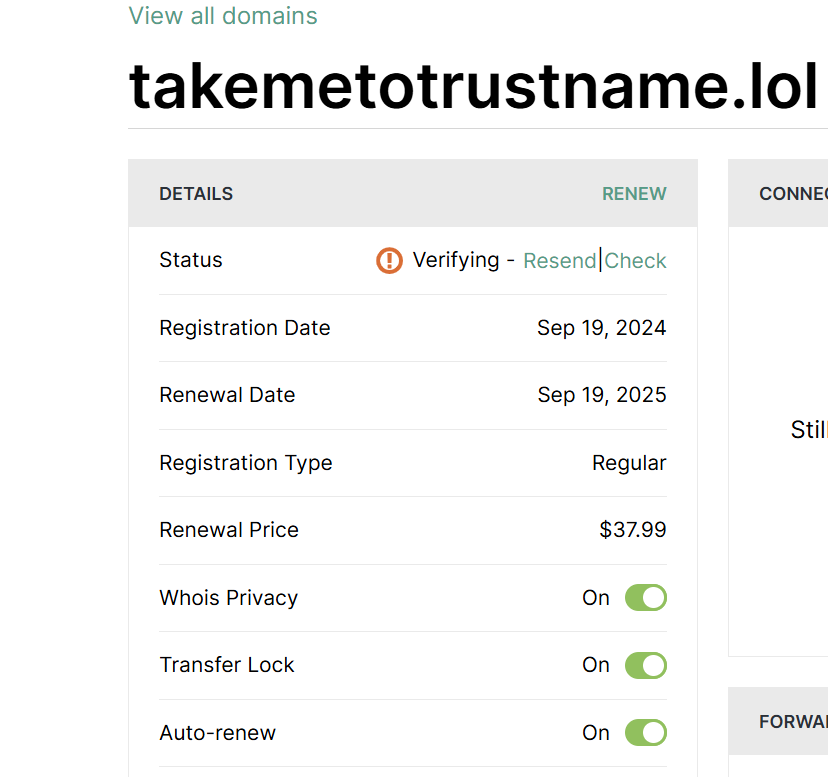
Not so much. In year two, you pay $37.99 for the same domain, 13x what you paid the first year!
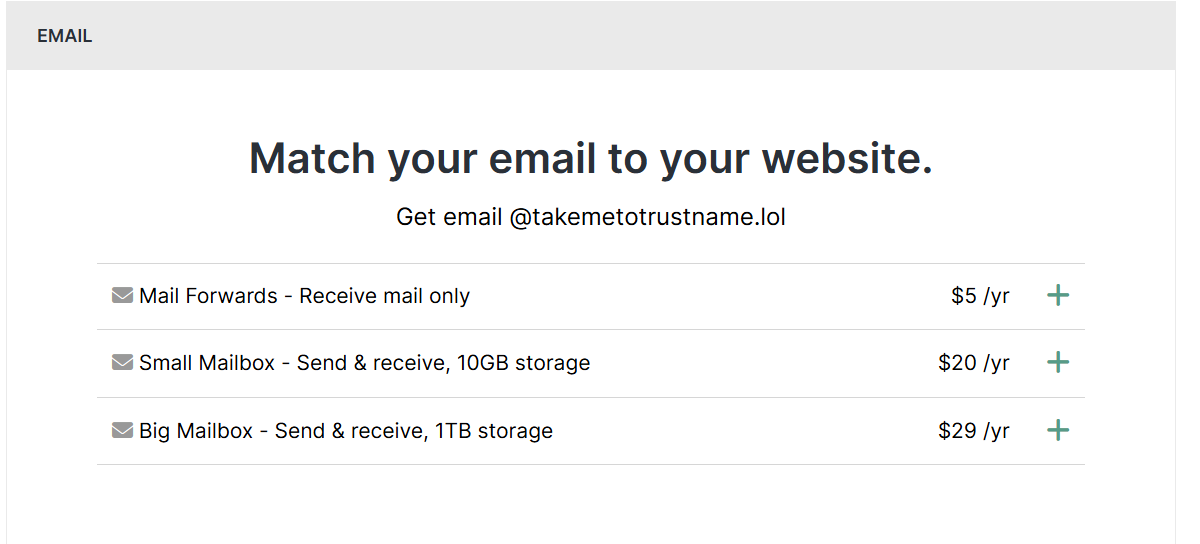
While Hover offers Whois privacy service for free, you more than make up for it in the domain renewal price you pay. Additionally, if you need an email service to connect to your domain, you pay between $5 $29/yr for email service.
Additionally, Hover offers to get customers professional personal email addresses for $35/yr for each email address.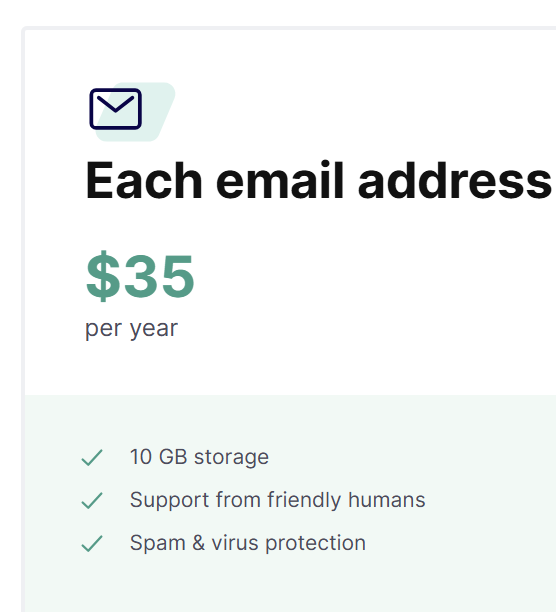
Depending on your needs, you pay $43.17 to $73.17 in your second year of using Hover.
Trustname employs a transparent pricing policy. We do not use cheap discounts to lure you in, only to charge you exorbitantly high after. Our .com domain costs $12.99 and renews at $14.99.
In addition, you get a free SSL certificate in the first year and a free business email forever!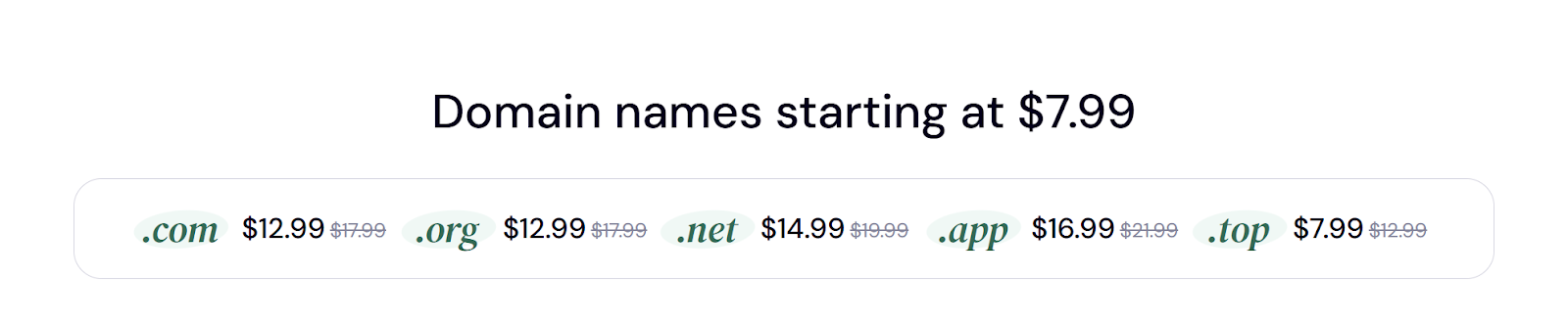
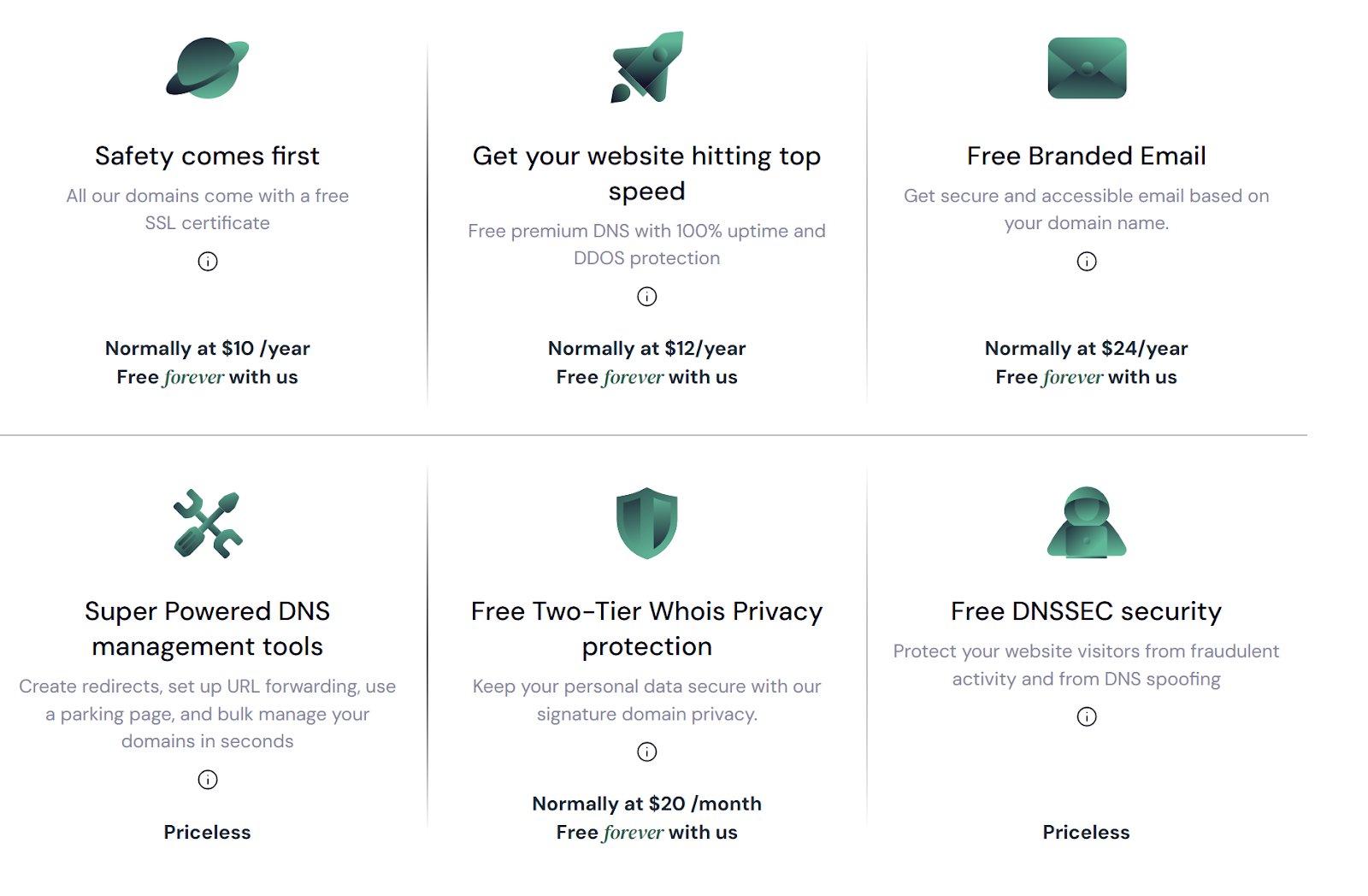
Trustname also offers extra perks at no cost, such as Premium DNS and our exclusive Two-Tier Domain Privacy, which goes beyond the basic Whois privacy that Hover and other registrars offer. Compared to Hover, you can save over $100 annually using Trustname. That's $500 over five years!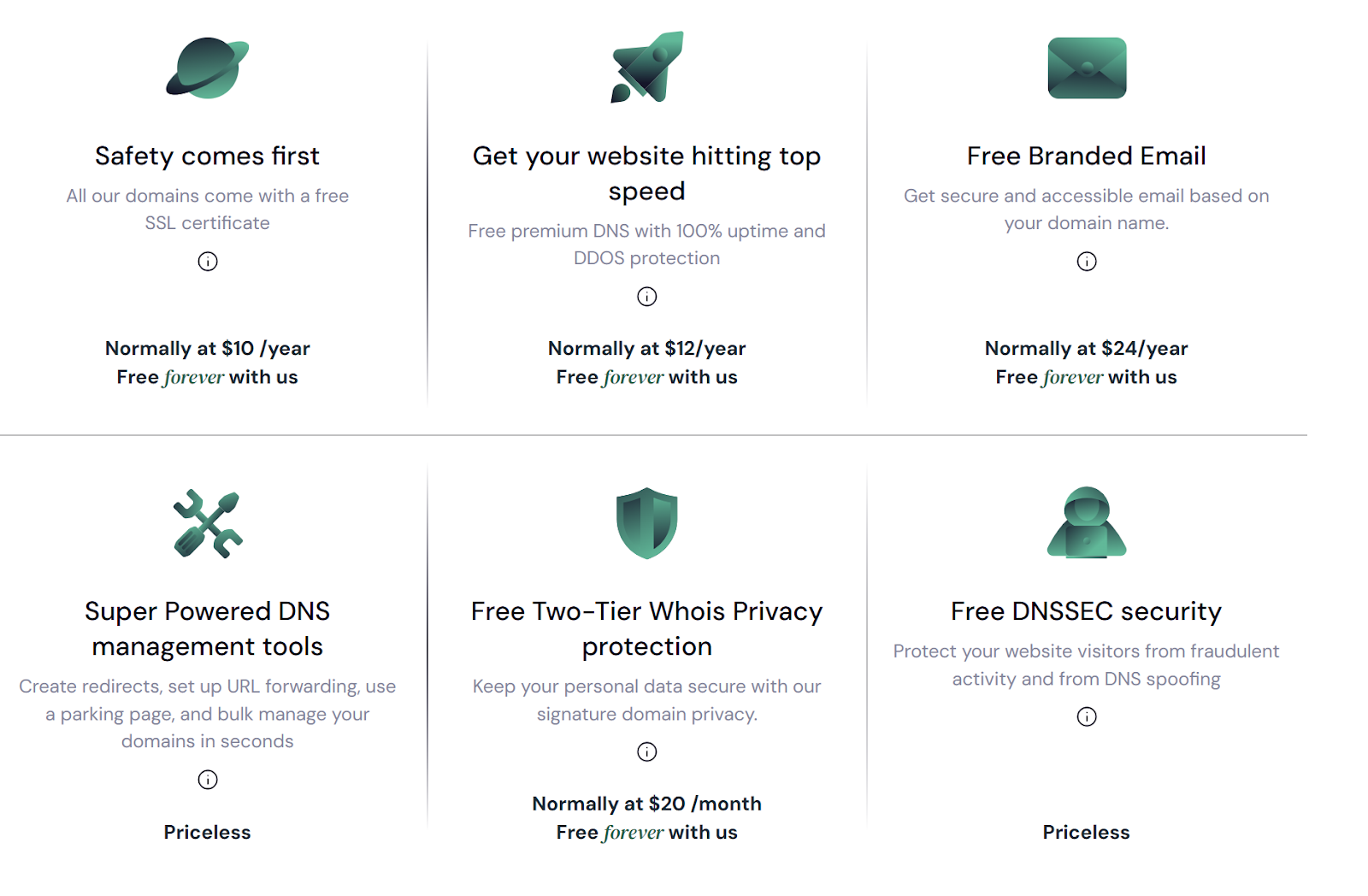
- Bulletproof Two-Tier Privacy
Like many other registrars, Hover provides users with basic Whois protection. But unlike some, they do it for free.
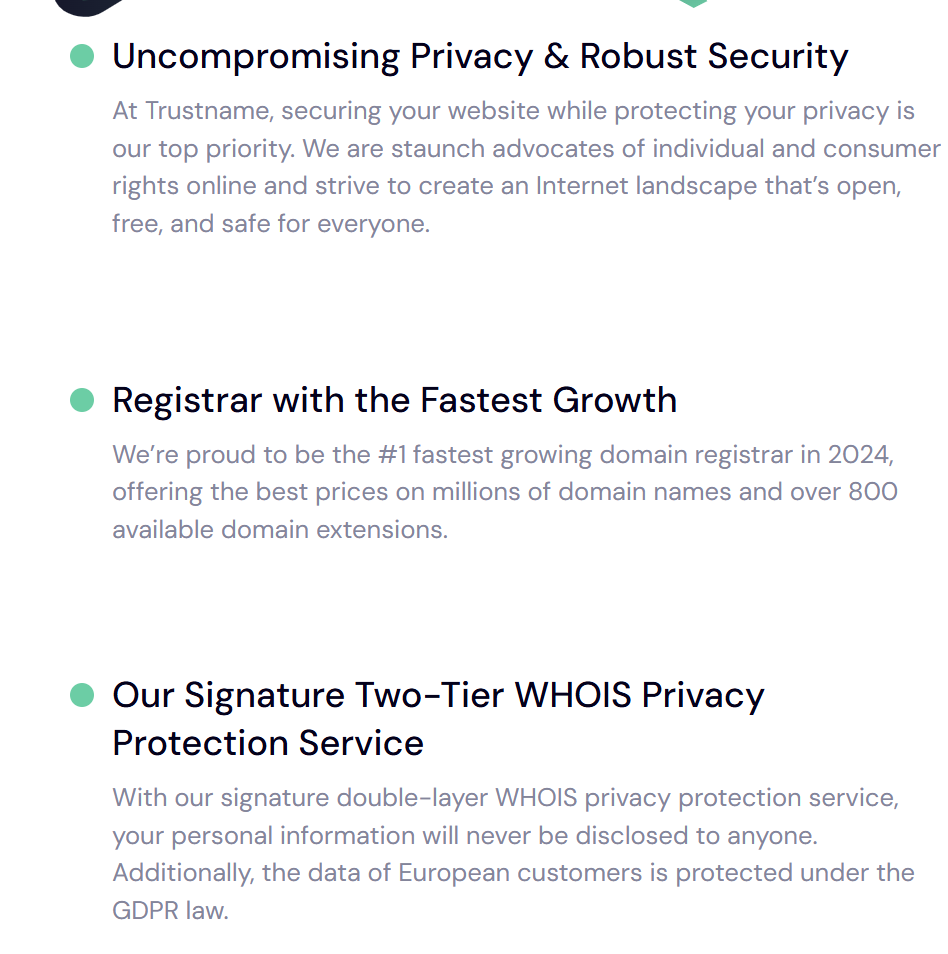
However, Trustname offers the most advanced privacy protection of any domain registrar, and yes, it's also completely free. We have a unique Two-Tier Privacy Protection system that safeguards your Whois information from even the most determined hackers.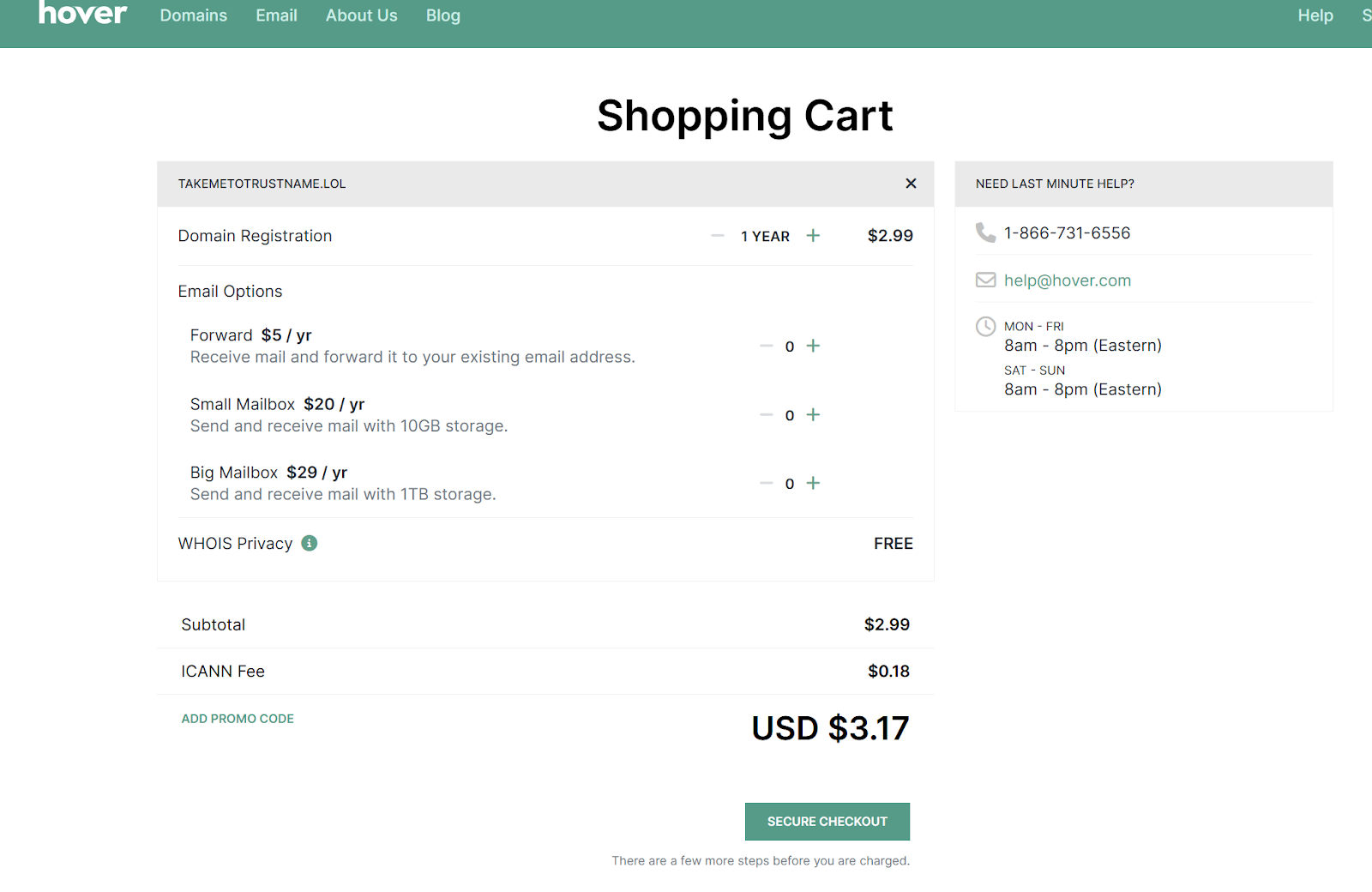
[+] [List] Green Ordered - Tier One
When you register a domain with Trustname, you can either use your own contact details or choose our third-party registration service, where Perfect Privacy LLC is listed as the registrant.
You maintain full ownership and control over your domain, and can switch the contact info back to your details whenever you wish.
- Tier Two
The second layer takes it further by hiding the domain's contact details whether yours or Perfect Privacy LLC's using proxy information from another trusted partner. This ensures your data is completely invisible in the Whois database.Your personal information is never directly linked to your domain.
Perfect Privacy LLC becomes the public face of your domain, and if any legal action is needed, it would require three court orders from different jurisdictions the U.S., St. Kitts and Nevis, and Estonia before any action is taken. And all this protection costs you $0 forever.
- Tier One
- Hands-on Customer Support
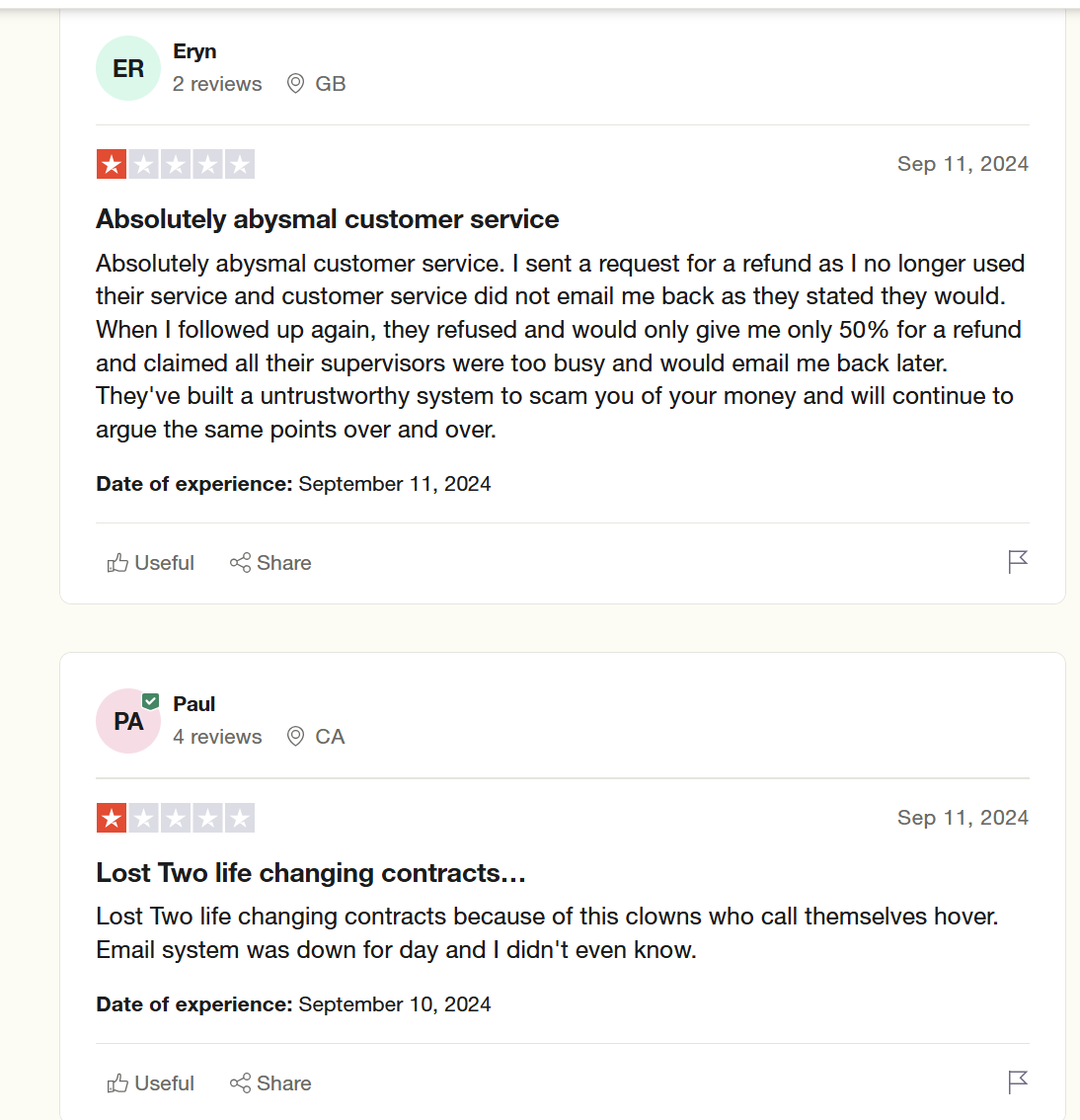
A recurring theme with people who complained about Hover's services was customer support. Customers frequently complained about taking too long to reach customer support reps or reaching reps who couldn't help them and were unkind in the process.
There are several other cases where they didn't notify customers of service downtime, domain renewal, or suspicious activities. In this case, gross negligence on Hover's part resulted in dire financial and reputational consequences.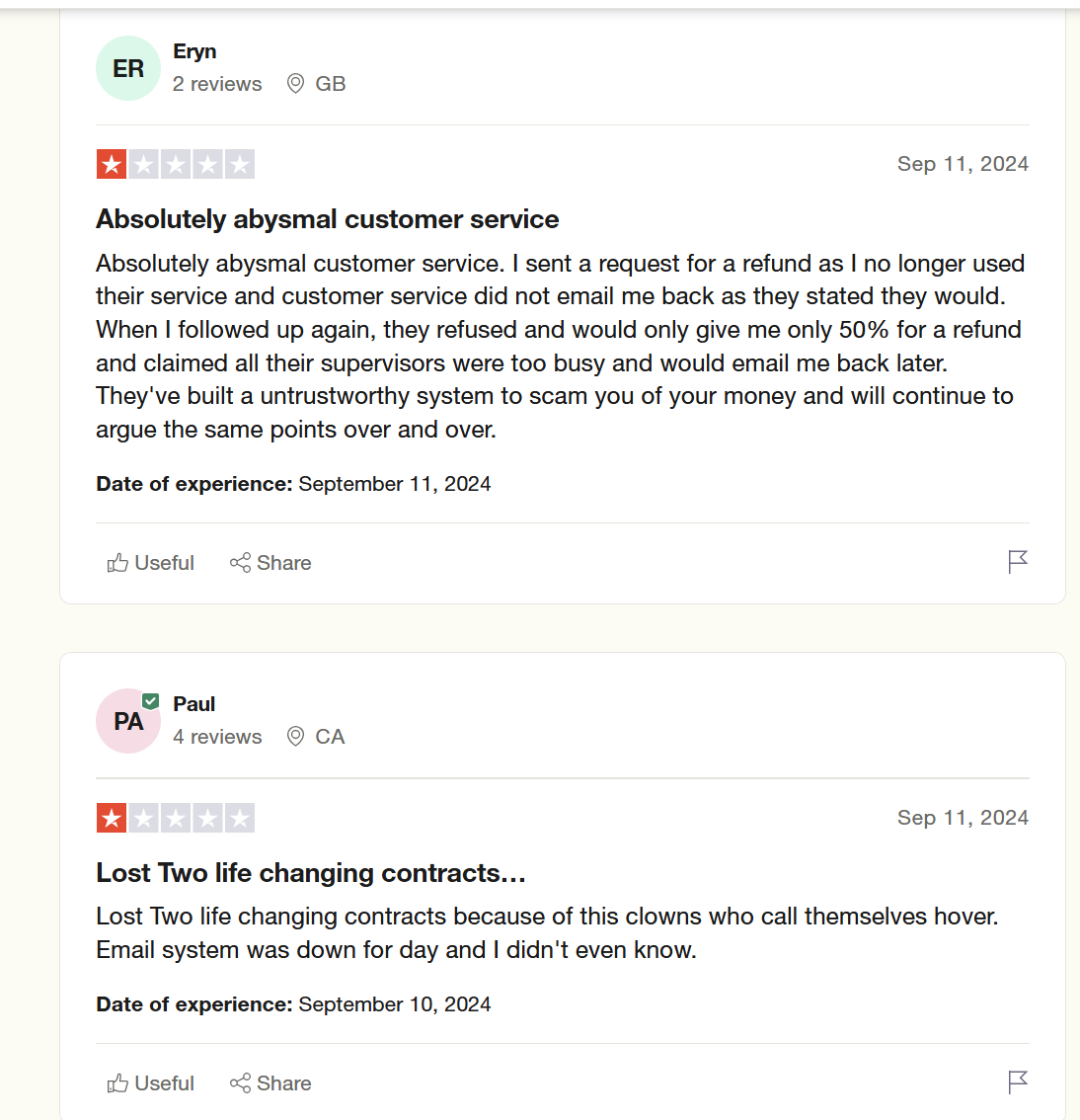
Trustname respects your time and money. Our world-class support team is available 24/7 and ready to assist you through live chat and our responsive email ticketing system.
We offer multiple support channels, so you're never restricted to just one. Although we encourage you to start a live chat whenever possible for immediate, expert assistance.
Trustname's agents aren't the regular support staff they're seasoned domain and web hosting experts, many of whom run their own websites.
They understand your needs and are prepared to help you in real time. If you prefer a more DIY approach, we've got you still! Our extensive knowledge base is filled with resources to help you solve issues on your own.
- No Spurious Domain Or Service Suspensions
In line with our transparent pricing policy, we believe our customers deserve the most honest service from us. It is your money, and you want to make the most out of it. So do we.
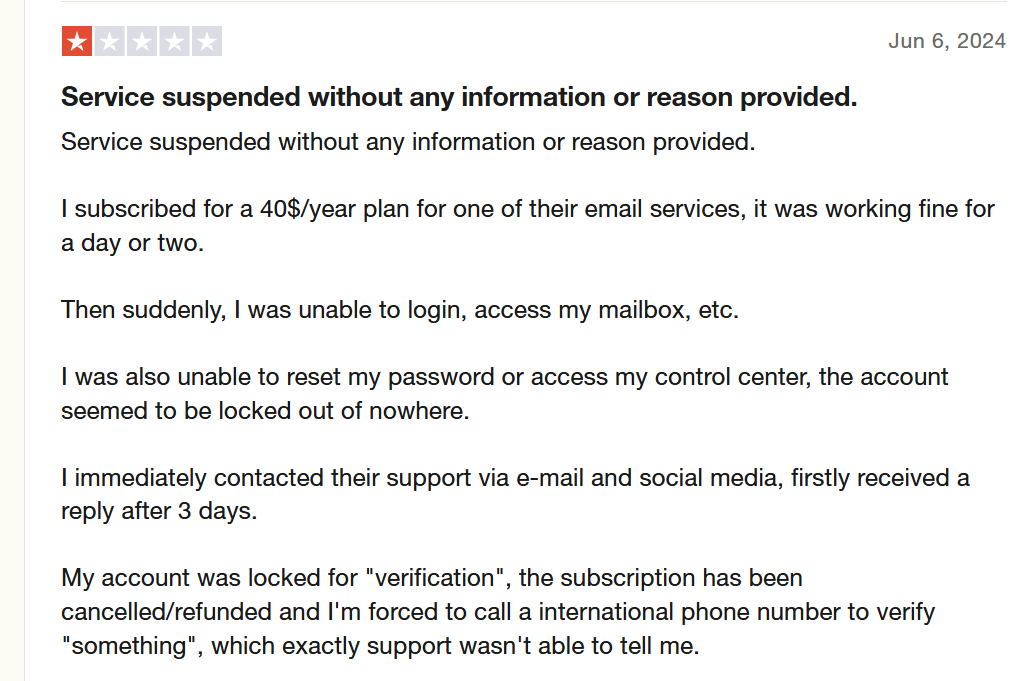
Trustname doesn't cut off any of our services mid-use. Even if there's a mistake somewhere, we rectify it in no time.In case of domain suspension, we're even more airtight. Trustname believes in a free and open internet, not just in theory, but in practice.
Unlike Hover, Trustname will never suspend your domain over vague claims without first notifying you or investigating properly.
As a registrar, we position ourselves to cater to abuse-prone businesses, including:
[+] [List] Green Ordered - Video streaming services.
- Cryptocurrency exchanges.
- Adult content websites.
- Whistleblower websites.
- Online pharmacies (excluding those selling opioids).
- Alternative news platforms.
We understand that domains in these niches are targets for blackmailers, identity thieves, and domain hijackers. At Trustname, we do not pretend to enforce the law. Unless it involves CLEARLY illegal content like child pornography, arms trafficking, or opioid sales, we remain neutral regardless of how many complaints are received.
When an abuse report is filed, we inform the domain owner first and encourage direct communication between the complainant and the registrant. Even if illegal activity is confirmed, we give you the option to transfer your domain before taking any further action.
Things To Know Before Transferring Your Domain
Before transferring your domain from Hover to Trustname, there are a few key points to consider:
- Review Your Domain Nameservers
In your Hover dashboard, your domain's nameservers are either assigned automatically to Hover servers or updated if you've set them to a different web host. Nameservers direct browsers to the IP address where your website is hosted.
During the transfer process, you won't be able to modify your nameservers or other DNS settings. If your domain website is hosted by Hover, update your nameservers to Trustname before initiating the transfer.
- Domain Transfer Doesn't Include Your Website
Transferring your domain to Trustname won't move your website automatically. If you also want to migrate your website, you'll need to purchase a hosting plan from Trustname or another provider. Our team can assist with migrating your site, including creating backups, exporting files, and transferring your database.
- Transfer Pricing And Policy
Trustname offers a discounted transfer fee of $7.77 (with our promo code), which adds an extra year to your domain's expiration date. With our regular 1-year registration costing $14.99, the transfer fee is essentially a great deal on an extended subscription!
- Transferring Expired Domains
Most registrars, including Hover, only allow domain transfers when the domain is active or during the grace period after expiration. If your domain is in the Redemption Period, you'll need to renew it (with an additional fee) and wait for the ICANN 60 days lock to pass.
We recommend initiating your transfer before your domain expires or at least two weeks before the grace period ends, ensuring the transfer adds an extra year to your domain's validit.
Transferring From Hover To Trustname
Now that you've taken care of the precheck list, here's a step-by-step guide on how to transfer your domain from Hover:
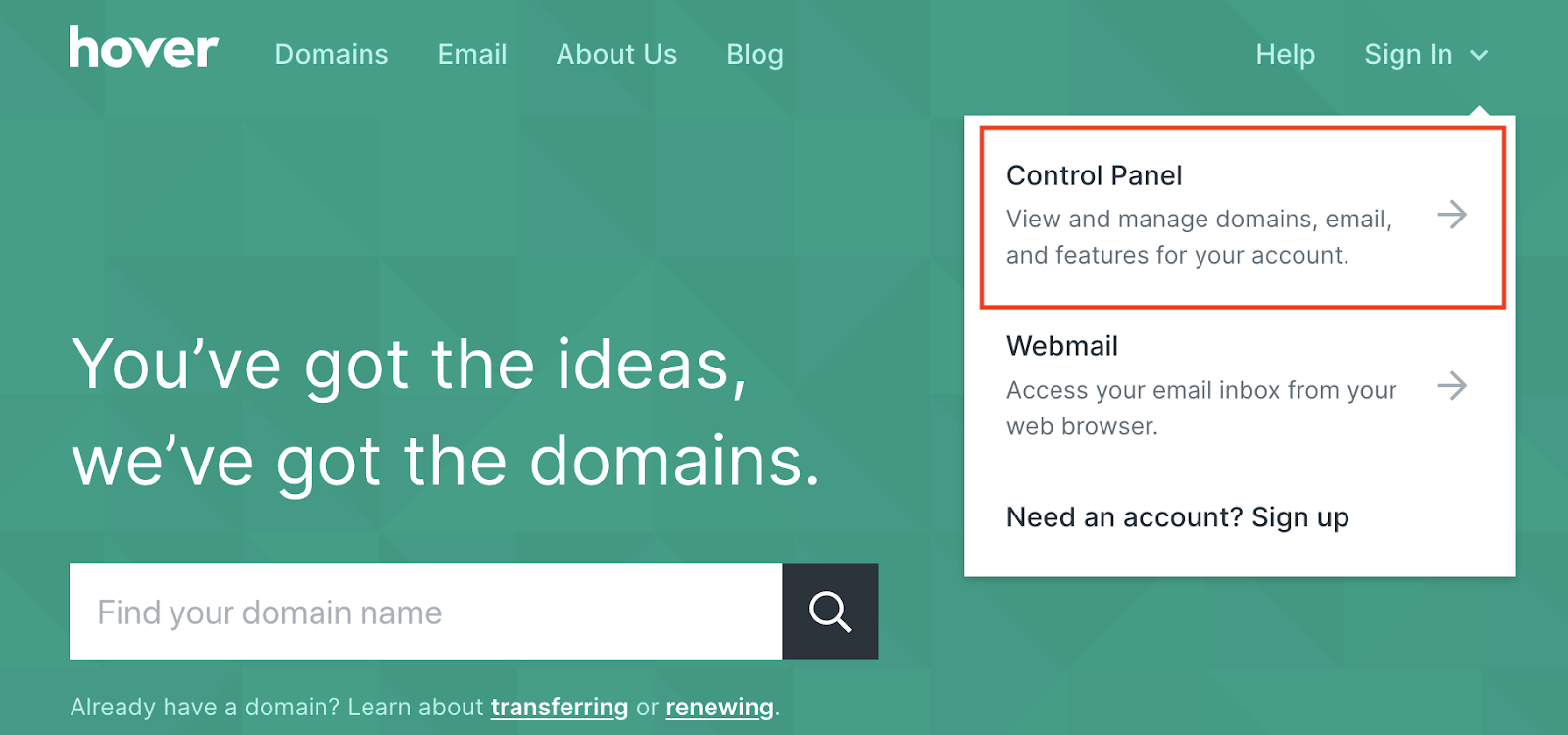
- Sign In To Your Hover Control Panel
Log in to the Hover control panel using your chosen two-factor authentication (2FA) method. Once logged in, you will see a list of all your domains if you have multiple. Select the domain you want to transfer to be taken to its overview page.
- Prepare For The Transfer
[+] [List] Green Unordered If changes are needed, update the registration records and be sure to check the box that says Don't apply a 60 days transfer lock. This prevents a delay in the transfer process.- Disable The Transfer Lock – Turn off the transfer lock for your domain to allow it to be moved to a new registrar.
- Retrieve The Authorization Code – Get the domain's authorization (EPP) code. This is needed to provide to the receiving registrar to initiate the transfer.
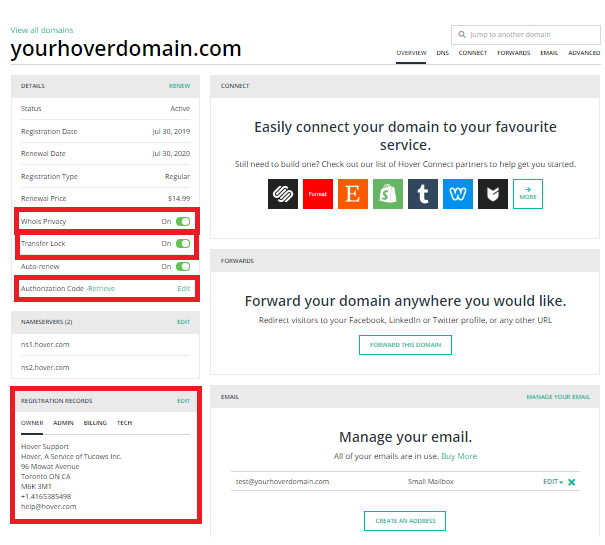
- Verify Contact Information
Ensure the admin and owner email addresses are up-to-date and accessible. This is important because the transfer approval email will be sent here.
[+] [Notice] Info Insert title here [+] [Notice] Title -> Don't forget to confirm whether your nameservers are pointing to Hover's default servers (ns1.hover.com and ns2.hover.com). If your domain is using Hover nameservers, set up new nameservers with Trustname before the transfer to avoid downtime.
- Initiate The Transfer
After completing these steps, go to your new registrar's website and initiate the transfer. Once started, Hover will send a transfer-away confirmation email to your contact address. Follow the link in this email to confirm or cancel the transfer.
- Transferring.UK Domains
Transferring.UK domains work similarly but with a key difference: instead of using an authorization code, Hover must update the domain's registrar (IPS) tag. Contact your new provider (Trustname) for the IPS tag, and Hover will apply it for you.
Like the standard process, ensure that your nameservers are properly configured BEFORE changing the IPS tag.
Welcome To Trustname!
Congratulations! You're finally ready to elevate your domain management experience.
Follow these simple steps to complete your registration with Trustname:
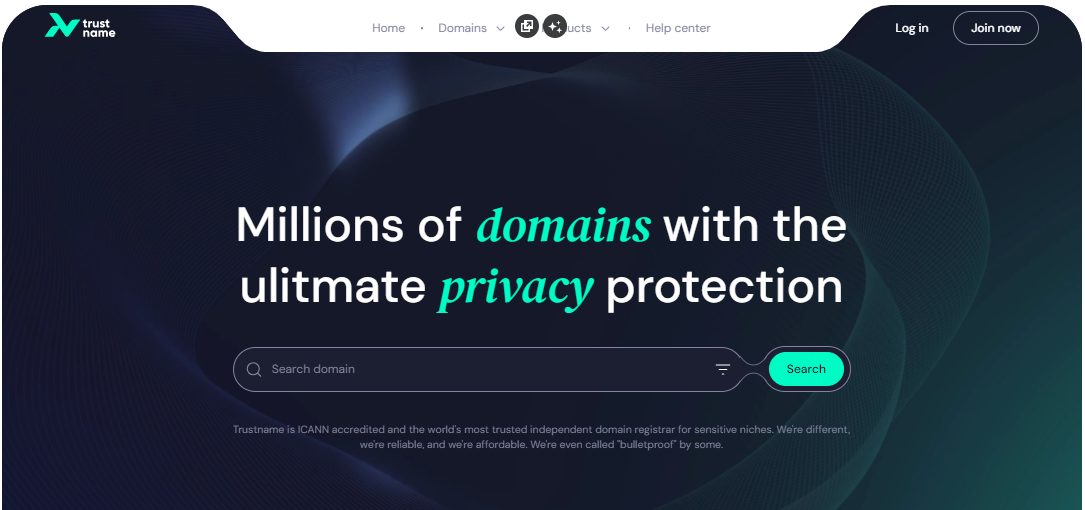
- Go To Trustname's Domain Transfer Page
Visit Trustname.com and click 'Login' in the top-right corner to access your account.
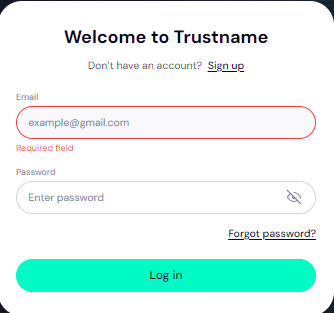
- Log In To Your Account
Enter your username and password to access your Trustname customer portal, then click 'Login'.
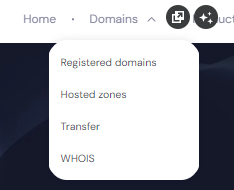
- Navigate To The Transfer Section
In the header, under the 'Domains' dropdown, click 'Transfer' to go to the domain transfer settings.
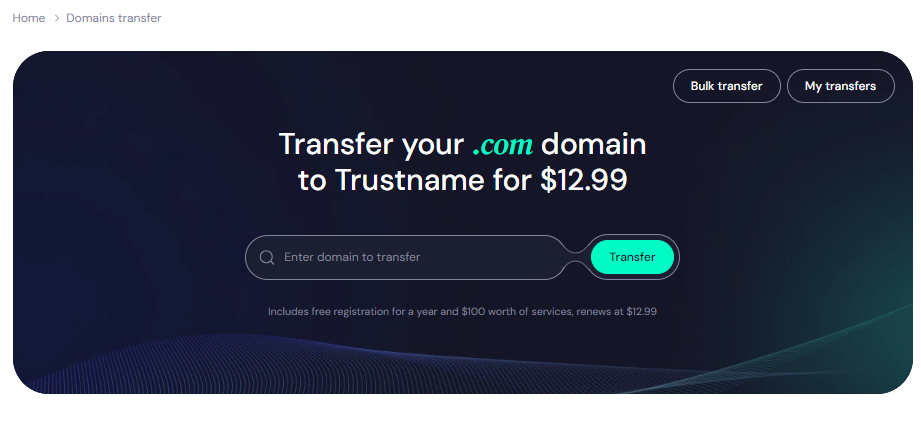
- Enter Your Domain Name
In the transfer portal, type your full Hover domain (including the extension) and click 'Transfer'.
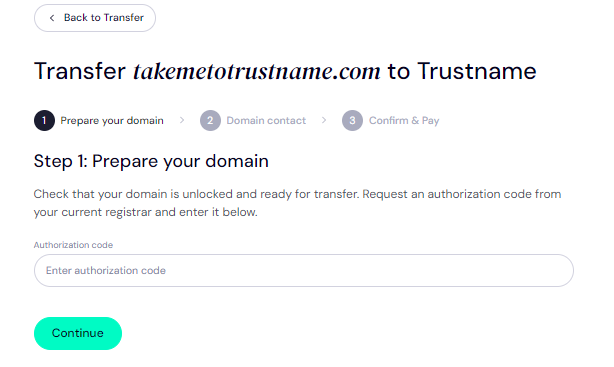
Provide The Authorization Code (EPP)
Next, enter the EPP code you received from Hover via email, then click 'Continue'.
Enter Domain Contact Information
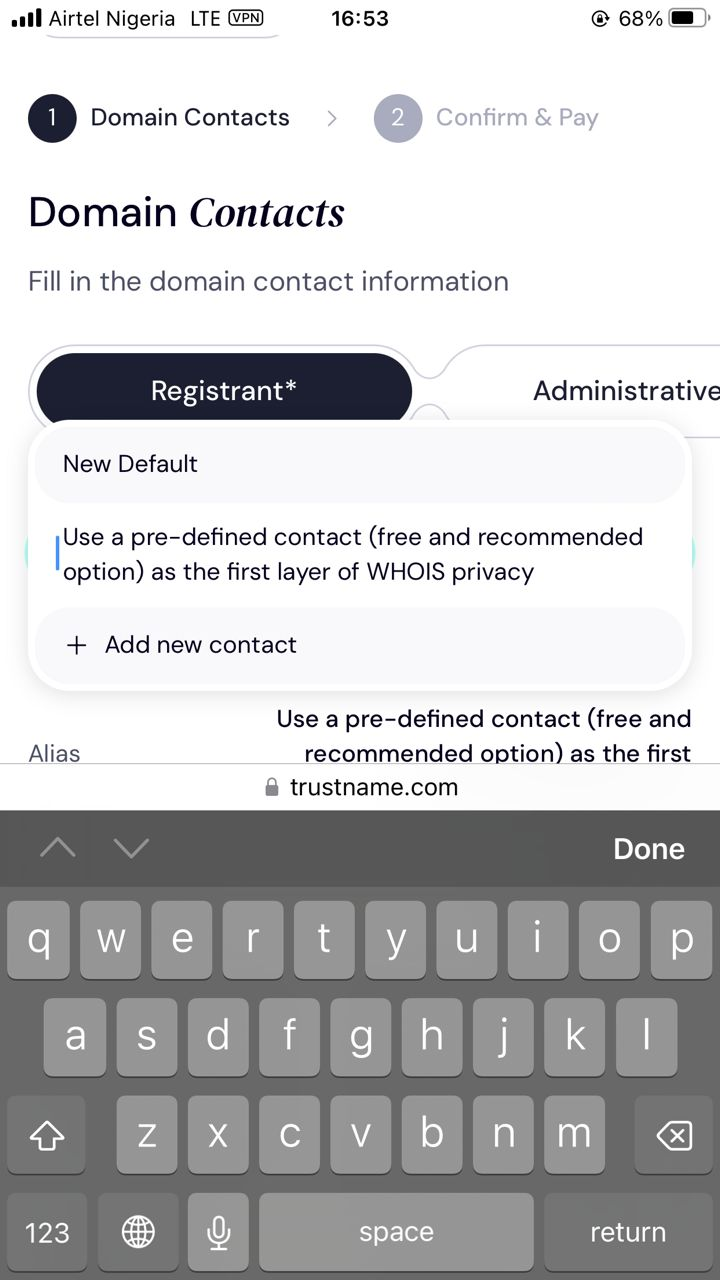
On the next screen, choose your domain contact details. You can either:
- Use your own contact information by selecting 'Add new contact' from the dropdown, or
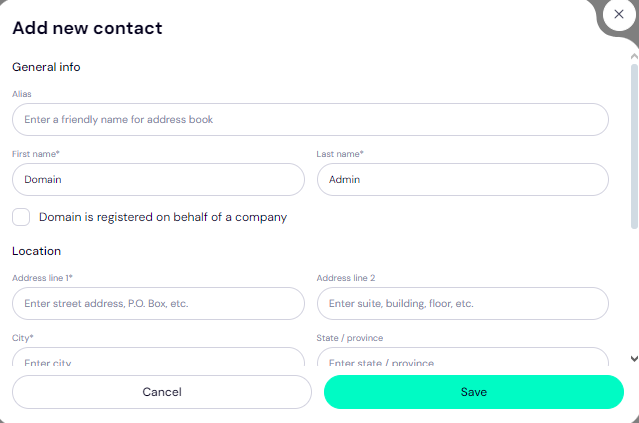
- Opt for maximum privacy with Trustname's Two-Tier Privacy Protection by selecting 'Use a pre-defined contact'.
When you choose the pre-defined contact option, your domain will be registered using Trustname's verified privacy service, so you won't need to verify your own details this helps speed up the process.
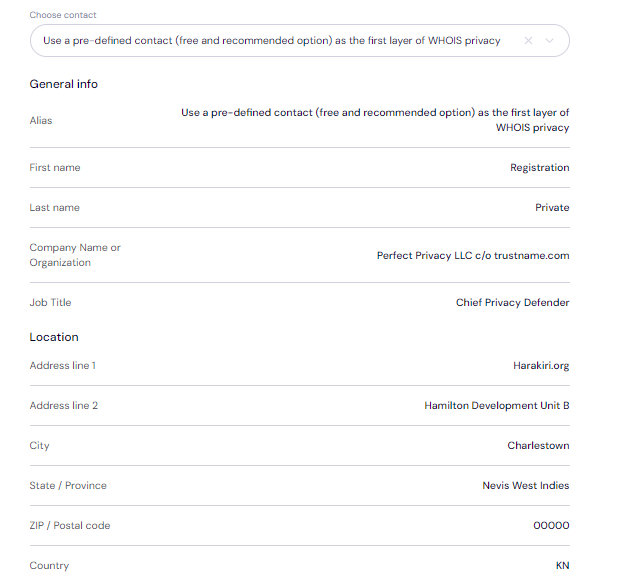
You'll still have full control over your domain, even when using the pre-defined contact. This option is designed to offer maximum privacy and reduce your digital footprint.
After completing the contact details, click 'Continue' to finalize your domain transfer.
Complete Your Domain Transfer By Paying For An Extended Registration
Once you've initiated the transfer, the next step is to pay for your domain transfer, which includes a 1-year extension to your domain's current expiry date.
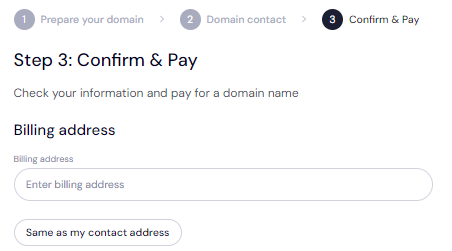
- Enter Billing Information
Input your billing address on the payment page. If it's the same as your contact address, simply select the 'Same as my contact address' option to autofill the information.
- Select A Payment Method
Choose how you’d like to pay. You can use a bank card or Trustname wallet funds.
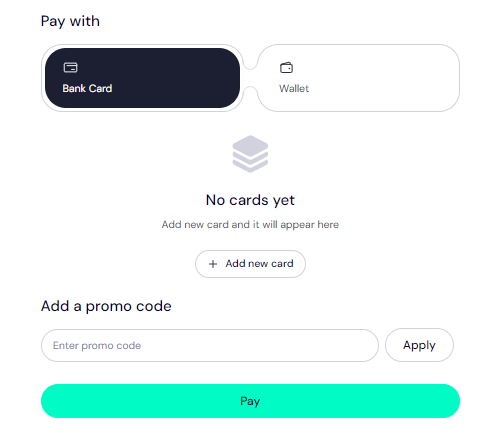
If you don't have a card on file, click 'Add New Card' and fill in the necessary details. Trustname also accepts cryptocurrencies for added convenience.
Exclusive Promo Code - WELCOME777
- Trustname's standard domain transfer fee is $14.99 per year, which includes taxes and ICANN fees.
- By applying the promo code WELCOME777, you receive a 50% discount, reducing the transfer cost to $7.77, and one extra year of domain registration is added for free.
- After the first year, domain renewals for .com, .net, and .org are fixed at $14.99, making Trustname one of the most affordable options compared to competitors like Hover.
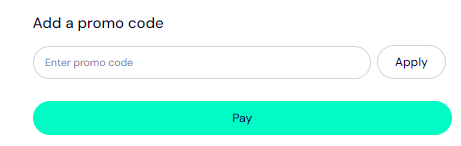
- To apply the discount, enter WELCOME777 in the "Add a Promo Code" section during checkout.
Specify Registration Duration
Choose how long you'd like your domain registration to last anywhere from 1 to 10 years.
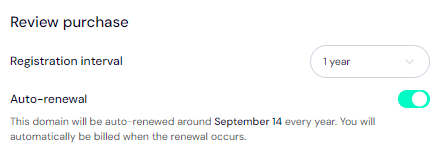
We recommend keeping auto-renewal on so your domain will be renewed automatically before expiration.
Make Your Payment
Click 'Pay' and follow the on-screen instructions to complete your payment. That's it! Your domain will now transfer seamlessly from Hover to Trustname.
Keeping Your Safe Domain At Trustname
Once your domain is successfully transferred to Trustname, follow these steps to further secure both your account and your domain(s):
- Review Our Two-Tier Privacy Protection
If you opted for 'Use a pre-defined contact' during the transfer, you are now benefiting from our Two-Tier Domain Privacy system.
To modify your domain contact details or adjust your privacy settings, navigate to Domains >>>Registered Domains >>>Domain Contacts. You can switch between your personal details and the full Two-Tier Privacy at any time.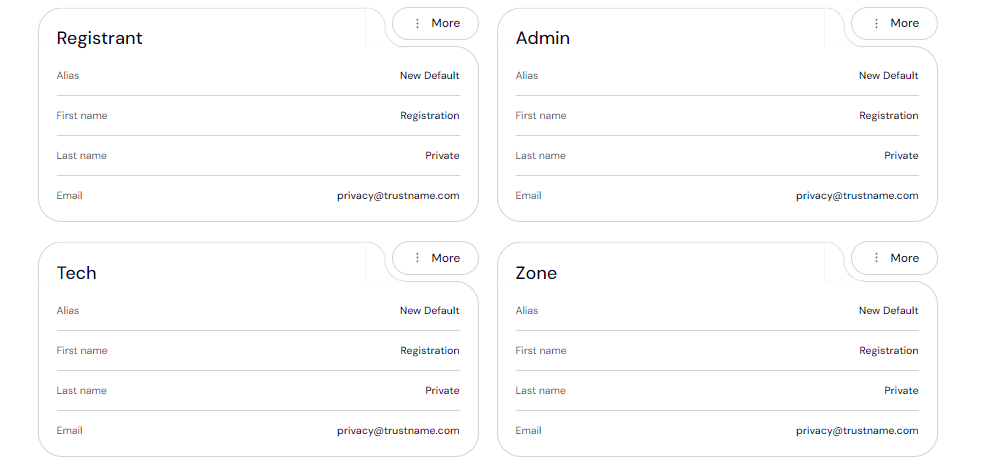
For more information, check out why Trustname registers domains under Perfect Privacy LLC to ensure the highest level of Whois privacy.
- Verify Domain Lock
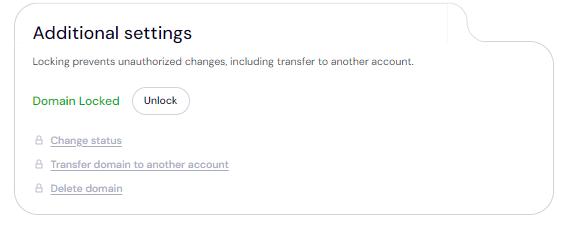
Once your domain is transferred, the Domain Transfer Lock is automatically enabled for added security. To check or modify this setting, go to Domains >>>Registered Domains >>>select your domain, then scroll to the 'Additional Settings' section.
- Review DNS Settings
It's important to verify that your domain's DNS records and nameservers are configured correctly.

To check your nameservers, go to the 'Domain Nameservers' section. To view or edit your DNS records, navigate to General Info >>>Hosted Zone, then click 'View'.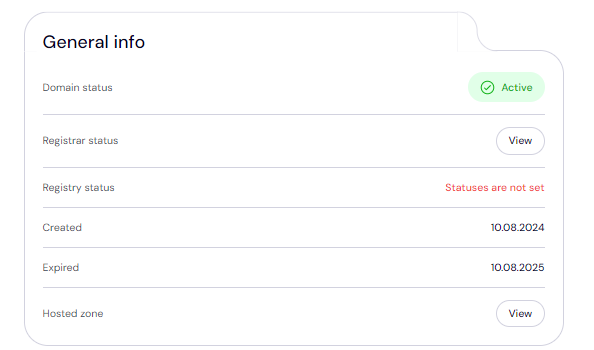
From here, you can update DNS records, adjust nameservers, and enable DNSSEC for added protection. - Enable Two-Factor Authentication (2FA)
Adding 2FA to your account provides an extra layer of security by requiring both your credentials and a code from an authenticator app to access your account.
To enable 2FA:
[+] [List] Green Ordered - Go to 'My Profile', click on 'Account Settings', and scroll to 'Two-Factor Authentication (2FA)'.
- Toggle the button to enable it, then scan the generated QR code or input the secret key into an authenticator app.
- Download the Google Authenticator app from your app store, and use it to generate a six-digit code.
- Enter this code into your Trustname account and click 'Enable'.
Save the backup codes generated during setup. These codes will allow you to regain access to your account if you lose your device.
For further guidance, read our detailed article on setting up Two-Factor Authentication at Trustname.
Troubleshooting Failed Domain Transfers
While domain transfers are typically straightforward, certain issues can cause them to fail.
Check out some common reasons for transfer failures and how to resolve them:
- Incorrect EPP Code
Entering an incorrect Auth or EPP code will prevent the transfer from proceeding. To avoid errors, copy the EPP code directly from your Hover and paste it into the required field instead of typing it manually.
- ICANN 60 Days Lock
The Internet Corporation for Assigned Names and Numbers (ICANN) enforces a 60 days lock on domains that have recently been transferred or had their contact details updated.
If your domain has undergone a registrar transfer or any registrant changes within the last 60 days, it won't be eligible for transfer. Ensure that your domain is outside this lock period before attempting the transfer.
- Domain Transfer Lock
If the Domain Lock is still active, Hover will not release the domain. Make sure to go into your domain settings and disable the Domain Lock to allow the transfer to proceed.
- Identity Verification
Since your details are included for Whois protection, you will need to verify your identity before the transfer can be processed. Be on the lookout for verification requests via email from Trustname. For a smoother transfer, you should disable domain protection entirely.
Finishing Up
If you're considering switching from Hover to Trustname, you're about to make a great choice. Trustname provides Two-Tier Protection at no additional cost. We also ensure your domain remains secure without arbitrary suspensions.
With us, you'll enjoy more flexible payment options and access to expert, human driven support that's available across multiple channels. Our transparent renewal policies and fair pricing ensure you avoid hidden fees and costly surprises at renewal, keeping your mind at rest.
To transfer your domain from Hover, you simply need to confirm domain eligibility, unlock your domain, obtain your Auth (EPP) code, and disable domain privacy. From there, head to Trustname's transfer portal, submit the necessary details, and complete the payment.
Not only will we transfer your domain efficiently, but we'll also add an extra year to your current registration. Join us today and experience the difference!