
Transferring your domain from Tucows to Trustname offers a smoother experience with fair pricing, reliable support, and stronger privacy features. The process is simple, unlock your domain at Tucows, then start and complete the transfer at Trustname.
Key Takeaways
- Fair Pricing – Flat $14.99 renewals includes all essentials like SSL and privacy, no surprise charges or upsells.
- Real Support – Get quick help from experienced agents via live chat, unlike Tucows slow email responses.
- Top Privacy – Free two-tier Whois protection uses proxy details and legal barriers to shield your info.
- The Easy Prep – Confirm 60-day eligibility, unlock the domain, and copy the EPP/auth code from Tucows OpenSRS dashboard.
- Quick Finish – Enter the domain and code at Trustname, choose the contact (pre-defined for privacy), and pay $7.77 with the WELCOME777 promo.
TABLE OF CONTENTS
- Key Takeaways
- Perks You Should Expect With Trustname
- Before Initiating Your Transfer - Here's What You Should Know
- Prepare Your Domain At Tucows For The Transfer
- Initiate The Transfer at Trustname
- Safeguard Your Domain at Trustname
- Troubleshoot a Failed Domain Transfer
Want to transfer your domain from Tucows to Trustname?
We are eager to have you here! From non-existent customer support to paying for domain essentials like SSL certificates and Whois privacy, we understand why you're in a hurry to leave such an anti-customer registrar.
To move your domain from Tucows to Trustname, you simply need to unlock your domain, obtain the Auth(EPP) code in your OpenSRS account with Tucows, and initiate the transfer at Trustname.
Let's show you how. But first…
Perks You Should Expect With Trustname
- Transparent And Affordable Pricing
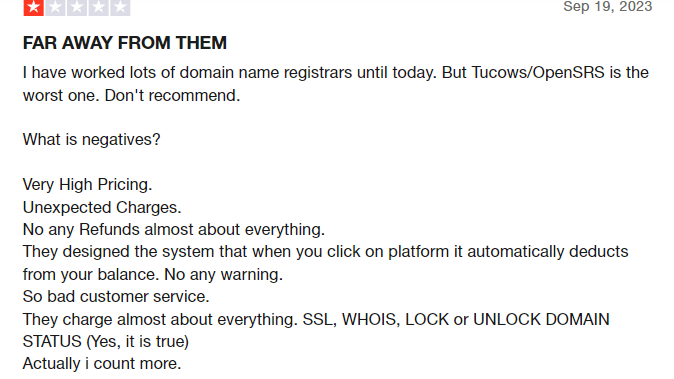
Customers on Tucows complain about how high the prices are. The prices for their domains are above market rates, and they receive unexpected charges on their cards. They don't offer refunds for almost all purchases on the platform, and you have to pay for domain essentials like SSL certificates and Whois privacy.
They also designed their systems so that if you mistakenly click on any buyable item, payment is automatically charged to your card without any warning, and it is non-refundable.
At Trustname, we pride ourselves on the transparency of our packages. What you see is what you get. We charge a flat $12.99 fee for most domains for the first year and $14.99 for renewals.
- Reliable Support
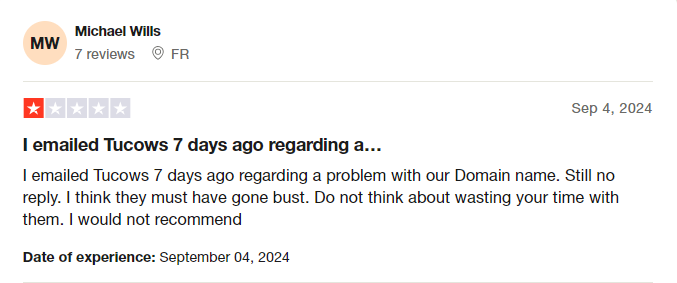 A significant flaw of Tucows is its seemingly non existent support. Customers often complain that they don't receive a response to challenges raised via email tickets. They also said that when a response finally arrives, it's usually a 1 sentence reply with no empathy or intent to resolve the issues raised.
At Trustname, we ensure you get world-class support from human agents who are webmasters with decades of experience resolving domain name issues. Additionally, we encourage our customers to contact us via live chat to ensure their inquiries are resolved quickly.
- World-Class Privacy
After paying for privacy on Tucows, you get basic Whois privacy, which replaces your domain contact information in the Whois database with proxy details or 'Redacted for privacy' (for EU customers).
At Trustname, we offer a one-of-a-kind Two-Tier Domain Privacy solution that lets you register domains anonymously and then hide your domain contact information at the second level. You'll never have to link your personal information with your domain in the first place if you don't want to.
What's more? Our partner proxy company will be contacted first should you encounter any legal issues.
Read more on Why Trustname registers domains in the name of Perfect Privacy LLC. to learn more about our Two-Tier Privacy.
- World-Class Reputation
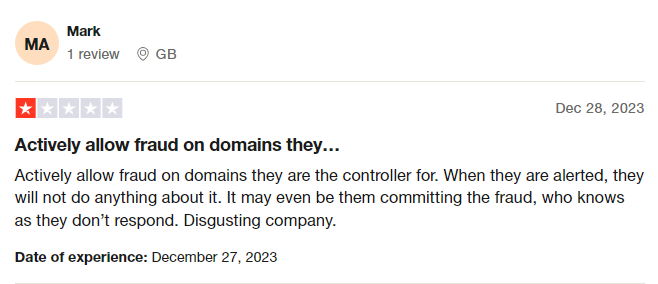
Tucows has gained a reputation as a registrar that supports websites that engage in scam activities. This bad reputation has rubbed off on their customers, as people are skeptical about doing business with any websites associated with them.
At Trustname, you not only get the most secure and affordable registrar, but you will also be in business with a company that is trusted and highly rated by millions.
Before Initiating Your Transfer - Here's What You Should Know
- Review Your Domain Nameservers.
Domain nameservers point web browsers to the IP address of the web servers hosting your website. If your domain is pointing to Tucows nameservers, they will stop resolving queries once your domain is moved and your website will experience downtime.
If they are set to a third-party provider (i.,e. another web host), you don't need to worry.
- Transferring Your Domain Doesn't Take Your Website Along
Your domain name and website are two different services. If you also want to move your website to Trustname or another web hosting provider, you would need to purchase a web hosting plan from the new host and contact us so we can help you migrate your website conveniently.
- Transfer Pricing and Policy
We charge a base fee of $7.77 (with our promo code) to transfer your domain name to us, but this adds an extra year to your domain name's current expiration date.
- Transferring Expired Domains
A domain transfer can only be performed when the domain is active or during the grace period after it expires. If you didn't renew your domain during the Grace Period and it's now in the Redemption Period, you will need to renew it first at an extra fee and wait for ICANN's 60-day lock to elapse.
We advise you to transfer domains at least two weeks before their expiration date.
Prepare Your Domain At Tucows For The Transfer
- Confirm The Domain's Transfer Eligibility.
According to ICANN regulations, you won't be able to transfer a domain name until 60 days have passed since the last registrar transfer, registrant change, or change to the domain's contact details.
Confirm that your domain is at least 60 days old and hasn't had any registrant or registrar changes made in the last 60 days before proceeding with the transfer.
- Unlock The Domain At Tucows.
Before you transfer your domain from Tucows, the first step is to turn off the transfer lock. This extra security feature ensures only you can transfer your domain.
[+] [Notice] Info Insert title here [+] [Notice] Title -> Tucows operates as a wholesale company and has a large number of resellers. You should contact the company you registered the domain name with directly for further clarification.
But if registered with them directly, here's how you unlock the domain.[+] [List] Green Ordered - Log in to your OpenSRS account with Tucows using your domain name, username,e and password.
- Go to 'Domain Locking', select 'Disable', and click on 'Submit'.
That's it. - Obtain The Auth (EPP) Code.
You will also need to obtain the Auth Code that helps Trustname validate your request with Tucows. To do this, follow these simple steps.[+] [List] Green Ordered - Log in to your OpenSRS account with Tucows using your domain name, username and password.
- Go to 'Domain Extras' and click 'Info'.
Since the domain name is already unlocked, the auth code will be displayed. Click on 'copy' and save it somewhere so you can use it to initiate the transfer on our end.
Initiate The Transfer At Trustname
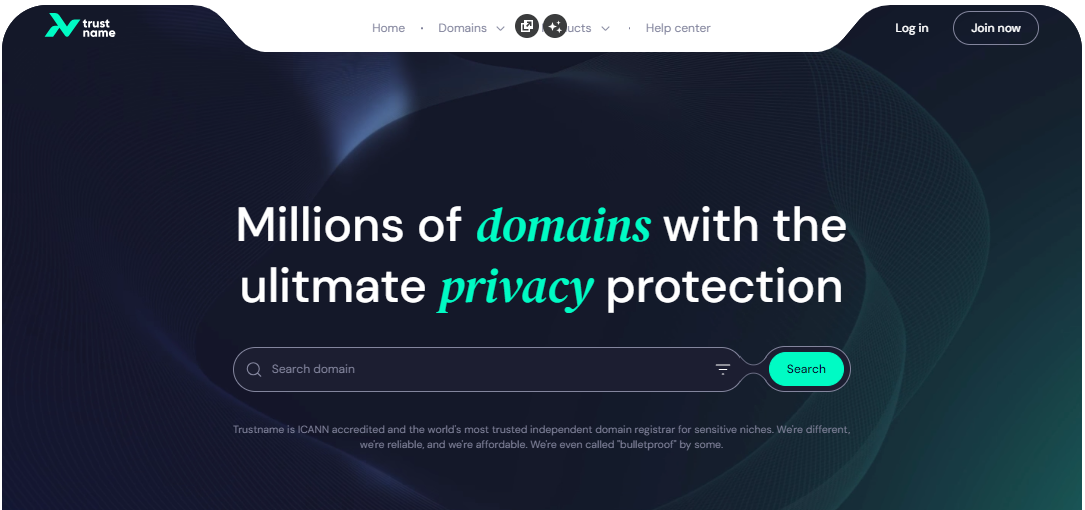
Step 1
Head to the Trustname.com website and click 'Log In' at the top right corner to access your Trustname account.
Step 2
Fill in your account username and password to gain access to your customer portal.
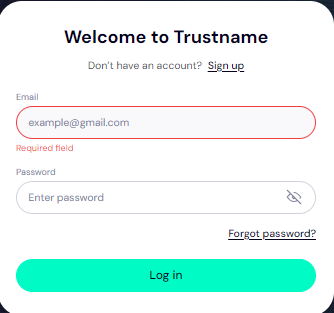
Click 'Log in'.
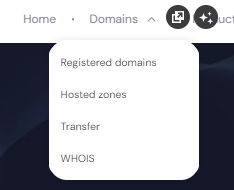
Step 3
Under the 'Domains' dropdown in the header, click on 'Transfer'.
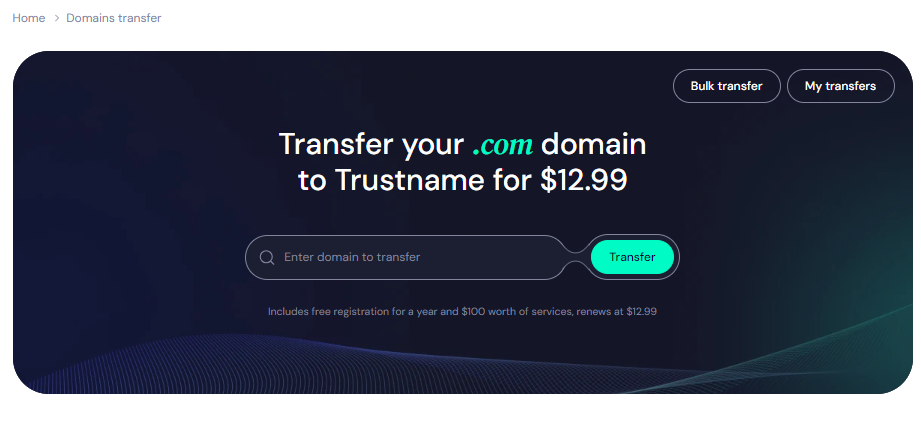
Step 4
Type in your domain, including the domain extension and click on 'Transfer'.
Step 5
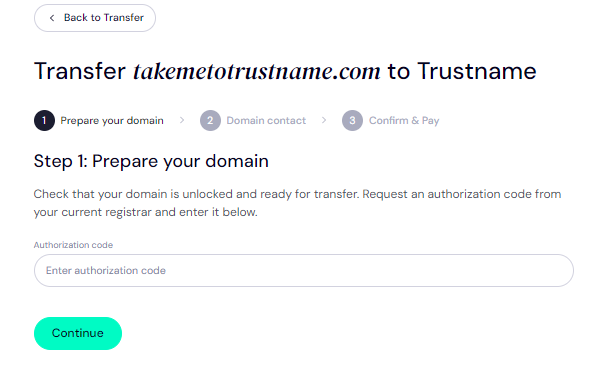
Enter the Auth Code (EPP code) Tucows emailed you and click on 'Continue'.
Step 6
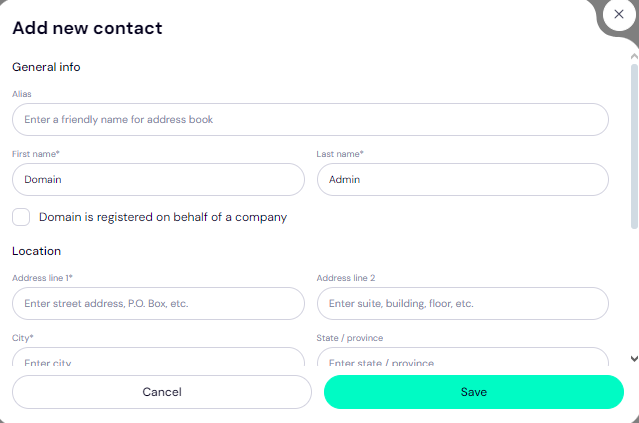
Fill in your domain contact details. You can choose to use your details by clicking on the 'Choose contact' dropdown and selecting 'Add new contact'.
Or you can click 'Use a pre-defined contact' to enable Trustname's Two-Tier Privacy Protection.
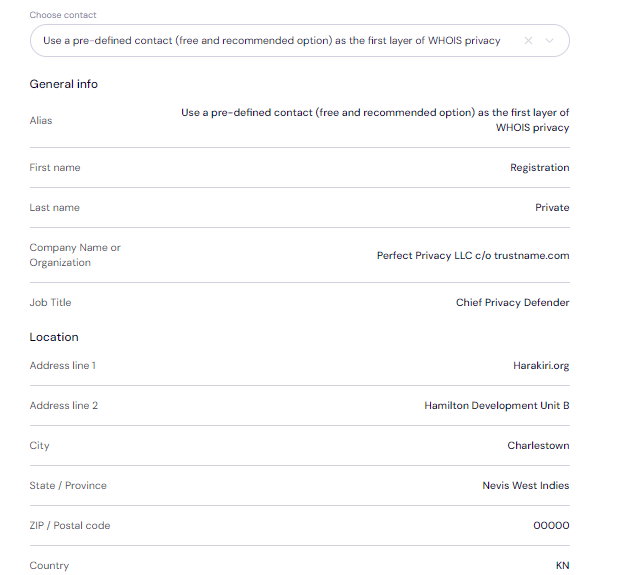
You retain complete control of your domain, even if you choose 'Use a pre-defined contact'. We only offer this service to give you the most privacy and minimize your digital footprint.
Click 'Continue'.
Step 7
Pay for your domain transfer and get 1 extra year on your domain's current expiry date.
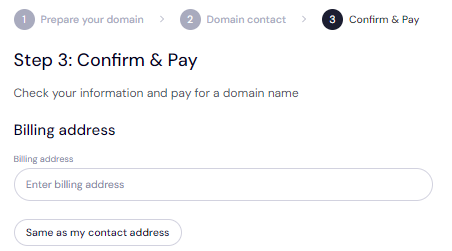
Enter your billing address or select 'Same as my contact address' so you don't need to fill it in manually.
Step 8
Choose your payment method. You can use a bank card or existing funds in your Trustname wallet to make a payment.
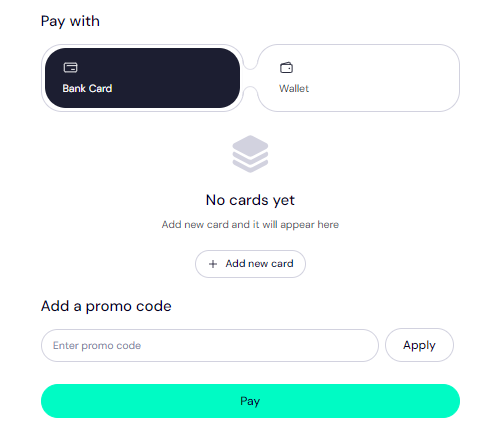
If you don’t have a bank card set up yet, click on 'Add new card' and fill in your card details to set it up.
Trustname also accepts cryptocurrencies for payment!
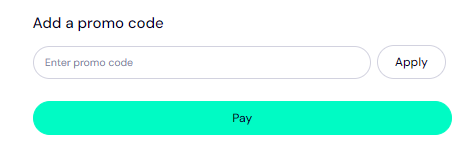
Trustname's Domain Transfer Promo Code - WELCOME777
Use our promo code WELCOME777, and we will charge only $7.77 for your domain transfer, with a 1-year registration included at no extra cost and added to your domain's current expiry date.
Type in WELCOME777 in the 'Add a promo code' section
Step 9
Select your domain registration period (between 1-10 years at a time).
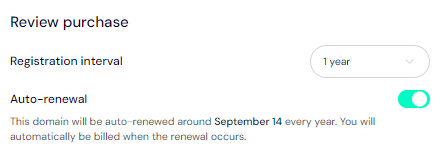
Leave the auto-renewal button ON so we renew your domain name well before it expires.
Step 10
Click on the 'Pay' button and follow the on-screen prompts. That's it!
Safeguard Your Domain At Trustname
When your domain gets to us, we advise you to turn on two-factor authentication (2FA), review your domain lock, review our Two-Tier privacy to view your domain's Whois info, and check your nameservers.
Troubleshoot A Failed Domain Transfer
When you follow the steps we’ve outlined, your domain transfer should run smoothly. However, if you are experiencing any issues, you may need to re-check the Auth Code, ensure your domain is eligible, check that your domain is unlocked, and turn off Whois privacy on Registrar.
Read Troubleshooting Failed Domain Transfers to Trustname for more help.