
Transferring your domain from Register.com to Trustname is an easy process that helps you enjoy fair pricing, stronger privacy, and better support. Trustname stands out for its transparent service and free security features.
Key Takeaways
- Transparent Pricing – No hidden fees or upselling, just simple, fair domain costs.
- Enhanced Privacy – Two-tier protection ensures your personal information stays safe.
- Free Security – SSL, email, and DNS protection come at no extra cost.
- Reliable Support – Expert assistance through live chat, email, and a detailed knowledge base.
- Smooth Transfer – Easy step-by-step process with discounted transfer fees and added renewal time.
TABLE OF CONTENTS
- Key Takeaways
- Perks Of Using Trustname
- Before Transferring Your Domain Out
- Starting The Domain Transfer
- Transferring From Register.com To Trustname
- My Domain Transfer Failed
Do you want to move to a new domain registrar where you won't have to deal with overcharging, unhelpful customer support, terrible user experience, constant upselling and frequent service downtimes? That registrar is Trustname.
To transfer from Register.com to Trustname, all you need to do is turn off domain privacy protection, request the authcode, turn off privacy registration (if purchased), confirm your contact email address, and initiate the transfer with Trustname.
Trustname is the number one bulletproof registrar that offers premium privacy and security at no extra cost. How do we fully compare to Register.com?
Perks Of Using Trustname
Here's what you can expect from us:
1. Affordable Prices, No Upselling
Register.com is known for automatically pushing extra products and services to customers. For example, you must pay two years upfront for a domain instead of the typical annual fee. Additionally, many other services are added at zero initial costs, which renew for almost $100 the following year.
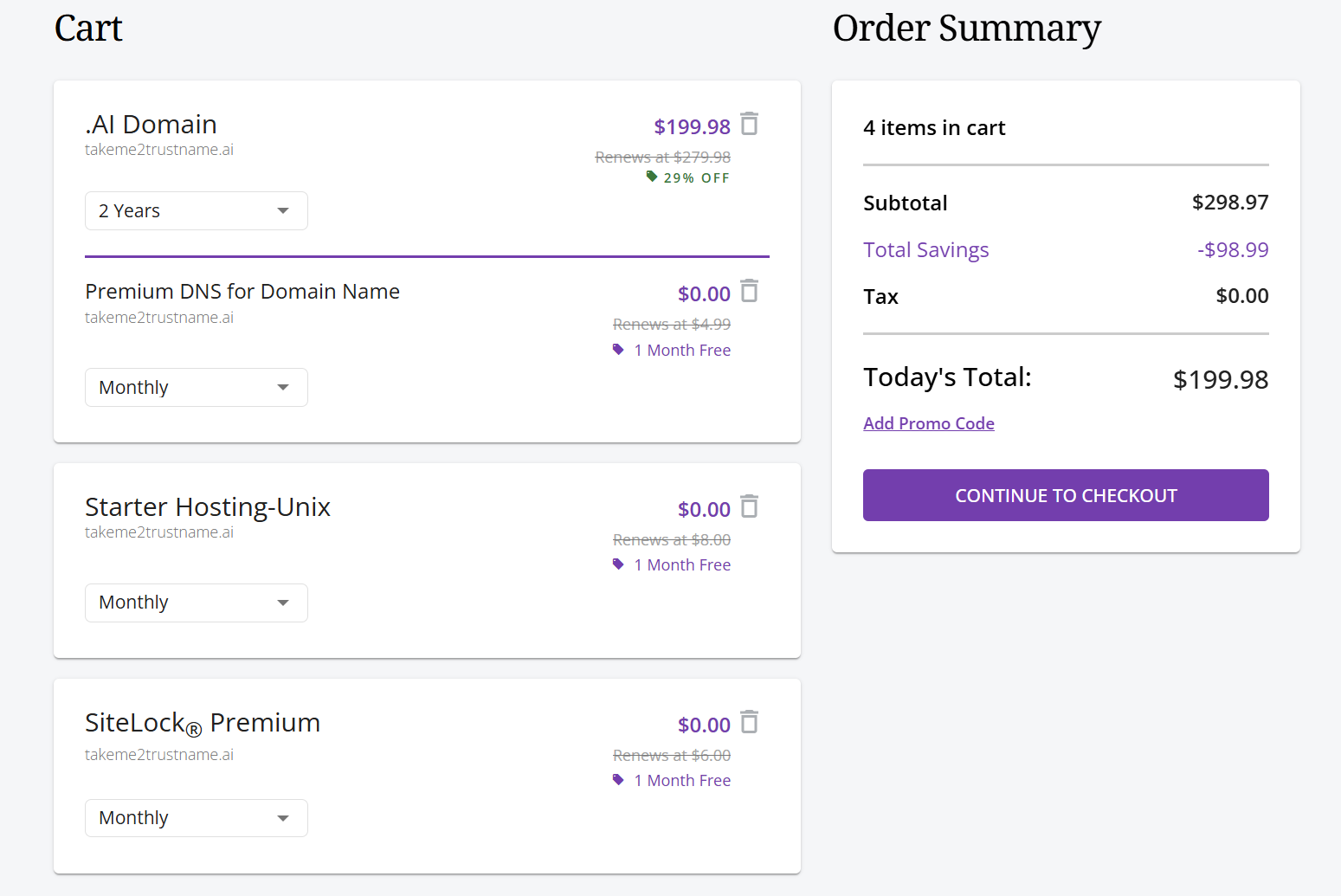
In contrast, Trustname follows a transparent pricing policy with no hidden fees. All you pay for is $12.99 for a .com domain, which renews at $14.99 with no extra costs!

2. Unbeatable Two-tier Privacy
Using Register.com, you pay an extra $11.99/year for the regular domain privacy + protection.
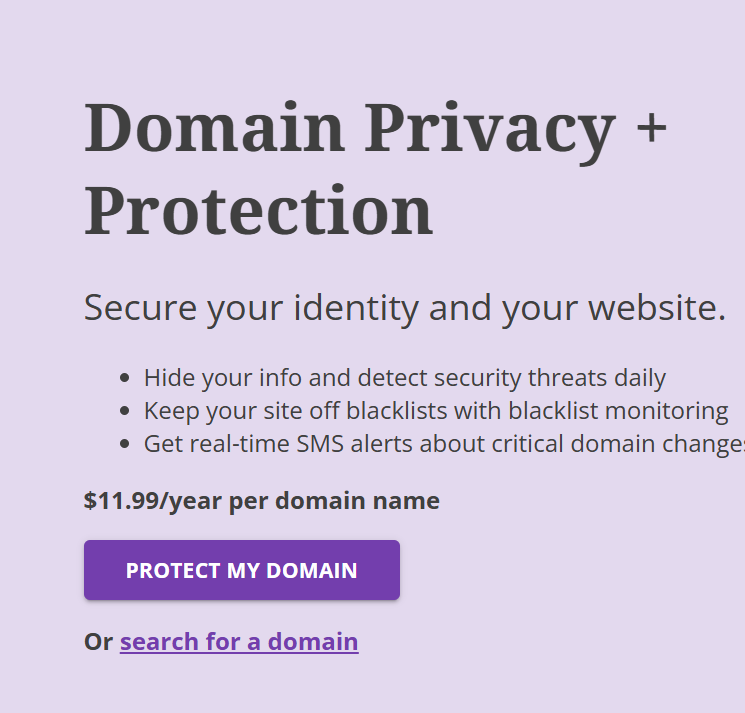
Trustname does not put a price on your privacy. Outside the regular domain Whois protection that most domain registrars offer, we have a signature two-tier privacy that shields your domain further from malicious entities, all for free!
How it works:
- First Tier
You choose between using your own contact details or opting for third-party registration through Perfect Privacy LLC, our proxy company.
- Second Tier
We shield all contact information (yours or our proxy company) from the Whois database using Whois Privacy Protection Services.
Benefits? Your personal information is never directly linked to your domain. If your domain is undergoing legal disputes, Perfect Privacy LLC acts as a buffer and requires court orders from three different jurisdictions (the U.S., St. Kitts and Nevis, and Estonia) before any action can be taken against your domain.
Trustname doesn't suspend first and ask questions later. We notify you of legal issues and give you time to respond or move your domain.
3. Premium Domain And Website Security
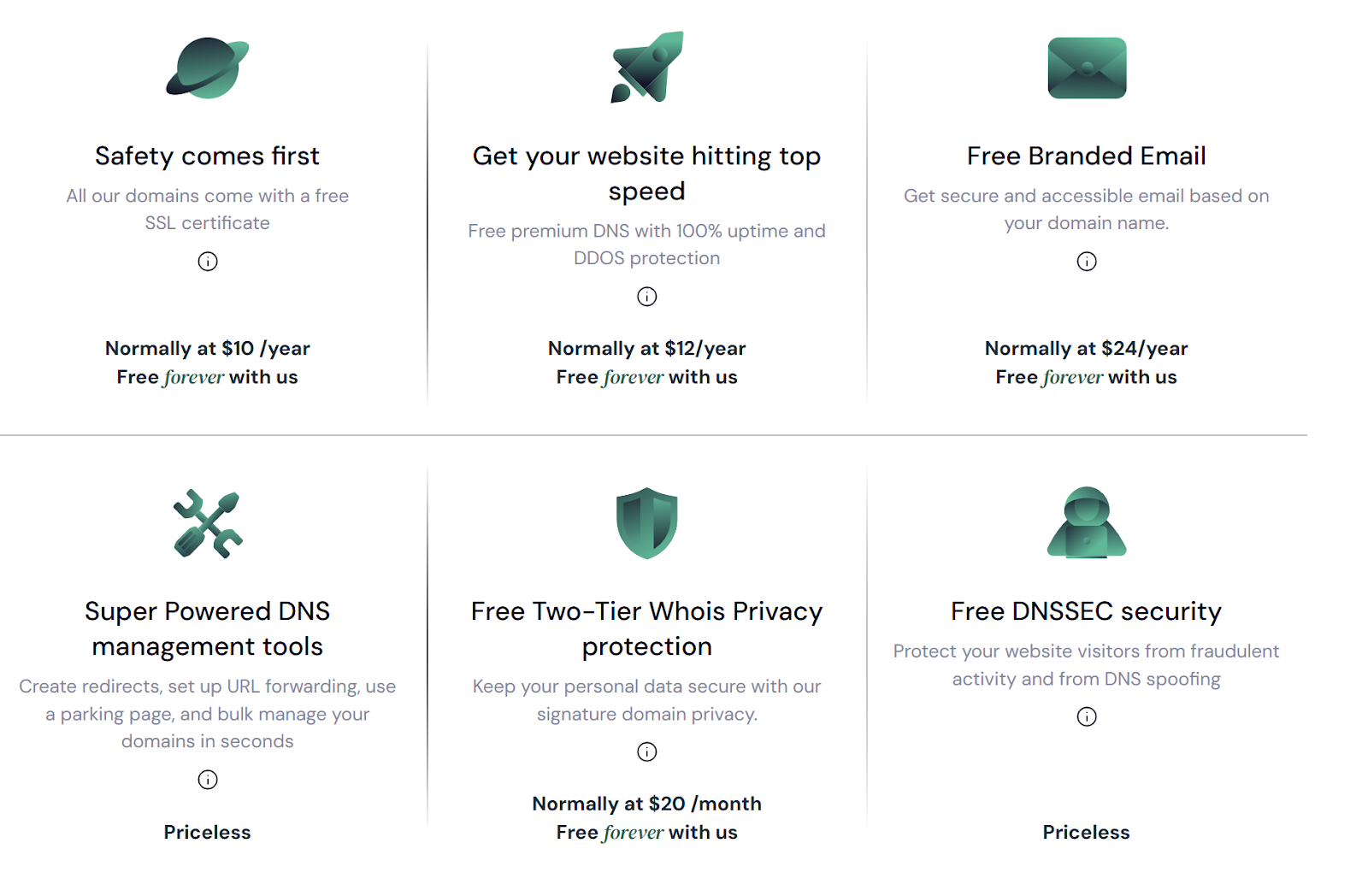
Need extra tools like SSL certificates, a registrar email address and DDoS/DNS security?
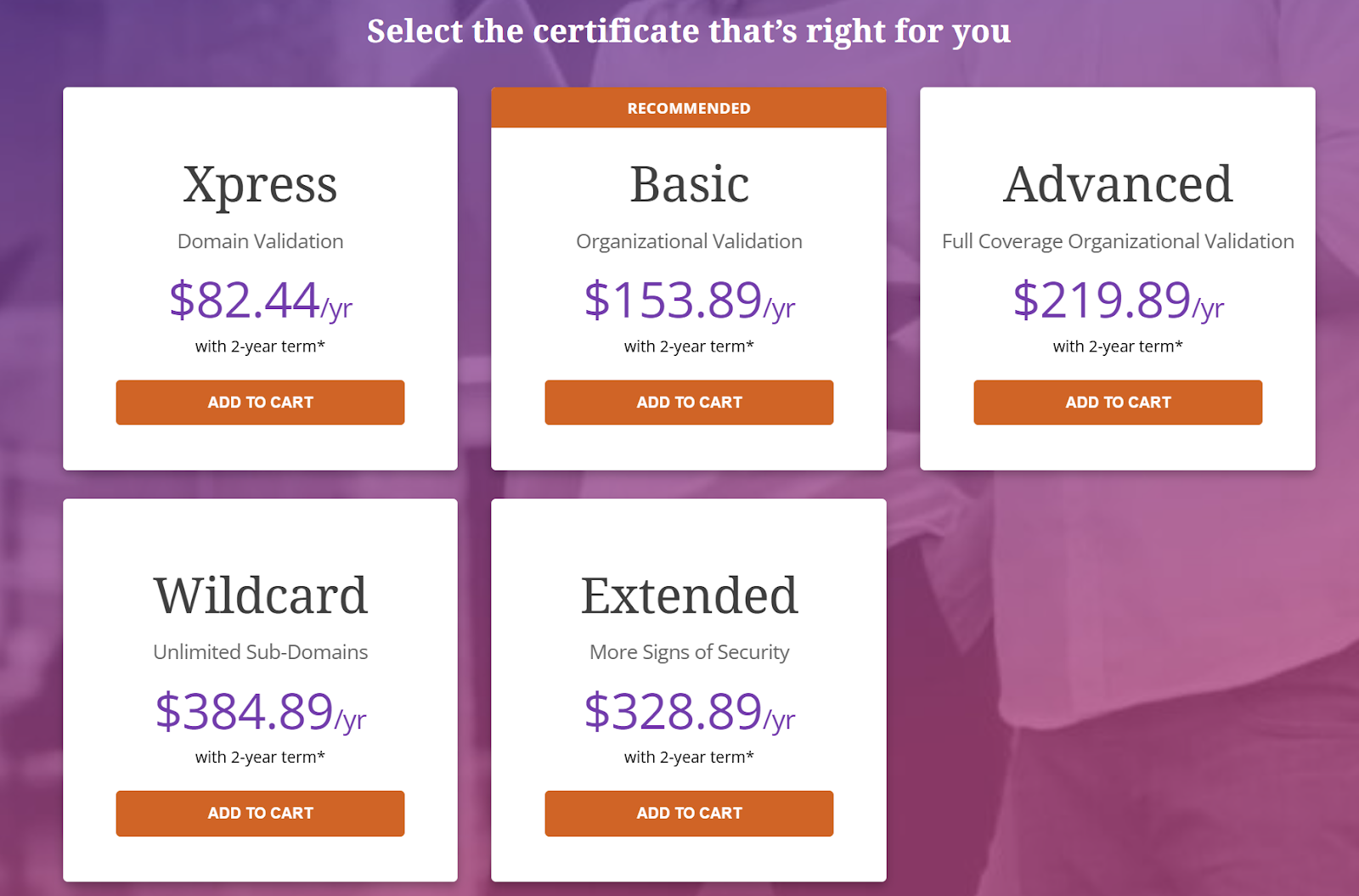
For the entire package with Register.com, you pay between $50 to $400 per year.

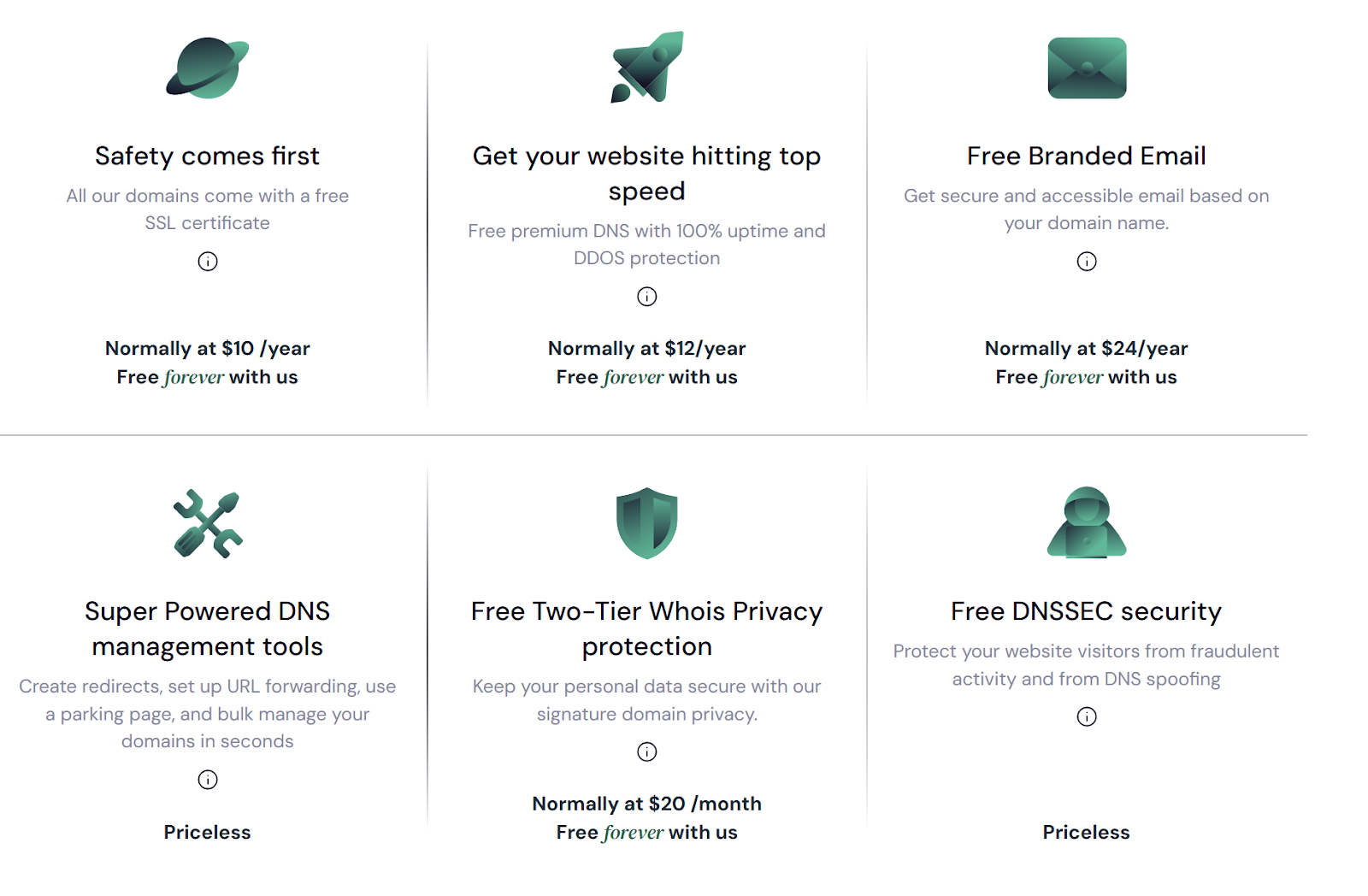
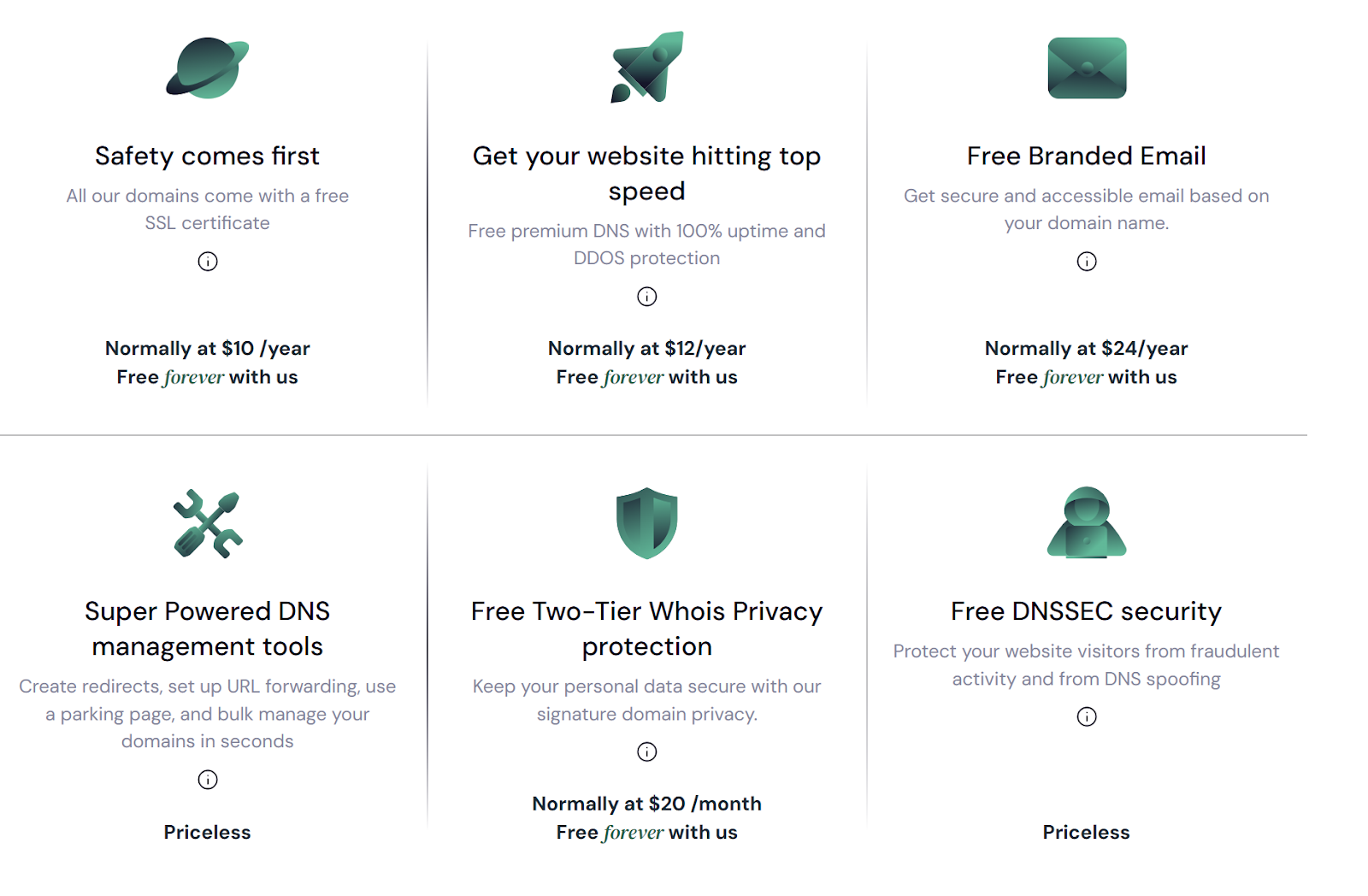
Unlike Register.com, Trustname offers our customers a free SSL certificate in the first year, and free branded email forever!
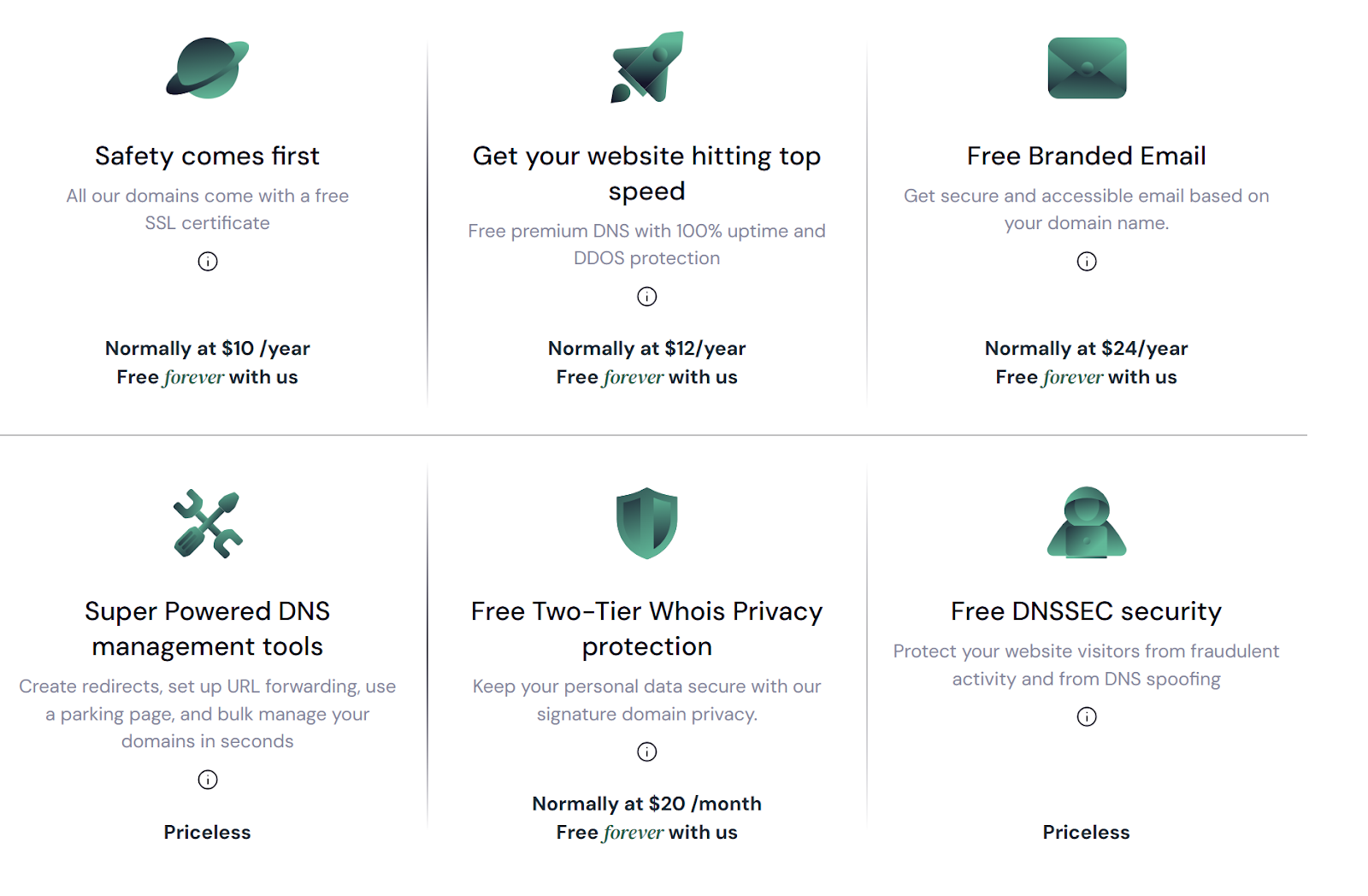
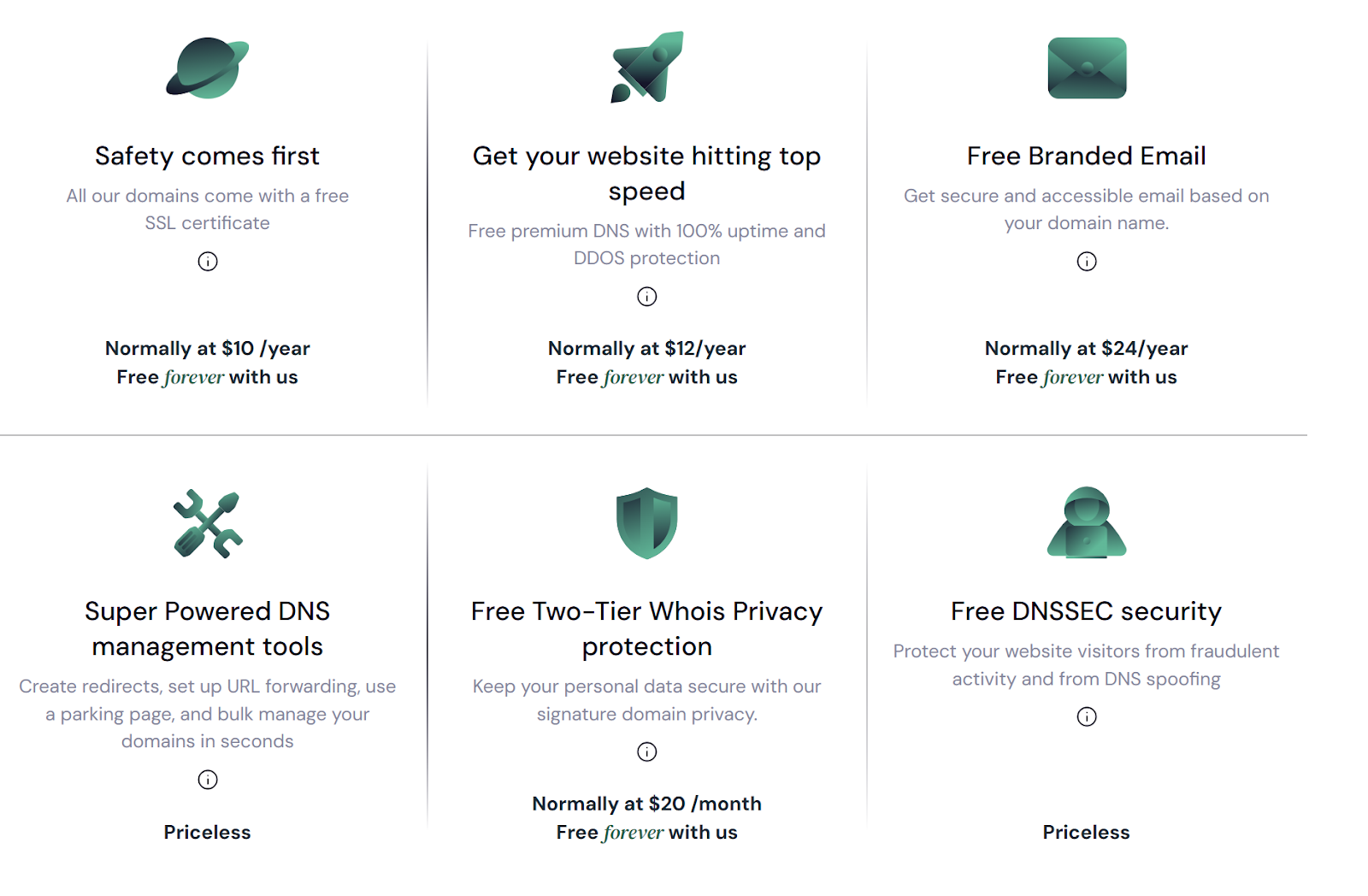
In addition, you also get FREE premium DNS security with 100% uptime.
4. Expert Customer Support
Many Register.com users have complained about the inability or refusal of their customer support to attend to their issues with the urgency and seriousness it requires, causing them to lose business and even extra money in the process.
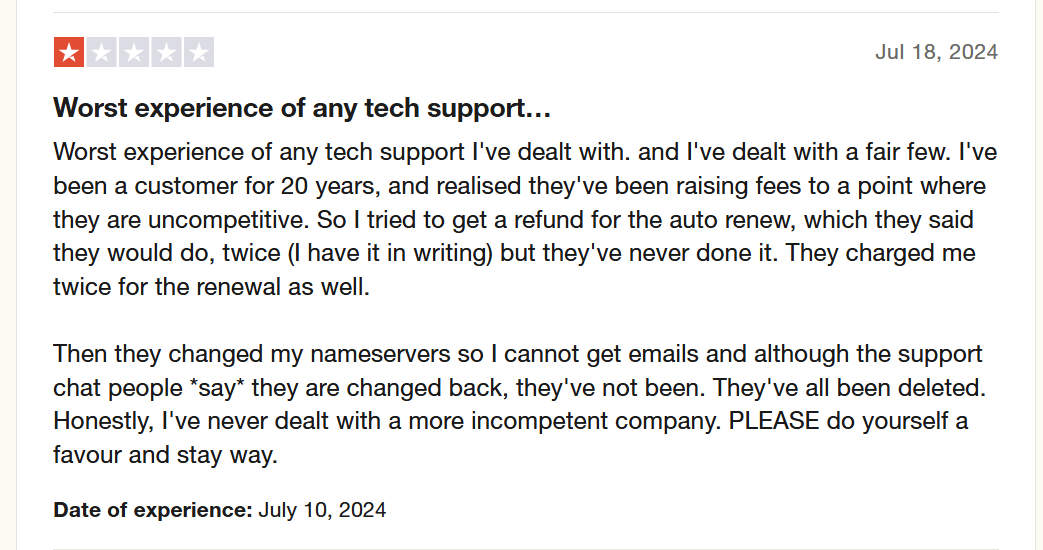
Register.com's chosen way to deal with this issue is even more upselling by asking users to pay for their issues to be given priority.
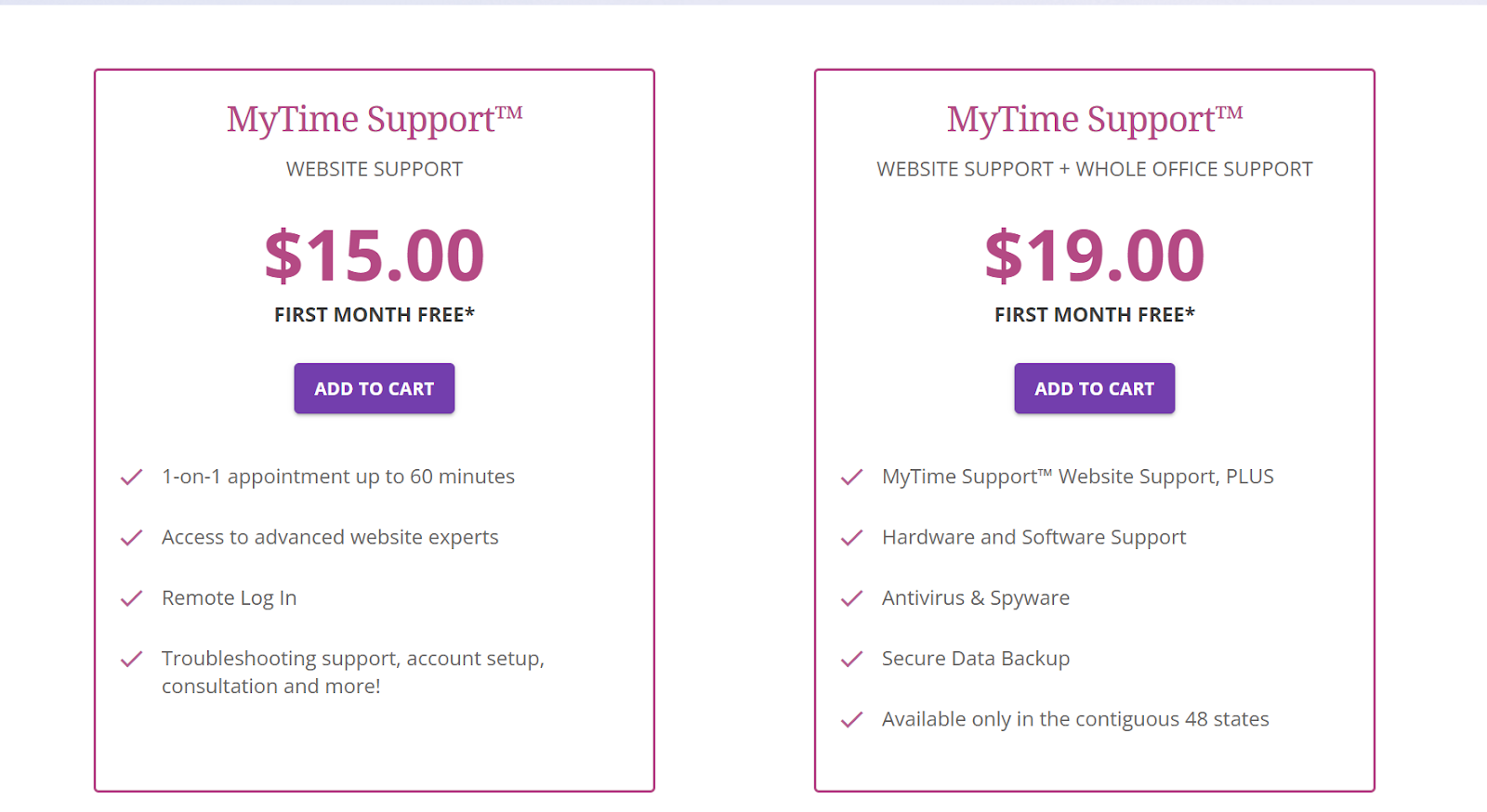
Calculating total domain management costs so far, you can save as much as $700 a year when you switch to Trustname and get even better value for your money.
At Trustname, we understand that exceptional customer support is not another service option, but a fundamental part of what you get. Our support team includes experienced webmasters and domain experts who offer insightful, practical solutions to your domain-related queries and issues.
We prioritise live chat support because real-time problem-solving leads to the most satisfying customer experience. However, we recognise that different customers have different needs and preferences. That's why we also offer a responsive email ticketing system for those who prefer that or need to address more complex issues.
For self-starters, our extensive knowledge base provides a wealth of information to help you troubleshoot independently.
Before Transferring Your Domain Out
- Update Nameservers
Nameservers are important for directing traffic to your website. You won't be able to change these during the transfer, so consider updating them to point to your new host (Trustname) before initiating the transfer to avoid downtime.
- Website Migration
Transferring a domain is not the same as migrating a website. Your domain is separate from your web hosting, so you'll need to arrange hosting separately if you want to move your website. Trustname can assist with this process whenever you need it.
- Transfer Costs
Trustname offers a discounted transfer fee of $7.77 (with a promo code), adding an extra year to your domain's expiration date. This is a great saving compared to the standard $14.99 annual registration fee.
- Expiration And Eligibility
Timing is important for domain transfers. Your domain must be active or within the Grace Period after expiration to be eligible for transfer. If it's in the Redemption Period, you'll need to renew it first, and you may incur extra fees. Per ICANN policy, your domain must also be more than 60 days old before you can transfer out to a new registrar.
Starting The Domain Transfer
Here's a guide to transferring your domain away from Register.com:
- Unlock Your Domain And Request An Authorization Code
[+] [List] Green Unordered - Log in to your Register.com Account Manager.
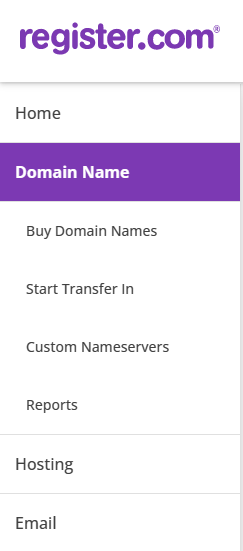
- Select your domain name from the left menu.
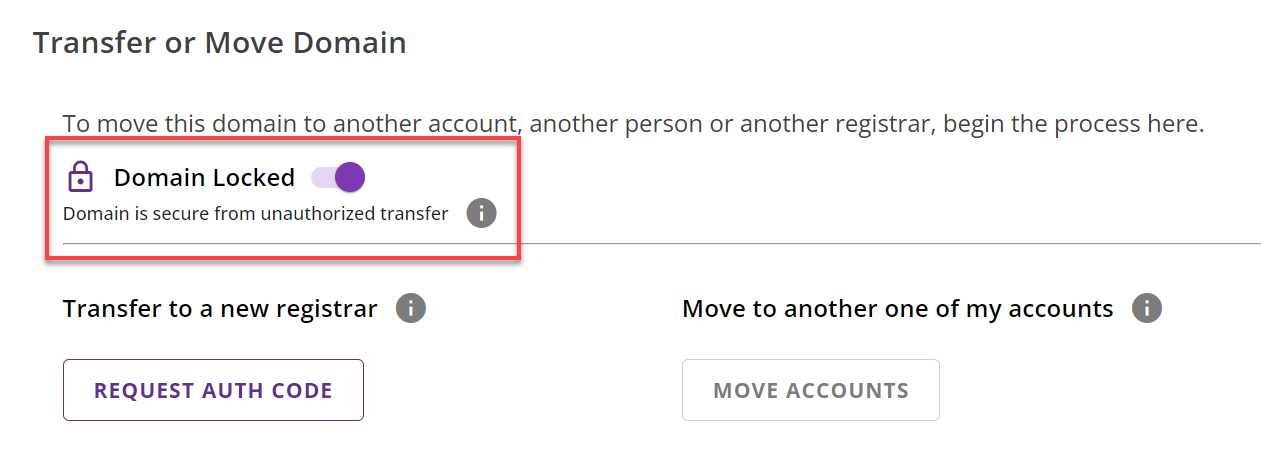
- Scroll to "Transfer or Move Domain" and click to 'Expand'.

- Disable the "Domain Locked" toggle.
- Click 'REQUEST AUTH CODE'.
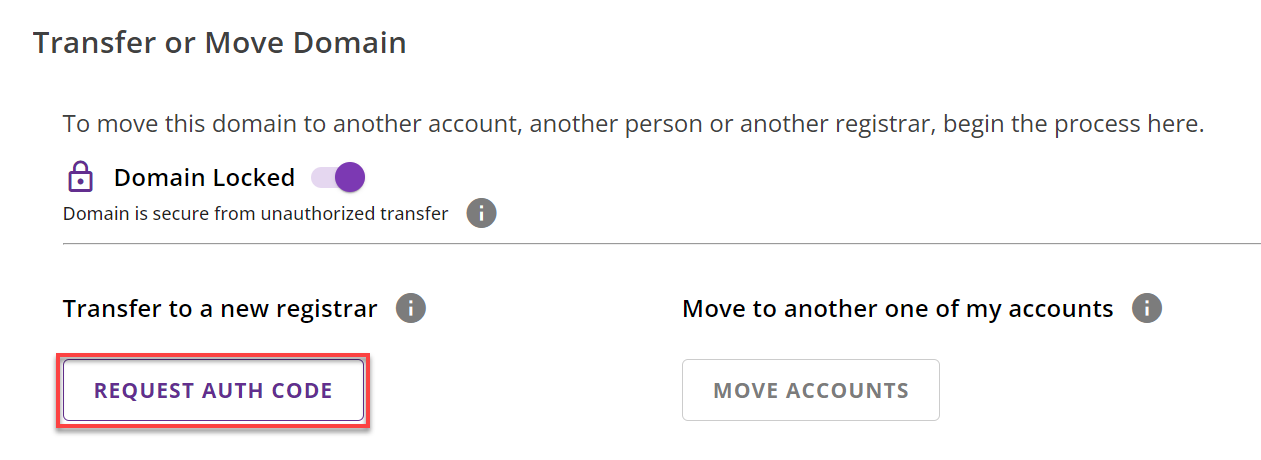
[+] [Notice] Info Insert title here [+] [Notice] Title -> Your authorization code will be emailed to the Primary Contact within three days.
- Disable Private Registration (If Applicable)
[+] [List] Green Unordered - In your Account Manager, navigate to the domain's page.
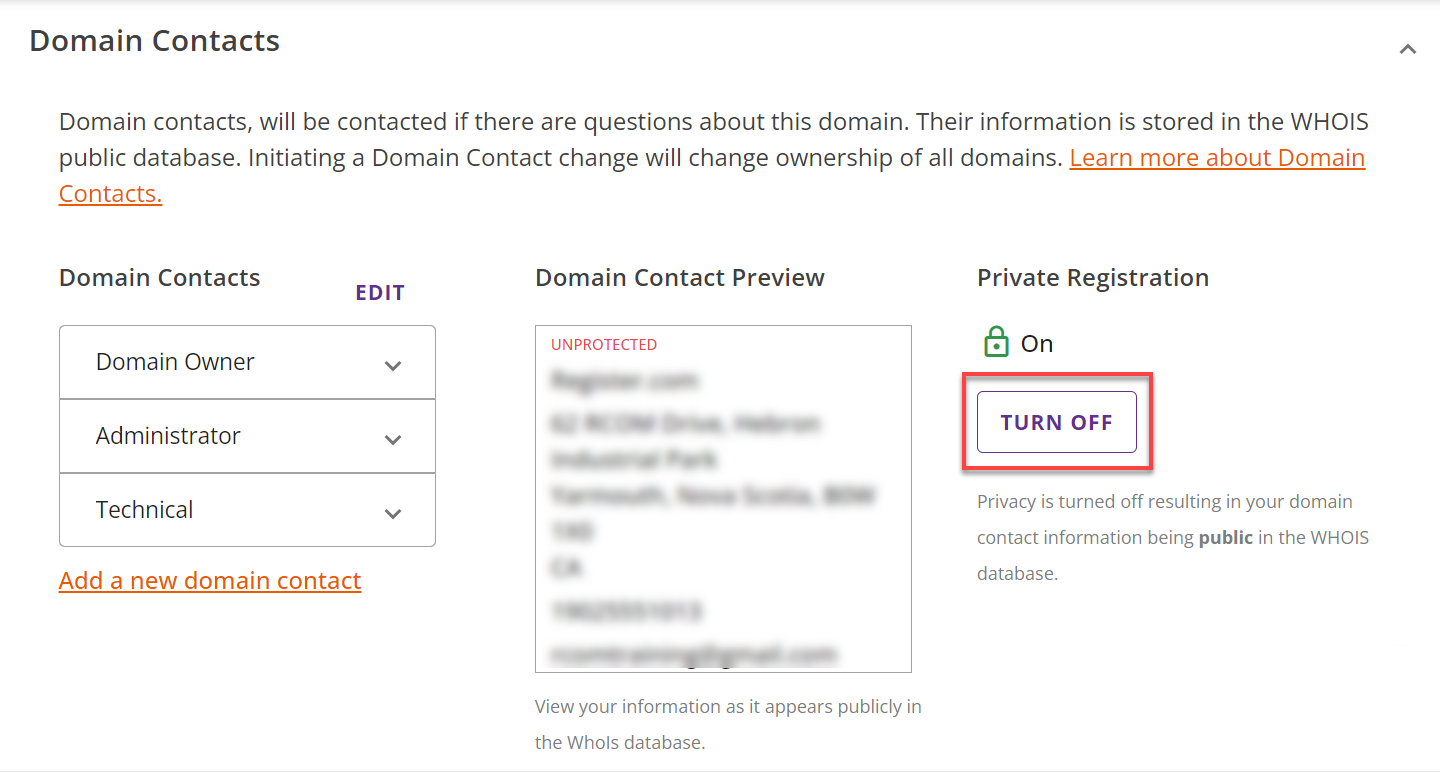
- Expand the "Domain Contacts" menu.

- Locate Private Registration and click 'TURN OFF'.
- In your Account Manager, navigate to the domain's page.
- Verify Whois Administrative Contact Email
[+] [List] Green Unordered - Check your domain's Whois information online.
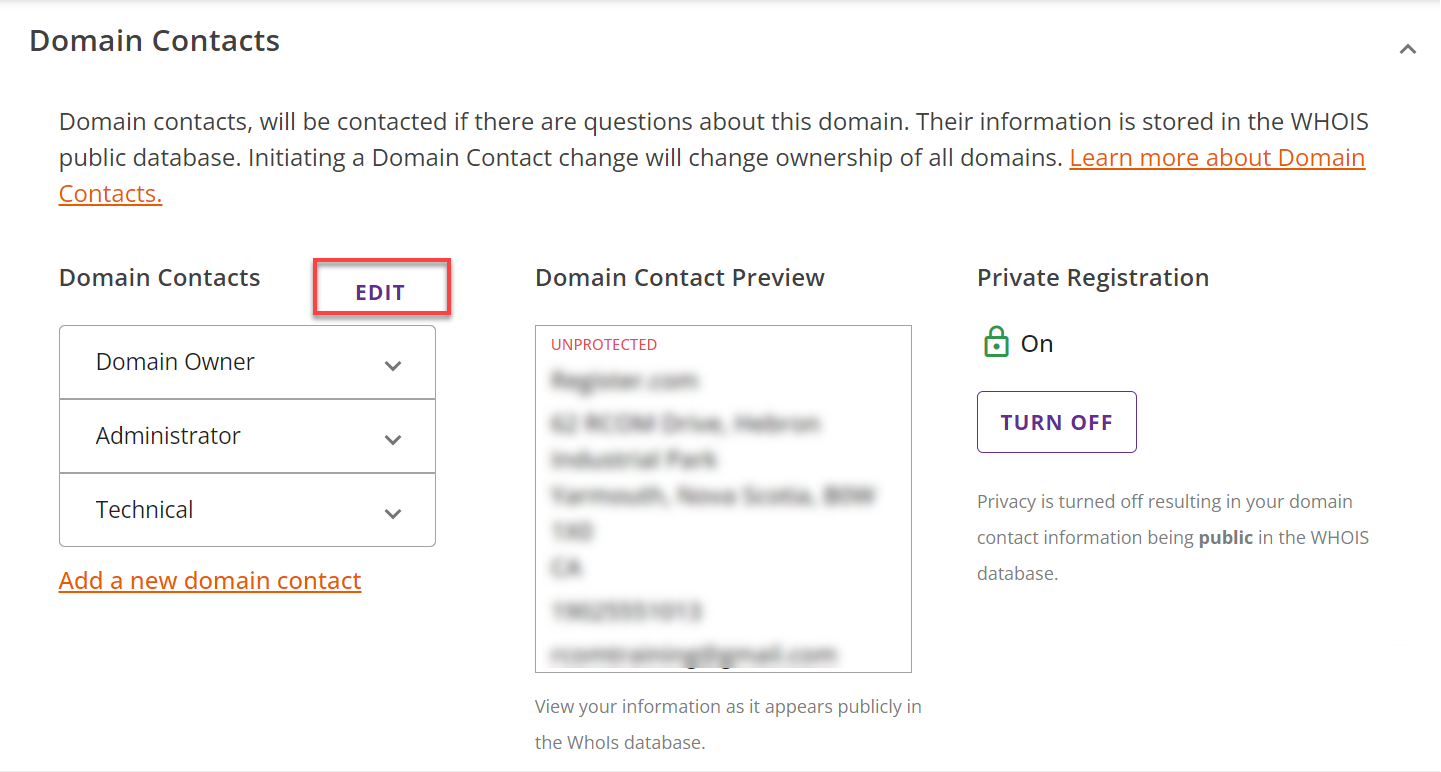
- If incorrect, go to "Domain Contacts" on the "Domain Name" page.

- Click 'EDIT' next to Domain Contacts.
- A pop-up window will appear, and you will be asked which contact you want to replace.
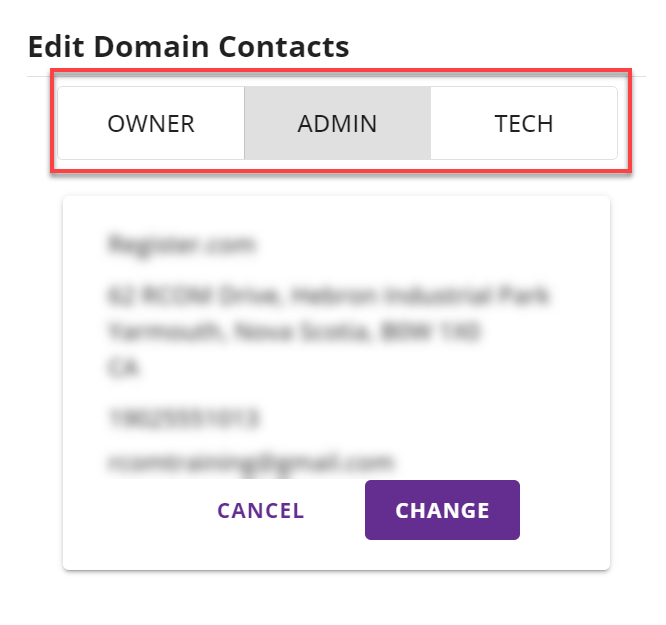
- Update the necessary information, be careful not to change the owner's email to avoid a 60 days transfer lock.
[+] [Notice] Info Insert title here [+] [Notice] Title -> 1. Allow up to 24 hours for changes to propagate across the internet.
2. Auth codes aren't required for certain domain extensions (.bz, .cc, .gd, .im, .tc, .tel, .tv, .vg, .ws).
3. Changing the owner's email address will trigger a 60 days transfer lock.
Once approved, the transfer typically takes 5-7 days but may be completed within 24 hours if there are no delays.
Transferring From Register.com To Trustname
Welcome to Trustname! Here's how to transfer your domain to us:
- Log In To Your Trustname Account
[+] [List] Green Unordered - Visit Trustname.com and click 'Login' in the top-right corner.
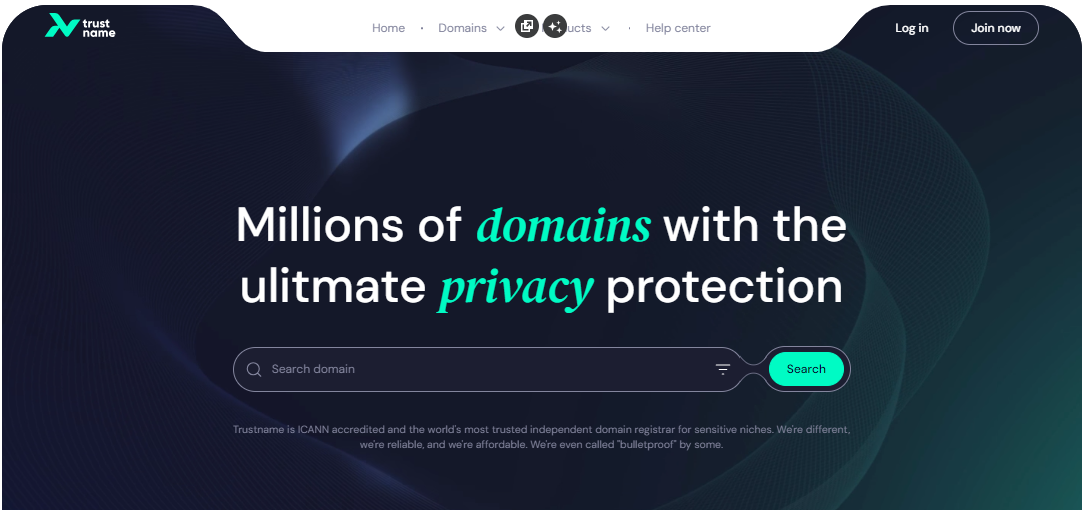
- Enter your username and password, then click 'Login'.
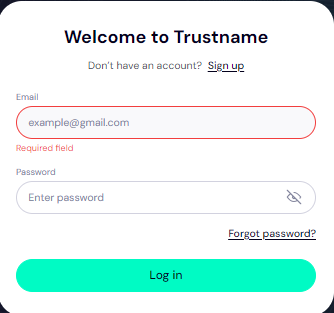
- Visit Trustname.com and click 'Login' in the top-right corner.
- Initiate Domain Transfer
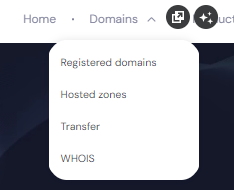
[+] [List] Green Unordered - Go to "Domains" in the header menu and select "Transfer".
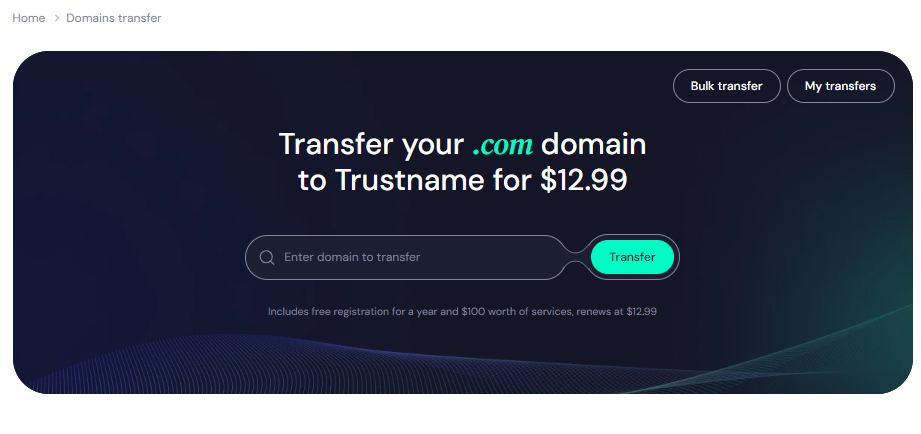
- Enter your domain name (with extension) and click 'Transfer'.
- Provide the Auth Code (EPP) from Domain.com and click 'Continue'.
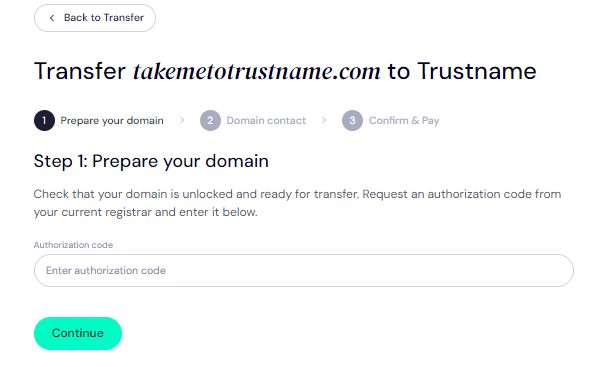
- Go to "Domains" in the header menu and select "Transfer".
- Set Domain Contact Details
[+] [List] Green Unordered - Choose between adding your own contact information.
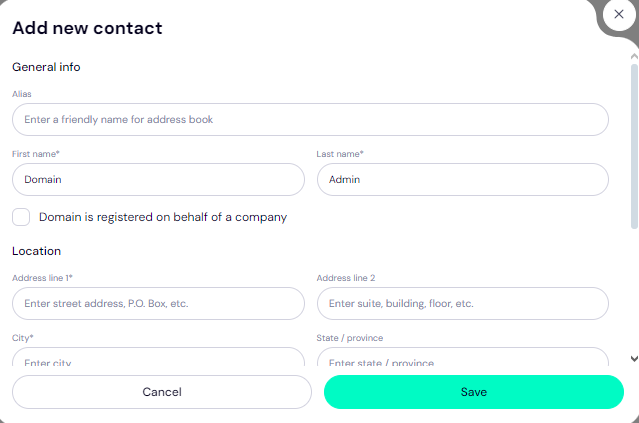
- Or using Trustname's Two-Tier Privacy Protection (we recommend this).
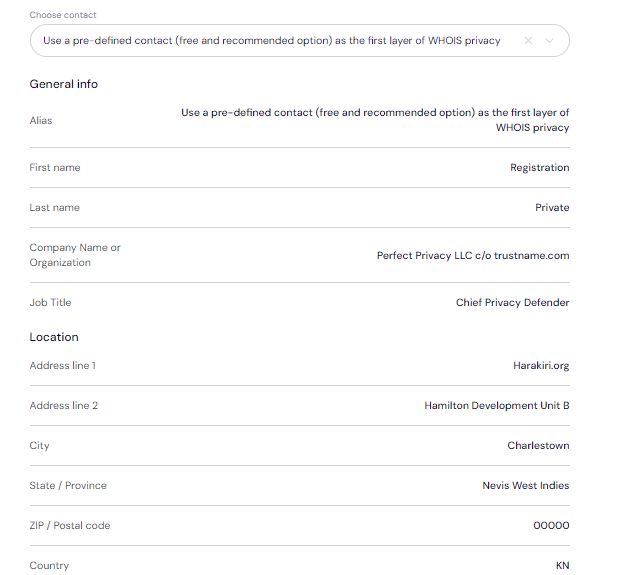
You retain full control of your domain and can change this setting at any time. - Click 'Continue' after entering details.
- Choose between adding your own contact information.
- Complete Payment
[+] [List] Green Unordered - Enter your billing address or select "Same as My Contact Address".
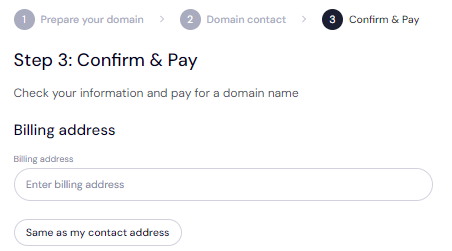
- Choose your preferred payment method (card, Trustname wallet, or cryptocurrency).
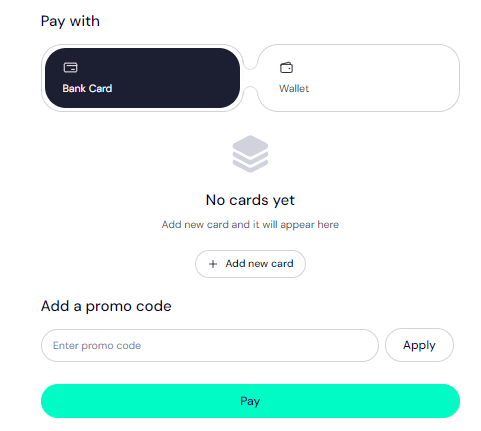
- Apply promo code "WELCOME777" for a 50% discount ($7.77 instead of $14.99).

- Select registration duration (1-10 years) and consider enabling auto-renewal.
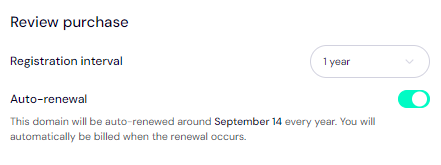
- Click 'Pay' to finalize the transfer.
[+] [Notice] Info Insert title here [+] [Notice] Title -> The transfer fee includes an extra year added to your domain's expiration date.
After completing these steps, your domain will begin transferring from Register.com to Trustname. Welcome aboard! - Enter your billing address or select "Same as My Contact Address".
My Domain Transfer Failed
Congrats! After completing the steps, your domain transfer from Register.com to Trustname should go smoothly. If you run into any issues, double-check the Auth Code, verify that your domain meets transfer eligibility, ensure the domain is unlocked, disable private registration if you paid for it, and disable Whois privacy.
Also, make sure that your email address is correct and if you still haven't gotten the auth code, check your spam folder or contact Register.com's customer support.
For further guidance, refer to the Troubleshooting Failed Domain Transfers to Trustname guide for more detailed assistance.