
This article provides a step-by-step guide on how to transfer your domain from Gandi to Trustname, outlining the benefits of making the switch, the necessary steps for a smooth transfer, and what to expect during the process.
Key Takeaways
- Support – Trustname offers fast, responsive human support compared to Gandi's slow service.
- Pricing – Trustname provides transparent and affordable domain registration with no hidden fees.
- Renewal Policies – Automatic renewal and grace periods at Trustname protect you from accidental domain loss.
- Privacy – Trustname's Two-Tier Privacy ensures the highest level of domain privacy.
- Transfer Process – Transfer your domain easily by unlocking it, getting the Auth Code, and following a simple procedure on Trustname's portal.
TABLE OF CONTENTS
- Key Takeaways
- What Perks Should You Expect with Trustname?
- Things to Note Before Transferring Your Domain Out
- Preparing For The Transfer: What To Do
- Transferring Your Domain From Gandi to Trustname
- Hastening The Transfer
- Safeguarding Your Domain at Trustname
- Troubleshooting Failed Domain Transfers
- Rounding Up
With support that can take weeks to respond to tickets, a non-existent chatbot, price increases without prior notice, a complicated user interface, and unjustly blocked domains, Gandi is currently a sinking ship. If you're looking to transfer your domain away from Gandi, Trustname is here to offer the haven you need.
Many of our current customers, who were previously with Gandi, now enjoy easier domain management, protection from abuse reports, unbeatable prices, easy payment options, responsive human support, and renewal policies that ensure they never lose their domains.
To smoothly transfer your domain from Gandi to Trustname, you'll need to unlock your domain, retrieve the Auth (EPP) code, verify your Whois information, and disable domain privacy.
The best part? You can speed up the process by manually approving the transfer request.
Ready to move your domain to Trustname? Let us show you how! But first…
What Perks Should You Expect with Trustname?
- Reliable Support
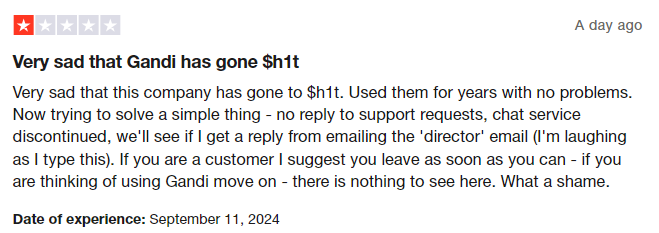
A major flaw of Gandi is their seemingly non-existent support. Customers often complain about how getting a response for issues raised via tickets takes weeks. They also complained about their live chatbot, which doesn't work, and their problems are left hanging, no matter how serious they are.
At Trustname, we ensure you get world-class support from human agents who are webmasters with decades of experience resolving domain name issues. Additionally, we encourage our customers to contact us via live chat to ensure their inquiries are resolved quickly.
You can also reach out to us by submitting a ticket if you prefer email communication, and you'll get a swift response, unlike at Gandi.But if you're a do it yourself type of person, then our robust knowledge base and support resources have the answers to all the questions you'll have.
- Transparent And Unbeatable Pricing

Another issue raised by Gandi customers is their dishonest pricing. They complained about their prices being 25% -50% above market standards and noted that they continually increase renewal fees without notifying their customers. For a company that is in a free fall, they are arrogantly overpriced.
Trustname's unbeatable pricing
At Trustname, we are proud to be one of the most affordable domain registrars globally. You get prices way below market standard with no hidden fees.
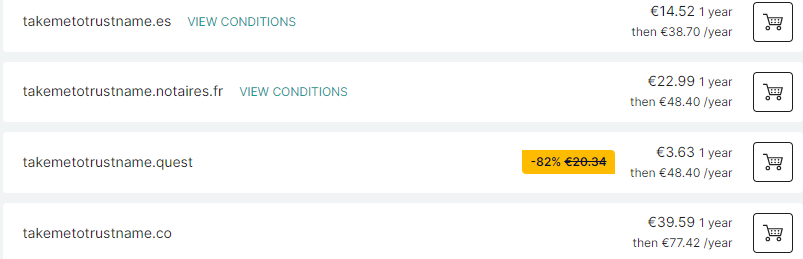
Gandi's first-year discount only applied to the domain name itself. When it's time to renew, you will pay a higher rate of $53.33 per year. Over 5 years, you would've spent $266.65.
On Trustname, you get a transparent fee that includes ICANN fees with our .com domain registrations starting at $12.99 per year and renewing at $14.99 per year, with all your domain essentials included for free. Over 5 years, you would've saved $201. 77 just for switching to us.
- Renewal policies that don't cost you thousands in revenue
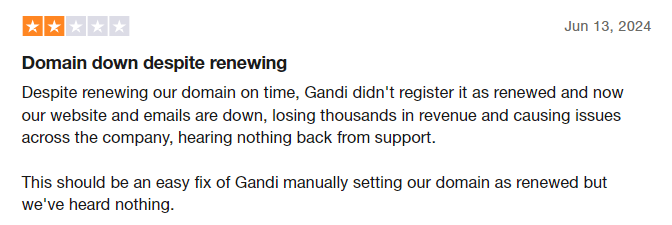
Gandi is also notorious for being careless about renewals, an incredible flaw that can lead to thousands of lost revenue from your website being down.
When faced with a bad situation like this, getting support from them could take weeks, which is simply unacceptable.
At Trustname, we have specific policies we have put in place to ensure you never lose your domains to accidental expirations. First, we encourage you to enable auto-renewal so that we renew your domain way before it expires.
We try to auto-renew weeks before your domain expires, which gives us enough wiggle room. If your payment method fails, we will send several emails to give you a heads-up. Should your domain expire, we give you a 30 days Grace period, during which we reserve it for you at the standard price.
It's only after the Grace Period expires that your domain may be auctionable. However, you can still renew it quickly, but you will need to contact us.
- World-class domain privacy
At Trustname, we offer the best domain privacy in the world with our Two-Tier Privacy policy. This goes beyond the basic Whois protection registrars like Gandi offer.
[+] [List] Green Ordered - For the first tier, when you register a domain with us, you can choose to use your details or use our third-party registration, where you specify Perfect Privacy LLC. However, you still have full control of your domain and can change the domain contact information anytime you choose.
- On the second tier, we hide your domain's contact information from the Whois database (your details or PP LLCs if you choose this option) with proxy details from another of our partner companies.
Why should you subscribe to your Two-Tier privacy? Your contact info is never linked with your domain in the first place, ensuring the most privacy.
PP LLC will be the first point of contact if you encounter any issues. Finally, we will require three simultaneous court orders from the U.S., St. Kitts and Nevis, and Estonia (where these companies and Trustname are headquartered) to compel us to take action against your domain.
The best part? Our Two-Tier privacy is free, along with an SSL certificate for the first year.
Things To Note Before Transferring Your Domain Out
Before you start the domain transfer process, there are some important considerations you should take note of.
These are:
Review Nameservers
Domain nameservers point web browsers to the IP address of the web servers hosting your website. If your domain is linked to a website hosted by Gandi, we advise you to configure your nameservers to your new web host (Trustname) to avoid any confusion in the future.
You can do this in your Gandi domain dashboard because while your domain transfer is still ongoing, you won't be able to edit your domain nameservers or any other DNS settings.
- Transferring your domain doesn't take your website along
While domain names and web hosting work together, the two are essentially different services. Because of this, moving your domain name to Trustname won't automatically transfer your website.
If you want to also move your website to Trustname or another web hosting provider, you would need to purchase a web hosting plan from the new host and ideally reach out to us, and we'll help you migrate your website conveniently.
- Transfer pricing and policy
On Trustname, we charge a base fee of $7.77 for transferring your domain name to us, this comes with an extra year to your domain name's current expiration date.
Since regular 1 year registrations cost $14.99, our transfer fee is a front to giving you an extremely affordable domain subscription!
- Transferring expired domains
Domain names can only be transferred while active or in the Grace Period after expiry. If your domain has progressed into the Redemption Period, you must renew it at Gandi first.
If it has entered the Pending Delete phase, it'll no longer be eligible for transfer, and you may lose it entirely.
Preparing For The Transfer: What To Do
Can't wait to come to Trustname? Here's your pre-transfer prep checklist:
Confirm The Domain's Transfer Eligibility
The Internet Corporation for Assigned Names and Numbers (ICANN), the Internet's regulatory body, enforces a 60 days registrar lock on domains that were recently transferred or modified.
You won't be able to transfer a domain name until 60 days have passed since the last registrar transfer, registrant change, or change to the domain's contact details. Before you start the transfer process, ensure your domain is eligible and out of the 60 days lock.
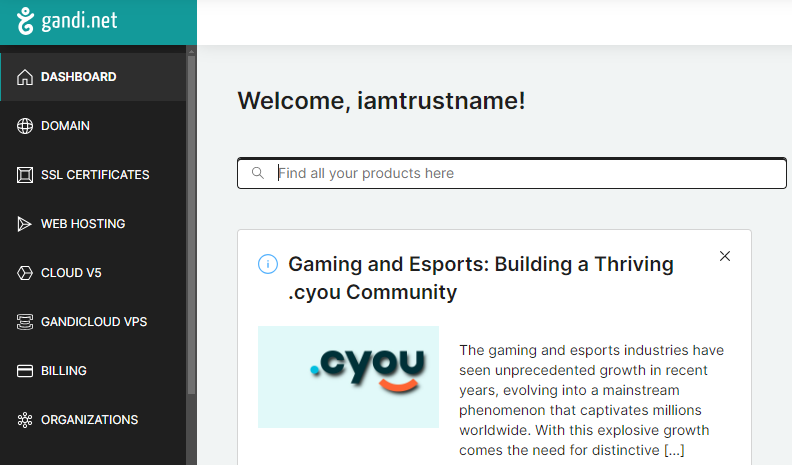
To check the domain's transfer validity, log in to your Gandi account and click 'Domains' on the left side of the page. Click on the domain name in the list to view its information so you can confirm the last registration/renewal date.
Disable The Domain Lock
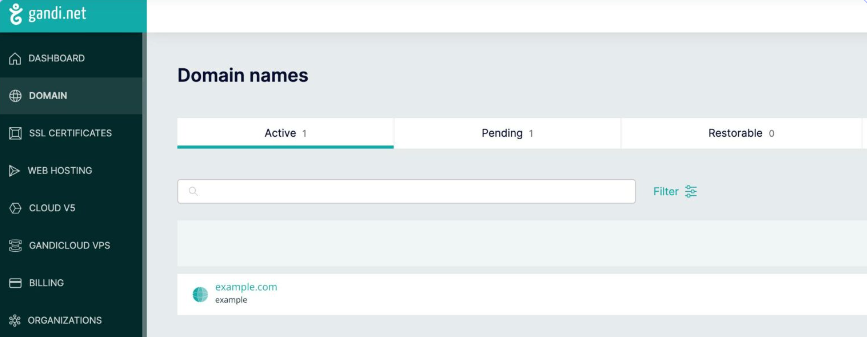
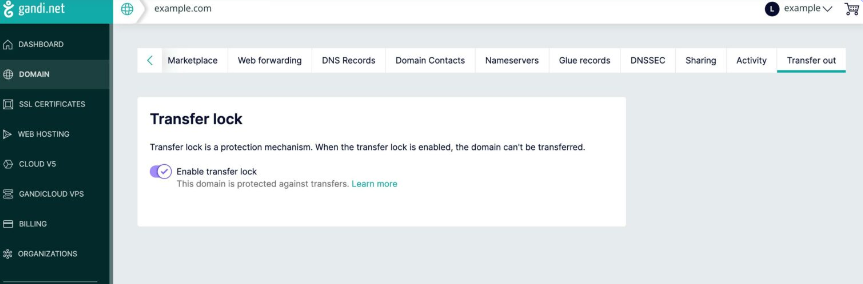
Before you transfer out your domain from Gandi, the first step is to disable the transfer lock. This extra security feature ensures you're the only one who can transfer your domain.
To turn it off, follow these steps.
- Step 1: Log into your Gandi account, click 'Domains' on the left side of the homepage, and select the domain you are transferring out.
- Step 2: Click on the 'Transfer Out' tab and toggle the button next to 'Transfer Lock Enabled'.
Obtain Auth Code
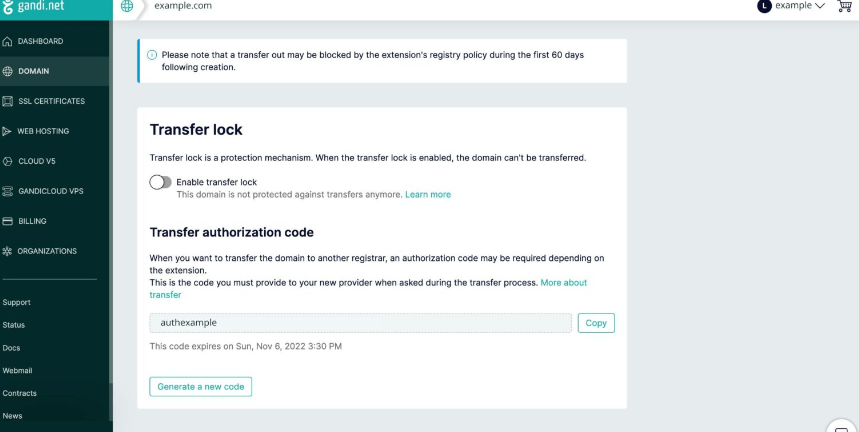
For the next step, you will need to obtain the Auth Code (EPP code). This Code will be submitted to Trustname when you initiate the transfer, and Gandi will use it to verify that the domain’s legal owner (you) is the one transferring it out.
To get the code, follow these steps:
- Still, log in to your Gandi account and click 'Domains' on the left side of the homepage.
- Select the domain you plan to transfer and click on the 'Transfer Out' tab.
- Once the page opens, click on 'Generate New Code' and it will automatically generate it for you.
Disable Domain Privacy
You don't need to disable domain privacy on Gandi for a successful transfer, but this is a recommended step so we can confirm the details associated with your domain name.
- To do this, log in to your Gandi account and click 'Domain' to see a list of your domains.
- Click on the domain you wish to edit and select the 'Domain contacts' tab.
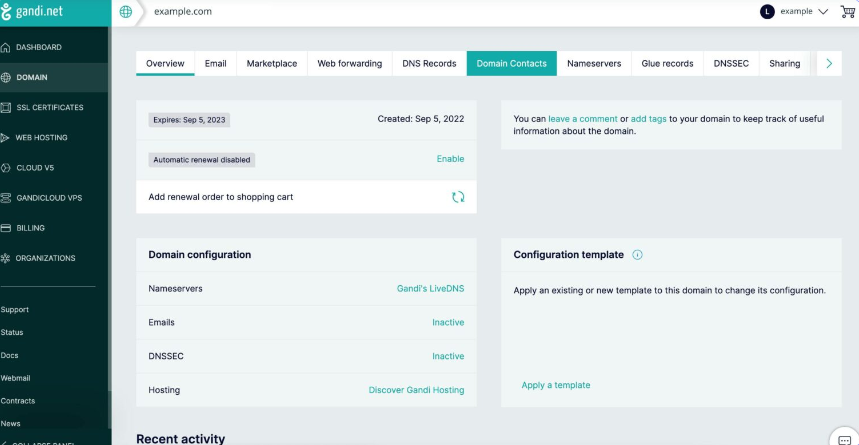
- Click on 'Edit' under the contact you wish to manage, then scroll down until you see "Whois privacy". Click on the toggle button beneath 'Whois privacy'.
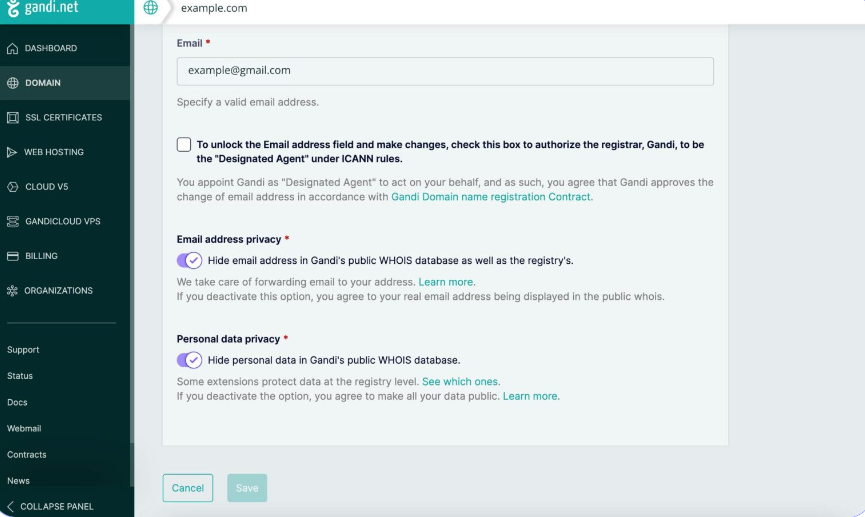
- When activated, a white check mark will appear, when deactivated, there will be no check mark. Click 'Save' at the bottom of the page, and that's it.
When your domain name gets to us, we'll automatically turn on your domain privacy to maintain anonymity.
Confirm Domain Contact
With your Whois Privacy turned off, you should be able to see the associated domain contact information.
Ensure that your domain contact details are up to date. If you choose to use your contact details when moving to us, Trustname will email you to confirm the transfer request.
However, if you used Trustname's pre-defined contact, we won't need to verify this information as it's already verified.
With this out of the way, it's time to start the transfer process from our end.
Transferring Your Domain From Gandi to Trustname
We're excited to have you join Trustname. To send your Gandi domain to us, follow these steps:
Head to our Domain Transfer page
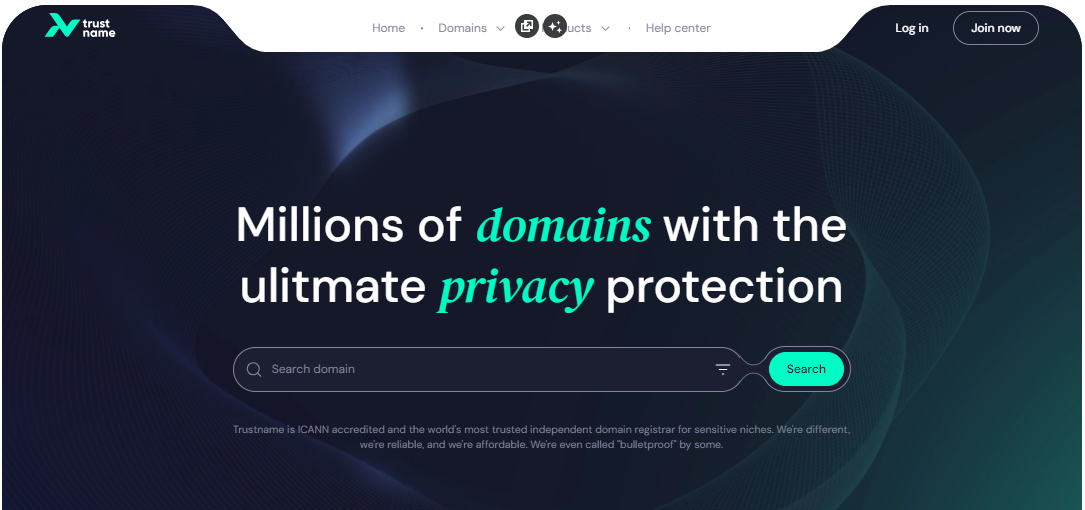
- Go to the Trustname.com website and click 'Log in' at the top right corner to access your Trustname account.
- Fill in your account username and password to gain access to your customer portal.
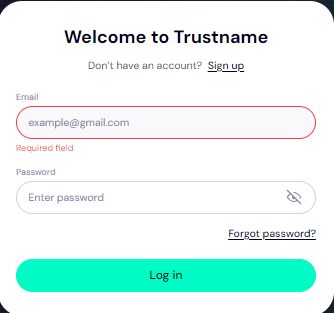
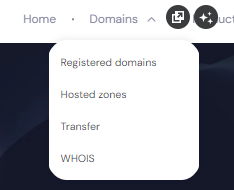
Click 'Log in'. - To access your domain transfer settings, under the 'Domains' dropdown in the header, click on 'Transfer'.
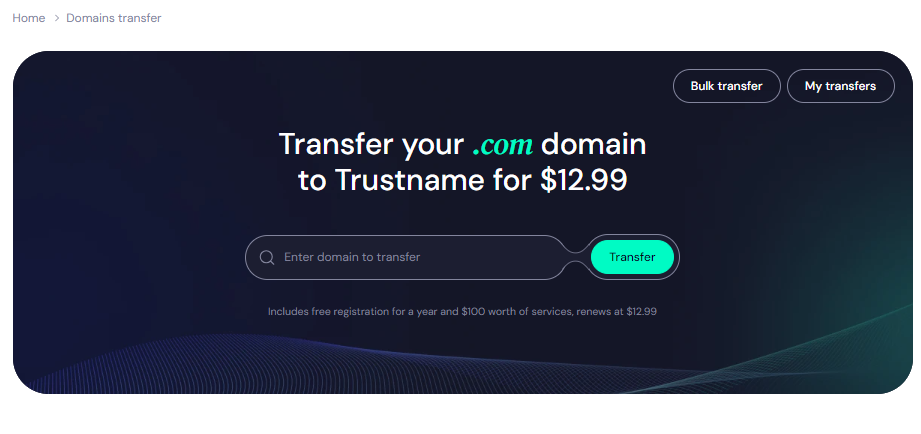
- In this portal, type in your Gandi domain, including the domain extension, and click on the 'Transfer' button.
Give us the Auth Code (EPP)
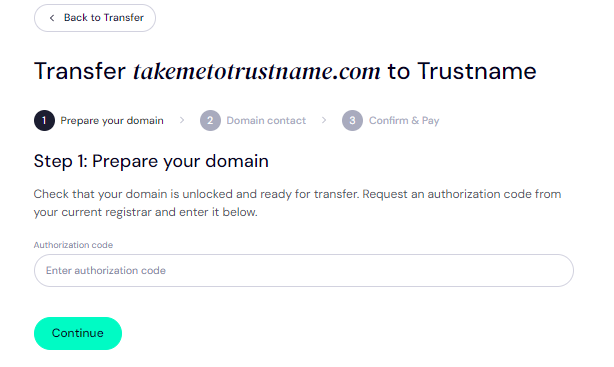
Enter the Auth Code (EPP code) you got in your email from Gandi and click on 'Continue'.
Enter Domain Contact
On this page, specify your domain contact details. You can choose to use your information by clicking on the 'Choose contact' dropdown and selecting 'Add new contact'.
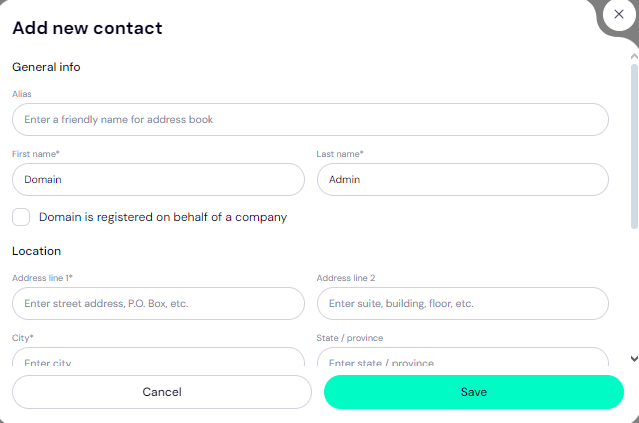
Or you can enjoy the highest possible privacy by choosing 'Use a pre-defined contact' to enable Trustname's Two-Tier Privacy Protection. With the second option, your domain contact info will be.
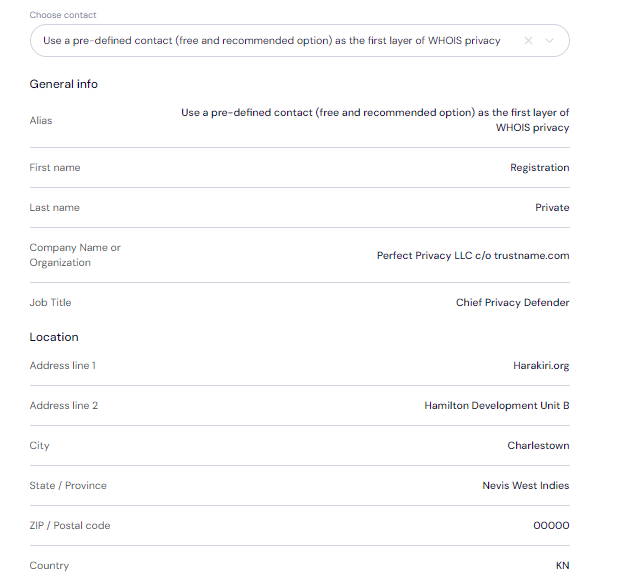
You also won't need to verify any details since this information is verified, and your domain can move quickly.
You retain full control of your domain even if you choose 'Use a pre-defined contact', we only offer this service to give you the most privacy.
After filling in your domain contact details, click on 'Continue'.
Pay for an extended registration
On the next page, pay for your domain transfer and get 1 extra year on your domain's expiry date.
- Enter your billing address. You can also select 'Same as my contact address', so you don't need to fill it in manually again.
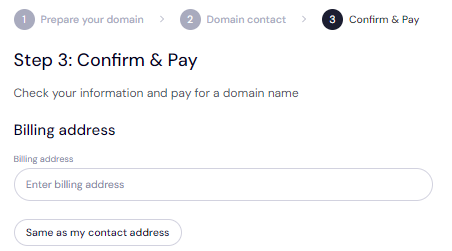
- Choose your payment method. You can use a bank card or existing funds in your Trustname wallet to make a payment.
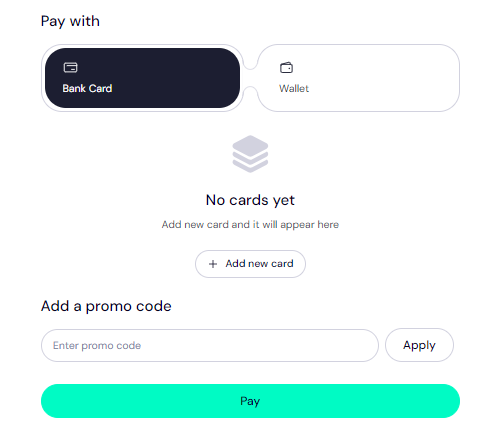
- If you don't have a bank card set up yet, click 'Add New Card' and fill in your card details to set it up.
Trustname also accepts cryptocurrencies for payment!
Trustname's domain transfer promo code - WELCOME777
- Trustname's standard domain transfer fee is $14.99 per year, including taxes and ICANN fees.
- By using the promo code WELCOME777, you will receive a 50% discount and will be charged only $7.77 for your domain transfer.
- This transfer includes a free 1 year domain registration, which will be added to your domain's current expiry date.
- After the first year, your domain will renew at the standard price of $14.99 per year for .com, .net, and .org TLDs.
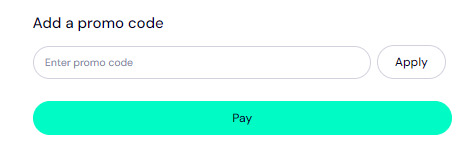
To enjoy the promo, type in WELCOME777 in the 'Add a promo code' section
Specify the registration duration
Select the number of years you want your domain registration to last. You can choose a subscription period between 1 to 10 years.
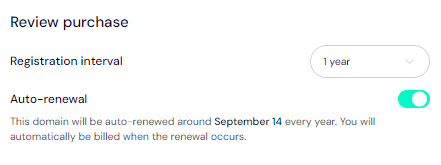
We also advise that you leave the auto-renewal button on so we can renew your domain name long before it expires.
Make payment
- Click on the 'Pay' button.
- Follow the on-screen prompts to complete your payment.
That's it! Your domain name should be on its way from Namesilo to Trustname.
Hastening The Transfer

The transfer process typically takes 5 days to complete, but once you meet all the requirements, Gandi will email you to notify you of the domain's exit. The email will contain a link allowing you to accept the transfer, thereby speeding up the process.
Safeguarding Your Domain at Trustname
Your domain name is already safe when it gets to us, but we advise you to take these extra steps to secure your account.
- Review Our Two-Tier Privacy
While transferring your domain name, if you chose 'Use a pre-defined contact' for the domain contact details, you will now be enjoying our Two-Tier Domain Privacy.
You can head to Domains >>> Registered Domains >>> Domain Contacts to change your domain contact details at any time and enable/disable the full Two-Tier package at any time.
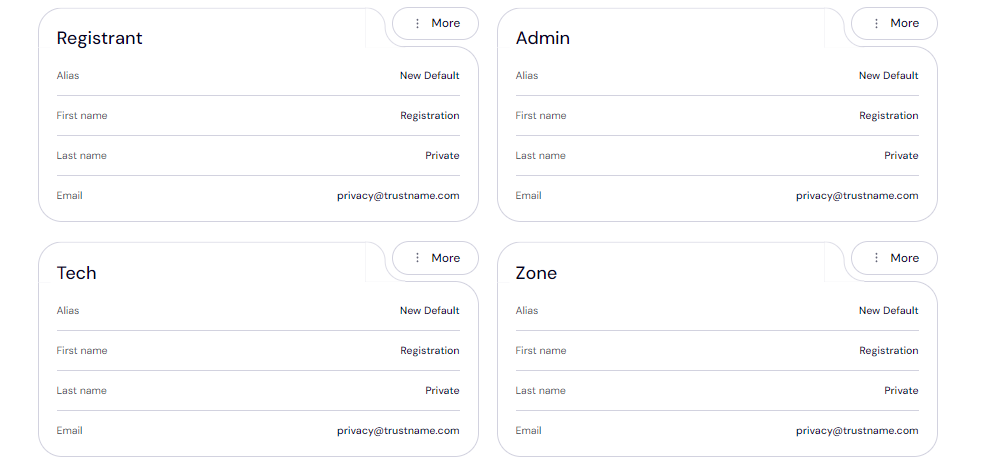
Read Why Trustname registers domains in the name of Perfect Privacy LLC. to learn more about our Two-Tier Whois Privacy.
- Review Domain Lock
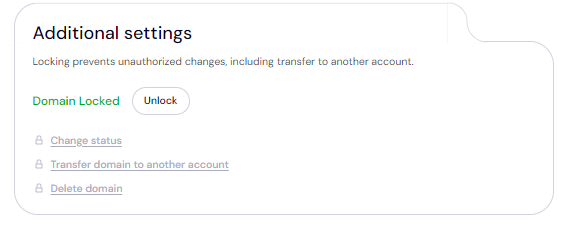
We automatically enable domain lock once you transfer it to us. To view your Domain Lock settings, click on Domains >>> Registered domains >>> Select domain, and then scroll down to the Additional settings field.
- Verify the DNS settings
To review your domain nameservers, head to the Domain Nameservers section.
And to check your DNS records, under General info, look for Hosted zone and click 'View'.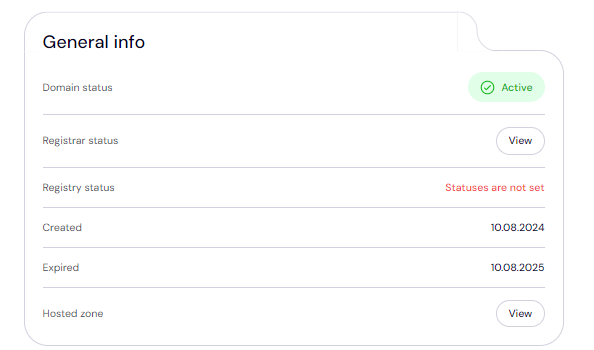
From here, you can add and edit your existing DNS records, tweak your nameservers, and enable DNSSEC.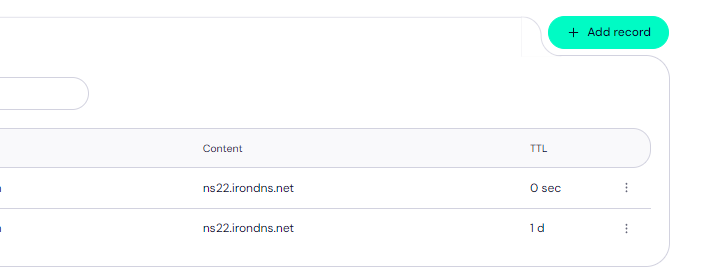
- Set up 2FA
We encourage our customers to enable two-factor authentication (2FA). This ensures that whenever anyone tries to access your account, they'll need your credentials and a code generated by an authenticator app on your device.
To set up 2FA on your Trustname account:[+] [List] Green Ordered - Log in to your Trustname account and go to My Profile.
- Click on 'Account Settings'.
- Scroll down to Two-Factor Authentication (2FA) and toggle the button ON.
- Download the Google Authenticator app from your device's app store (if not already installed).
- In the authenticator app, scan the QR code displayed on the Trustname portal or manually enter the secret key provided.
- The authenticator app will generate a six-digit verification code.
- Enter this verification code into the Trustname portal.
- Click 'Enable' to complete the 2FA setup process.
Save the backup codes provided by Google Authenticator during setup. These will help you regain access if you lose your device.
Read how to set up two-factor authentication (2FA) on Trustname for more details.
Troubleshooting Failed Domain Transfers
Typically, your transfer should run smoothly, but if you run into any issues while transferring your domain.
These are the common reasons why domain transfers fail and how to troubleshoot them:
- Wrong EPP Code
We won't be able to transfer your domain if you input an incorrect Auth or EPP code. We recommend copying it directly from your Gandi account and pasting it into our required field instead of manually typing it out.
- ICANN Lock
You won't be able to transfer a domain name within 60 days of the last registrar transfer, registrant change, or change to the domain's contact details. Confirm that your domain is eligible and out of the 60 days lock before transferring.
However, on Trustname, you can push your domain name an unlimited number of times to another Trustname user (assuming you are both using our Two-Tier privacy) since the registrar and domain information never change.
- Check your emails for approval requests
If you used your details while registering your domain, you must verify them as your domain is transferred. Look out for emails from us!
Rounding Up
If you've gotten to this point, then you need no further convincing to move from Gandi to Trustname. We offer unbeatable prices on our products, responsive human support, a robust renewal policy, protection from abuse reports (for sensitive businesses), and the very best domain privacy on the planet.
To transfer your domain from Gandi to Trustname, you'd need to confirm your domain eligibility, unlock your domain, obtain the Auth (EPP) code, disable Domain Privacy (ideally), and review your domain contact details in that order.
Then, you head to Trustname's transfer portal, type in your domain name, submit the Auth code, specify your domain contact (ideally use our pre-defined contact), and make a payment.
For our transfers, we charge a discounted fee and add 1 year to your domain’s current expiry date to ensure you never lose it. We're waiting for you!