
Transferring your domain from FastDomain to Trustname upgrades you to a modern interface, fair pricing, and strong security without the add-on fees. Follow simple steps to unlock and get the EPP code at FastDomain, then complete the process at Trustname.
Key Takeaways
- Modern UI – Clean, intuitive dashboard for quick access to all domain settings.
- Low Costs – $7.77 transfer with the WELCOME777 promo; $12.99 for renewals, including privacy, SSL, and free email.
- Superior Privacy – Free two-tier Whois protection hides your details behind proxies.
- Prep Steps – Confirm 60 days eligibility, unlock in Domain Manager, and copy EPP code.
- Transfer Tips – Enter code/contact at Trustname, pay, enable auto-renew fast-track via FastDomain approval.
TABLE OF CONTENTS
- Key Takeaways
- What Perks Should You Expect With Trustname?
- Before Initiating Your Transfer - Here's What You Should Know
- Prepare Your Domain At FastDomain For The Transfer
- Initiate The Transfer At Trustname
- Safeguard Your Domain Using Trustname Security Features.
- Troubleshoot A Failed Domain Transfer
If you want to transfer your domain from FastDomain to Trustname, you're in the right place. FastDomain was acquired by BlueHost (an EIG company), and we both know that their first goal will be generating profit, even if it means sacrificing customer satisfaction.
The poor interface, non-existent support, outrageous renewal prices, and paid for bare domain management essentials… we (really) understand your pain points and why you're done with their services.
To move your domain to Trustname, simply unlock your domain, obtain an EPP (or auth code) from your FastDomain account, and initiate a transfer at Trustname. Ready?
Let's start!
But before we dive into the details …
What Perks Should You Expect With Trustname?
- Modern, Intuitive User Interface
One look at FastDomain's interface makes you feel like you're operating a platform designed in the 1990s. Its bland, boring, quasi functional layout lacks the modern layout expected of a web hosting company today.
At the heart of Trustname's portal is customer centricity. Our user interface is designed with functionality and aesthetics for modern day online moguls like you. - Affordable And Transparent Pricing Plans
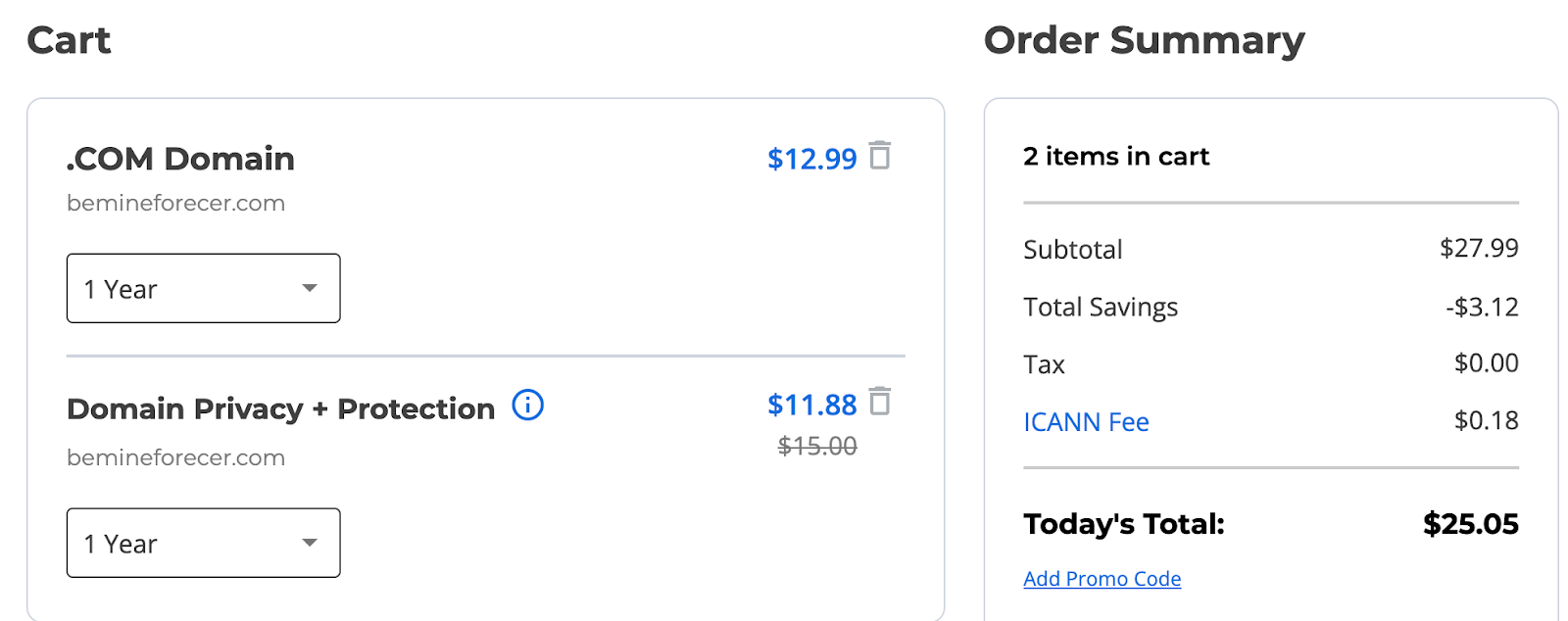
FastDomain promises affordable domain and hosting, but you don't get value for your money in the long run. When you invest $12.99 on a .com domain name (without buying a hosting plan), you still have to pay $11.88 for basic domain privacy, $14.99 for professional email, and $80.04 for a premium SSL certificate.
When you want to renew your .com domain, you'll have to pay $19.99, almost double the initial price. These costs exclude ICANN fees and other add ons you may need.
Why pay these outrageous fees when you can get all these features and other domain vitals for only $7.77 (after using our promo code) on Trustname?
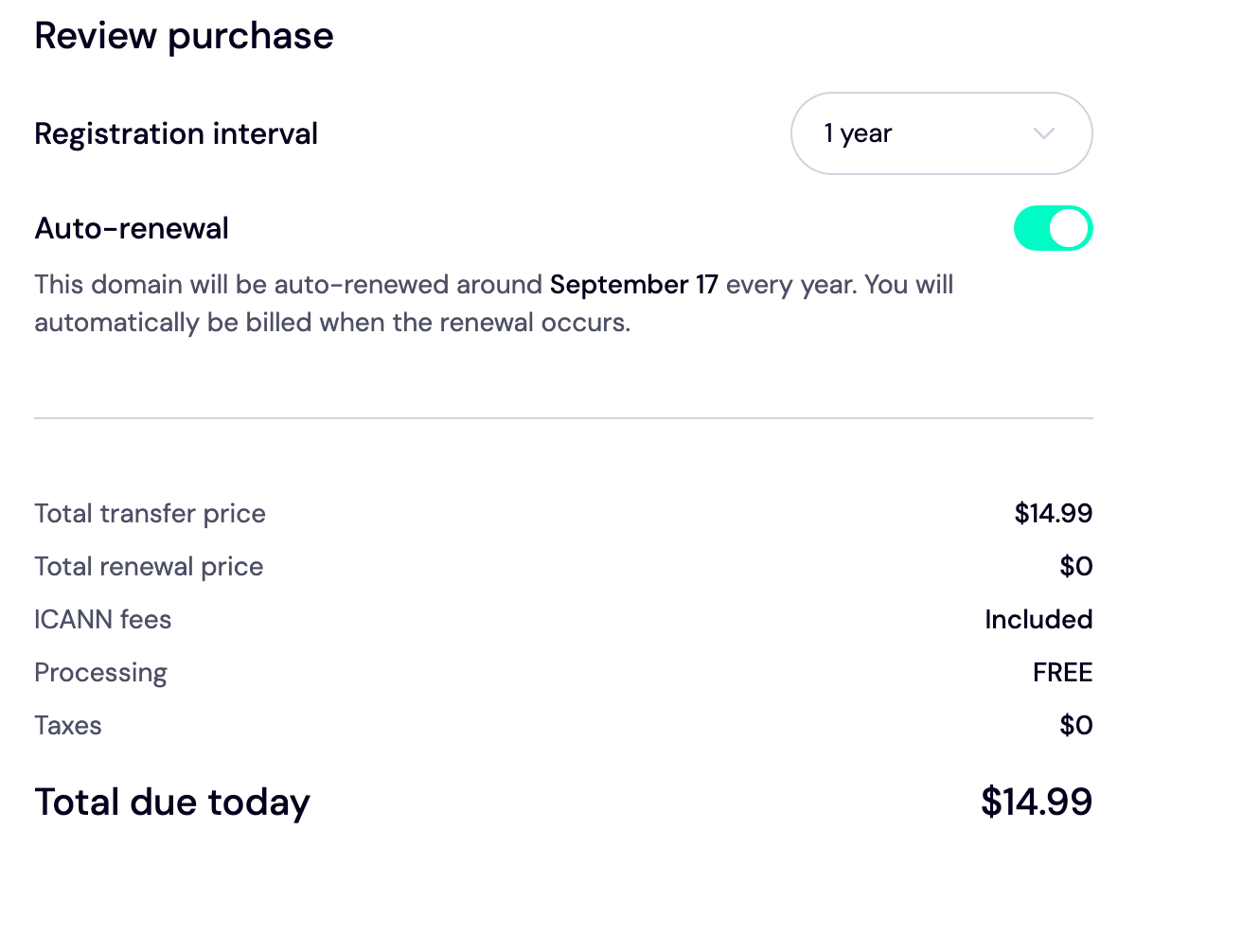
Our renewal fees are pegged at $12.99 for most TLDs/extensions, including ICANN fees, taxes, and add ons.
- World-Class Privacy Protection
What happens when you're unable to maintain the $11.88 domain privacy protection? Your account will be exposed to the public and vulnerable to attacks.
Instead, Trustname offers an unbeatable Two-Tier domain privacy system to protect your domain and account from malicious actors. Compared to the basic Whois privacy you'll pay $11.88 for on FastDomain, ours is stronger and lets you register your domains without linking your personal data.
- Free Domain Vitals Out Of The Box/Support
When you buy a hosting plan on FastDomain, you only get auto SSL for the first year. All other essentials, such as domain lock, professional email, and privacy protection, come at an extra cost.
At Trustname, we've listed all these features (and more) for free to all our users. After you transfer your domain to us, you'll enjoy these features as a beneficiary of our domain program.
Before Initiating Your Transfer - Here's What You Should Know
- Review Your Domain Nameservers
Your nameservers are usually set to FastDomain by default, unless you have configured them to point to a third-party provider.
If they're still pointing to FastDomain's nameservers, you'll need to reconfigure them to point to Trustname or a third-party provider before initiating a transfer. This keeps your website functional during and after the transfer process.
- Website And Domain Name Transfer Are Separate Services
Transferring your domain to Trustname doesn't take your website. If you intend to migrate your website to us or another hosting provider, you'll need to purchase a separate hosting plan from the new web host and contact us to help you with the transfer process.
- Trustname Transfer Policies and Pricing
Trustname charges a standard fee of $7.77 (after using our promo code) to transfer your domain name to us. This covers all the fees, including taxes, processing costs and ICANN charges. After payment, we will add an extra year to your domain's expiration date.
- Transferring Expired Domains
You can transfer your domain to us only when it's 'active' (after renewing or registering it) or during the 'grace' period (the first three weeks after it expires). Once it exceeds this timeline, you'll have to renew it first and wait for the 60 days ICANN lock to elapse.
Sometimes, this may incur extra charges from your current registrar. We recommend transferring your domain two weeks before its expiry date.
Prepare Your Domain At FastDomain For The Transfer
Confirm If You're Eligible For A Transfer
If you've recently
- Registered your domain.
- Transferred ownership to another registrant.
- Changed the registrant's contact details.
Your domain will be placed on a compulsory 60 days lock in line with ICANN policies. This also applies to all ICANN-accredited registrars. If you've initiated any of these recently, you won't be able to transfer your domain until the 60 days period has elapsed.
Check your domain status to verify you're not under the ICANN lock before proceeding with the transfer.
If you're still under the ICANN lock, FastDomain allows you to opt out of it to fast-track your transfer. However, this is only possible if you check the box to 'Opt out of the 60 days transfer lock' before initiating these changes.
Remove All Domain Locks.
To remove the domain (or site) lock, navigate to the FastDomain control panel and scroll to the 'Domains' section.
Choose the domain(s) you want to transfer from the 'Domain Manager'.
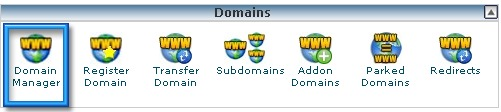
Next, navigate to the 'Lock' tab in the navigation bar and click 'Unlock your domain name'.
If you'd rather keep your domain locked during the transfer, move on to the next step, as FastDomain allows you to initiate a transfer whether your domain is closed or not.
Obtain The EPP (Auth) Code.
Before transferring your domain name to us, you need to obtain an authorization code from FastDomain to verify that you (the domain owner) are initiating the transfer.
To do this, log in to your FastDomain account via BlueHost. Navigate to the cPanel and scroll to the Domains section.
Click on 'Domain Manager'.
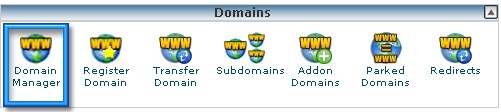
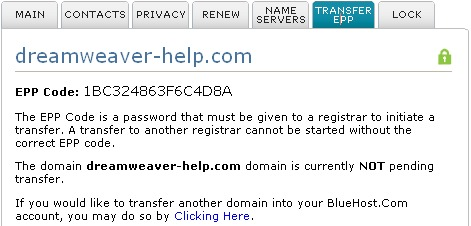
Next, choose the domain(s) you want to transfer and click the 'Transfer EPP' tab. Your EPP code will be displayed on the screen
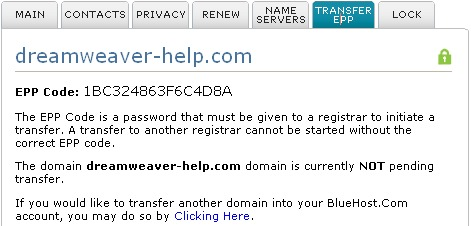
Copy and paste this code directly into Trustname's transfer portal.
Initiate The Transfer At Trustname
Step 1:
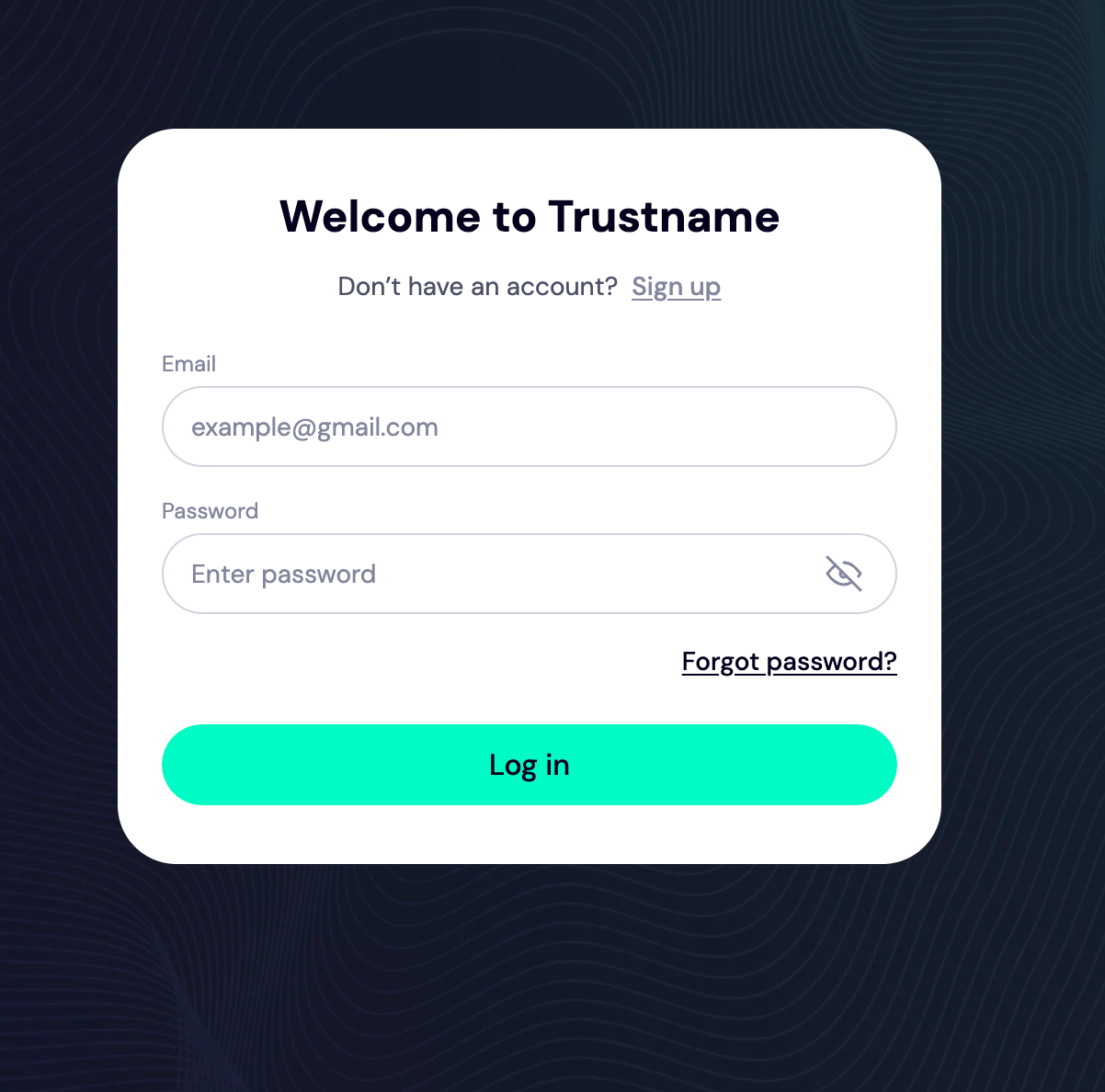
Head over to the Trustname.com website and click 'Log in' on the top right corner of the page.
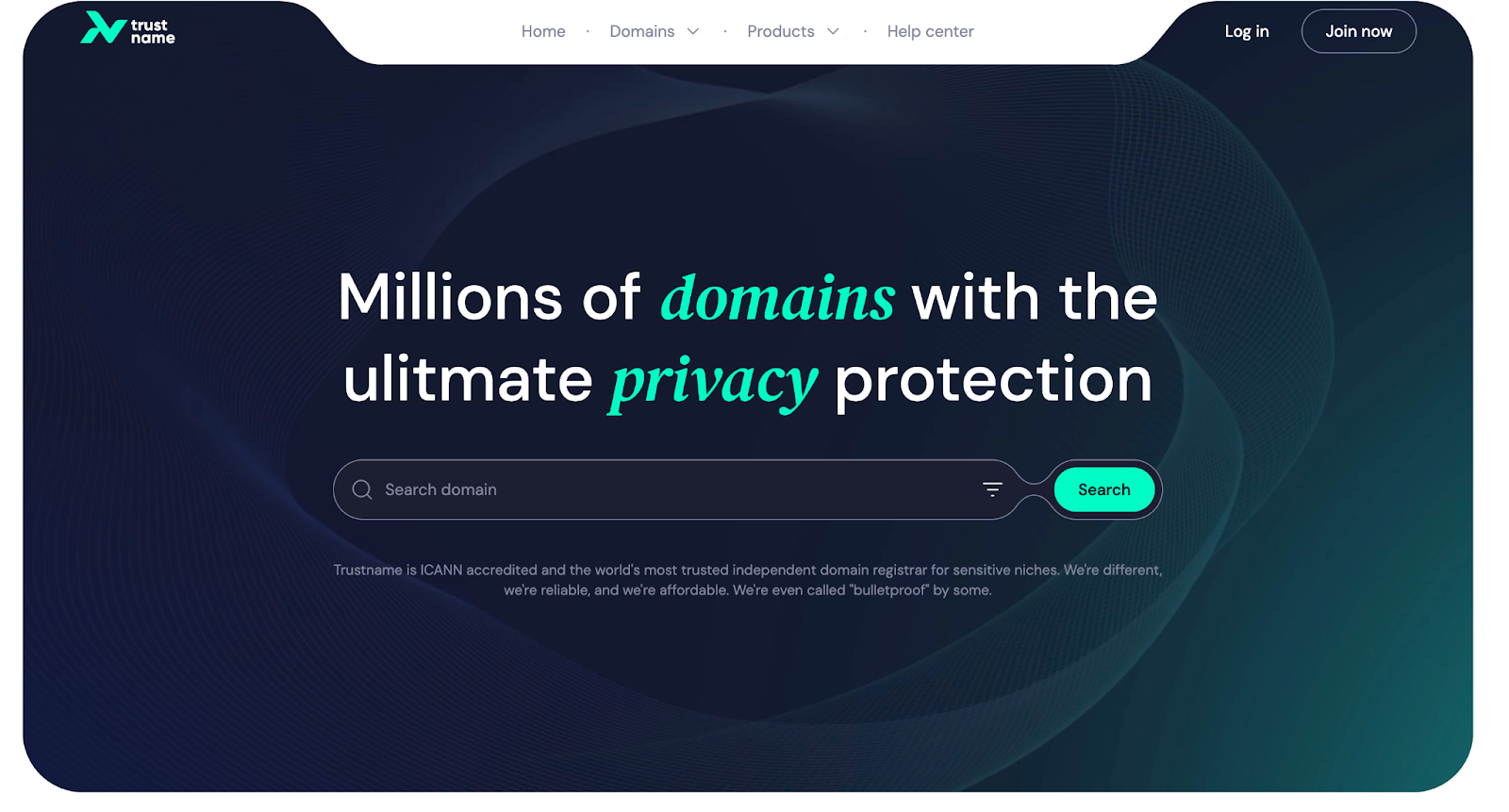
Step 2:
On the login page, enter your account credentials and click 'Login' to access your account.
Step 3:
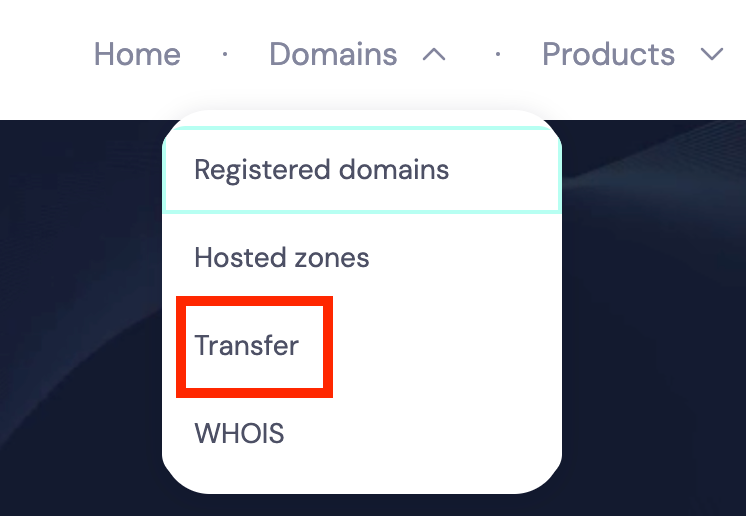
Once logged in, click 'Domains' on the navigation bar and then 'Transfer'.
Step 4:
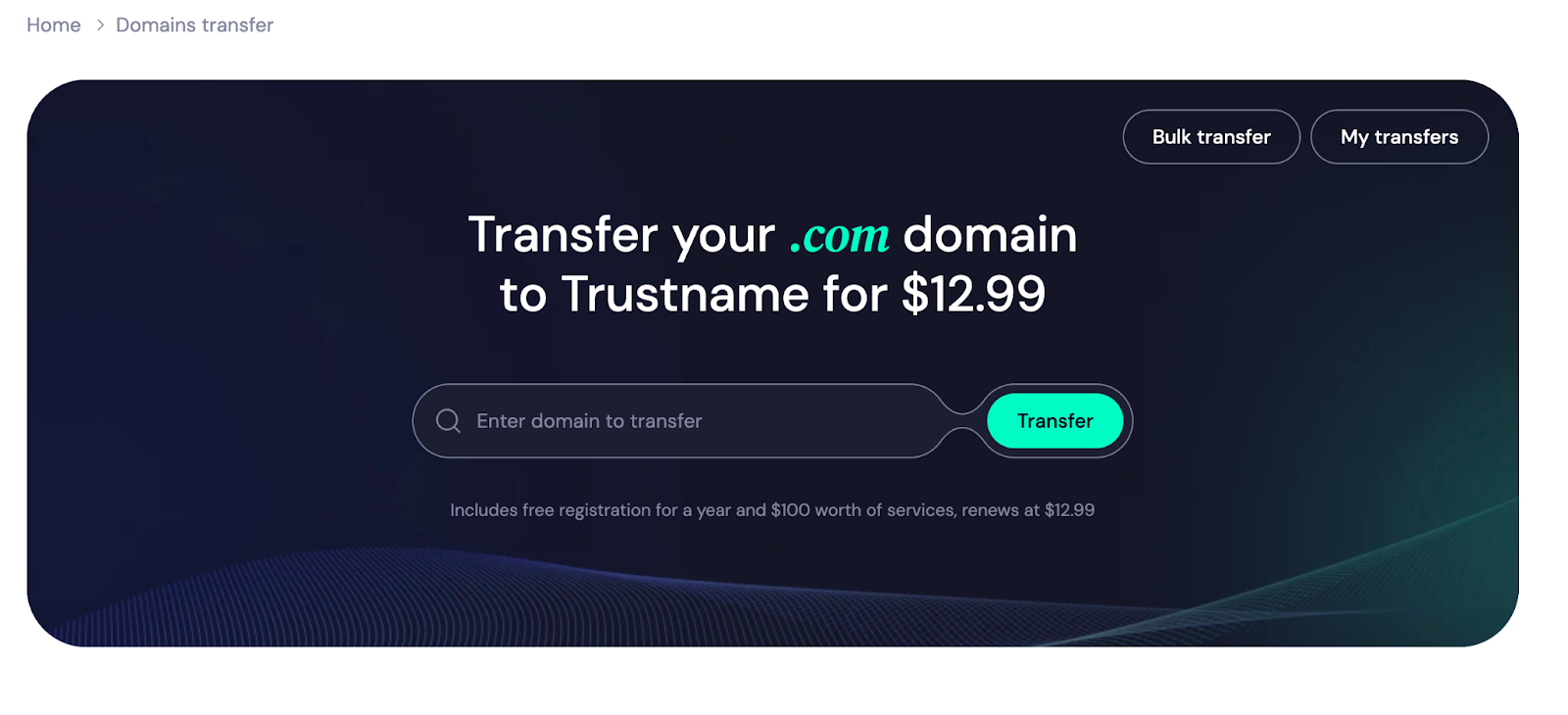
Type your FastDomain domain into the search box on the transfer portal and click 'Transfer'.
Step 5:
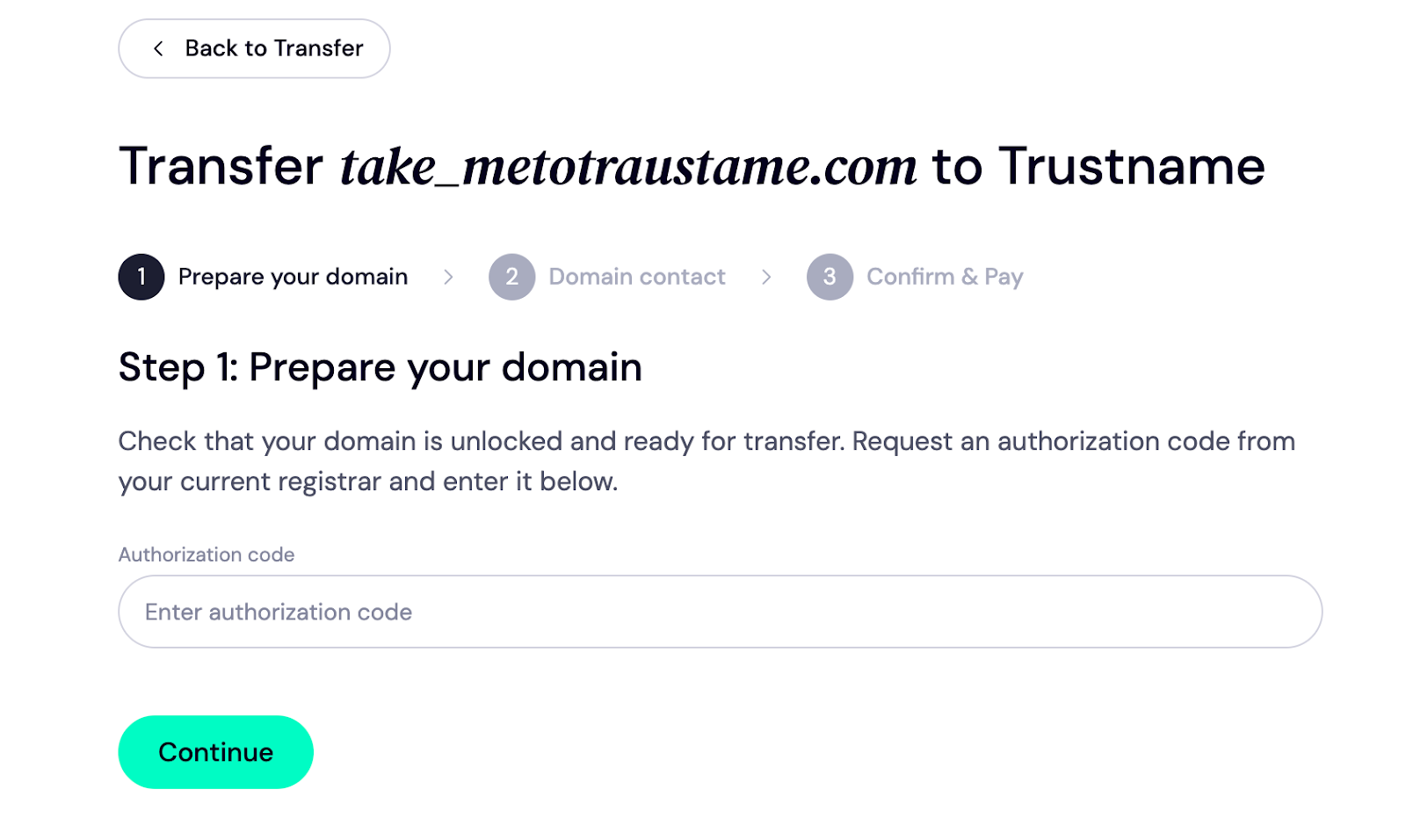
Enter the EPP code into the box below and click 'Continue'.
Step 6:
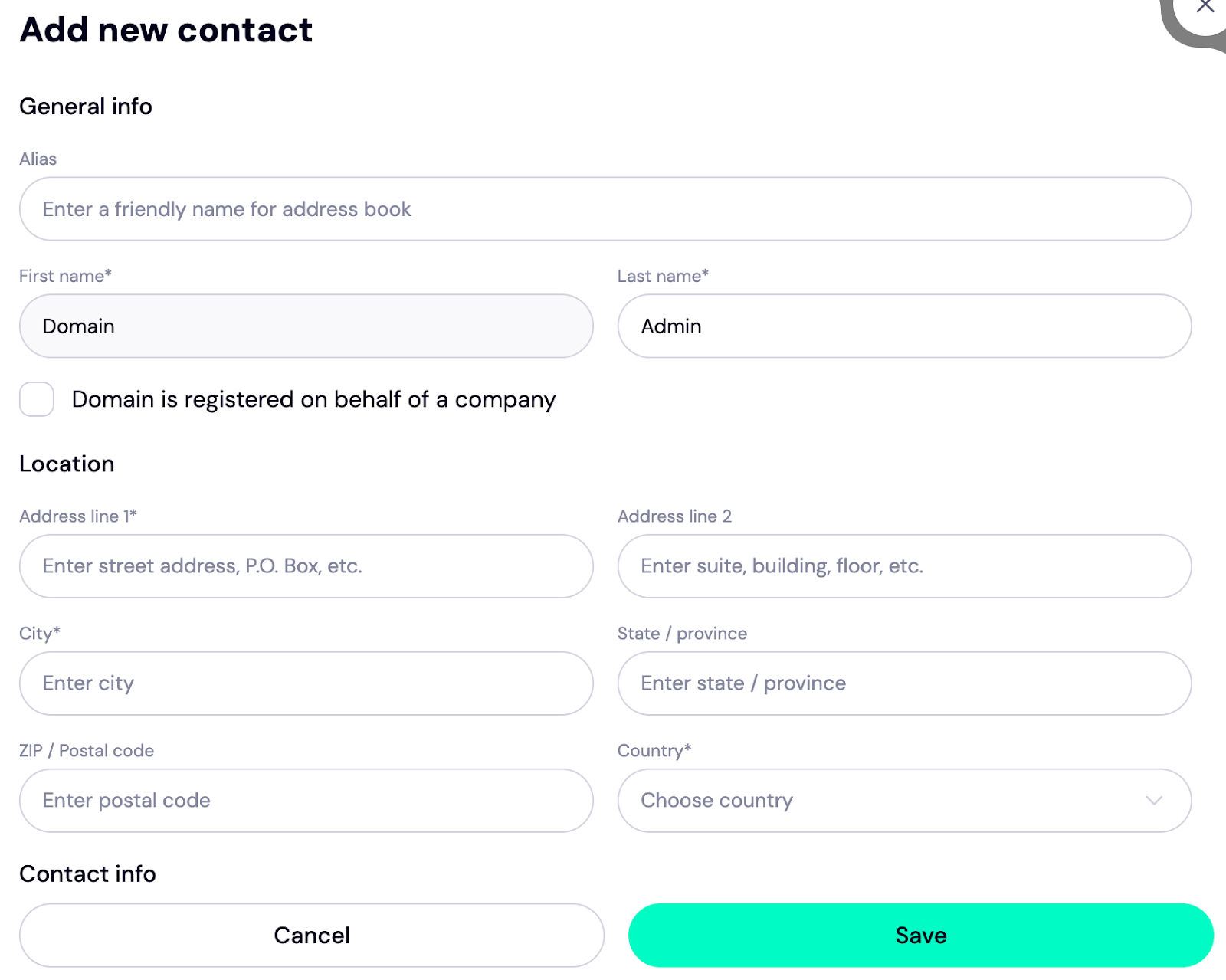
Next, fill in the contact details. You can input your details or click 'Choose a pre-defined contact' to enable Trustname's Two-Tier privacy protection.
To use your details, click 'Choose Contact' and select 'Add new contact' from the drop-down.
If you'd rather use our Two-Tier privacy protection, click 'Use a predefined contact' and your contact details appear.
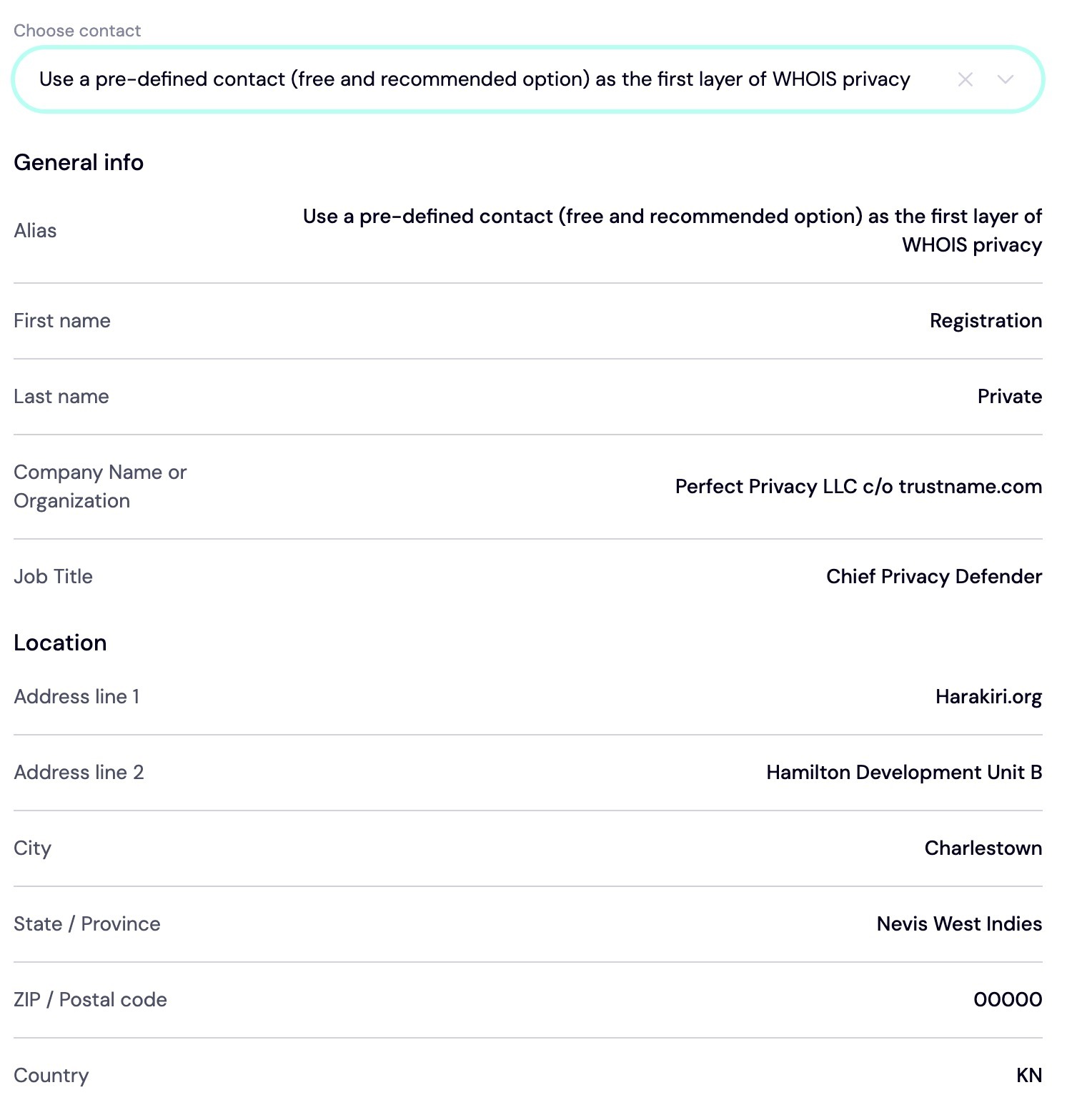
You retain full control/access to your domain even after choosing the 'predefined' contact option. The data shown in the image above appears only on paper to prevent access to your personal data, and you can change it in your customer portal at any time.
Next, click 'Continue'.
Step 7:
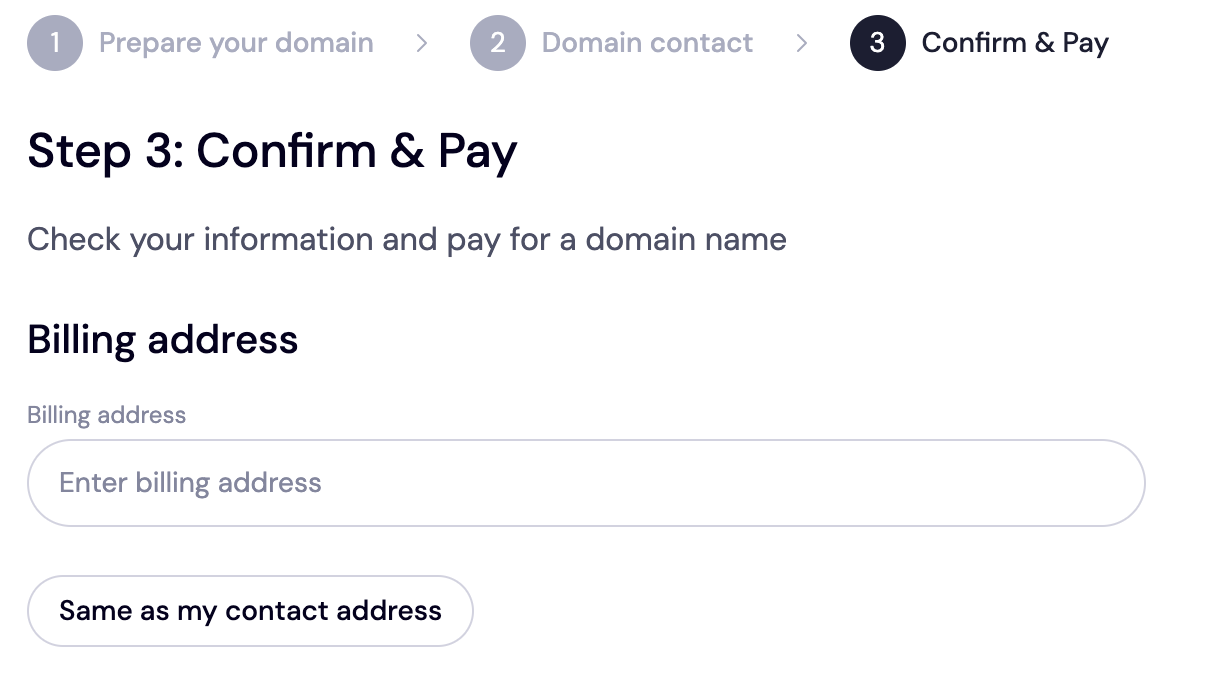
You'll be directed to pay for your domain. Once you do this, we'll add an extra year to your domain's expiry date.
First, enter your billing address. If it's the same as your contact address, select 'Same as my contact address' to fast-track the process.
Step 8:
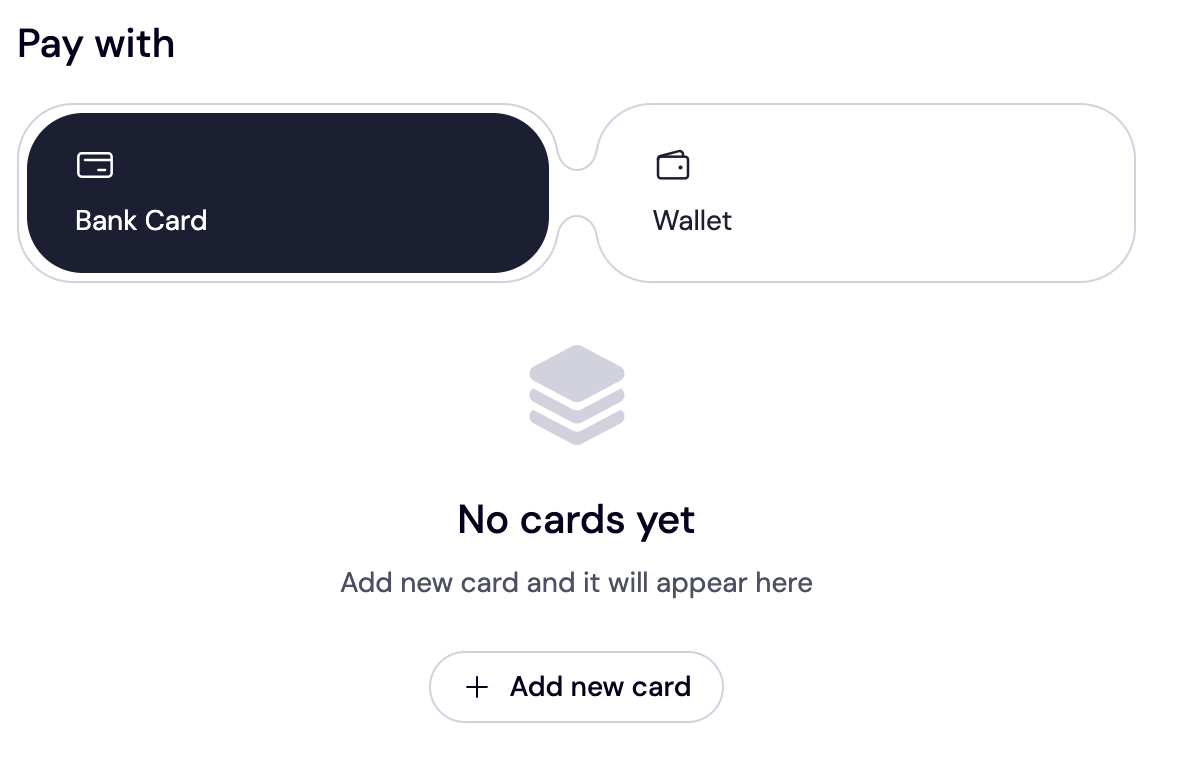
Choose your payment method. You can either add your bank card for payment or use the existing funds in your Trustname wallet. If your bank card isn't set up, click 'Add a new card' to add one.
We also accept cryptocurrencies for payment!
Trustname's Domain Transfer Promo Code - WELCOME777
When you use our promo code, WELCOME777, you pay $7.77 — half of the transfer fee. We will also extend your domain expiration date by an extra year.
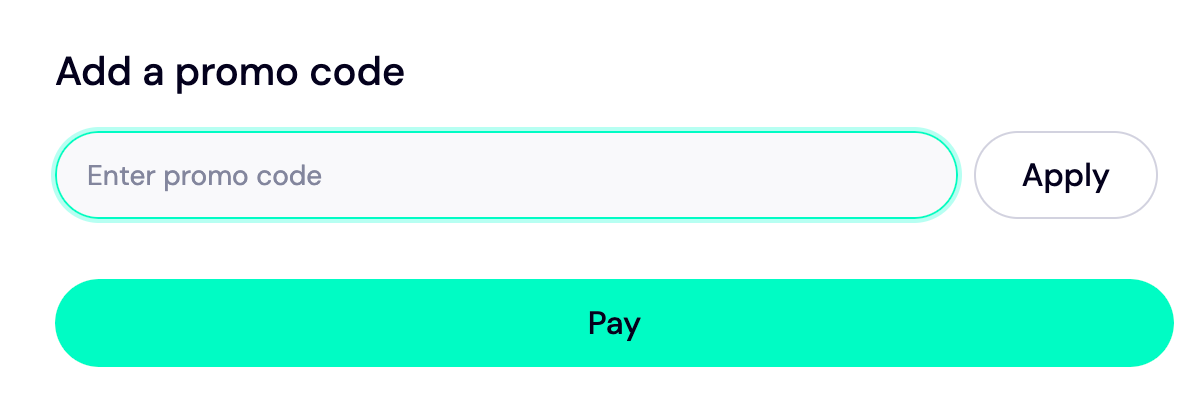
To enjoy this discount, type in WELCOME777 into the 'Add a promo code' section.
Step 10:
Click the 'Pay' button and follow the prompts to finalize your payment.
That’s all!
It'll take 5-7 working days for your domain to be fully transferred from iPage to Trustname.
Fastrack your domain transfer to Trustname.
Usually, transferring your domain from FastDomain to Trustname takes 5-7 days. But you can expedite the process to a few minutes (at most an hour) by approving it manually from your FastDomain account.
To do this:
Log in to your FastDomain Domain Manager. Scroll down to the near end of the page and select 'Domain Pending Transfer'. Click 'Transfer EPP' and then 'Approv'.
Safeguard Your Domain Using Trustname Security Features.
Now that your domain is with us, enable domain lock and two-factor authentication. Also, review your domain nameservers and the Whois info if you used our Two-tier privacy protection.
Troubleshoot A Failed Domain Transfer
If you've followed the steps above, your transfer to Trustname should be successful. However, if you're experiencing any issues, recheck the following
- You copied and pasted the correct EPP code into the Trustname transfer portal. Remember that the code is character and code-sensitive, with no extra space at the beginning or end.
- Your domain is not expired and is eligible for transfer.
- The Whois privacy protection is disabled.
Read More – How to troubleshoot failed domain transfer on Trustname.