
Moving your domain from Namecheap to Trustname ensures you get bulletproof privacy, transparent pricing, and specialized support for grey area businesses. This guide walks you through the transition to ensure your online real estate remains secure and cost effective.
Key Takeaways
- Eligibility Check – Your domain must be at least 60 days old and not transferred within the last 60 days to comply with ICANN policy.
- Preparation – You must manually disable the Registrar Lock and Domain Privacy in your Namecheap dashboard before the transfer can begin.
- The "Digital Key" – Request the Auth/EPP code from Namecheap this code is essential for Trustname to verify your ownership.
- Incredible Savings – Use promo code WELCOME777 at checkout to get your transfer for just $7.77, which includes a free one year registration extension.
- Advanced Privacy – Opt for Trustname's Two-Tier Privacy to mask your identity across multiple international jurisdictions.
While many users gravitate toward Namecheap because it is a popular name in the domain registration and web hosting space, many others eventually seek alternatives. These users often cite issues ranging from frequent hosting downtime and poor customer support to confusing pricing plans, security vulnerabilities, and sudden account suspensions.
In this article, we highlight why you should migrate to the best alternative on the market today Trustname. Compared to Namecheap and other high profile services, Trustname offers more reliable privacy protection, superior uptime, and the most transparent, competitive pricing available.
To Transfer Your Domain From Namecheap,
You Must Complete The Following Steps
- Verify Eligibility: Ensure your domain is eligible for transfer under ICANN’s policy. The domain must be more than 60 days old and must not have been transferred between registrars within the last 60 days.
- Unlock the Domain: Disable the "Domain Lock" feature for the specific domain you wish to transfer
- Request an Auth Code: Obtain the EPP/Auth code (the unique authorization key required for the transfer) from Namecheap.
- Disable Privacy: Turn off domain privacy settings so Trustname can access your Whois details.
- Initiate the Transfer: Start the process with Trustname, provide the EPP code when prompted, and allow up to five days for the transfer to complete.
When choosing a domain registrar or web host, the bare minimum you should expect is a partner that prioritizes your interests and protects you at all times. We aren't just going to tell you that Trustname is the best we are going to show you exactly how and why.
Let’s get started.
But First, Who Are We?
Trustname is a domain registrar, known for offering bulletproof privacy and security for domain registrations. We are a highly secure, privacy oriented platform, catering especially to individuals or businesses operating in sensitive niches.
Grey area businesses, such as alternative news platforms, adult content websites, online pharmacies (excluding those that sell opioids), crypto exchanges and services, video streaming services, and many more, need as much protection as possible today in the face of increasing censorship and government overreach.
We built our platform to withstand the security threats people in these industries face. In light of this, providing airtight domain security is a no brainer. Unlike Namecheap, we do not charge our users for the extra security we provide. Trustname keeps you safe for FREE while serving as the first point of contact for any legal cases levied against your online real estate.
Sound good? Read on. We're only just getting introduced.
Namecheap Vs. Trustname: What We Do That They Don't
It often comes as a shock when users discover that domain registrars and web hosting services which come highly recommended online (often thanks to aggressive SEO) fall short of expectations. As the second largest brand in the market, Namecheap is frequently placed on a pedestal.
However, many customers find that even basic services are challenging to deliver. If you have used Namecheap before finding this article, you likely already understand these frustrations. Before we detail the domain transfer process, let's explore why Trustname is a better fit for your needs.
No Hidden Costs: What You See Is What You Get
At first glance, Namecheap's domain prices appear lower than Trustname's, but a closer look at the total package reveals a different story. Namecheap's gTLD and ccTLD prices typically range from $2 to $9 per year.
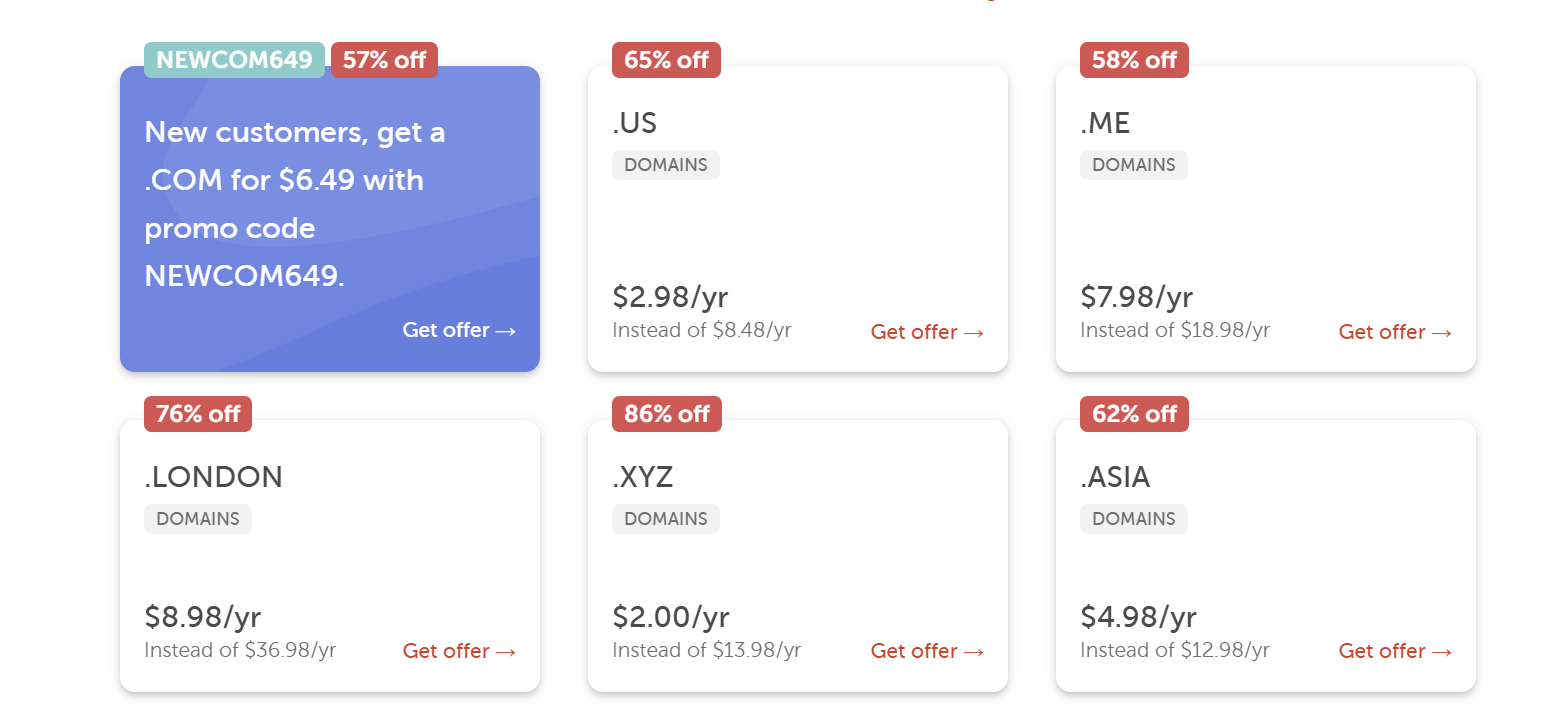
While for Trustname, prices are a little higher
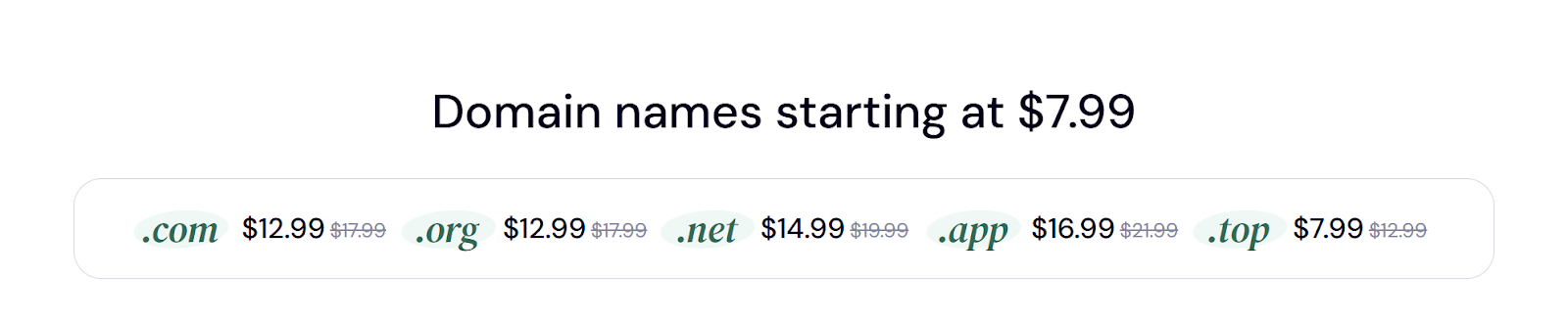
This is where the math gets interesting. Suppose you purchase a .com domain for $7 at Namecheap. You pay a mandatory $0.18 ICANN fee. However, if you want Security Extensions (DNSSEC), that costs an additional $4.88.

An SSL certificate also costs $5.99/yr, renewing at $13.20/yr.

Next, consider business email, which jumps to a full price of $41.88 per year after a brief two month trial. Is your head spinning yet? Your initial $7.18 fee has ballooned to $59.93 just to remain protected and functional in your first year and the price only increases from there.

In contrast, Trustname offers unbeatable pricing with no hidden costs. Our domains start at $12.99 and renew at $14.99 that's it. By transferring your domain to us, you can save a staggering $45 in just one year. You might be wondering, "But how secure is it?"
Check this out:
Premium Security For The Price Of FREE
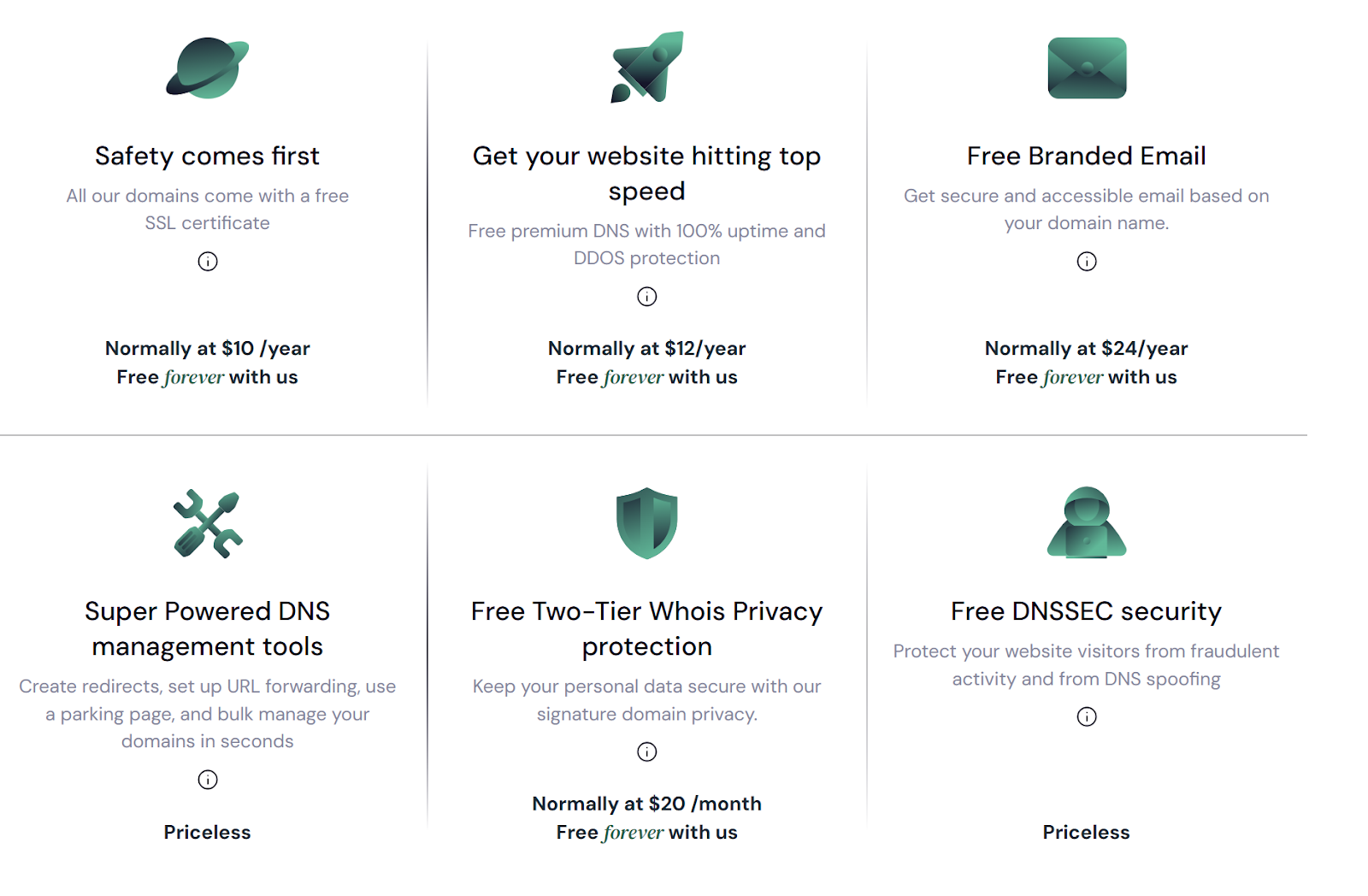
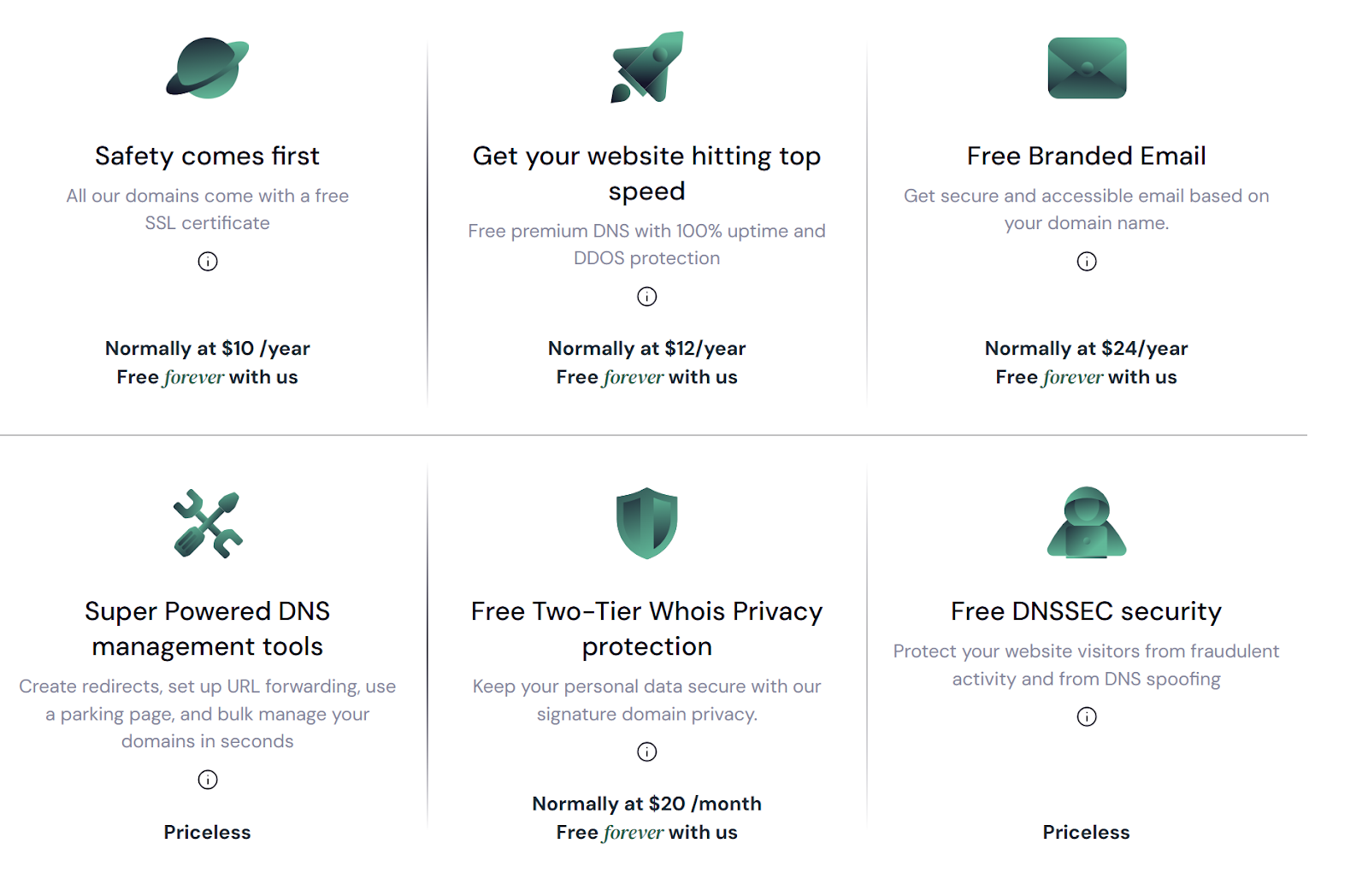
Trustname charges no additional fees for DNSSEC. While Namecheap charges nearly $5 upfront and almost $10 for annual renewals, we provide free protection against spoofing and fraudulent attacks on your domain.
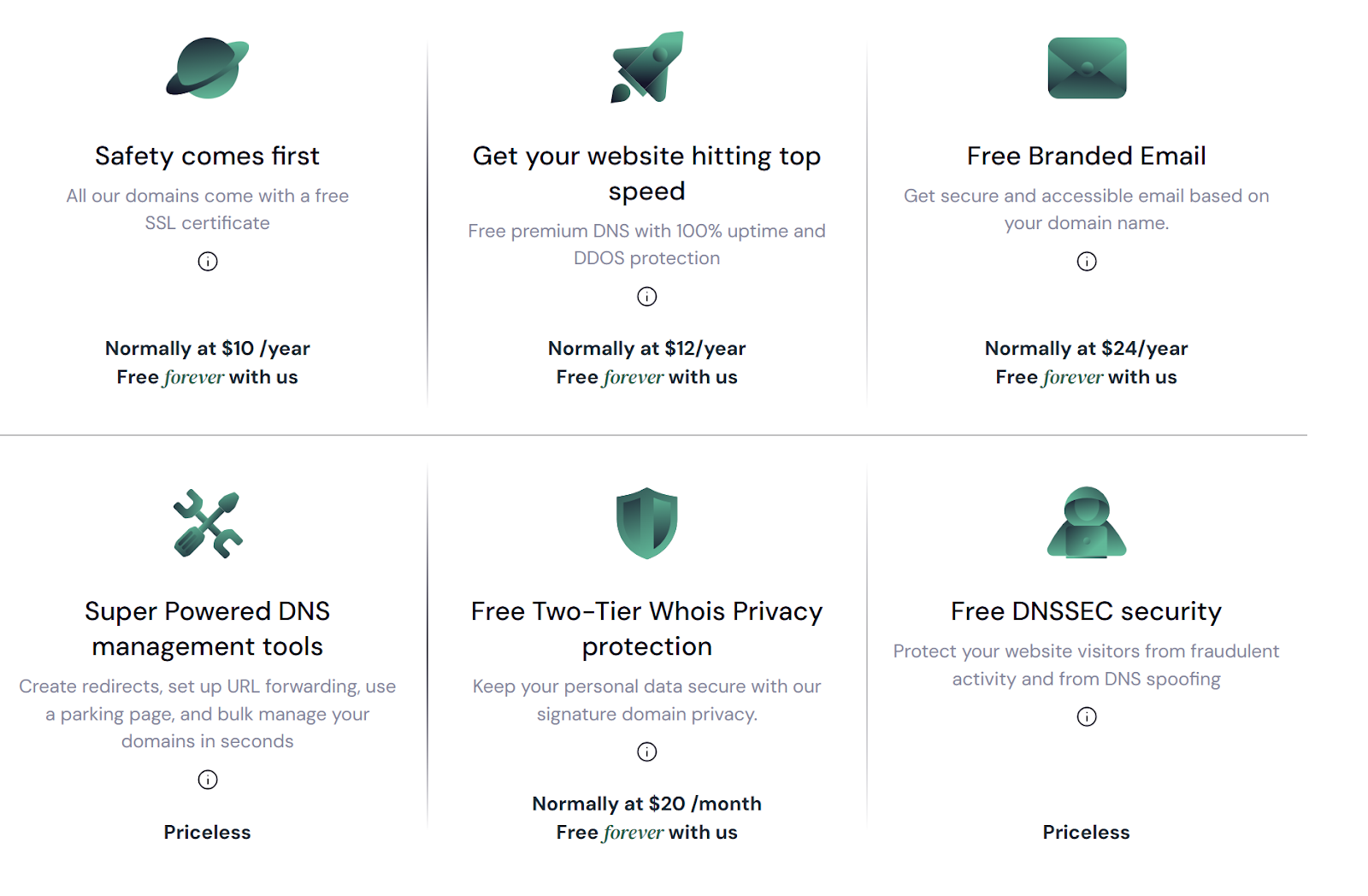
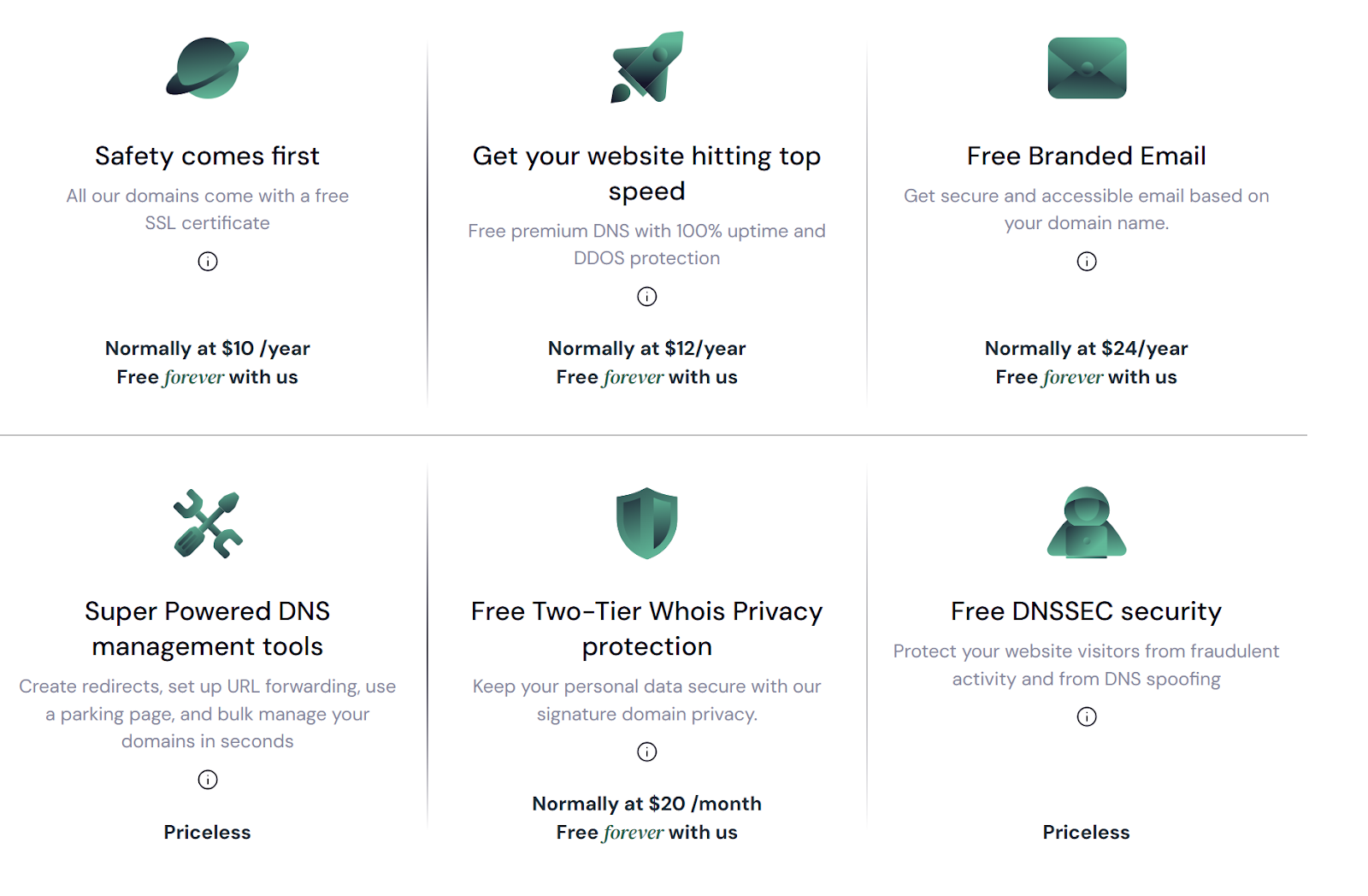
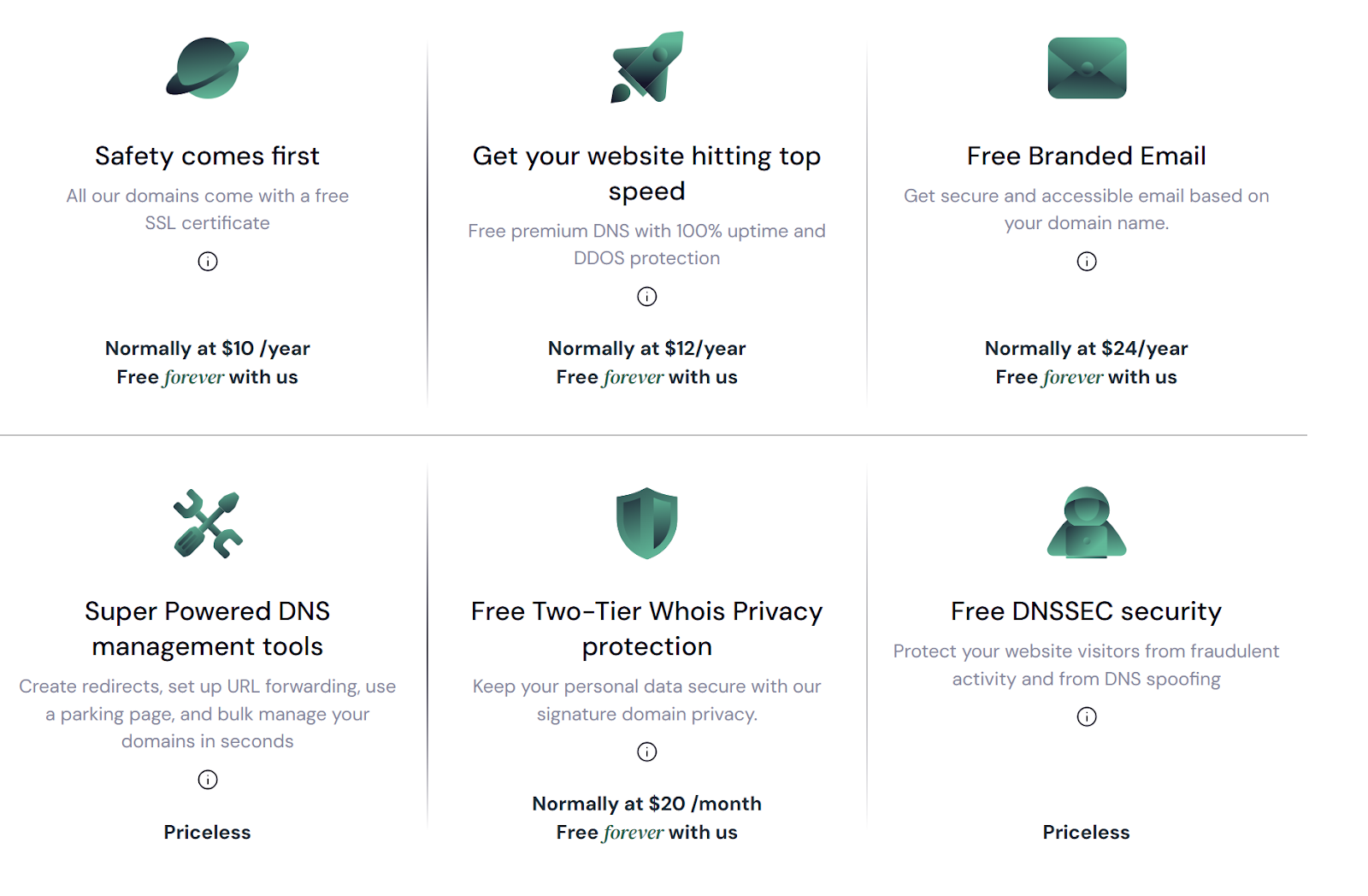
Trustname doesn't stop at providing lifetime access to premium security we also include a free SSL certificate and a business email address with your package all for just $12.99! Over five years, you will save more than $200, which you can reinvest into growing your business.
Privacy: Our Basics, Their Add Ons
Using Namecheap, you pay an additional fee to prevent hackers from transferring your domain out from under you. Beyond the standard Whois privacy protection offered for free, Namecheap does not provide any extra layer of security to make it more difficult for malicious actors to reach you.
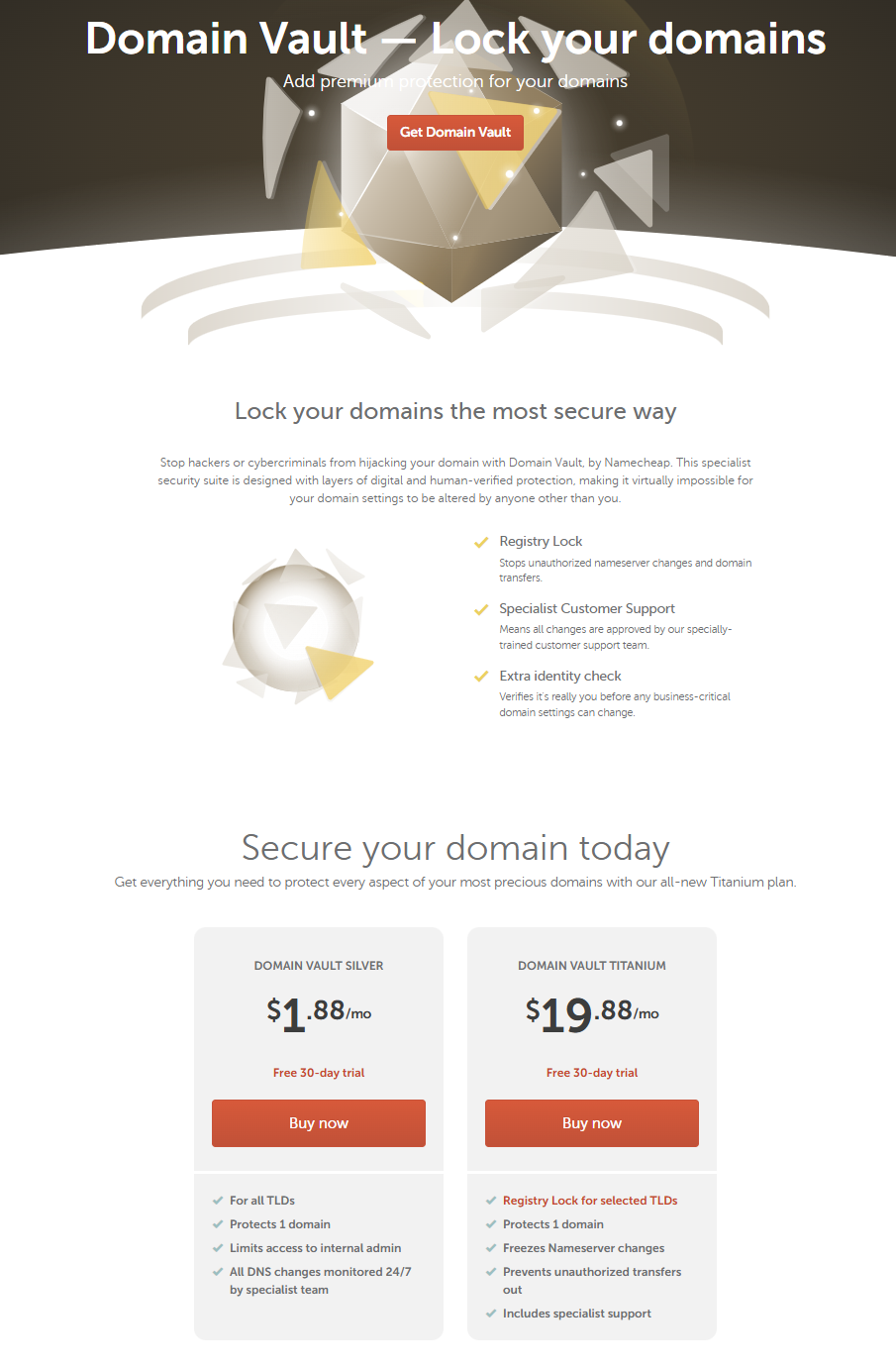
"Well, duh. It's normal to pay for additional domain security if you need it." Not with us, it isn't. Trustname does things differently by providing unique two-tier privacy protection.
Here's how it works.
When you transfer your domain to our platform, your Whois registrant information (if you choose to hide it) is replaced with details of our proxy company (Perfect Privacy LLC) as the first protection layer.
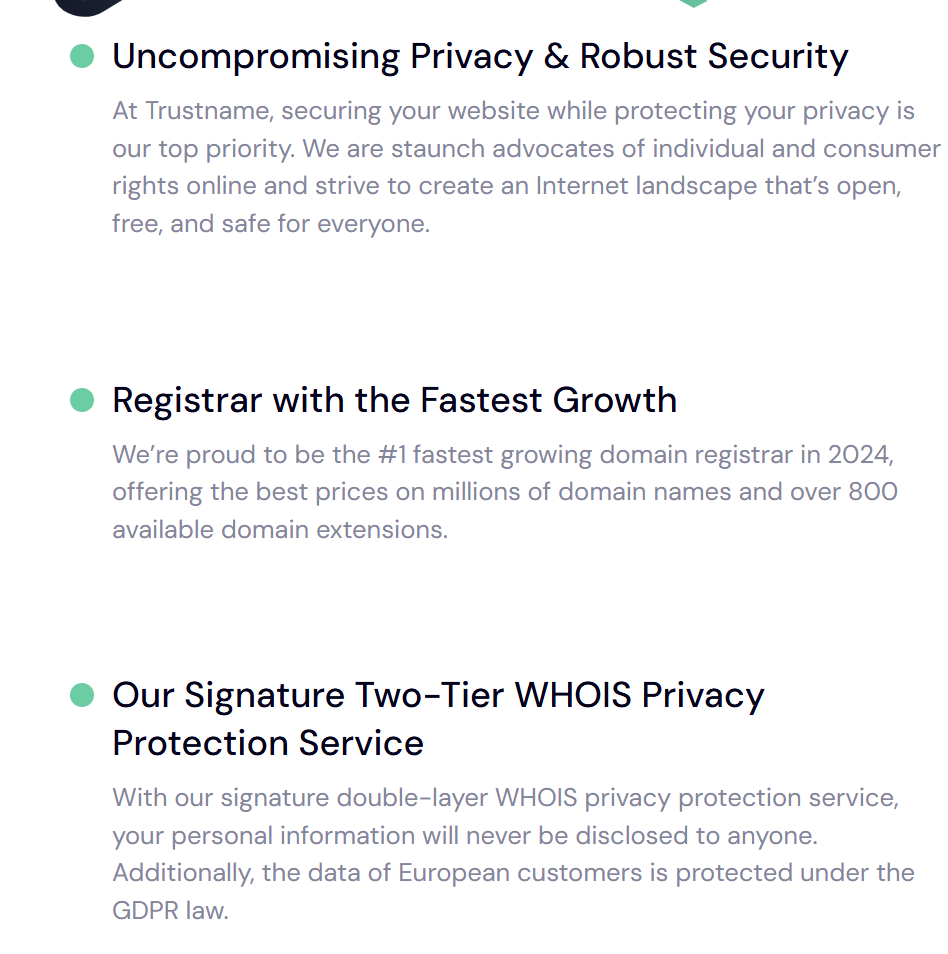
On top of the proxy registration, the second layer is provided by Whois Privacy Protection Service LLC, which further masks the information in the Whois record, including the proxy company details from the first tier. For anyone to uncover your true identity,
They would need to obtain court orders from three different jurisdictions simultaneously.
- The United States (location of Whois Privacy Protection Service LLC).
- St. Kitts and Nevis (location of Perfect Privacy LLC).
- Estonia (where Trustname is based).
Additionally, we notify you of any and every attempt to report or attack your domain, giving you more time to adjust as needed. We do not just take your domain from under you when we suspect foul play we investigate diligently and always put you first.
Our Customer Support Won't Waste Your Time
Several users have expressed their dissatisfaction with Namecheap's customer support performance across software review websites and social media forums.
Common complaints include being forced to interact with chatbots before reaching human agents, unresolved issues after prolonged back and forth conversations, random domain suspensions, alleged domain theft without reversals, wrongful subscription renewals, and other service-related problems.
When your business is at stake, this level of support simply doesn't cut it. At Trustname, our support team is at your service 24/7. If you prefer to submit a ticket or engage in a live chat (which we recommend for getting into the details of the problem), you don't have to wait long we're with you in real time.
Unlike Namecheap, where you might encounter support staff unfamiliar with basic domain concepts, Trustname's team consists of seasoned domain and web hosting experts. Many of our agents run their websites. Oh, and remember, our support team is uniquely equipped to handle complex scenarios that customers in sensitive niches face.
Therefore, we're always ready to deal with the broadest range of issues.
Before You Transfer Your Domain Name To Trustname
Now we're really getting into it. But, before initiating a domain transfer to Trustname,
Here are some essential things you need to know.
- Nameserver Changes
Your domain's nameservers direct web traffic to your website's hosting server. Once a transfer begins, you can't change core domain settings, such as nameservers. If your domain is linked to a website, consider updating nameservers before starting the transfer to avoid using your old registrar's nameservers during the process.
- Website Migration
Transferring your domain doesn't automatically move your website. If you want to host your site with Trustname, you need to.
[+] [List] Green Ordered - Purchase a Trustname hosting plan.
- Contact our support team for assistance with website migration.
- Transfer Pricing and Policy
Trustname charges a base fee for domain transfers. We automatically add one year to your domain's current expiration date. For example, if your domain expires on June 16, 2025, after the transfer, it will expire on June 16, 2026.
- Transfer Timing
Domains can only be transferred when they're.
[+] [List] Green Unordered - Active.
- In the Grace Period after expiry.
If your domain is in the Redemption Period, renew it with your current registrar first. Domains in the Pending Delete phase cannot be transferred and risk being claimed by others.
Getting Ready To Transfer Out Of Namecheap
Here's how to transfer a domain from Namecheap to Trustname.
Disable Registrar Lock
- Sign in to your Namecheap account.
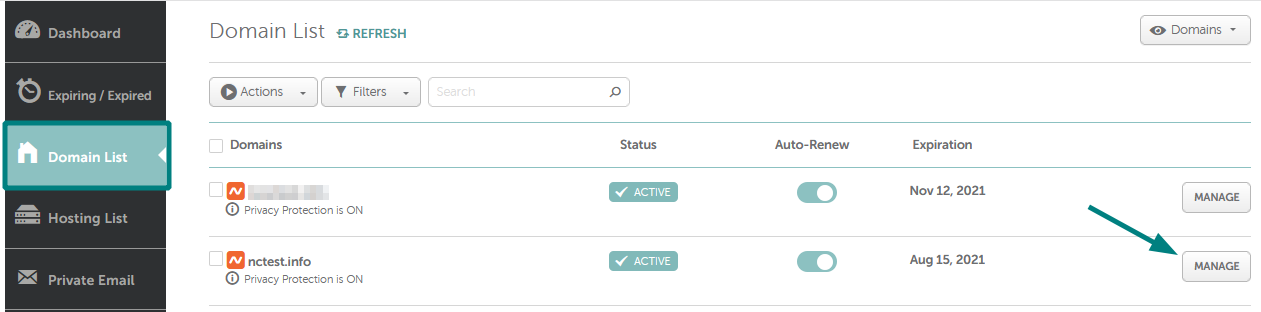
Go to the 'Domain List' and click 'Manage' next to the domain.
- Open the Sharing & Transfer tab
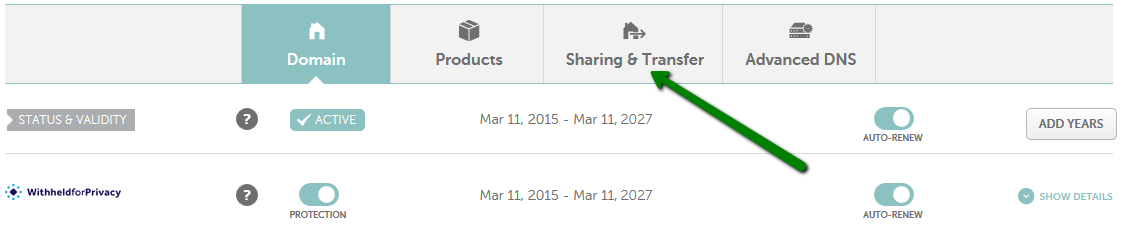
Scroll down to the Transfer Out section and click the 'Unlock for Domain Lock' option to turn off the registrar lock. You will receive a confirmation once your domain has been successfully unlocked.
Get The Auth Code
Also, in the 'Transfer Out' section, after unlocking the domain, click the right hand tab and request the Auth Code, which will be emailed to the Registrant email address.
Disable Domain Privacy
When transferring your domain name, Trustname will need your registrant details, particularly your email address, to confirm your transfer request and verify your Whois identity. For this, your domain privacy must be disabled.
Back to the Domain List bar, click the 'Manage' button next to your domain.
Then click the 'Protection' button next to 'Domain Privacy' to turn it off.
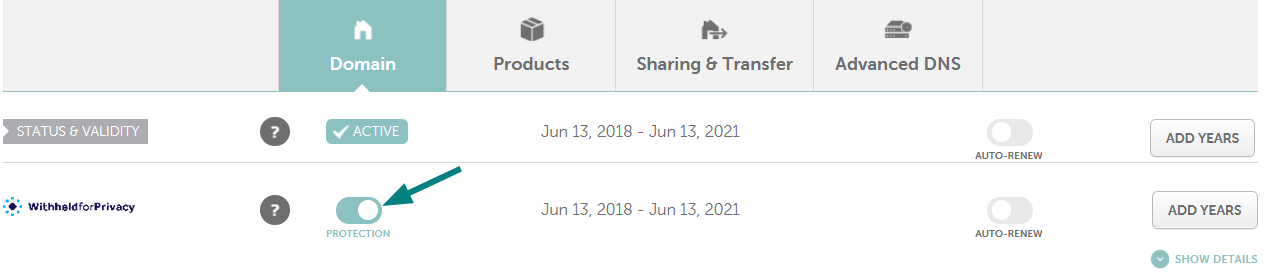
And you're done!
According to ICANN policy, after the transfer is initiated at your new registrar and the Auth Code is provided, Namecheap will have 5 days to release the domain. Although some country specific domains (like .UK, .FR, and .ES) may have different transfer processes, if you encounter issues, contact Namecheap's Support Team.
Transferring From Namecheap To Trustname
Here at last! Welcome to Trustname. Let's help you settle in nicely.
Please follow these simple steps to transfer your domain:
- Visit the Trustname Domain Transfer Page
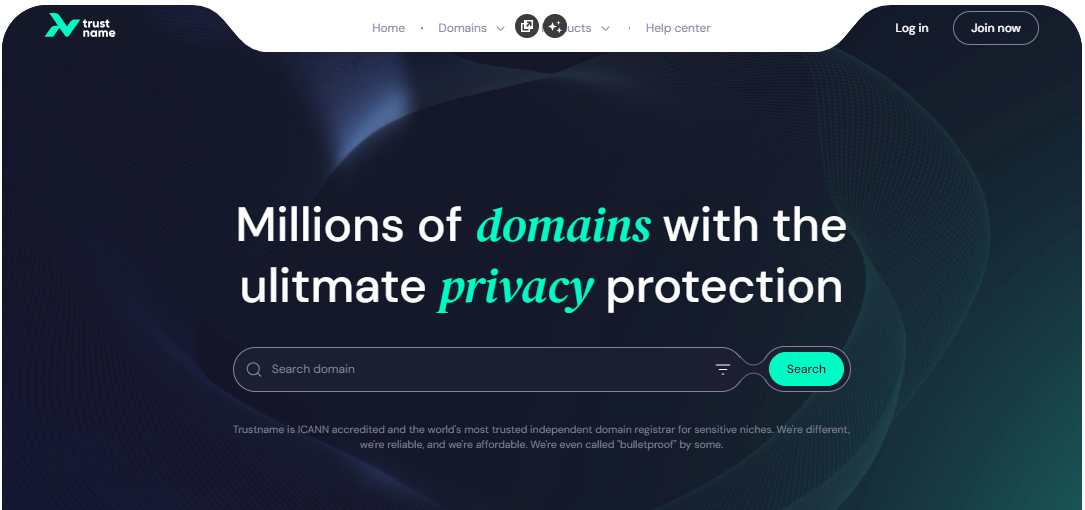
Go to Trustname.com, and click 'Log In' at the top right to access your account.
- Log In To Your Account
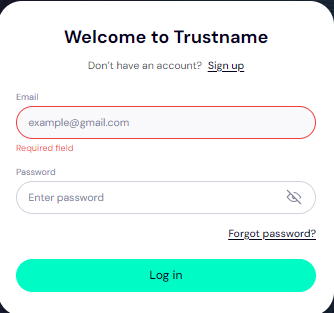
Enter your username and password, then click 'Login' to access your customer portal.
- Access Domain Transfer Settings
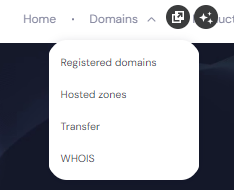
In the header, click the 'Domains' dropdown, then select 'Transfer'.
- Initiate The Transfer
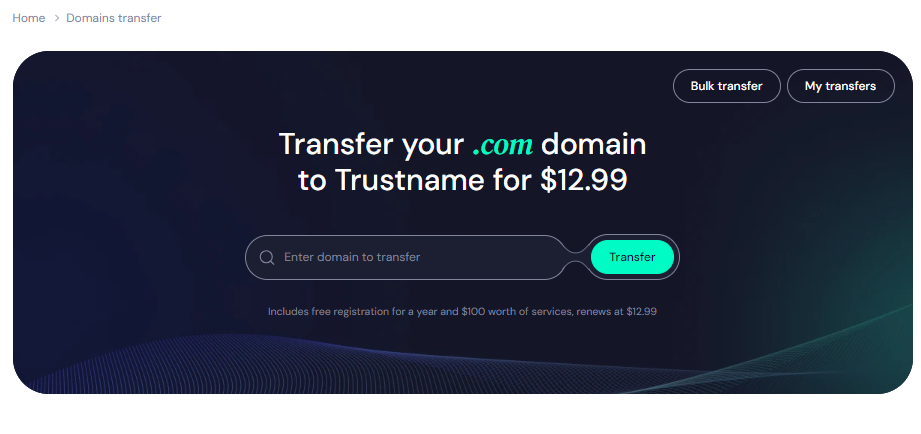
Enter your Namecheap domain name (including the TLD) on the domain transfer portal, and click 'Transfer' to start the process.
Submit The Auth Code (EPP)
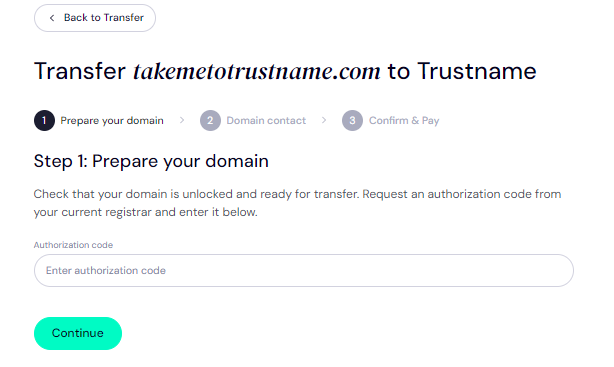
Enter the Auth Code (EPP code) generated by Namecheap into the required field and click 'Continue'.
- Enter Domain Contact Information
You'll be asked to provide domain contact details on the next page.
You can either:
[+] [List] Green Unordered - Add Your Contact
Click on the 'Choose Contact dropdown' and select 'Add new contact' to use your details.
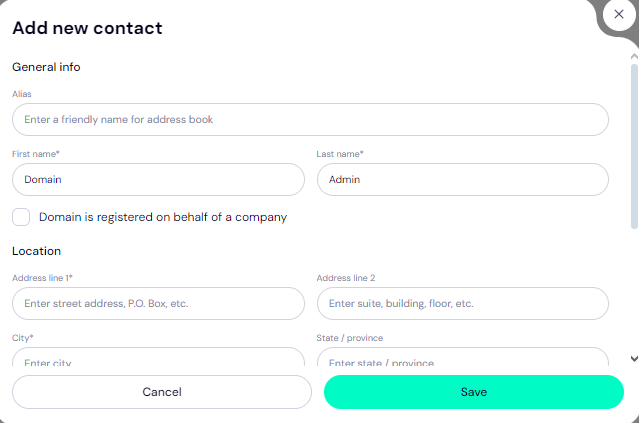
- Use Pre-defined Contact (Recommended)
For better privacy, select 'Use a pre-defined contact'. When you choose this option, Trustname registers your domain under the name of Perfect Privacy LLC, our proxy partner, while you maintain full ownership. You can always change this at any time.
After filling in the domain contact details, click 'Continue'. - Add Your Contact
Pay For An Extended Registration
To finalize your domain transfer, you'll make the payment and receive an additional year on your domain's current expiry date.
Follow these steps:
- Enter Billing Information
Input your billing address, or check 'Same as my contact address' to streamline the process.
- Choose Your Payment Method
Select your preferred payment method. You can pay with a bank card or using existing funds in your Trustname wallet.
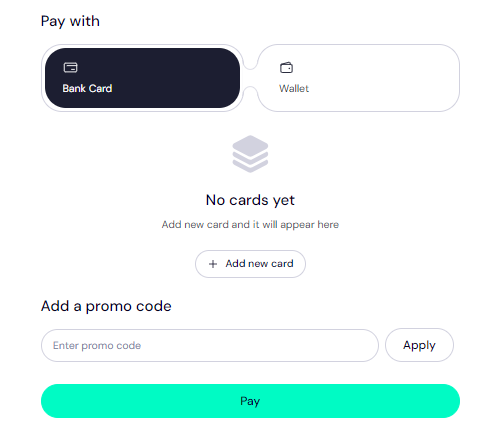
If you haven't added a bank card yet, click 'Add new card' and fill in your card details.
Use Trustname's Promo Code WELCOME777
- Trustname's standard domain transfer fee is $14.99 per year, with no additional taxes or ICANN fees.
- Using the promo code WELCOME777 gives you a 50% discount, reducing the first-year transfer fee to $7.77.
- The discounted transfer also includes an extra year added to your domain's current expiration date.
- After the first year, your domain renews at the standard rate of $14.99 per year for .com, .net, and .org TLDs.
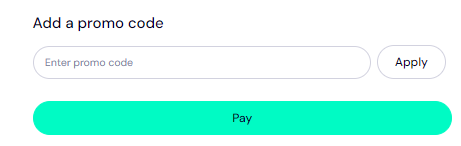
- To activate the discount, enter WELCOME777 in the “Add a promo code” section during checkout.
Select Registration Duration
Choose how long you'd like to register your domain (1 to 10 years). Enabling auto renewal is recommended to avoid manual monitoring of your domain's expiry.
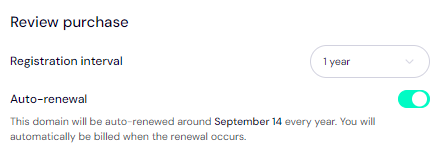
Make Payment
Click 'Pay' and follow the on screen instructions. Once complete, your domain transfer will be processed, adding extra time to its current registration.
Setting Up Your Domain With Trustname
There! You're almost all set. To make you more comfortable.
There are a few more things you need to do to secure your domain further:
- Enable Two-Tier Privacy
Trustname automatically enables the second layer of the Two-Tier Privacy for your domain, hiding your contact details from public Whois searches. If you chose Use a pre-defined contact during the transfer, you're already benefiting from this privacy feature.
To review your contact details, go to 'Domains >>> Registered Domains >>> Domain Contacts'.
- Check Domain Lock Status
Your domain will be locked by default for extra protection. To verify or adjust this, go to 'Domains >>> Registered Domains >>> Select your domain', and scroll to 'Additional Settings'.
Verify DNS Settings
You can manage your domain's nameservers and DNS records from the same page.

[+] [List] Green Unordered - To view nameservers, go to 'Domain Nameservers'.
- To check DNS records, under 'General Info', look for 'Hosted Zone' and click 'View'.
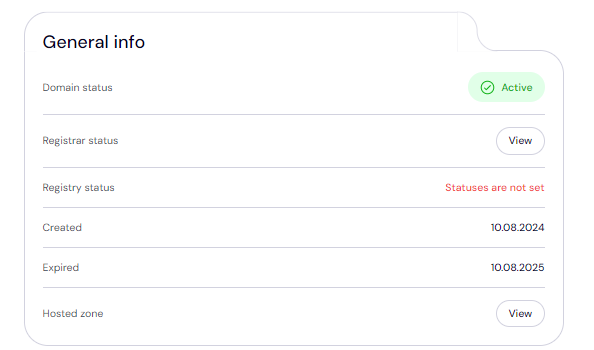 From here, you can add or modify DNS records, change nameservers, or enable DNSSEC.
Set Up Two-Factor Authentication (2FA)
For added security, you should enable 2FA on your Trustname account. With 2FA enabled, your account is protected even if your password is compromised.
Here's how
- Go to 'My Profile >>> Account Settings'.
- Scroll to 'Two-factor authentication (2FA)' and toggle it on.
- Scan the QR code or enter the secret key into an authenticator app (e.g., Google Authenticator).
- Enter the six digit code generated by the app into Trustname and click 'Enable'.
- Save the backup codes provided in case you lose access to your device.
Troubleshooting Failed Domain Transfers
Although your domain transfer should go smoothly, no transfer process is always 100% smooth. If you didn't get it right the first time, don't panic.
Take a look at a few common issues domain registrants face and how to fix them.
- Wrong EPP Code
If the Auth or EPP code is incorrect, the transfer won't proceed. To avoid errors, copy the code directly from NameCheap and paste it into the required field on Trustname instead of manually typing it.
- ICANN Lock
As we previously mentioned, domains are subject to a 60 days ICANN lock after being transferred or modified. You can't transfer a domain within 60 days of its last transfer, registrant change, or contact info update. Confirm that your domain is eligible for transfer before continuing.
- Transfer Lock
If the domain is still locked in Namecheap, it won't be released. Ensure the 'Domain Lock' is disabled in the settings before attempting to transfer.
- Transfer Out Double Check
Namecheap's 'sharing and transfer' requires users to check the domain's registrant email address to receive the Auth Code. A familiar mistake users make is checking the account email address instead. Ensure to check the correct email address.
End
When it comes to domain registration and management, Trustname stands out as a better choice over Namecheap for many reasons
- Enhanced Two-Tier Privacy Protection is a standard feature. Providing a unique double layer of privacy for your domain ownership
- Straightforward, affordable pricing with no hidden fees, plus it already includes ICANN charges
- Free features like premium security, SSL certificate, and business email address, saving users over $200 in 5 years
- Commitment to free speech and resistance to unjustified domain takedown requests
- 24/7 access to responsive, well trained, and industry facing domain experts
Trustname also offers a discounted transfer fee and extends your domain's expiration by an additional year, ensuring you maintain uninterrupted ownership! Switching from Namecheap means choosing a partner that's fully aligned with your need for privacy, security, and uncompromising support.
Make a better choice. Choose Trustname.