
This guide explains how to transfer your domain from UltaHost to Trustname, including eligibility checks, preparation steps, and the complete transfer process. It also outlines the benefits of switching to Trustname and how to secure your domain after the transfer.
Key Takeaways
- Eligibility – Domain must be unlocked and outside the ICANN 60 days lock.
- Preparation – Disable transfer lock and obtain the Auth (EPP) code.
- Value – Transparent pricing, strong privacy, and fair policies.
- Process – Simple, step-by-step transfer via Trustname.
- Security – Enable 2FA, review DNS, and confirm domain lock after transfer.
TABLE OF CONTENTS
- Key Takeaways
- Perks You Should Expect With Trustname
- Before Initiating Your Transfer Here's What You Should Know
- Prepare Your Domain At UltaHost For The Transfer
- Safeguard Your Domain at Trustname
Want to transfer your domain from UltaHost to Trustname? You're about to make an excellent choice. From incompetent customer support to paying for domain essentials like SSL certificates and Whois privacy, we understand why you're in a hurry to leave.
To transfer your domain from UltaHost to Trustname, you need to unlock your domain, obtain the Auth(EPP) code in your UltaHost account, and initiate the process at Trustname. But before we get to that…
Perks You Should Expect With Trustname
Unbeatable And Transparent Pricing
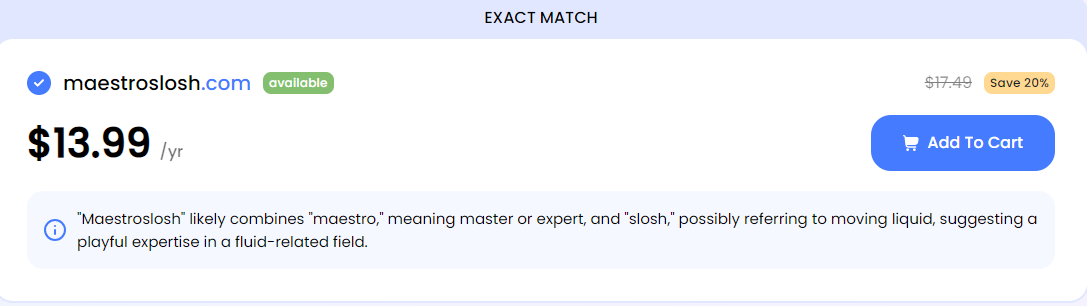
Low initial prices can often hide higher renewal and add on costs.
UltaHost customers frequently complain about unexpected renewal fees. While a .com domain may initially cost $13.99, the renewal price increases to $17.49. Additionally, UltaHost charges an extra $5.00 per year for Whois privacy, a feature that is typically free with many registrars.
UltaHost also advertises a 30 days money back guarantee, but customers report being denied refunds due to a strict no refund policy.
At Trustname, pricing is transparent and honest. We do not advertise discounts we cannot honor. We charge a flat $12.99 for most domains in the first year and $14.99 for renewals, with no hidden charges.
Professional Support
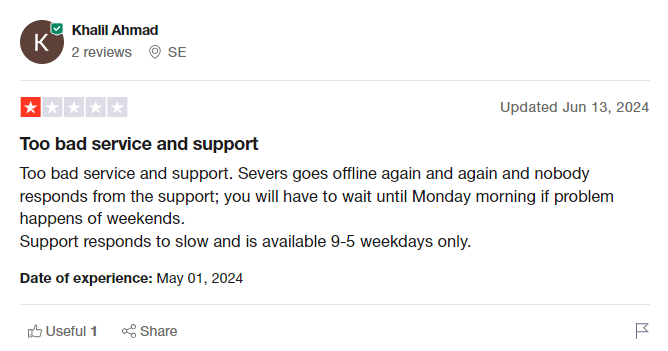
Knowledgeable and responsive support is critical when managing domains.
UltaHost is often criticized for unreliable support and limited technical expertise. Support availability is typically restricted to weekday business hours, and customers report receiving no assistance outside those times.
In some cases, issues reportedly worsened after tickets were submitted, with changes made without fully reviewing the problem and tickets closed prematurely. At Trustname, you receive world class support from experienced human agents who are seasoned webmasters.
We encourage customers to contact us via live chat so issues can be resolved quickly and effectively.
World Class Privacy
Basic Whois privacy only masks public records and does not fully protect ownership details.
UltaHost provides only basic Whois privacy, which replaces your contact information in the Whois database with proxy data or "Redacted for Privacy" (for EU customers).
Trustname offers a unique Two-Tier Domain Privacy solution. This allows you to register domains anonymously and apply an additional privacy layer so your personal information is never directly linked to your domain. If legal inquiries arise, our partner proxy company is contacted first.
Read more: Why Trustname registers domains in the name of Perfect Privacy LLC to learn more about our Two-Tier Privacy.
Bulletproof Abuse Report Policy
Some registrars may act on abuse reports without proper investigation.
At Trustname, we make it clear that we only facilitate domain registrations. We do not judge the legality or illegality of website content that responsibility lies with judicial authorities.
If you operate a grey area or abuse prone business, Trustname provides a stable environment for your domain. However, in cases involving severe illegal content such as child exploitation, arms trafficking, or opioid sales we maintain a neutral stance regardless of the number of abuse reports received.
We always put our customers first, and even if a domain is later found to be associated with illegal content, we still allow the registrant to transfer the domain elsewhere.
Before Initiating Your Transfer Here's What You Should Know
Check Your Domain Nameservers
DNS and nameserver settings cannot be changed once a transfer begins.
Domain nameservers direct web browsers to the servers hosting your webs
its. If your domain is still pointing to UltaHost's nameservers, your website may experience downtime once the domain is transferred.
To prevent this, update your nameservers to your new hosting provider before initiating the transfer.
Transferring Your Domain Doesn't Take Your Website Along
Domain registration and web hosting are separate services.
Although domains and websites work together, transferring your domain to Trustname does not move your website. If you want to migrate your website, you must purchase a hosting plan from your new provider.
Contact us if you'd like assistance with a smooth website migration.
Transfer Pricing And Policy
Each transfer includes a free one year extension.
Trustname charges a base transfer fee of $7.77 when you use our promo code. This fee adds one extra year to your domain's current expiration date.
Transferring Expired Domains
Domains in Redemption or Pending Delete cannot be transferred.
A domain can only be transferred while active or during the grace period after expiration. If it enters the redemption period, you must renew it first and wait for ICANN's 60 days lock to expire.
We recommend transferring domains at least two weeks before their expiration date.
Prepare Your Domain At UltaHost For The Transfer
Confirm The Domain's Transfer Eligibility
The Internet Corporation for Assigned Names and Numbers (ICANN), the regulatory body over domain names, enforces a 60 days registrar lock on domains that were recently transferred or modified.
Confirm that your domain is at least 60 days old and hasn't had any registrant or registrar changes made in the last 60 days before proceeding with the transfer.
Disable Transfer Lock
Before you transfer out your domain from UltaHost, the first step is to disable the transfer lock. This is an extra security feature that ensures you're the only one who can transfer your domain.
Follow these steps:
Log into your UltaHost domain management portal, Once logged in, go to the Domains tab and click on the domain you want to transfer.
In the list of options, look for Domain Lock and click on it.
On the Domain Locking page, toggle the button to the Locking OFF position to unlock the domain and save the changes made.
Obtain The Auth (EPP) code
The next step is to obtain the Auth Code that helps Trustname validate your request with UlatHost. Since the domain name is already unlocked, look below you will see 'Request Your EPP key'. Click on it and the Auth code will be automatically generated.
Initiate The Transfer At Trustname
- Head to the Trustname.com website and click 'Log In' at the top right corner to access your Trustname account.
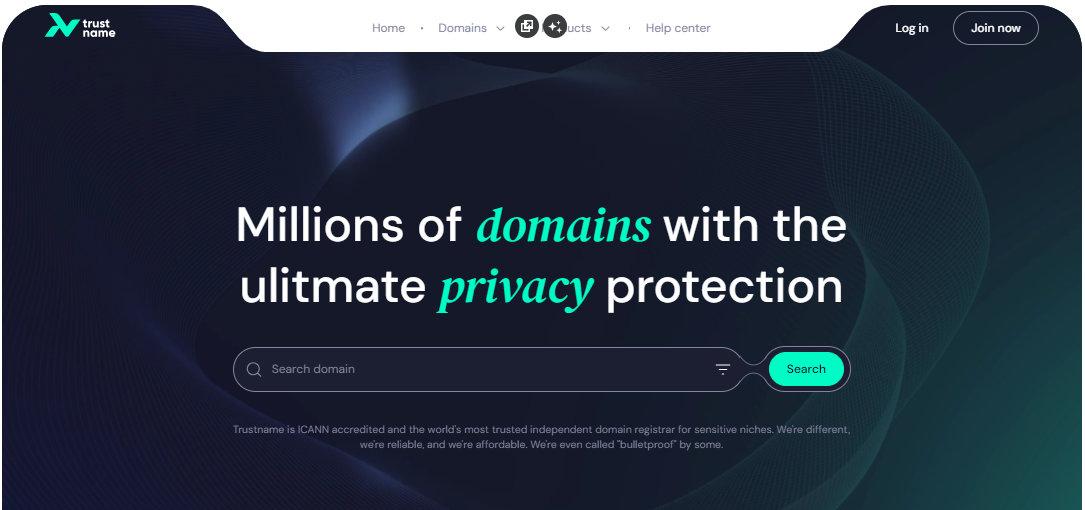
- Fill in your account username and password to gain access to your customer portal.
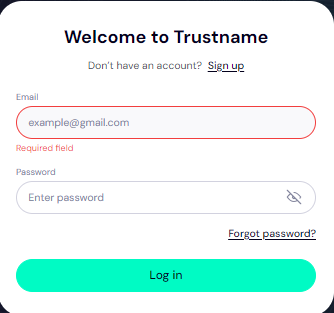
Click 'Log in'.
- Under the 'Domains' dropdown in the header, click on 'Transfer'.
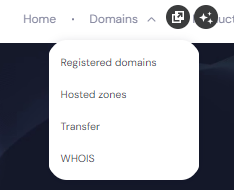
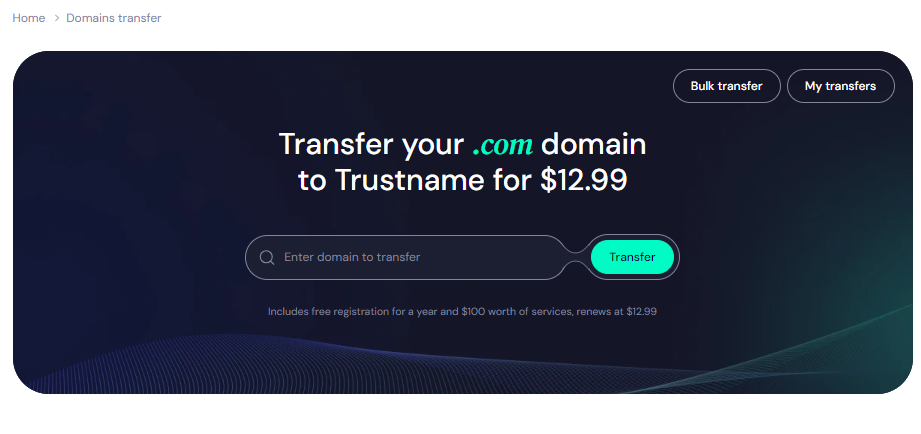
- Type in your domain including the domain extension and click on 'Transfer'.
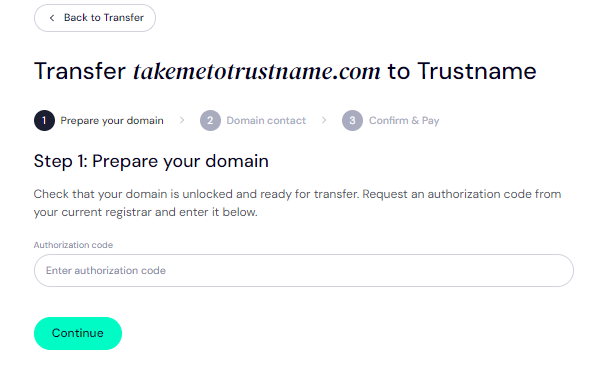
- Enter the Auth Code (EPP code) you copied from UlatHost and click on 'Continue'.
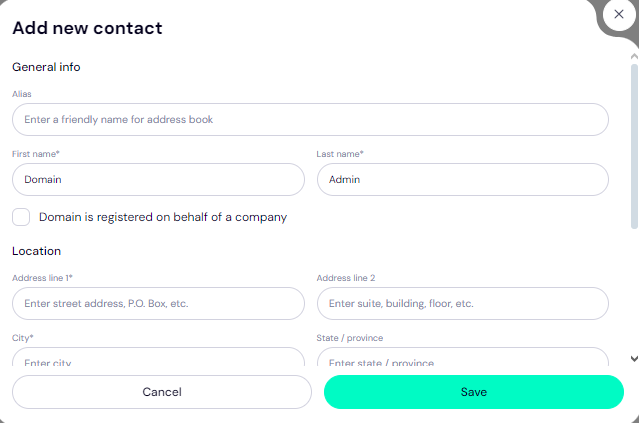
- Fill in your domain contact details. You can choose to use your details by clicking on the 'Choose Contact' dropdown and selecting 'Add new contact'.
Or you can click 'Use a pre-defined contact' to enable Trustname's Two-Tier Privacy Protection.
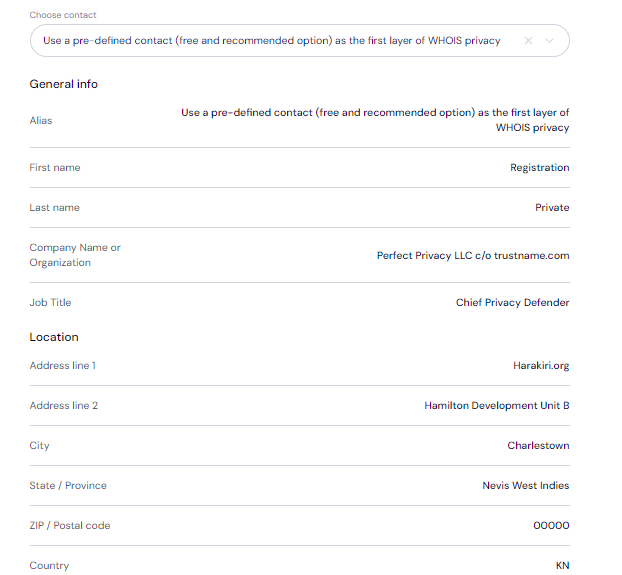
[+] [Notice] Info Insert title here [+] [Notice] Title -> You retain full control of your domain even if you choose 'Use a pre-defined contact' we only offer this service to give you the most privacy and minimize your digital footprint.
Click 'Continue'.
- Pay for your domain transfer and get 1 extra year on your domain's current expiry date.
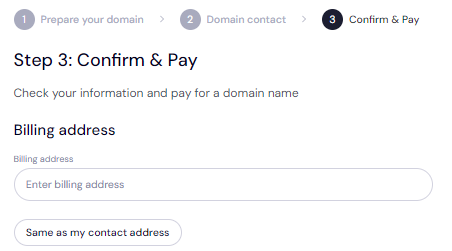
Enter your billing address or select 'Same as my contact address' so you don’t need to fill it in manually.
- Choose your payment method. You can use a bank card or existing funds in your Trustname wallet to make a payment.
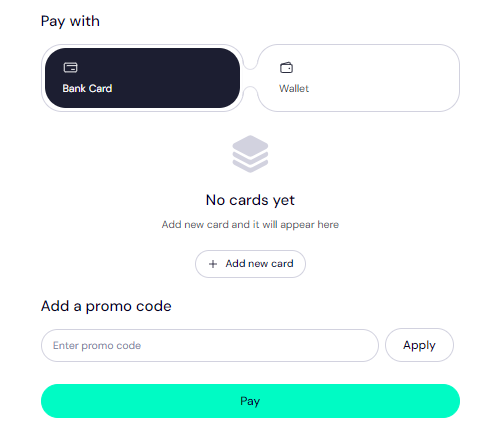
If you don't have a bank card set up yet, click on 'Add new card' and fill in your card details to have it set up.
We also accepts cryptocurrencies for payment!
Trustname's Domain Transfer Promo Code - WELCOME777
- Use the promo code WELCOME777 to reduce your transfer fee to $7.77 and add one free year to your domain's expiration date.
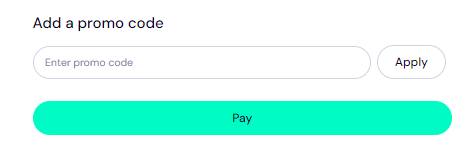
- Enter WELCOME777 in the "Add a promo code" field during checkout.
- Select your domain registration period (between 1 and 10 years).
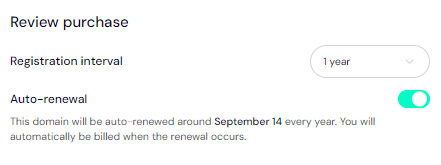
- Leave the auto renewal option ON so your domain renews well before it expires.
- Click the Pay button and follow the on screen prompts to complete the process.
Safeguard Your Domain At Trustname
When your domain gets to us, we advise you to turn on two-factor authentication (2FA), review your domain lock, review our Two-Tier privacy to see your domain Whois info, and check your nameservers.
Troubleshoot A Failed Domain Transfer
When you follow the steps we've outlined, your domain transfer should run smoothly. However, should it fail, you may need to re check the Auth Code, ensure your domain is eligible, check that your domain is unlocked, and disable Whois privacy on [Registrar].
Read Troubleshooting Failed Domain Transfers to Trustname for more help.